Help Center

Remove a team member or cancel an invitation

How an owner removes someone, cancels a pending invitation, and frees a member login.

Only the owner can remove people. Removing a member ends their access to your shared workspace and, once they have no other membership or unexpired invitation in your teams, frees their login for someone else.

Use this guide when

Someone left your company, you invited the wrong address, or you need a login back.

Before you start

  • Switch to your Personal workspace. Member administration is owner only.

Steps

  1. Open Teams and choose Manage on the team.
  2. Open the person in the member list.
  3. For an accepted member, choose Remove member. For a person who has not accepted, choose Cancel invitation.
  4. Confirm. This removes access to this team. On Team and Business plans the login is freed once that email has no accepted membership or unexpired invitation left in any of your teams.
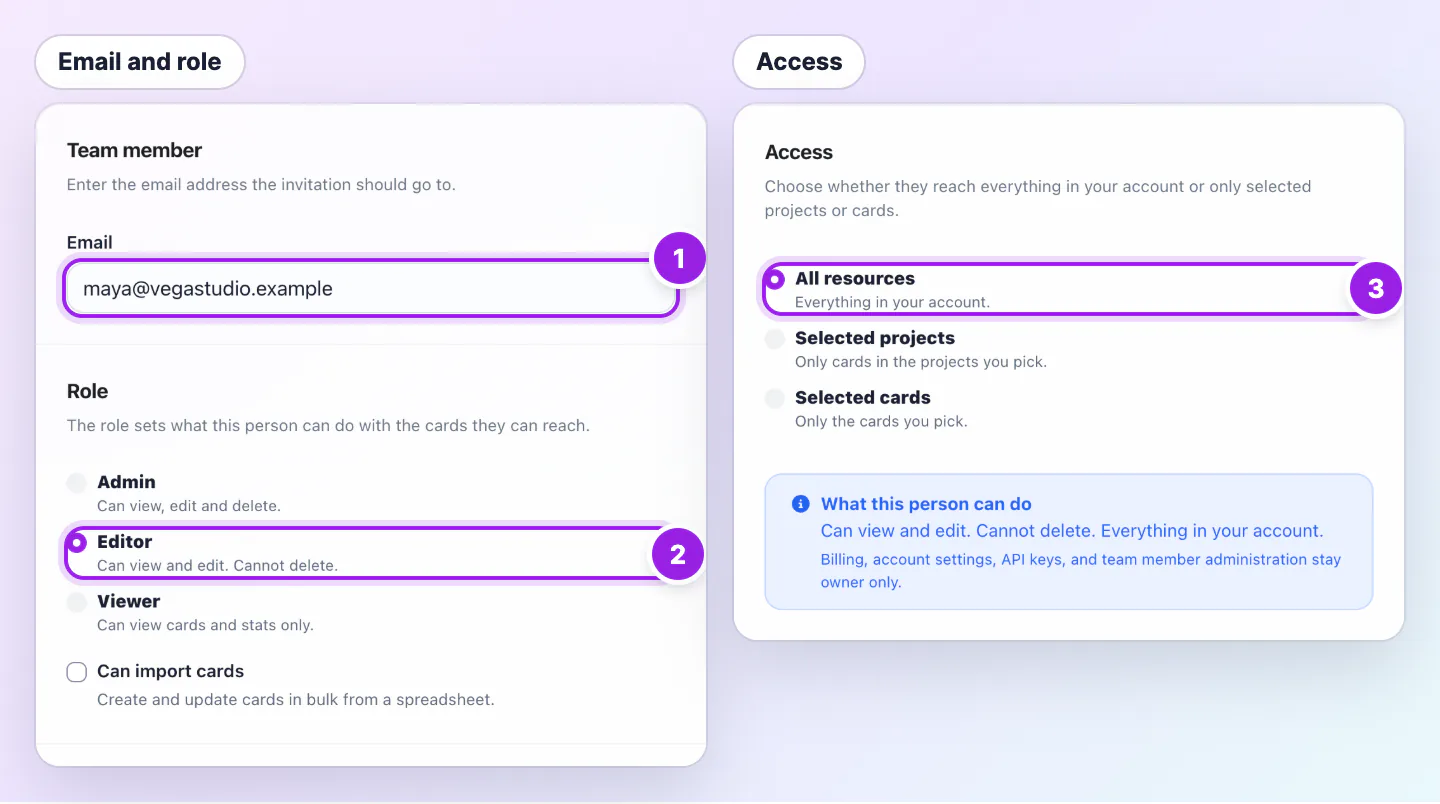
Invite team member form in two parts: an email address and the Role choices, then the Access choices, marked with numbers 1 to 3.
  1. The email address they use to sign in.
  2. Role sets what they can do.
  3. Access sets which cards they can reach.
Enter the teammate's exact sign in email, then choose a role and their access.

An accepted member gets an email that they no longer have access. A cancelled invitation sends no email, and its link stops working.

What the person keeps

Their own account and cards are not affected. They only lose access to your workspace. The email tells them to ask you to invite them again if that was a mistake.

Cards

A card that belonged to the person is still your card. Turn it off if it should no longer be live.

Good ways to use this

  • Remove people the day they leave.
  • Turn off their card at the same time.

Common questions

Can I change the email on an invitation?

No. Cancel it and invite the right address.

How do I get a login back for a bigger team?

Remove or cancel what you do not need, or move to a bigger plan.

Why is the login still used after I removed someone?

The same person may still be in another of your teams, or hold a pending invitation. A person in two teams uses one login until they have left both.

If something looks wrong

  • If Remove member is missing, you are not the owner or not in Personal.
  • If you cannot invite after removing, expired invitations free their login, but pending ones still count.

Was this guide helpful?

Still have questions? Contact support and we'll help you out.