Help Center

Leave a team or decline an invitation

How to decline an invitation, leave a team you joined, and what happens to your own account.

You can say no to an invitation, or leave a team later, at any time. Your own account and cards are never affected.

Use this guide when

You were invited to a team you do not want to join, or you want to leave a workspace you joined.

Steps

  1. Open Teams from the left menu.
  2. For an invitation, find it under Workspaces I can open and choose Decline. Confirm the question that you will not be able to open the workspace unless the owner invites you again.
  3. To leave a team you joined, choose Leave on that workspace and confirm that you will lose access to its shared workspace.
  4. Use the workspace switcher to go back to Personal.
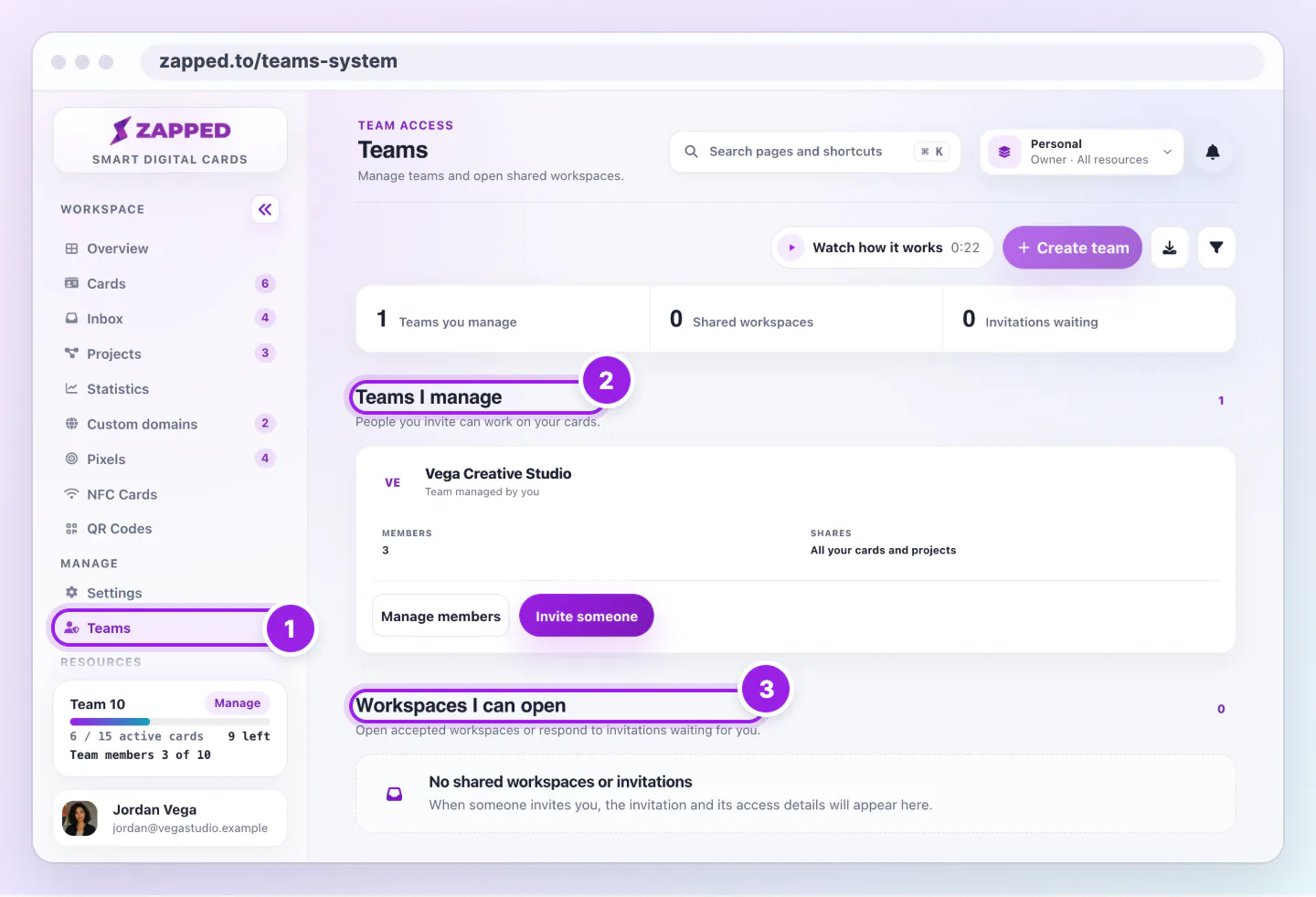
Teams page with the sidebar link, the Teams I manage section and the Workspaces I can open section marked with numbers 1 to 3.
  1. Teams in the sidebar opens this page.
  2. Teams I manage lists the teams you own.
  3. Workspaces I can open lists shared workspaces and invitations.
Teams splits the teams you run from the workspaces other people share with you.

Leaving or declining removes your access to that team. The owner's login for you is freed once you have no accepted membership or unexpired invitation left in any of the owner's teams. To rejoin, the owner has to invite you again.

What happens next

Declining deletes the invitation. Leaving removes your membership. Your Personal workspace, its cards and your plan stay exactly as they are.

If you registered only to accept an invitation and then decline it, you choose a plan for your own account.

Good ways to use this

  • Check the workspace name before you leave.
  • Ask the owner first if you only need less access, because they can change your role instead.

Common questions

Does the owner get told?

The owner sees you gone from their member list.

Can I rejoin later?

Yes, if the owner invites you again.

If something looks wrong

  • If you do not see Decline, the invitation may have expired. Ask the owner to choose Resend invite.
  • If you cannot find a workspace, open the workspace switcher and check you are in Personal.

Was this guide helpful?

Still have questions? Contact support and we'll help you out.