Is this the same code as on the QR Codes page?
Yes. Share shows the card's Main QR code, the same one listed in QR Codes.
 Help Center
Open Share on a published card to see its Main QR code, download it as PNG or SVG, and print it so it keeps working.
Every published card has a QR code you can reach in two clicks. Open Share from the card's menu in Cards, or the Share button in the card editor, and the window shows the card's Main QR code with its downloads.
You want the QR code for one card right now, to download, print or send to a designer.
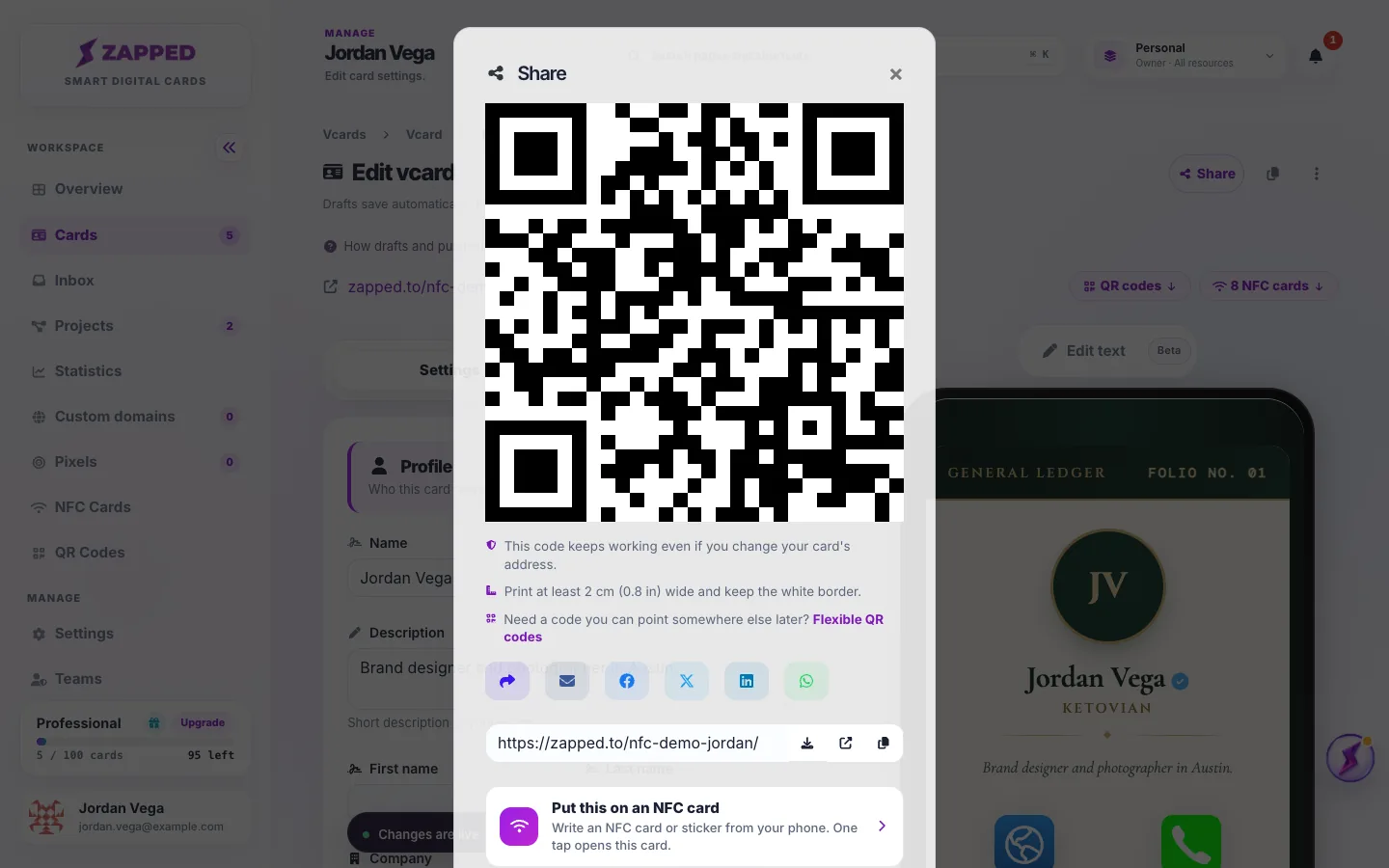
The Main QR code keeps working even if you change the card's address or name, or move it to a custom domain. You never need to reprint it for that.
The QR Codes page in the left menu lists each card's Main QR code and your Flexible QR codes.
A Flexible QR code opens whatever you choose and can be changed after it is printed. Make a Flexible QR code shows how, and QR codes for your cards explains scan counts and turning codes off.
If the Main QR code is turned off, the window says so and links to its page, where you can turn it back on.
If it says We could not load your QR code, choose Try again. The card address and the share buttons still work.
Yes. Share shows the card's Main QR code, the same one listed in QR Codes.
No. The code holds its own address that never changes, and it always opens this card.
No. The Main QR code always opens its card. Add a Flexible QR code for that.
Was this guide helpful?