Does choosing a theme change the live card?
The selection is saved in your private draft. Publish updates the public card.
 Help Center
Choose a layout and adjust your images before publishing your card.
The gallery lets you compare layouts with your own content. Image controls help you adjust the photos used by the selected theme.
You want to choose a layout and adjust your images before publishing your card.
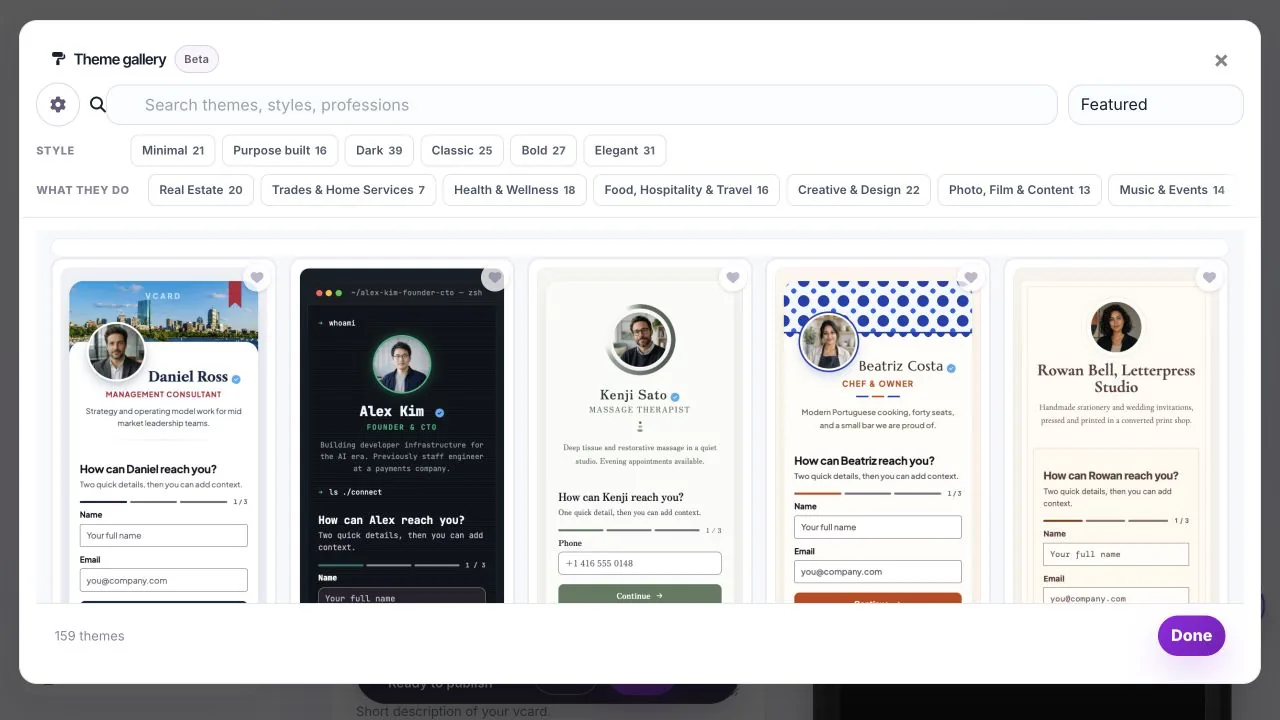
Themes use different combinations of images. An image marked Saved for later is retained, even when the current theme does not display it.
Example previews show the gallery’s sample card. Your card previews the same design with your content, so long names and missing images are easier to spot. Phone and Desktop change the preview size. They do not create separate cards.
Use this theme selects the design and returns to the editor. Your selection is still a draft until published. Use the gallery again to compare another design.
Profile photo, Brand logo and Cover image have different jobs. Themes may display only some of them. Saved for later means the image remains attached to the card even though the current theme does not display it.
Use the available framing controls to position the important part of an image. Check both preview sizes after changing the theme because the image area can have a different shape. Do not upload another copy solely to make an unused image appear.
The selection is saved in your private draft. Publish updates the public card.
Yes. Theme selection and editing tools are available across plans, within your card and block limits.
Was this guide helpful?