Do I need seven forms?
No. These are starting points for one adaptable form. Choose one and customize it.
 Help Center
Choose a starting form for the kind of conversation you want visitors to start.
You want to choose a starting form for the kind of conversation you want visitors to start.
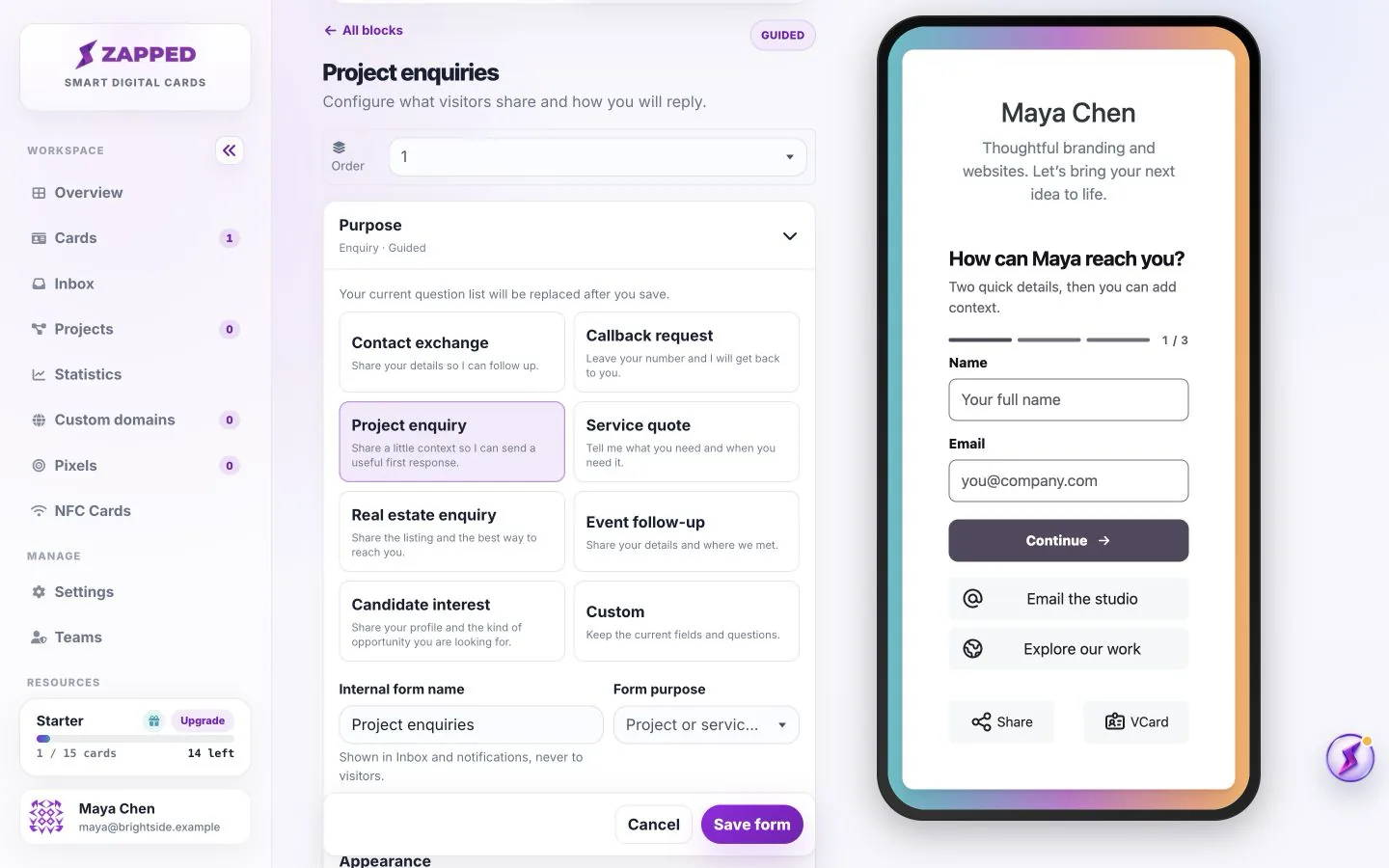
Start with the smallest amount of information you need for a useful reply.
These seven templates are starting points for the information you collect, not visual styles. Choose the next step you want the visitor to take, then adjust the wording and optional questions. Use the layout and appearance guide to change how the form looks.
Keep the first contact simple.
Make a phone call the next step.
Understand the kind of work someone needs.
Collect context for a price discussion.
Start a conversation about a property.
Remember where the conversation started.
Invite an introduction and a profile link.
Applying a template replaces the current question list and resets the contact field choices, form purpose, internal name, headline, public description and button wording to that template’s defaults. Check these fields before saving.
Custom keeps your current fields and questions. Choose it when you want to refine what you already built. Changing only the Form purpose dropdown categorizes the enquiry; it is not the same as applying a template.
The confirmation warns about the form configuration, not old submissions. Existing Inbox leads keep their captured answers. Save form stores the new setup in the draft; Publish makes it live.
No. These are starting points for one adaptable form. Choose one and customize it.
Cancel before saving if you do not want the new setup. Keep a copy of important custom questions before replacing a saved form; there is no promise of question history.
Was this guide helpful?