1
GoDaddy
Open DNS for your domain, choose Add New Record, select CNAME, enter cards in Name, and enter custom.zapped.to in Value.
 Help Center
Add a domain or subdomain, create the CNAME record, and return to verify it.
A custom domain gives your shared cards and supported pages a branded address. For most setups, the safest option is a subdomain such as cards.example.com.
cards.example.com is usually safest if your main website already uses example.com.custom.zapped.to.cards.example.com, the host or name is usually cards and the target, value, or points to field is custom.zapped.to.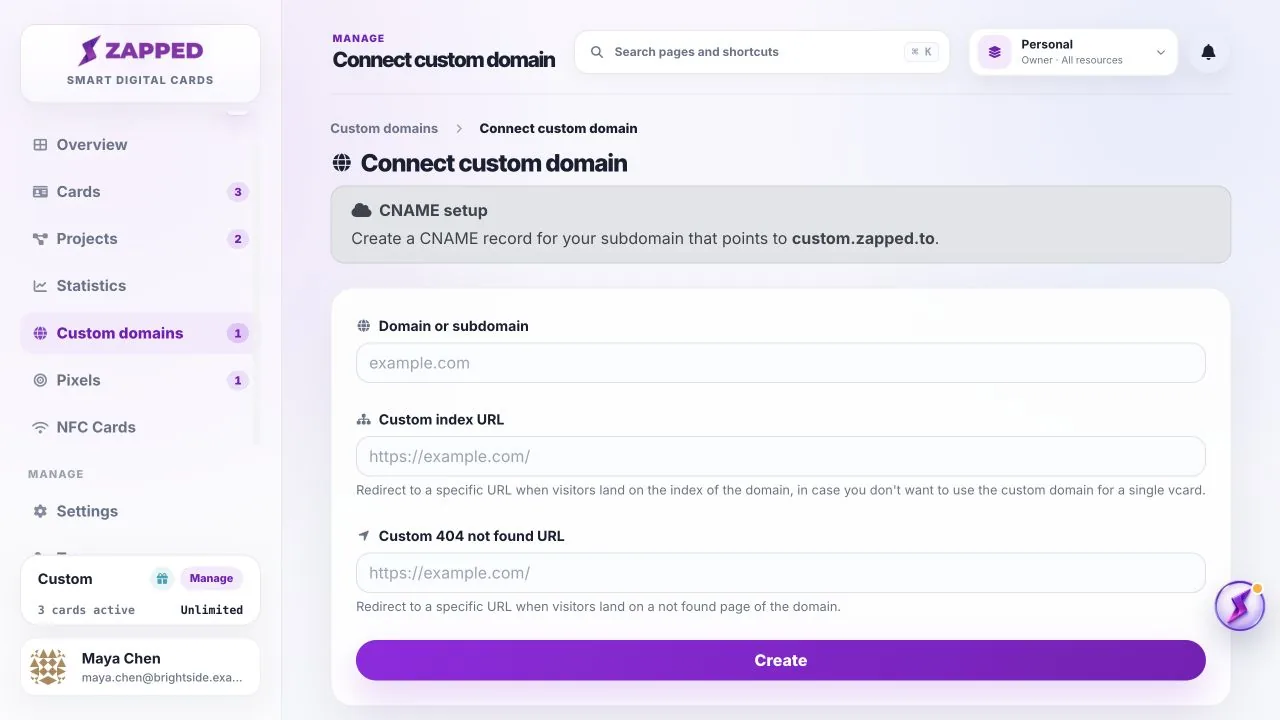
For a subdomain such as cards.example.com, create one CNAME record with these values:
CNAMEcardscustom.zapped.toDefault or AutomaticOpen DNS for your domain, choose Add New Record, select CNAME, enter cards in Name, and enter custom.zapped.to in Value.
Open Domain List, choose Manage, open Advanced DNS, choose Add New Record, select CNAME Record, then enter cards in Host and custom.zapped.to in Value.
Open Zone Editor, choose Manage for the domain, add a CNAME record, then enter cards.example.com or the short host your provider accepts in Name. Use custom.zapped.to as the target.
Provider screens and field names can change. The official guides above are the source for the current provider interface. If Zapped shows a different target, use the value shown in Zapped.
Some providers update within minutes, but propagation can take longer. The exact timing depends on your DNS provider and existing record settings.
Only change the root domain if you are sure it should point to Zapped. A subdomain is usually safer when the root domain already serves a website.
Use custom.zapped.to as the target, value, or points to field. If the Zapped setup screen ever shows a different target, use the value shown inside Zapped.
Was this guide helpful?