Is CSV export a paid feature?
Inbox lead CSV export is available across plans. It is separate from generic CSV export settings elsewhere in the app. Workspace permissions and card access still apply.
 Help Center
Find visitor submissions, export your leads and check how long they are kept.
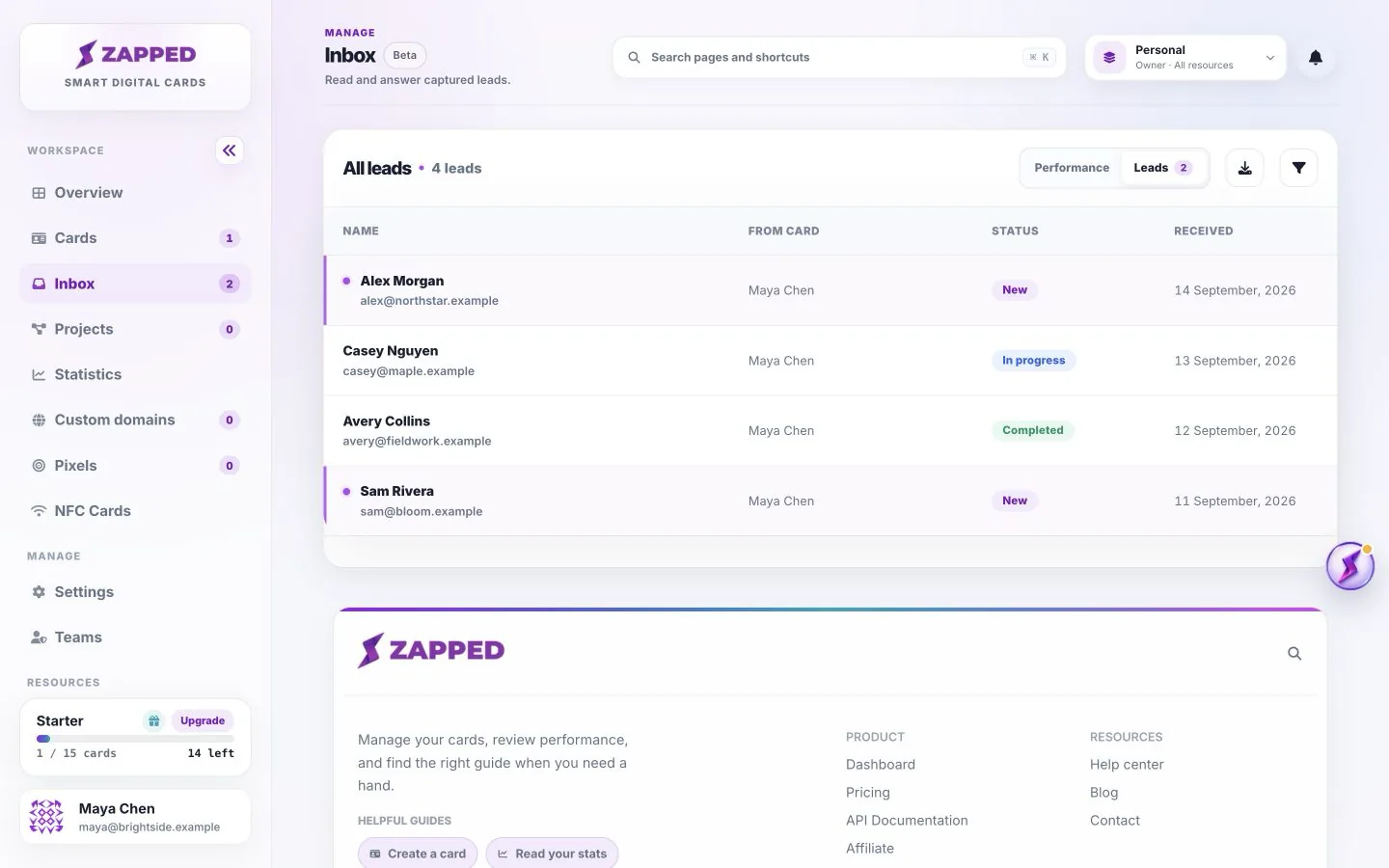
Inbox groups the submissions you can access in the current workspace. Retention sets how long each lead remains available.
You want to find visitor submissions, export your leads and check how long they are kept.
Expired leads are removed automatically. Unlimited retention does not protect a lead from manual deletion. Exported files are your responsibility to store and remove securely.
Open the Leads tab, then select a name to see contact details, the form name and qualification answers. Opening a lead marks it read. Read status records whether it has been opened; it is separate from its follow-up status.
Use New for a fresh enquiry, In progress while following up, Completed when the work is finished, and Closed when you do not plan to continue. Save the status after changing it. Private notes help you record the next action.
Reply opens your email app when the lead supplied an email address. It does not send a reply automatically or create a conversation inside Zapped. For a phone-only enquiry, use the submitted phone number.
The Performance tab summarizes the leads and card activity available to your workspace. Its conversion comparison uses the last 30 days of leads and views, not the lifetime lead count divided by lifetime views. Missing or expired view data can limit what the comparison shows.
Source details, such as campaign tags and referrer, appear only when captured. A blank source does not mean the lead is invalid. Form answers are recorded with the submission, so later question edits do not rewrite old responses.
Free retains new leads for 30 days, Starter for 180 days, and Professional has unlimited retention. Check your own Plan page for Lite or custom allowances. Each lead keeps the retention policy assigned when it was received; changing plans does not retroactively extend older leads.
Export records you need before expiry. Automatically expired or manually deleted leads are not recovered by changing plans. Deleting a card does not give a teammate access to detached leads; the owner can still see retained records.
Inbox lead CSV export is available across plans. It is separate from generic CSV export settings elsewhere in the app. Workspace permissions and card access still apply.
The plan in effect when a lead arrives determines its retention period. Changing plans affects new submissions; it does not rewrite the expiry of leads already received.
Was this guide helpful?