Does the old account API key still work?
It is retired by default. A temporary compatibility setting may allow an existing integration during a transition. Create a scoped API key for each tool rather than relying on that exception.
 Help Center
The single account API key is retired for customers. Create an API key with the permissions your tool needs and choose how long it lasts.
The account API key was replaced by API keys. Each API key carries only the permissions you choose, expires after the number of days you pick, and can be revoked on its own.
You are looking for the account API key, or a tool stopped working because it still sends one.
Store a key as carefully as a password. If one may have leaked, revoke it on the API keys page and create a new key for the tool.
The old account API key was a single broad credential without per-tool permissions or an expiry date. Its access still depended on the account, plan and enabled API endpoints.
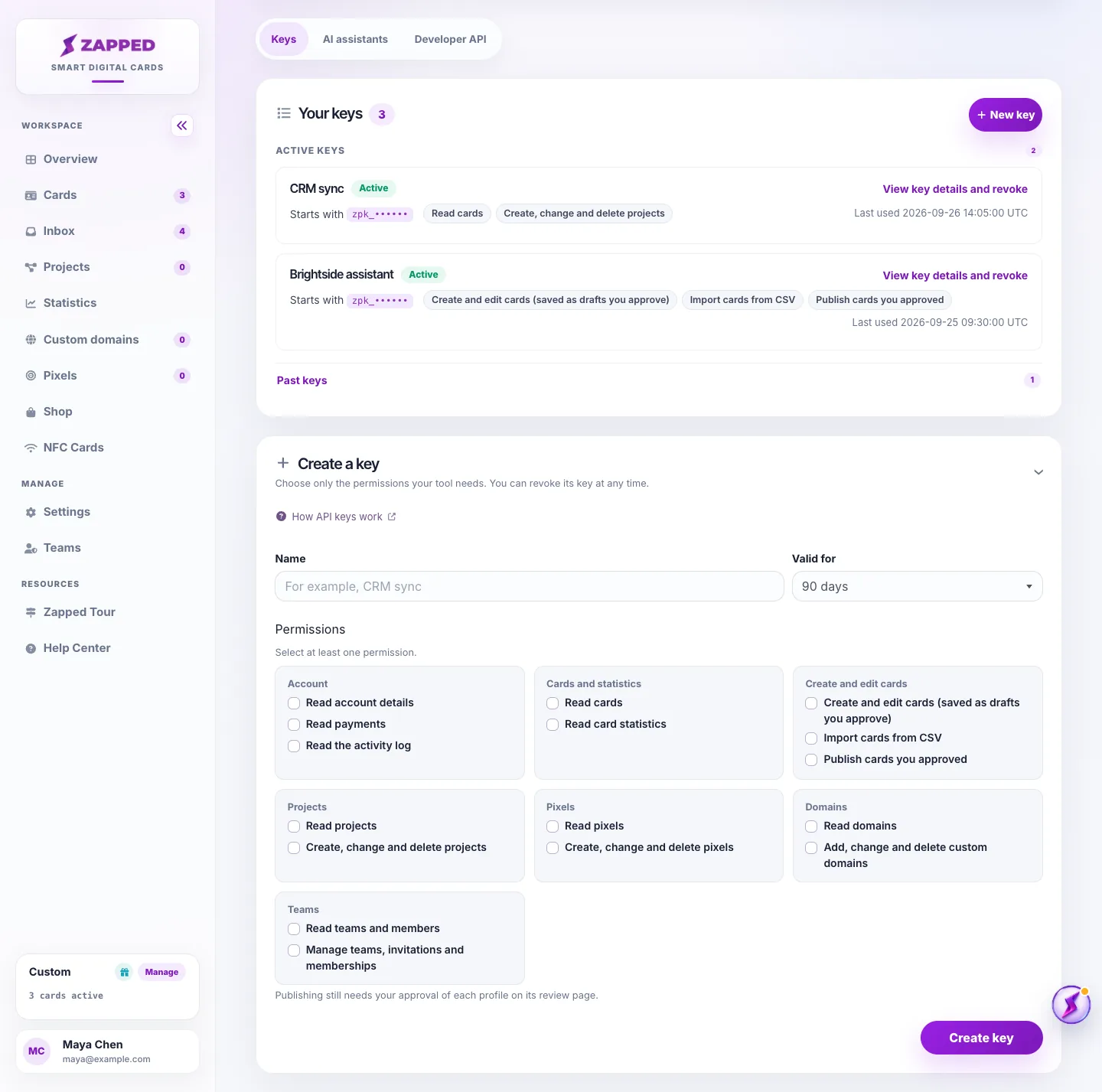
API keys replace it. Each key carries only the permissions you tick, expires on the date you choose, and can be revoked on its own without touching your other tools.
Nothing else about connecting a tool changed. A tool still sends its key in an Authorization header to the same address, so only the key value in its settings is new.
The API keys page under Account is where keys are created and managed. It lists active keys first and folds past keys under Past keys.
Each entry shows the characters the key starts with, its permissions and when it was last used. Open View key details and revoke to see when the key was created and when it expires, or to revoke it.
To replace a key, create the new one first, store it in the tool, check that the tool works, and then revoke the old key.
The old customer account key is retired by default. An operator may temporarily allow it for an existing integration during a transition, but it is no longer shown or regenerated on the account page. Administrators manage a separate admin API key under Admin, API documentation for the admin API.
Create an API key with the permissions that tool needs, replace the stored key in the tool, and check that it works before you remove the old value from its settings.
Professional includes the developer API, managed-profile API and MCP connections for AI assistants. Starter includes CSV profile import in the dashboard, but not API or MCP access. Custom plans keep their agreed permissions. If access is temporarily paused, the API keys page shows a pause notice; upgrading does not remove a site-wide pause.
It is retired by default. A temporary compatibility setting may allow an existing integration during a transition. Create a scoped API key for each tool rather than relying on that exception.
No. The permissions are chosen when the key is created and cannot be edited, so create a new key with the permissions you need and revoke the old one.
Existing account API endpoint addresses and the Authorization: Bearer header stay the same. Managed-profile operations use /api/managed-profiles and MCP uses /mcp. They share the key system, but have their own plan permissions and availability controls. The Developer API and AI assistants tabs on the API keys page list the addresses.
Was this guide helpful?