Help Center

Free tools for QR codes, email signatures and NFC tags

What the free tools on Zapped do, which need no account, and when to use your own card instead.

Zapped has free tools that work in your browser. You do not need an account to make a QR code or an email signature, and nothing is watermarked.

Use this guide when

You want a quick QR code, a plain email signature or to write an NFC tag, before or without building a Zapped card.

Steps

  1. Open the free tools page and choose a tool.
  2. Fill in the details. The preview updates as you type.
  3. Download or copy the result. The vCard QR tool gives PNG, SVG, EPS and a .vcf file, and the signature tool has Copy signature and Copy HTML.
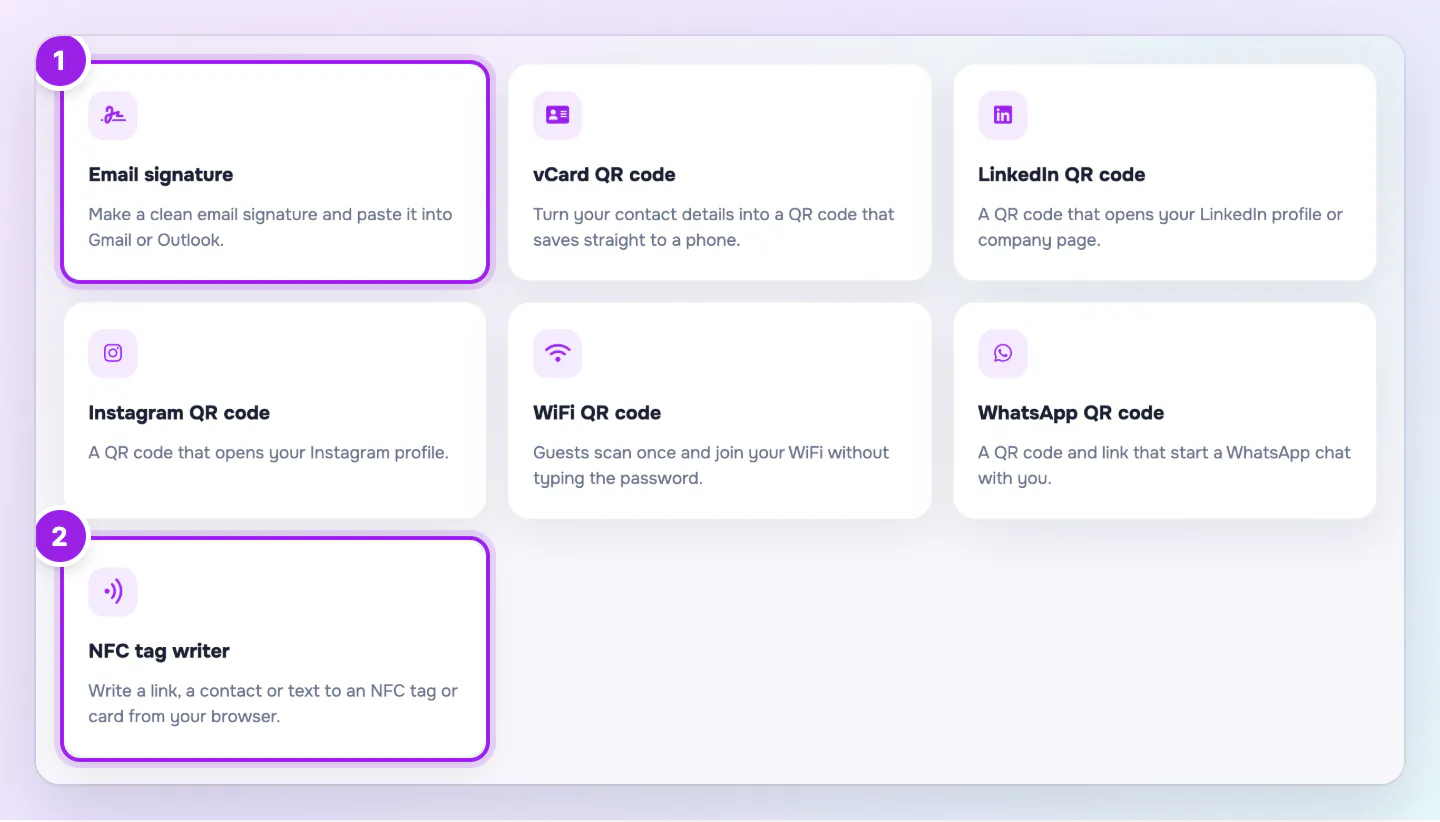
The free tools page with a grid of tool cards for QR codes, an email signature generator and an NFC tag writer.
  1. Make an email signature, or a QR code for a contact, profile, WiFi network or chat.
  2. The NFC tag writer works in Chrome on Android.
The free tools page lists every tool, and each one runs in your browser with no account.

A QR code from a free tool is static. It cannot be changed after you print it. If you want to change where a printed code points, use a Flexible QR code from your Zapped account.

The tools

Each tool runs in your browser and is free to use.

  • vCard QR code generator: Turns contact details into a QR code that saves to a phone. Choose dots, corners, a logo and a frame, then download PNG, SVG, EPS or a .vcf file, or print.
  • LinkedIn, Instagram and WhatsApp QR codes: Make a code for a profile, a reel or post, or a WhatsApp chat link with an optional first message.
  • WiFi QR code generator: Guests join without typing the password. You can print a WiFi sign or a table tent.
  • Email signature generator: Pick Classic, with a color bar, or Compact, on two lines. Set an accent color and copy it into your email app. The Made with Zapped link can be unticked. It has no photo or logo upload.
  • NFC tag writer and reader: Works in Chrome on Android only. Write a link, contact, text or WiFi, and read, copy, erase or lock a tag. Locking cannot be undone, so you type LOCK to confirm.

When to use your own card instead

A published Zapped card gets a Main QR code. On paid plans you can also create Flexible QR codes and change their destinations later. Your card also has an Email signature tab on its Share page with styles that carry your card details and a tracked link. Use the free tools when you only need a one off file.

Good ways to use this

  • Test every code with a phone before you print it.
  • Print QR codes at least 2 cm wide with a white border around them.
  • Use a Zapped card for anything you plan to change later.

Common questions

Do I need an account?

No. The tools are free and do not ask you to sign in. A signed in owner can pick Your Zapped card in the NFC tool.

Is there a limit on QR codes?

No. There is no watermark and no limit.

If something looks wrong

  • If the NFC tool cannot connect, use Chrome on an Android phone with NFC turned on.
  • If a pasted signature loses its layout, use Copy HTML in an editor that accepts HTML, or use the Email signature tab on your card.

Was this guide helpful?

Still have questions? Contact support and we'll help you out.