Why did I get an email I did not expect?
Each email names why it arrived at the bottom. Account emails go to the address on your account.
 Help Center
What the bell shows, which emails to expect about your account, plan, setup orders and leads, and what you can switch off.
Zapped tells you what needs you in two places: the notification bell inside the app and email. Each email says why it arrived, and its button opens exactly what it names.
You want to know what the bell shows, which emails are normal, or why an expected email did not arrive.
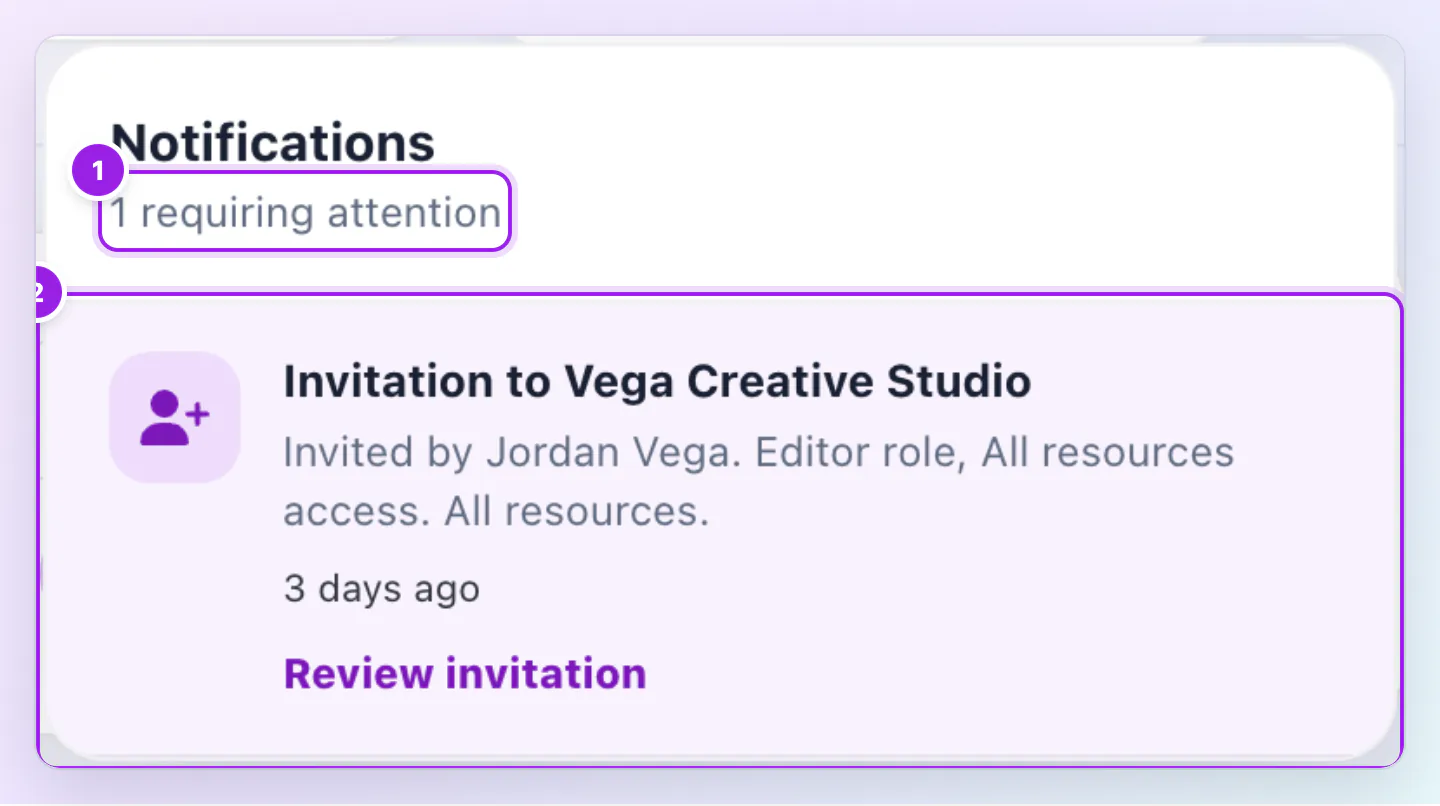
Notice rows are removed after 30 days, and a pending team invitation can stay with an Expired label until it is declined or cancelled. There is no switch for billing, security or setup emails.
Team invitations come first, with an Expired badge after 14 days. Then come updates on your setup orders, which show in your Personal workspace only, a profile waiting for your review, team notices and the What's new card.
Confirm your Zapped account, a welcome email, Reset your Zapped password, Your Zapped password was changed, Your Zapped sign in settings were changed, a note when other sessions are signed out, and A new API key was created for your Zapped account. If our support team changes your sign in details or turns off two factor, you get an email about that too. Most account emails carry your email safety code if you set one.
Your free trial has started and Your free trial ends on the date, payment received, We could not charge your card, Confirm your Zapped payment, Your card expires on the date, Your plan renews on the date for yearly plans, and messages when you pause, resume, cancel or change your plan or when it ends. The failed payment and renewal guides explain them.
We send an email when your order is confirmed, when we have your details, when we start building, when your proof is ready, when we need more details, when you approve, when we make changes, when your files are ready and when we reply to a message. Subjects name your package and your order number. If your details are missing we remind you around day 3, day 10 and day 25.
You get an email when you are invited to a team, and when you are removed from one. New lead from your card goes to the recipients chosen for that card. The owner is one of them by default, and extra recipients get a plain copy. If a card needs attention, such as an NFC card, we send at most one email a day.
Open Settings, then Preferences. If your account has NFC cards or QR codes, General lets you turn off the email about NFC cards that need attention. Under Lead emails you choose who receives lead emails for each card. There is no switch for the bell, billing, security or setup emails.
Each email names why it arrived at the bottom. Account emails go to the address on your account.
No. Billing, plan and setup emails go to the account owner.
The signup confirmation link lasts 30 minutes, a password reset link 24 hours and a team invitation 14 days. Each can be requested again.
Was this guide helpful?