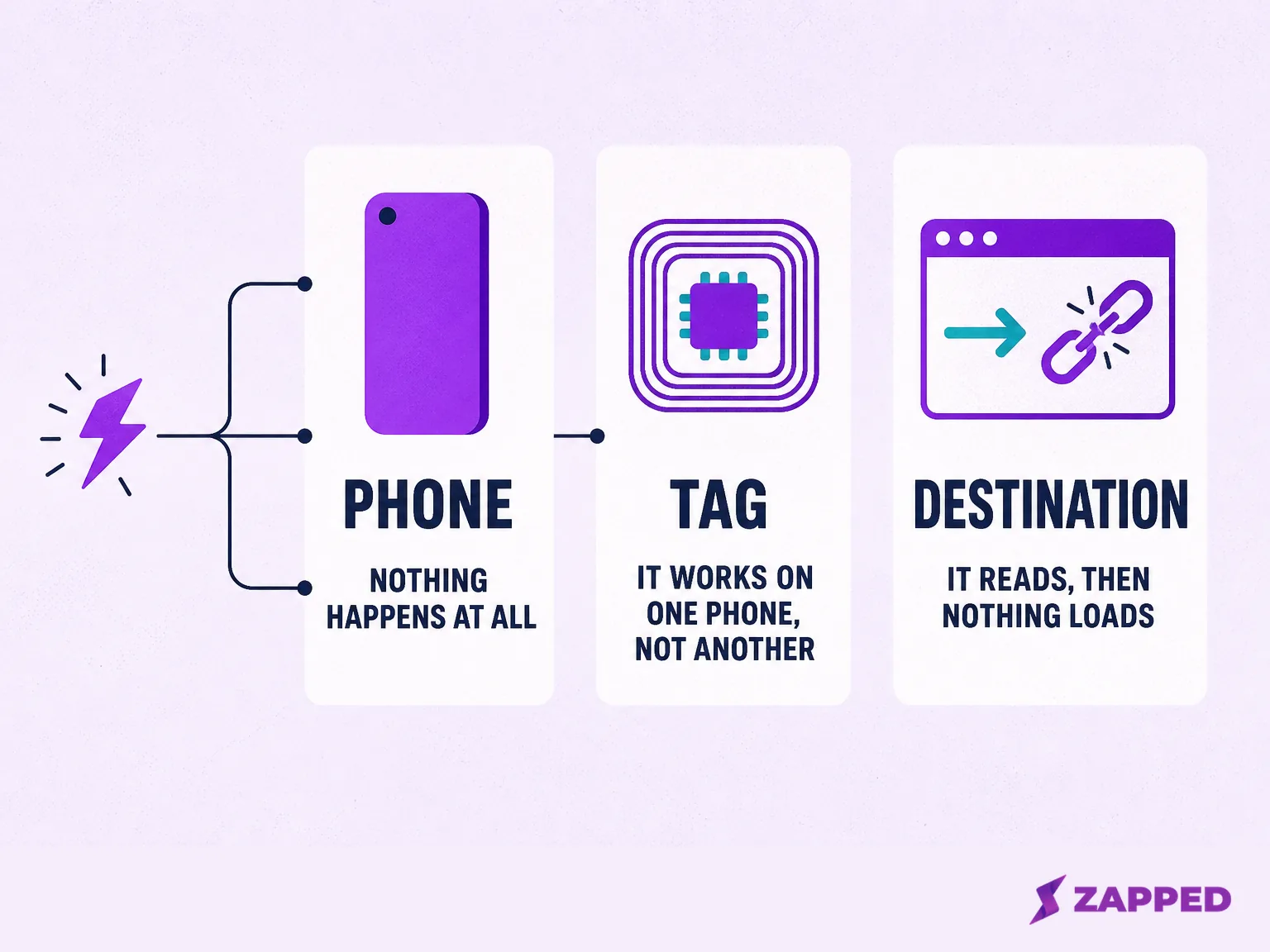
A business card that used to open on a tap, or that should but never has, is broken in exactly one of three places: the phone, the tag, or wherever the tag points. Working out which one takes about two minutes.
Most pages that rank for this problem list a dozen possible causes without saying which one is actually common. On iPhone, the most frequent cause is not a broken chip. It is a decision made when the card was written, long before anyone tapped it, and Apple's own documentation explains exactly why.
If you are not sure the card in your hand is NFC at all, confirm the card is actually NFC before running through the checks below.
If you already know it is a Popl card, its brand covers its own quirks better than a general guide can, so see Popl's own troubleshooting steps instead.
Rule out the phone first
The fastest way to rule things out is to check the phone before touching the card. Is NFC turned on, is the screen unlocked, is the camera or Wallet open, is Airplane Mode active, and does this particular phone even need a setting turned on. iPhone and Android fail in different enough ways that they are worth separating.
On iPhone, five conditions can silently block a read
iPhone XS and later support background tag reading, according to Apple's Core NFC documentation: the phone can pick up a tag without any app open first. Older models, the iPhone 7, 7 Plus, 8, 8 Plus, and X, need NFC Tag Reader turned on manually in Control Center before they will read anything at all.
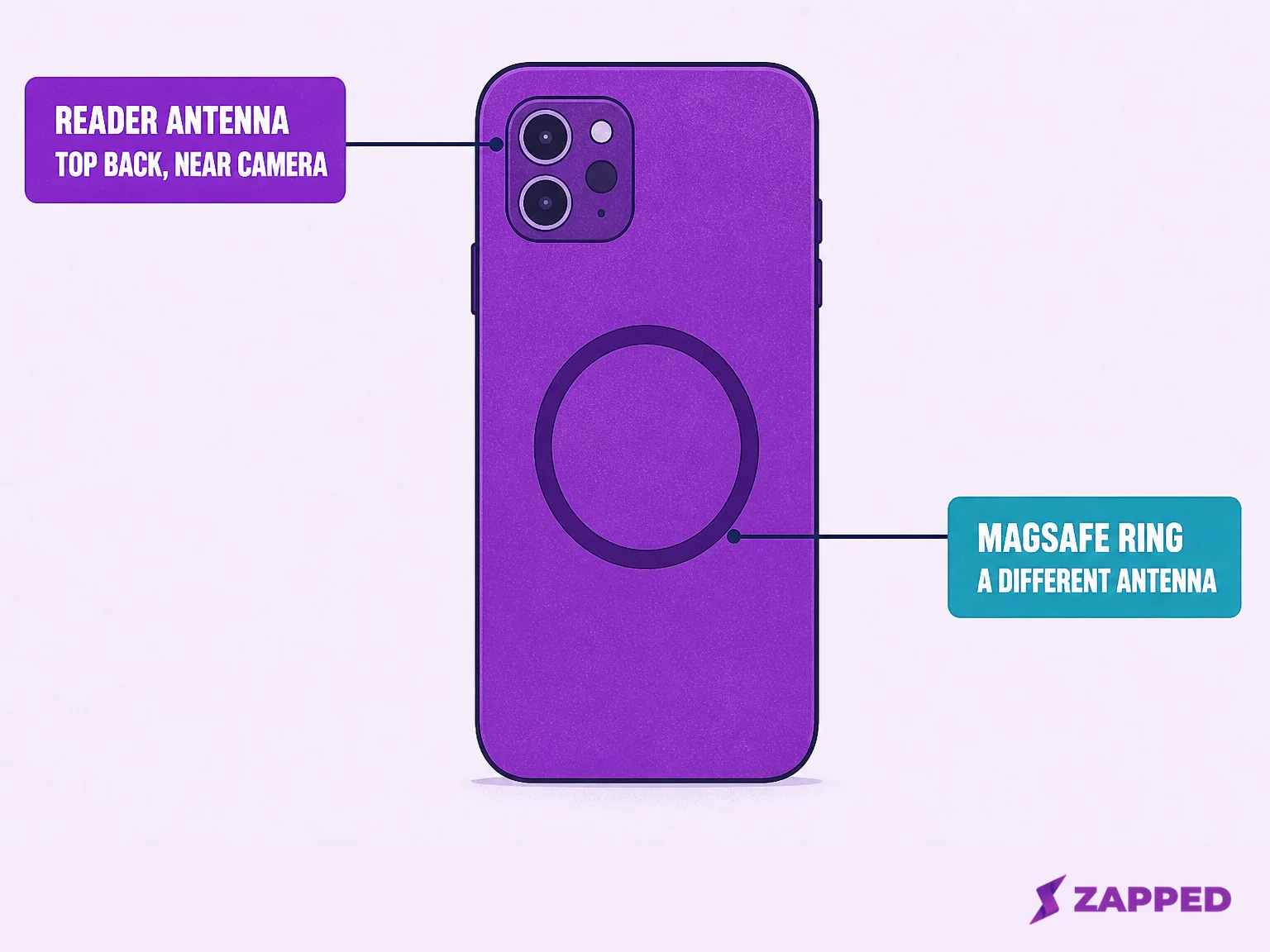
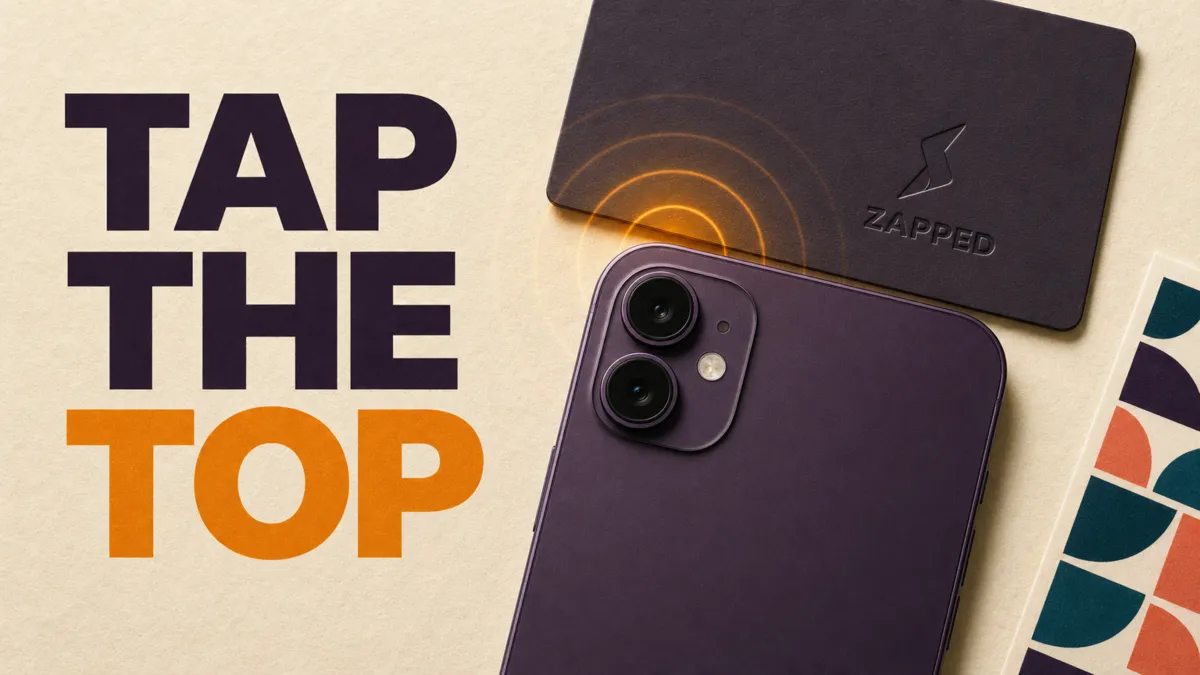
The reader antenna on iPhone sits near the top of the phone, close to the camera module, not centered. An iFixit repair thread on iPhone 13 hardware places it there, and vendor guidance from Mobilo and Wave Connect independently points customers to the same spot.
An independent NFC industry blog, AtaDistance, has documented a second antenna Apple started shipping with iPhone 12: one built into the MagSafe ring at the center of the back, dedicated to identifying MagSafe accessories rather than reading a general tag. That explains why tapping the visible magnet ring often does nothing.
Even on a phone that supports background reading, Apple lists five conditions that block it while the screen is on: the device has never been unlocked since it restarted, another Core NFC reader session is already running, Apple Pay Wallet is open, the camera is open, or Airplane Mode is on. Any one of these is enough to make a working card look dead.
A locked iPhone is not a dead end either. Apple's documentation says the system prompts the user to unlock before it will hand the tag data to Safari or an app, which means what looks like a failed tap is sometimes only a notification nobody saw.
Vendor pages disagree with each other about which iPhone needs no NFC setup at all. Linq tells its customers iPhone 7 and newer works with nothing to configure, Blinq draws the line at iPhone 11, and Popl points iPhone XR and newer to automatic tapping while sending anything older to a QR code.
Linq's and Blinq's cutoffs do not match Apple's own model list. Popl's does, exactly, at iPhone XR. That gap is worth knowing before trusting any one vendor's number over another.
For the full model by model walkthrough, including exactly where to hold the phone and what to do if a notification never appears, see the guide to scanning an NFC business card on iPhone.
On Android, the screen has to be unlocked and awake
A phone scans for tags whenever the screen is unlocked, unless NFC has been switched off in Settings, according to Google's own Android developer documentation. A locked or dark screen will not read a tag, no matter how long you hold it there.
On stock Android, the toggle lives at Settings, Connected devices, Connection preferences, NFC. Samsung and other manufacturer skins move it to Settings, Connections, NFC and contactless payments, which is the setting readers most often report they cannot find.
Some Pixel owners report the "Require device unlock for NFC" setting missing or unreliable on certain Android 14 builds, according to a thread in Google's own Pixel Community forum. The thread is unresolved, not a confirmed statement from Google. Treat it as a real but unconfirmed report, not a documented cause.
Android also runs scanned tags through a priority order behind the scenes, checking for a full data match first and falling back to a broader technology match if nothing else claims it.
If you are troubleshooting an old thread that blames Android Beam, that feature was retired in Android 10 and has nothing to do with why a tag fails today. Google says ordinary tag reading kept working exactly as before.
For the full model by model walkthrough, including exactly where the NFC toggle lives on Samsung versus Pixel phones and what to do when a notification appears instead of an instant open, see the guide to scanning an NFC business card on Android.
The tag: what is actually written on the chip determines whether the phone even tries
This is where most "my card just stopped working" reports actually live, and it is why this section runs longer than the other two. The phone can be perfect and the tap can still fail, because what got written to the chip decides whether the phone acts on it at all.
A flat battery is not the right diagnosis for a passive tag. The phone supplies the brief operating power, so whether NFC business cards need batteries explains why the tag, phone, and destination need to be checked as separate layers.
The record type problem
Background reading only acts on one record type, according to Apple's Core NFC documentation: a URI, something starting with http, mailto, tel, or a handful of other supported schemes.
If the tag holds a MIME vCard record instead, the kind that stores a name, phone number, and email directly on the chip, iPhone's background reader does nothing with it. No error, no fallback, no notification.
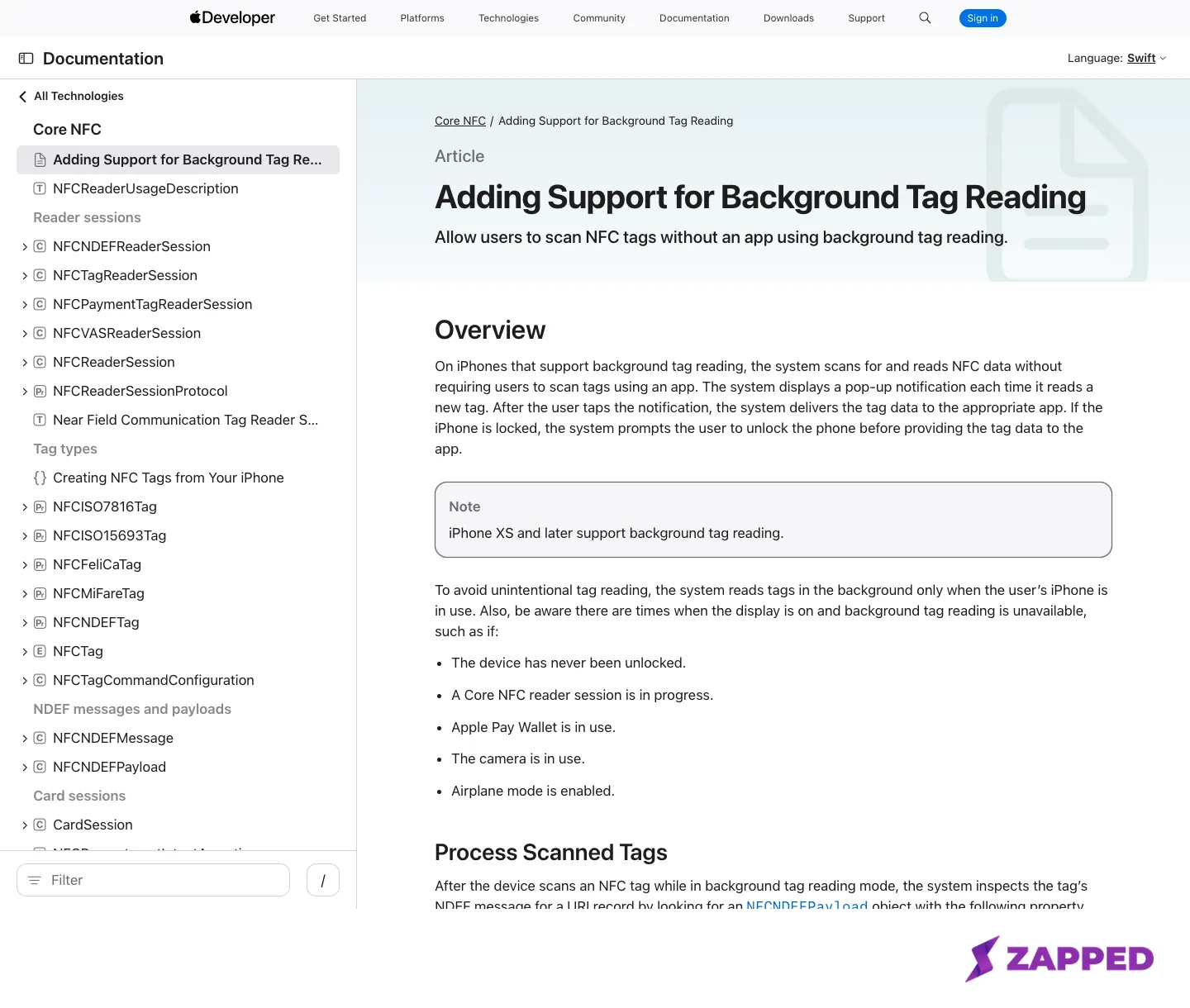 Source: Apple Developer Documentation, captured 2026-08-05.
This single rule explains the most common self inflicted failure among people who program their own cards. NFC.cool, a vendor that sells tag writing tools, independently describes the same behavior in plain language: iPhone's background reading supports web links, phone numbers, and text messages, and it ignores vCard data outright, with no error shown.
A Reddit thread in r/iphonehelp shows the same confusion from the other side. Someone programming their own cards with contact data reported that an iPhone would not read them.
Android is more forgiving here. Its dispatch system can still hand a vCard record to Contacts or another app registered to handle it, which is exactly why the same card can work perfectly on a friend's Android phone and do nothing at all on an iPhone. That is a difference between platforms, not proof the card is defective.
How much room is on the chip
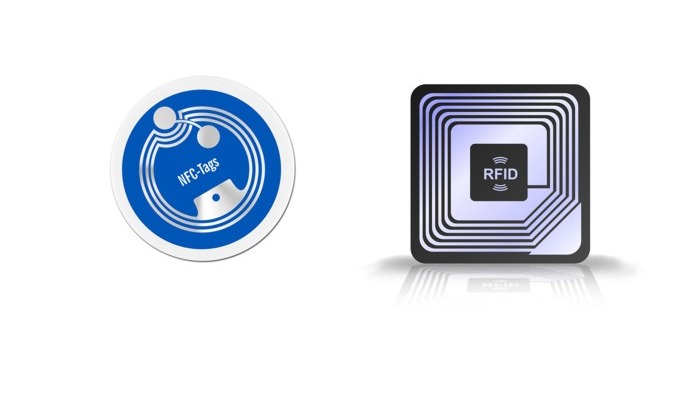
NTAG213, 215, and 216, the chip family used in most NFC business cards, carry 144, 504, and 888 bytes of user memory respectively, according to NXP's own product page for the family. Formatting overhead takes a little off each of those before your data goes on.
A vCard payload with a photo or several fields can run well past the smallest of those ceilings. That is the mechanism behind a specific complaint: it worked, then fields were added, and then it broke.
Locked tags and password protection
Locking an NTAG tag so it can only be read is a permanent operation at the chip level. NXP's data sheet states plainly that once the lock bit is set, it cannot be reset, not by the cardholder and not by whoever sold the card.
If a card was locked before it reached you, or a setup step locked it by mistake, no amount of retrying fixes that.
Password protection is a milder relative. NXP's specification allows part of a tag's memory to be restricted behind a password with a limited number of attempts, which can reject a write attempt from an unrelated app while looking, from the cardholder's side, exactly like a locked tag.
Wakdev's own NFC Tools app treats lock status as a distinct, checkable condition rather than a guess, which is the quickest way to tell the two apart. If the tag turns out to be locked rather than merely unwritten, check whether the card is locked or unwritable covers the full triage.
Range, and why one phone's tap is not another's
Four different numbers get called "the NFC range," and they answer four different questions. The NFC Forum's own baseline puts typical real world range at up to 2 centimeters.
Its official certification floor was only 5 millimeters before 2025. Release 15, published that year, raised that floor to 20 millimeters, so newer certified hardware should tap more forgivingly than older gear.
NXP separately rates its own chips at up to 100 millimeters, but qualifies that as a best possible figure depending on field strength and antenna geometry, not a distance you should expect at your desk.
Unit to unit variation is real too. Adrian, who reviews products on his own blog at APE Consulting, tested a walnut bamboo V1CE card against his iPhone 12 and iPhone X and measured roughly a 50 percent tap success rate on the original card.
After V1CE sent a replacement, the same test succeeded 8 or 9 times out of 10. One reviewer's two cards is not a statistic, but it is a concrete illustration that two units of the same product can behave differently.
Metal, cases, and other things that block the field
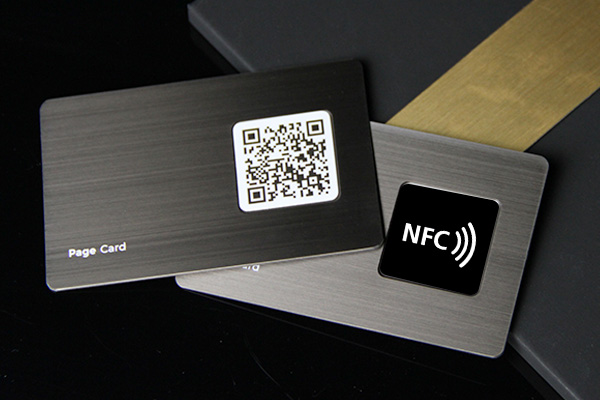
A metal card body or a thick metal phone case works the same way physically: both absorb the field the chip needs to power up instead of letting it through. A tag vendor's own explainer of the physics describes anti metal tags adding a ferrite layer specifically to redirect that field around the metal rather than through it. If you are choosing a metal card rather than troubleshooting one, see the metal NFC business card construction guide before ordering.
Careless decoration or lamination over the antenna can cause the identical problem. See how card decoration can block the antenna for what to avoid there.
Reported experience backs this up. On Trustpilot, one V1CE customer says two batches of cards worked fine when they were first set up, then failed to register a tap at least 95 percent of the time during an actual trade show, forcing the team back to paper cards.
Another Trustpilot reviewer of a V1CE card reports it works only half the time, in a review dated June 2023.
A Popl customer separately reports a card that worked well for around nine months before failing with a configuration error, and another whose card stopped after only two taps.
None of these is a defect rate. Each is one dated report from one named review platform. Together they say the same thing: a card that works at setup is not guaranteed to keep working forever. If your card is still working today and you want to know what actually wears it out over time, see are NFC business cards reusable.
If the ordinary phone, tag, and destination checks still leave a card silent, use the narrower guide to confirm whether an NFC business card is actually damaged before ordering a replacement.
An empty tag, or a phone with nothing to open it
Two causes get overlooked because they sound too simple to be the actual answer. A tag that was never programmed, or whose write never finished, produces the exact same nothing happened symptom as a hardware fault, according to one NFC tag retailer's own troubleshooting guide. So does a phone with no app or service registered to handle whatever data type the tag holds.
Wakdev's knowledge base adds a related, easy to miss cause. Moving the tag during a read or write operation can interrupt it midway, which looks identical to a tag that was never written correctly in the first place.
The destination: it reads fine, but what it opens is broken
Every cause above assumes the tag itself will not read. There is a separate failure mode that every one of those sections deliberately excludes: the tag reads perfectly, opens the browser exactly as designed, and then shows an ordinary dead page. That is not an NFC failure at all. For that narrower destination problem, use the guide to an NFC business card link that will not open.
Because iPhone's background reader opens a plain web address directly, a tag pointing at a page that was deleted, an offer that expired, or a subscription that lapsed will read successfully and still look broken to the person tapping it.
V1CE's own help center names exactly this pattern as its single most common support issue: a card issued with a free trial stops working the moment that trial or its attached subscription is cancelled, because the card was tied to the subscription rather than to a page the cardholder actually owns.
Once the diagnosis lands here, fixing it stops being a hardware question and becomes a destination question. At Zapped, NFC sharing is not gated behind a paid plan: it works the same way on the Free plan as on every paid tier.
A card can be repointed to a Zapped profile in a couple of minutes using our NFC card programming steps.
That does not fix a phone setting, a metal case, or a genuinely locked chip. It only fixes the one failure this section is about: a destination the cardholder no longer controls.
Worth knowing before repointing several tags to different pages: the Free plan covers one card, so multiple cards need the Starter plan or above.
Fixing it once you know what broke
The fix depends entirely on which layer turned out to be the problem, not on running through every step again.
If the tag needs new content, two guides cover writing a fresh URL depending on which phone you have: reprogram the tag on Android or write a new URL to the tag with an iPhone. Both take a couple of minutes once you know the destination you want.
If someone needs your information right now, before there is time to diagnose anything, add a QR code backup to the same card. A QR code works regardless of which layer above turned out to be broken, which makes it the right fallback while you sort out the rest.
Most NFC business cards that seem broken were never actually broken. They were written for the wrong thing, pointed at a page that no longer exists, or judged after one tap in the wrong spot. Checking which of the three layers actually failed costs two minutes, against the cost and the wait of ordering a replacement that was never going to fix anything.
Sources
- Apple Developer Documentation, Adding Support for Background Tag Reading, captured 2026-08-05.
- Apple, iPhone User Guide, Models that support NFC Tag Reader, captured 2026-08-05.
- Android Developers, NFC basics, captured 2026-08-05.
- Google Wallet Help, Turn on near field communication (NFC), captured 2026-08-05.
- Android Developers, Android 10 behavior changes, captured 2026-08-05.
- Google Pixel Community, "Require device unlock for NFC" is missing in Settings, Android 14, captured 2026-08-05.
- NFC Forum, NFC Technology, captured 2026-08-05.
- NFC Forum, Inside NFC Release 15, captured 2026-08-05.
- NXP, NTAG213/215/216 product page, captured 2026-08-05.
- NXP, NTAG213/215/216 data sheet, captured 2026-08-05.
- iFixit, NFC antenna, Apple Pay and tap not working, captured 2026-08-05.
- AtaDistance, 2 NFC Antennas for iPhone 12, captured 2026-08-05.
- nfc.cool, Why vCard NFC Tags Don't Work on iPhone, captured 2026-08-05.
- Reddit r/iphonehelp, "iPhone not reading NFC Business cards?", captured 2026-08-05.
- Wakdev, Why I cannot read or write my NFC chips?, captured 2026-08-05.
- Adrian, APE Consulting, V1CE NFC card review, captured 2026-08-05.
- Trustpilot, Reviews of V1CE, captured 2026-08-05.
- Trustpilot, Reviews of Popl, captured 2026-08-05.
- V1CE Help Center, I cannot log in to my account, captured 2026-08-05.