The booth is booked, the QR sign is half designed, and somebody on the team has pasted a long intake form into the tablet. Before it goes to print, cut it down. A visitor has to give you a name and one way to reply, then answer a few short choice questions that only they can answer. Everything else, your team already knows or can write down after the conversation.
That is the whole idea, and the rest is the version you can copy. If you want the wider picture of what a show is worth and how to count it, the event lead capture hub covers it. Here we stay on the form itself: what to require, what to leave optional, what to record without asking, and how to check it on a phone before the show.
A lean form you can copy, and who fills in each line
The mistake most booth forms make is mixing two jobs. One job belongs to the visitor: say who they are, how to reach them, and what they want from you. The other belongs to your team: which show this was, which link or sign brought them in, and which rep talked to them. When both land on the visitor's screen, a quick chat turns into a mini CRM intake.
Before: budget, current vendor, a long notes box, and event, source, and rep all sit on the visitor's screen. After: the visitor gives a name, one reply path, why they stopped, and the next step they want, while your team supplies the context. Edit the table to match your own queue.
| Field | Who fills it | Required? | Why it earns its place |
|---|---|---|---|
| Name | Visitor | Yes | Lets a rep open the reply like a person |
| Email or phone, whichever they prefer | Visitor | Yes, at least one | It is the reply path they asked for |
| What brought you by | Visitor, single choice | Yes | Decides who answers |
| What would you like next | Visitor, single choice | Yes | Decides what you send or schedule |
| When are you looking to act | Visitor, single choice | Optional | Sorts the queue, but not worth blocking a submit |
| Company and role | Visitor | Optional | Required only if it changes routing |
| Marketing email permission | Visitor, unchecked box | Optional | A separate choice, never bundled |
| Event, source, rep | Team, hidden or recorded | Not asked | The booth already knows these |
| Long notes | Rep, after the talk | Not asked | Narrative belongs in your hands, not theirs |
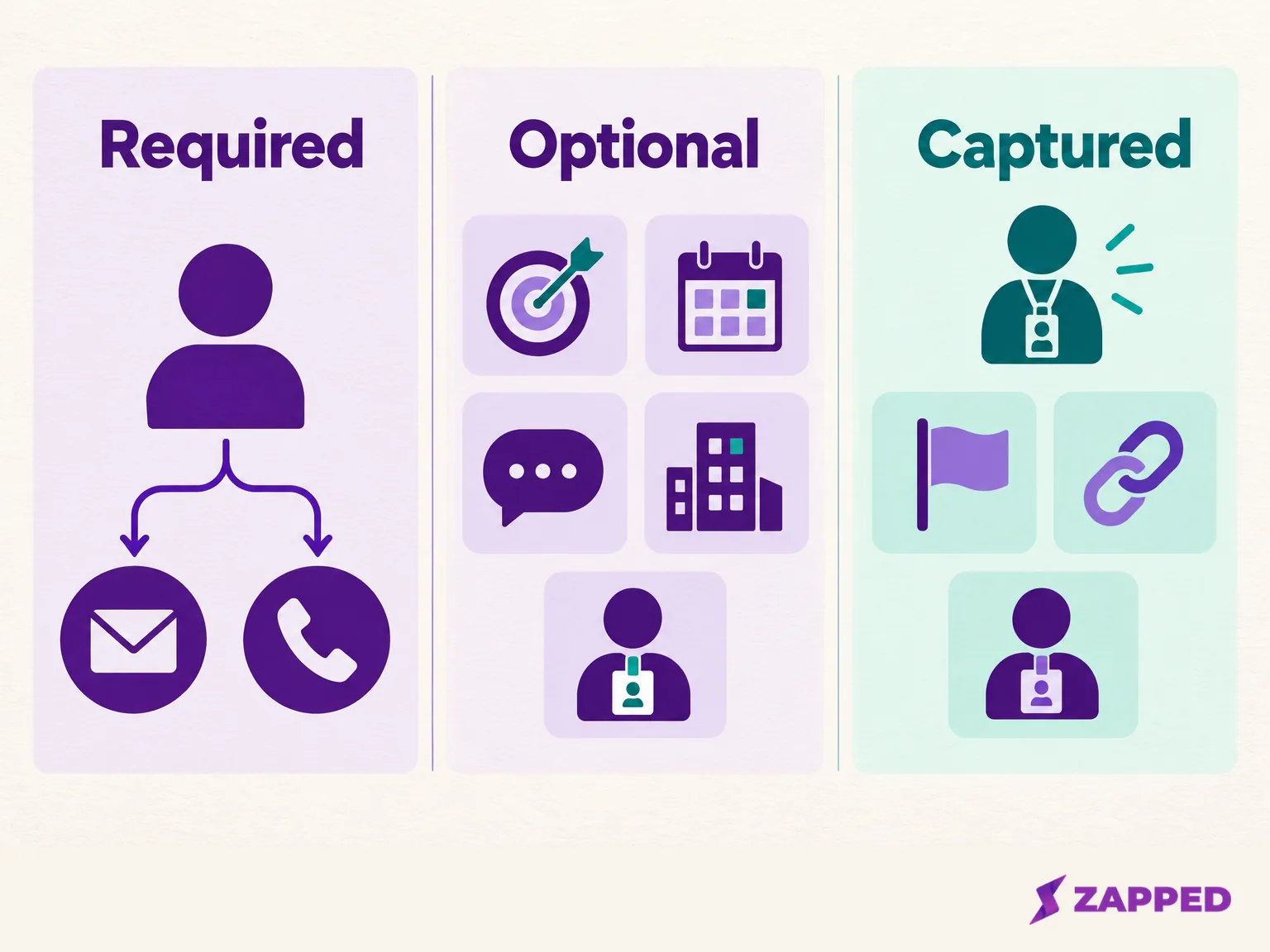
Read down the "who fills it" column and the point is visible. The visitor supplies four core answers; your team carries the rest.
Require a name and one reply channel, and stop there
Name and a single way to reply are the only fields that should block a submit. Keep it to the channel the visitor actually asked you to use. Someone who said "just email me the deck" should not be forced to hand over a mobile number to get it.
Company stays optional unless it changes fit or routing, for example when enterprise accounts go to one rep and everyone else gets a standard reply. One event follow up starter template begins the same way, with required name and email, optional company, and a short optional question about where the visitor met the card owner. A question guide from the same builder goes a step further and says a submission needs at least an email or a phone number, since a name or company alone gives you nobody to write back to.
One small trap to avoid: a field being visible is not the same as it being required. If you switch on a phone field to be friendly, check that you did not also make it mandatory.
Three choice questions that decide who answers
After the contact details, ask what you cannot guess. Three questions do most of the work, and all three work best as choices rather than typing.
The first is why they stopped. Offer a handful of plain options, such as pricing, a demo, a partnership, or "just looking," and finish the list with "Other or not sure." An "Other or not sure" option gives visitors a choice when none of the listed answers fits.
The second is the next step they want from you: a meeting, a demo, information by email, or nothing for now. This is the answer a rep can act on the moment they open the lead. It also keeps a request for one reply from being mistaken for a request to join a mailing program.
The third is timing, and it can be optional. A short choice like "this month," "this quarter," "later," or "not sure" lets a rep order the queue without guessing from a job title or a budget. Role works the same way: ask it only if a decision maker goes to a different person than a researcher does.
Keep each question to a short choice list. One question editor supports single and multiple choice with two to eight options each and up to five custom questions in total, a useful reminder of how little a booth form really needs. When you want to talk through how to open that conversation without reading a script, the guide to capturing leads at events covers the context and permission side.
What to keep off the visitor's screen
Budget, current vendor, and the other enrichment prompts that fill sales intake templates can all wait. Many of the guides that rank for this topic are built around qualification frameworks, with prompts for need, authority, timeline, and budget, plus question banks that run to a couple dozen items. Those are good reading for a sales call. They are a lot to ask someone standing in an aisle with a bag in one hand.
Is there proof that a shorter form converts better? Not that we can point to. One marketer on r/marketing compared a three field giveaway form with a longer consultation form and worried that the pace of a show floor would discourage the longer one, but that is one person's worry, not a study. Spiceform recommends three to five visible fields, which is a vendor opinion, though a sensible one. Treat both as a reason to start lean and measure, not as a law.
Budget is the clearest example. Leave it off unless the answer changes your first reply; if it matters, a rep can raise it on the follow up call. The same goes for the long narrative note. Let the rep type it, after the visitor has walked away. The argument for asking less at the booth is made in full in our trade show capture guide.
Turn the answers into a tier your team can explain
Once you have interest, timing, and the requested next step, you can sort leads without a scoring model. We suggest three tiers. This is a team rule we are proposing, not a field tested scoring system, so adjust the thresholds to your own capacity.
- Act now. The visitor fits what you sell, wants to act soon, and asked for a meeting or demo. Reply the same day, from the rep who talked to them.
- Follow up as requested. The visitor fits but has a later timeline, or asked for information rather than a meeting. Send what they asked for, then schedule a reminder.
- No immediate sales follow up. There is no fit, or no requested next step. Do not open a sales thread. If they ticked the marketing box, they can still get your newsletter.
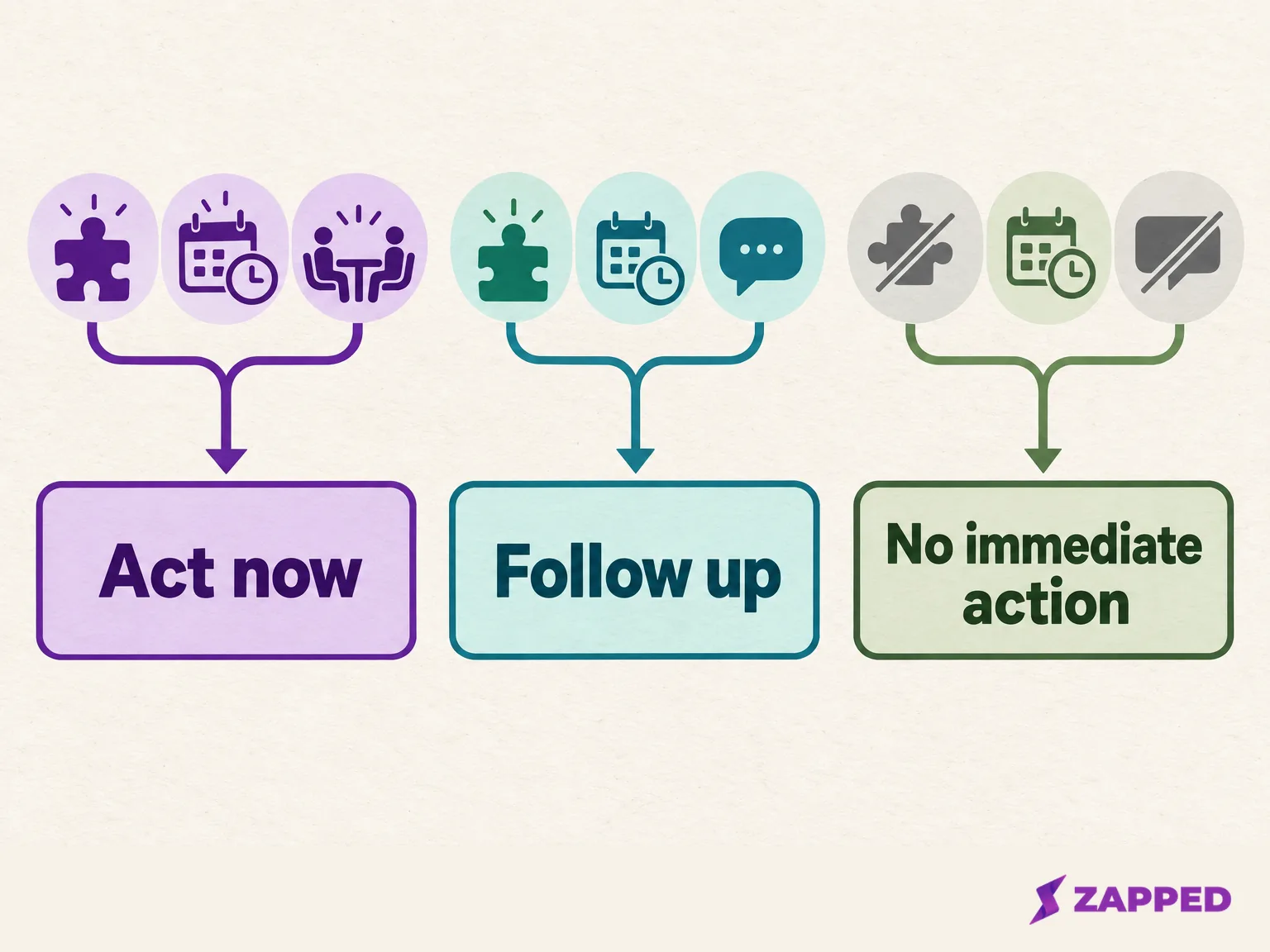
The useful part is that a rep can say why a lead landed where it did. "She asked for a demo this quarter" is a better reason than "she had a director title." If two people on your team would sort the same lead differently, rewrite the choices until they would not.
Keep event, source, and rep out of the questions
Your team already knows which show this is and who is working the stand, so there is no reason to make a visitor type either. The cleanest way to record them is as hidden or automatic values that ride along with the submission, but that only works when your form builder supports it.
Typeform does. Its help page on URL parameters walks through the setup: open the form, choose Workflow, then Pull data in, and add and name each parameter. Names must be lower case with underscores, and the parameters are added to the share link once you publish. The same page warns that those values can show up in browser history, address bars, server logs, and connected tools, and advises passing a non sensitive identifier rather than anything private. In practice that means short codes like an event ID and a rep ID, never an email address or a note.
If your builder has no hidden fields, you have two honest options. You can add a staff only field and fill it in at the stand, or you can assign the event and rep after export, matching on the time of the submission or on a separate link per rep. Whichever you pick, test the same route your booth team will really use, because a method that works for one tester can fail when five people use it at once.
One more case. Badge data comes through the organizer's retrieval path, while a QR sign, tablet, or digital card sends visitors to your own form, which holds the extra answers they chose to give. A card or QR form does not replace a badge scan or an organizer registration import, and our badge scanning guide explains what each path gives you. Once leads are in, the NFC business card CRM integration guide shows how to map these fields into a CRM.
Make the marketing checkbox its own choice
An email address given for one requested reply is not the same thing as a yes to ongoing marketing. Treat them as two choices on the form, and make the second one optional and unchecked.
A line like this works:
Yes, send me marketing emails from [Company] about [product or service] and future events. I can unsubscribe at any time.
It names the sender, the channel, and the purpose, and it makes the visitor take an action to say yes. The UK ICO's guidance on email marketing consent asks for consent that is freely given, specific, and given through a positive action, and says outright that pre ticked boxes and silence do not count. It also separates a message someone specifically asked for from unsolicited marketing, in its guide to electronic marketing rules. So a requested brochure is one thing, and a newsletter subscription is another.
If you do send marketing email to anyone in the United States, the FTC's CAN-SPAM guide lists the basics: accurate sender details, a truthful subject line, a clear label if the message is an ad, your postal address, and a working opt out. Those rules apply on top of whatever the visitor ticked. We are not lawyers, so have yours check the wording for the countries your visitors come from.
The practical upshot for the booth is simple. Never label a requested reply, or a badge scan, as blanket marketing consent.
Three public templates to borrow from
You do not need to start from a blank page. Three template pages show how other tools lay out a trade show form, and they make a quick comparison for your own field list.
Survtapp's trade show template has seven questions, five of them required and two optional, with role and buying timing as single choice questions. PaperSurvey's version has nine questions, including interest level, products of interest, and preferred follow up, and works as a printed form or a web survey. Typeform's event lead capture template lists name, job title and company, email or phone, interest, buying stage, preferred follow up method and timing, and staff notes.
All three pair a contact block with an interest question, and they differ on the rest: Survtapp asks for role and timing, PaperSurvey for preferred follow up, and Typeform for buying stage plus staff notes. This is a comparison of form design, not a verdict on which software to buy. Copy the shape, then trim it to the lean list above.
If visitors will open a QR card, Zapped is one route
Where the visitor will scan a code and land on a digital card anyway, that card can carry the form. Zapped is one way to do it: you add a Lead Form block to a card, choose a visitor goal and a required reply channel, and read the submissions in its Inbox, following the Lead Form setup guide. It collects only what visitors submit, so if you need badge scanning, organizer registration import, or hidden event, source, or rep fields, plan another route for those, and submitting the form does not subscribe anyone to an external mailing tool. On the USD plan page on 2026-10-16, Free is $0 a month with one month of lead retention, Starter is $14 a month with six months, and Professional is $49 a month with unlimited retention, so export what you need before leads expire.
Run this phone check before you print
A QR link can open a polished form and still lose the event and rep context if the destination does not carry it. A quick test on a real phone shows that before the sign is printed.
- Print one proof of the actual QR sign, at the size it will have at the stand. A QR printing guide suggests at least 2 cm wide with the white border kept, and a scan of the printed proof before you print many copies.
- Scan it with a phone, not a laptop screen. If it fails, print it larger, keep the border, and move it off a busy background.
- Open the form it leads to and confirm the form is published. An unpublished form is unavailable to visitors, which is one reason a good looking QR leads nowhere.
- Fill it in with fictional details. Leave the required fields empty once to confirm they block the submit, then complete everything and wait for the success message.
- Check where the record landed. Confirm that the name, reply channel, answers, and the event, source, and rep values are all there, and that the marketing box arrived unchecked.
- If a value is missing, fix the form or the metadata route and run the test again before you share the link.
If a test submission is missing, check the workspace and Inbox filters. When the test record shows everything you need, you are ready to print.