You’re back from a conference, and the scan count can look great while the follow up still doesn’t. Badges, QR entries, business cards, and half remembered conversations don’t tell you who asked for what, who owns the next step, or whether the data reached the CRM.
Choose the capture path by the interaction and the follow up it must support. Badge retrieval suits fast, authorized event throughput. A mobile or universal app matters when offline work and CRM delivery matter. Use a QR code or form when the offer is the exchange. Use a digital business card when the other person should choose whether to save, book, message, or continue. It’s not a feature checklist. It’s a handoff decision.
A badge scan is only a starting point. The record earns its place when it still carries the reason for the conversation, permission to follow up, an owner, and a next action. That is the line between a busy event and a useful one.
Let the interaction choose the capture path
Start with what just happened between two people. If a rep is moving through a crowded booth and the organizer has authorized retrieval, a badge scanner is the throughput choice. Cvent describes exhibitor capture as collecting, qualifying, and managing leads, with badge and business card scanning, notes, ratings, export, and privacy controls in its LeadCapture workflow.
That speed has a catch. Standard lead retrieval arrives prefilled and is built for high capacity events, but a gap between scanning and getting the CSV can delay follow up. A fast scan doesn’t mean the handoff is ready. Offline operation matters because a scanner that stops at the first weak signal isn’t a serious event plan. Fielddrive makes the same distinction: a fast record is useful only if the team can still work it when the connection or export is late.
Use a QR code or form when the visitor is responding to an offer. A guide, product update, giveaway, appointment request, or pricing conversation gives the person a reason to submit details. Forms scale well for low touch traffic, but they don’t explain intent by themselves. Add one question that changes the route, or you’ll collect a larger list with the same uncertainty. Common capture modes include mobile apps and forms; the useful distinction is what happens after the form is complete.
Manual entry and OCR are recovery paths, not a great primary system for a large floor. Business cards are slow to process and carry little qualifying context, which makes them a bottleneck when the queue gets long. If a person has no badge, an app that supports lookup or manual details with notes gives the rep a way to preserve the conversation rather than abandon it. Eventleaf documents that combination of badge scanning and lookup. Keep the note while the exchange is fresh. It’s harder to reconstruct later.
A digital card fits a different moment. It is for the person you are meeting directly, when the recipient should decide whether to save contact details, open a profile link, book time, or keep exploring. Zapped cards open in a normal browser from a QR, NFC, or link, so the recipient doesn’t need an app or an account, and the card can be updated after it’s shared. That makes it a strong exchange layer. It isn’t a substitute for authorized organizer retrieval.
Capture the smallest useful context
The best event record is not the one with the most fields. It is the one that tells the next person what to do without replaying the whole conversation. At minimum, capture the person's interest, timing, owner, a short note in their own language, and the agreed next step. If a field doesn’t change routing or follow up, leave it out.
For example, “interested in pricing” is weak on its own. “Pricing for a three person sales team, reviewing this quarter, Maya to send the comparison on Tuesday” gives the owner a route and a time. It also tells the team what the rep actually heard. Cvent's lead workflow includes notes and ratings for this reason. Qualification is not a second data entry project. It is the little bit of context that keeps a scan from becoming a name in a spreadsheet.
Use a short set of choices where the floor is busy. Interest can be a product area. Timing can be now, this quarter, or later. The next action can be send information, book a meeting, connect an owner, or no follow up. Give the rep one small notes field for the detail that does not fit. A form can ask the same questions, but it should not turn a useful exchange into an intake interview.
Be careful with richer capture. A community event workflow that proposed recording conversations drew an explicit consent objection, so recording or transcription should not become an automatic step. Write down the useful point instead, and ask before adding a more intrusive form of capture.
Put permission beside the lead
Badge scanning is not a silent permission slip. Eventbrite says the organizer using lead capture is responsible for consent before badge scanning or a similar service. Your workflow should make that explanation visible, preserve the permission signal, and tell the follow up owner what the person agreed to receive.
Commercial email has its own floor. The FTC says CAN SPAM for business email applies to business to business email and requires a valid physical address, a clear opt out method, and prompt handling of opt out requests. Keep the event source and permission state with the record. Do not make a rep guess later whether a scan meant “send the deck,” “contact me about a meeting,” or “I agreed to the organizer's stated use.”
That distinction changes the handoff. A person who asked for pricing can enter a sales sequence. A person who accepted a guide may need the promised resource first. A person who didn’t grant the relevant permission shouldn’t be treated as if they did. The capture system should make those paths obvious while the event is still in memory.
Test the handoff before the doors open
The event provided scanner is sufficient only when it answers four questions before the event. Can the team access the organizer's data or API? Does capture continue offline? When can the team export the records? Do the fields arrive in the CRM at scan time or only after an export? A community report from a tradeshow participant recommends testing offline capture and export timing, because a badge barcode may be a registration ID tied to the organizer's database rather than a complete lead record.
If the answer isn’t clear, bring a universal mobile path. That can be a tested form, a scanner that stores records locally, an OCR route, or a direct exchange path. The point isn’t to buy a second platform because redundancy sounds professional. The point is to have one fallback that can preserve the event source, interest, owner, next action, and permission when the preferred route fails.
Check the CRM handoff with a real test record. Scan or submit it, confirm the fields arrive where the owner expects them, check the event label, and see whether the record is available quickly enough for the promised follow up. Momencio says its badge scanning requires an organizer event API and that CRM or marketing integrations are add ons. Check that commitment before assuming the scanner includes the whole sales path.
Run the test with the actual phones, accounts, event credentials, and connection conditions. A green demo on a desk proves very little about a concrete booth with a dead signal and three reps sharing one queue. If the system can’t show the owner what happens next, it isn’t ready.
Keep a recovery route ready
When the badge API is unavailable, the official scanner is missing, or the venue connection drops, switch to the path you already tested. Use an offline form, manual lookup, OCR, a business card, or a direct digital card exchange. Eventleaf's documented fallback combines badge scanning with lookup, details, and notes, while Fielddrive identifies offline operation as a strength of event capture tools.
Mark incomplete enrichment for review. Don’t turn a guessed company, title, or email into confirmed data simply because the team wants a clean report. The record can carry “needs review” while the owner follows up through the channel the person actually gave you.
Zapped can keep a person to person exchange moving when the badge or form path is unavailable. A rep can share a QR code, link, or NFC card, and the recipient can open the live card in a browser without installing anything. The card can carry contact details, profile links, booking links, media, or branded destinations, and it can be updated after the exchange. Use that to preserve the relationship and give the recipient a clear next choice. Do not describe it as organizer badge retrieval, native event CRM sync, or deep CRM follow up automation. It is the exchange and analytics layer in this fallback.
Match the cost shape to the program
Price isn’t one number here. The real commitment may be a quote, an annual seat minimum, an organizer dependency, usage credits, or a simple monthly card plan. Compare that shape with the number of events, team size, access to attendee data, and the follow up capacity you can actually use.
| Option | Published shape checked in August 2026 | What to notice |
|---|---|---|
| Cvent LeadCapture | Request pricing | Quote based, with capture and reporting capabilities described in its product material, including qualification, export, and privacy |
| momencio Capture | $100 per active seat per month, billed annually, five seat minimum, $6,000 annual starting package | No single event license; badge scanning needs an API from the organizer |
| momencio Engage and Amaze | Engage at $130, Amaze at $170 per active seat per month, billed annually, five seat minimum | The annual commitment grows with the package, not only with event attendance |
| Popl event capture | Custom quote | Popl says there is no extra per user, per seat, per license, or usage based fee, but its help documentation says badge scans use one credit each, while business card scans and form submissions do not |
| Swapcard | From $610 per year self service starting price | The final shape also depends on license, attendee and exhibitor volume, add ons, and services |
| Zapped | Free at $0, Starter at $14 per month, and Professional at $49 per month, monthly billing view | A digital exchange and analytics layer with one card and five blocks on Free; paid tiers add cards, team workspaces, and longer analytics history |
The table makes the awkward part visible. A small team with a few person to person exchanges may need a card that is live, easy to share, and simple to measure. A program with organizer access, many exhibitors, and formal event reporting may justify a dedicated retrieval system. A five seat annual minimum is a poor fit if the team has one occasional show and no follow up capacity to use the records.
The same is true of “no usage fee.” Read what still consumes a credit, requires an organizer API, or arrives as an add on. Cost is the bill, the dependency, and the work required to turn the capture into a conversation. If you can’t explain that shape, you can’t compare the plans.
Measure the action after the scan
Report scan count as an activity signal, not as event ROI. A useful scorecard connects captured records to qualified conversations, meetings, opportunities, pipeline or revenue, and event cost. InviteDesk makes the core point clearly: an event report should connect engagement and lead records with opportunities and revenue, rather than stopping at volume.
Give every record a path through the report. How many had a stated interest? How many had permission that matched the intended follow up? How many had an owner and next action? How many received the promised follow up, became meetings, entered opportunities, or produced pipeline? If the answer’s unknown, that’s a handoff problem worth fixing, not a reason to celebrate the scan total.
Zapped is built for the part of the scorecard that asks which live card source and action performed. Its analytics can show views, saves, clicks, scans, sources, and follow up paths across the card. Plan history matters: at Zapped, the monthly plans include 60, 185, and 365 days of analytics history on Free, Starter, and Professional. That helps answer which QR, link, or NFC exchange kept working after the event, while the event platform or CRM remains responsible for organizer retrieval and deeper sales outcomes.
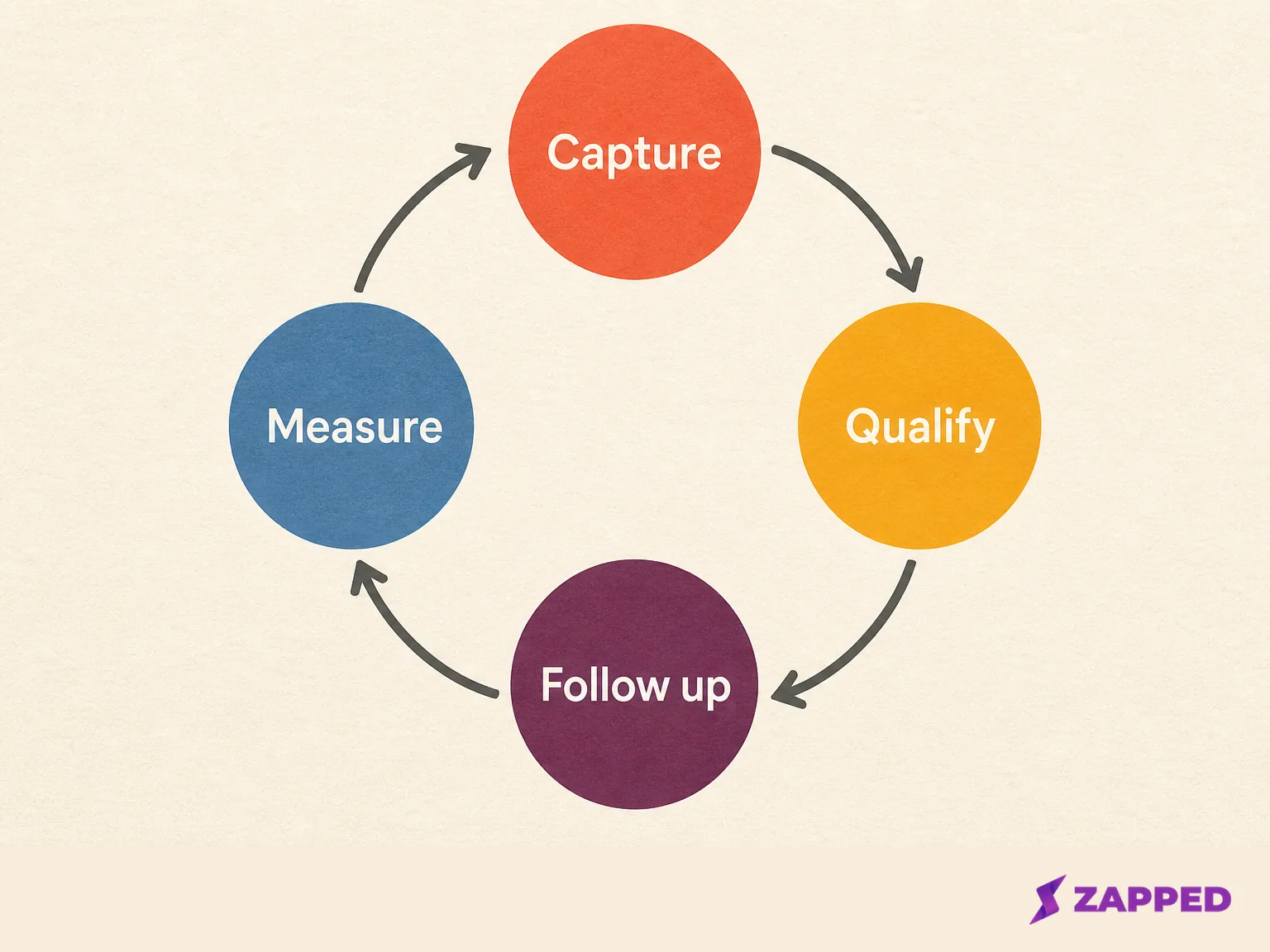
The system that earns its place
The right choice depends on the moment, not the feature list. An authorized badge system earns its keep on a busy floor when the team has tested API access, offline behavior, export, and CRM delivery. A universal mobile path earns its keep when those dependencies are uncertain or reps need context at capture. A QR or form makes sense when the offer gives visitors a reason to submit details. OCR and manual entry belong in recovery. A digital card belongs in the direct exchange, when the person in front of you should control the next step.
Whatever sits underneath, keep the record small enough to use: interest, timing, owner, notes, permission, and an agreed action. Test the handoff before the event. Keep one fallback that survives a bad connection or missing badge data. Then measure qualified actions and pipeline beside scans.
We would start digital for the direct exchange, stepping up to heavier retrieval only where an event's requirements demand it. Buy the event platform when organizer access, throughput, and formal reporting justify its commitment. Use a form or card when the exchange is simple. Skip any system that can count the floor but cannot tell a human who should follow up, why, and by when.