A badge scan reads an event badge’s QR code, barcode, or RFID identifier into a device or app. The useful part comes after that: the organizer must authorize the data path, and the capture must preserve enough conversation context to make Monday follow up possible.
The camera is rarely the hard part. Before the doors open, find out what the code contains, whether the organizer’s system is required, what happens without a connection, where the record goes, and what permission covers the follow up. A scan is a captured contact, not automatically a qualified lead.
Start with the data path
The visible code does not tell you who owns the useful data. A barcode may carry a simple registration ID that needs a live connection to the organizer’s database. A QR code can carry more information, but it can still be difficult to read in low light or when the badge is damaged, according to a badge scanning guide. A tradeshow discussion makes the same practical point about large event barcodes and recommends checking whether delivery happens at scan time or only after export.
So ask three questions before you choose a tool: does the event support it, is the badge linked to the event database, and do you need an API, event credential, or organizer supplied device? The Badge Scanner says its exhibitor service depends on the organizer working with the provider and sharing attendee data. Its license can come through the company’s event allocation rather than a purchase your team makes at the booth.
The job determines the handoff. Use badge retrieval for authorized, high volume exhibitor capture. Use a different route when the badge is only for attendance or door access. Use a direct digital card when the person in front of you should choose whether to save your details, message you, book time, or continue the conversation. Those are different jobs wearing similar lanyards.
For the broader map of forms, QR capture, mobile apps, and digital cards, start with the lead capture overview. It can keep you from buying an exhibitor tool for what is really a contact exchange problem.
Match the handoff to the job
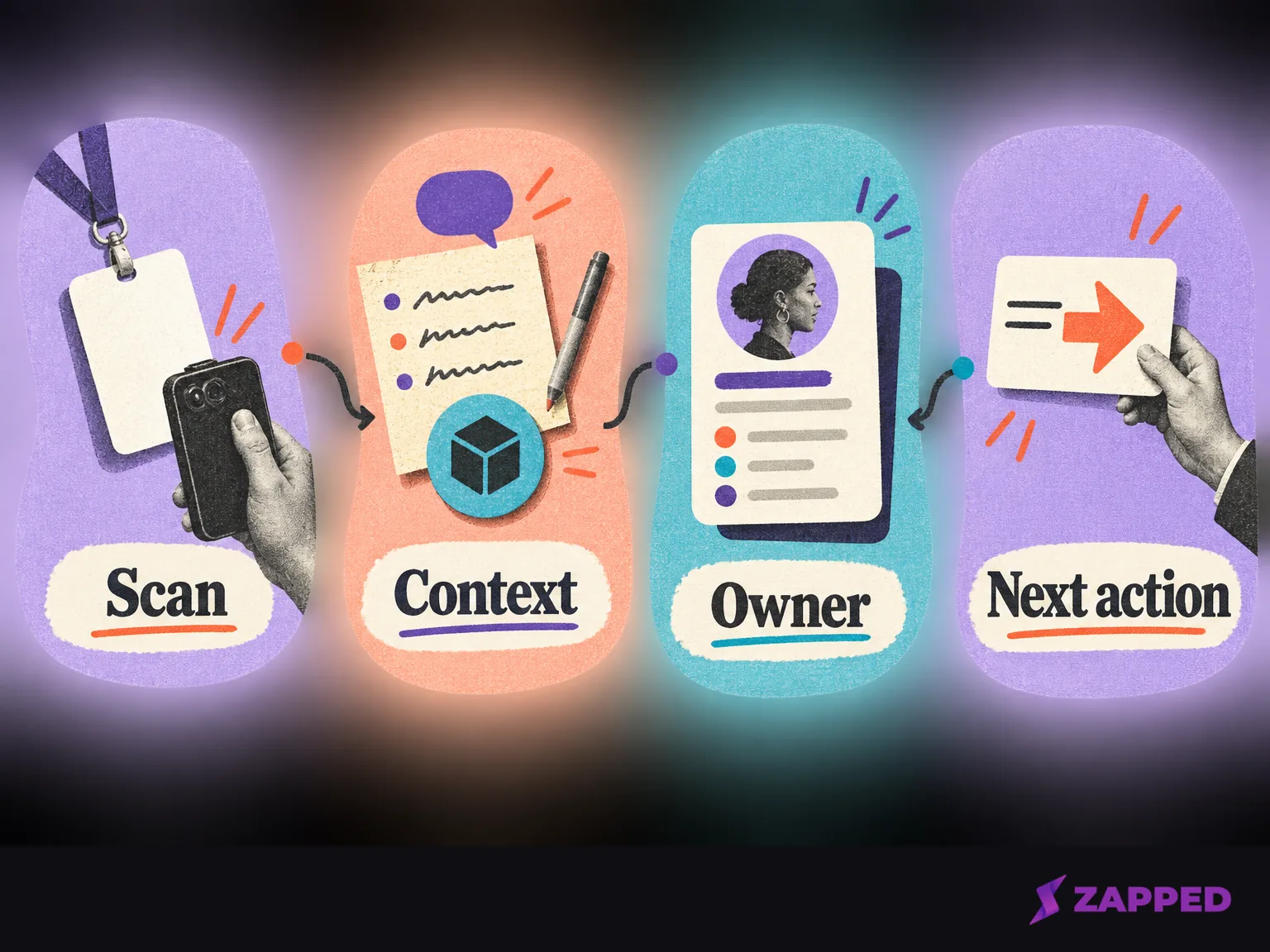
There are four useful paths. The right one depends less on the scan than on who controls the record after it appears.
| Path | Data dependency | Offline behavior | Context and follow up | Price shape | Fit boundary |
|---|---|---|---|---|---|
| Organizer retrieval system | Event organizer, attendee data, and often event credentials | Varies by event, so test the exact setup | Notes, ratings, product interest, and export or sync can be available | Organizer controlled license or request pricing | Best for authorized exhibitor volume |
| Phone app or standalone scanner | Participating event support, or a scanner that can read the badge without the event API | Some apps store scans and sync later | Notes and product interest are common; CRM delivery varies | Free organizer supported app, custom plan, or app tier | Good when the event permits the app and the team owns the devices |
| Form or manual fallback | Whatever the person can provide directly | Works without badge decoding or event Wi Fi | The rep must record interest, owner, next action, and permission | Usually an existing team process | Slower, but dependable when the badge path fails |
| Direct digital card | No organizer database required | Works when the phone or printed link is available; test the chosen path | The recipient chooses how to continue; analytics show card activity | Free or monthly card plan | Contact exchange, not organizer retrieval or deep CRM automation |
The Badge Scanner flow includes notes, product interest, follow up timing, photos, and voice memos, then exports leads in Excel for import. Cvent describes a similar workflow with capture, qualification, ratings, and notes, but publishes request pricing instead of a LeadCapture figure. That is the shape to look for: a record with an owner and a next action, not a prettier scan counter.
Grip’s offline list includes timestamps, temporary attendee details, lead scores, comments, tags, and automatic synchronization. ATIV’s BadgeScanner app is free for organizers to provide to exhibitors, works offline on exhibitors’ own devices, supports notes, and backs up leads when Wi Fi returns. The details vary, but the decision is stable. If your handoff loses the reason someone stopped at the booth, it is not lead capture yet.
Rehearse the failure path
Do not accept “works offline” as a feature label. Test the actual badge, phones, event account, organizer credentials, and reconnect behavior before the show opens.
The Badge Scanner offline flow lets logged in users scan without internet access, according to the vendor, which says leads update when connectivity returns and a scan remains on the device if the phone loses power before syncing. Grip describes automatic synchronization after connectivity returns, while ATIV describes backing up leads over Wi Fi. These are vendor statements about their systems. Use them as reasons to rehearse your setup, not as permission to skip the rehearsal.
Run one complete test with a real badge or the event’s test badge. Turn off Wi Fi and mobile data. Scan, add a note about the person’s stated interest, assign an owner, record the next action, and mark the permission signal. Restore the connection, then confirm the record reaches the promised destination. Check whether it appears in a CRM at scan time, in an export after the event, or only after a manual merge.
Keep a small fallback beside the primary route. A blank badge, failed camera, dead phone, or organizer rule can turn a polished booth into a memory test. The note is the asset that survives the failure.
Price the access, not the slogan
Event badge scanning is often bought as access to an event system, not as a simple download. The organizer may control the license, the event may provide a free app, or the vendor may quote a team plan around capture and follow up.
Popl shows why the quote matters. Its Universal Badge Scanner requires the Teams Event Lead Capture tier, while a Digital Business Card plan alone does not include it. Its help center says Individual Pro users get up to five lifetime trial badge scans. The Event Lead Capture pricing page says the product uses a custom quote and has no seat or usage restrictions. A current onboarding page instead describes ELC plans as usage based and built around Enrichment Credits. Ask which statement governs your quote. Do not budget from the slogan.
Popl also describes a universal scanner that can read event badges, paper business cards, and QR codes with OCR, store leads offline, and sync to CRM systems without an event badge API kit. That can fit when organizer access is unavailable, but it does not remove the need to confirm permission, export timing, and the fields your team needs.
For direct contact exchange, Zapped sits in a different lane. Its cards share through QR and NFC sharing or a link, then open in a normal browser without an app or account for the recipient. That makes it a useful fallback when the person should choose what happens next. It does not replace organizer badge retrieval, event CRM import, or deep CRM follow up automation.
At Zapped, our monthly pricing view lists Free at $0, Starter at $14 per month, and Professional at $49 per month. Free gives you one card, five content blocks, QR, link, and NFC sharing, plus 60 days of analytics history. Zapped keeps analytics history for 60 days on Free, 185 days on Starter, and 365 days on Professional, as shown in the plan comparison. That is a readable price shape for a direct exchange layer, not a claim that it will retrieve an event database.
Carry permission with the record
A badge scan can give you contact data without giving you permission to send every message your marketing system can invent. Check the event’s consent and data sharing terms before the team starts scanning. Carry the permission signal with the record alongside the person’s interest, owner, and next action.
Cvent’s product terms put responsibility for proper consent and authorization to share registrants’ personal information with third parties on the customer. For commercial email, including business to business email, the FTC CAN SPAM guidance requires a clear opt out method and prompt handling of opt out requests. The practical rule is simple: treat the scan as a capture event, not blanket permission for every commercial follow up.
That boundary improves the team’s judgment, too. A person who asked for a product sheet, a person who requested a call, and a person who only accepted a badge scan should not land in the same Monday queue. Keep the signal that explains what happened while the conversation is fresh.
Keep a fallback that preserves the conversation
When the official scanner is unavailable, the badge format cannot be decoded, the organizer does not authorize the app, or the connection is unreliable, switch to the tested fallback. Use a form, manual entry, business card or OCR capture, or a direct exchange. Preserve the person’s stated interest, owner, next action, and permission signal. Do not reconstruct those details from a name and a company on Monday.
A direct digital card is especially useful for the person who wants to choose the next step. Zapped can put a QR code or NFC tap in that exchange, along with a link to a browser opened card. Its per card analytics can show activity over 60, 185, or 365 days, depending on the plan. The person still chooses what to save or open, and your team still owns the conversation note and permission boundary.
After the event, move from capture to ownership. Use the lead retrieval guide for the separate job of cleaning retrieved contacts, assigning them, and releasing them to the next action. A clean export with no owner is still a pile.
Badge retrieval earns its place when the event supports it, the team needs throughput, and the record can carry context into a real destination. Skip it when the organizer cannot explain the data path, the team has no time to test offline recovery, or the scan produces names without an owned next action. Choose a direct card when the other person should control the exchange. Keep a form or manual route ready for the moment the badge, app, or connection stops cooperating. Start with the organizer path plus one tested fallback, then judge the event by owned next actions rather than scan count.