The event is over. The useful detail is still in someone's memory.
Lead retrieval earns its keep only when a retrieved record becomes an owned next step. Before you send the list anywhere, check where each record came from, whether its contact fields and conversation context are usable, who owns it, and what happens next. A name and an email address are a starting point, not a handoff.
Decide whether the record is ready
A record is ready when you can answer six plain questions: what tool or badge produced it, when it arrived, how to contact the person, why the conversation mattered, who owns it, and what should happen next. If one answer is missing, the row is waiting for a correction, not ready for release.
The retrieval source tells you what the fields mean and whether the record is complete. Cvent describes custom questions, notes, and ratings as inputs teams can use to prioritize follow up after an event. ExpoPlatform also describes ratings and notes as part of lead assessment and segmentation. Those fields are evidence for the next decision, not decoration around an email address.
Check the contact fields for obvious gaps, then read the note as if you'd receive it tomorrow. “Interested” isn't enough. A useful note preserves the reason for contact, the qualification or rating, the resource you promised, the timing you discussed, and the person responsible for continuing the conversation. Webex Events describes shared notes, ratings, and duplicate scans as team context. That's the right mental model: a scan is an event in the record, not the whole story.
If the source or arrival time is unclear, pause the release and label what you do know. Don't fill a missing qualification field from memory. Don't turn a blank owner field into a team wide responsibility. A clean list becomes a quiet graveyard when nobody is clearly expected to do anything with it.
Pick the cleanest route into the next system
Use the direct CRM path when the retrieval source supports it and the destination fields are mapped clearly. Cvent describes CRM import and post event prioritization in its lead capture workflow. A direct connection removes one copy step, but it doesn't remove the need to inspect the record. An incomplete note syncs just as efficiently as a useful one. A clean CSV with a named owner beats a flashy sync nobody checks.
Use a controlled CSV handoff when that is the documented export. Eventleaf says its lead retrieval app can export collected leads as CSV for a CRM or marketing automation handoff. Treat that file as an input to a named process, not a finished outcome. Preserve the original, label its source and arrival date, then create a working copy with only the fields the receiving team needs.
Timing can change the route. Blinq's guide says retrieved badge lists can arrive days after an event, sometimes longer than a week, while lead capture apps may sync immediately. If the export is delayed, keep the original event record and mark it as waiting for release. If the source can't sync and can't export yet, use a controlled working list with the contact fields, conversation context, owner, and next action. There is no universal release time to promise.
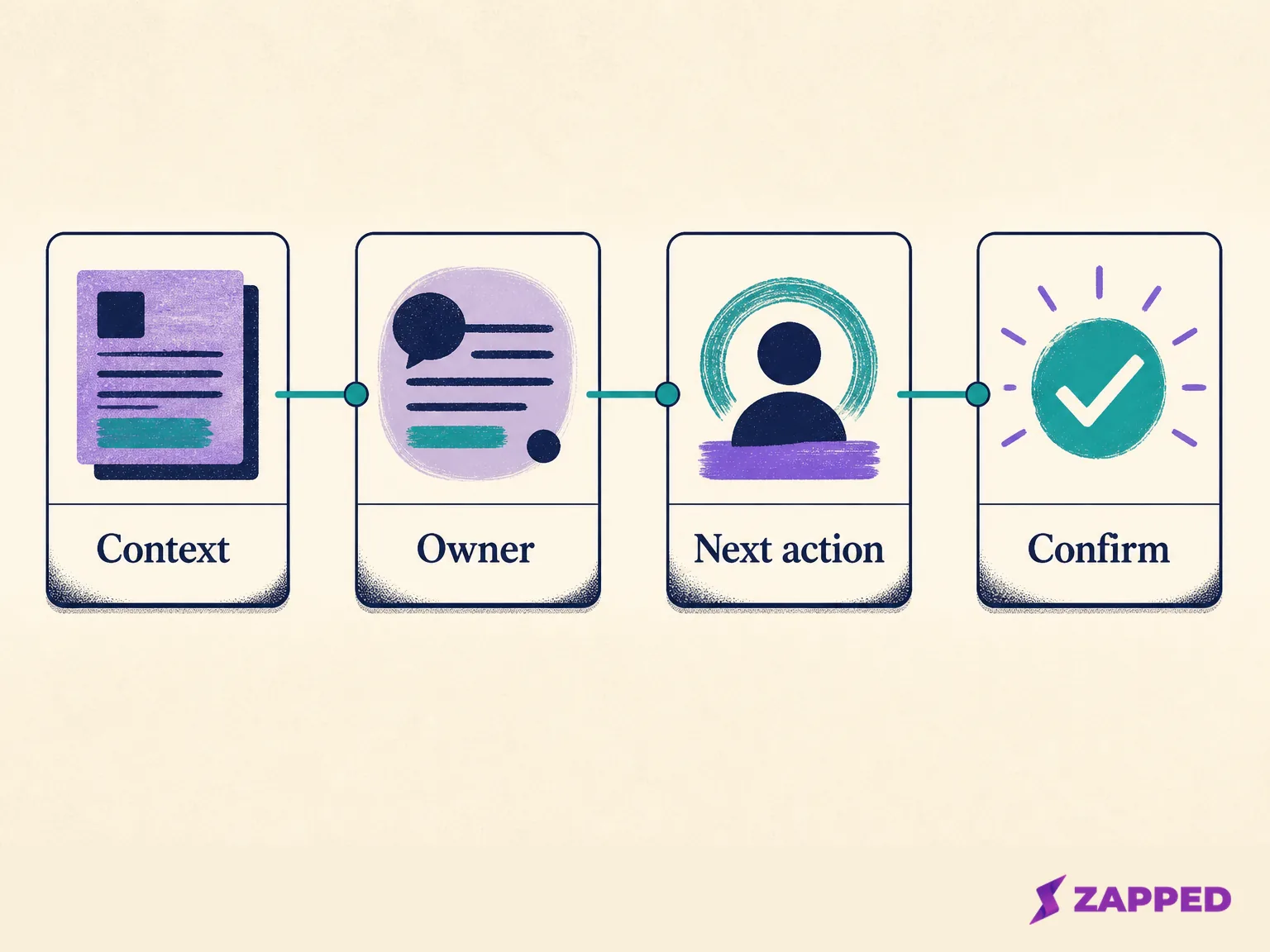
When neither direct sync nor a documented export is available, make the exception visible. One person should own the working list, one date should define the handoff window, and every row should have a next action or a reason it's waiting. Manual work is acceptable when it's controlled. Unassigned manual work is just delay with better formatting.
Keep the conversation attached to the contact
The receiving person needs more than permission to follow up. They need the reason the lead should care, the qualification signal that shaped the priority, and the promise that gives the next message a point.
Carry the shared note, rating, or qualification beside the contact fields. Add the source and event date so the owner can tell whether this is a fresh conversation or an older record arriving late. Include the promised resource and timing when they exist. If the note doesn't say those things, leave the gap visible rather than inventing a polished version after the fact.
Here is the distinction that keeps the handoff honest: contact data answers “who is this?” Context answers “why should anyone act?” A scanner can preserve the first while losing the second. Both need to travel together.
Use the available context to sort the record into a prompt human follow up, a scheduled nurture route, or no action until the record is corrected. MAPD Events describes immediate follow up from nurture by interest, industry, or product focus. The exact buckets are yours, but the decision should be visible in the record.
Once an owner has a reason for contact and a next move, the writing and timing become a separate job. Use the conference follow up guide when you're ready to turn that context into a message.
Give the next touch a place to land
After ownership is clear, the practical problem may be simple: where should the prospect go to find your current details or take the next action? That's where a portable contact destination earns its place.
Zapped lets a current card be shared through QR, NFC, or a link. A Zapped card can hold contact details and links, carry practical next actions, and keep its public URL when you improve the card later. That makes it useful for the next touch when the prospect needs one durable place to revisit your details.
Keep the roles separate. The event tool or CRM owns the retrieved record, import, ownership, and nurture decisions. Zapped is the portable contact destination that helps the next person reach the right details and action without hunting through an old badge record. Zapped focuses on digital card creation, sharing, practical actions, and card statistics; event badge scanning, retrieval file import, and CRM nurture automation are outside what Zapped covers. We build Zapped, so weigh that accordingly.
The Free plan gives you one card and five content blocks, with QR, link, and NFC sharing. Paid plans expand the number of cards and blocks. Choose it for the contact destination decision, alongside the retrieval and handoff system that owns the lead.
Call the handoff complete for the right reason
The useful milestone isn't “the file was exported.” It's “the record has an owner and a next action that was sent or scheduled.” That can mean a message is ready to go, a call is assigned for a date, a nurture route is scheduled, or the record is waiting on one clearly named correction.
For a portable card, engagement can help you see whether the destination was revisited. See the Zapped guide to card statistics, which include views, visitors, interactions, devices, and referrers, and note that one visitor can open a card more than once. Treat those as engagement signals. They can tell you that a card was opened or interacted with. They don't, by themselves, establish qualification, a sales opportunity, or revenue.
Make the confirmation small and boring. Record the owner, the next action, and its sent or scheduled state. Keep the source file and arrival date. If a field was missing, record the correction needed. That's enough to distinguish a handoff from a list that merely changed folders.
The verdict after the list lands
Before release, check the source, contact fields, conversation context, owner, and next action. Use a direct sync when the source supports it, a CSV when that is the documented export, or a controlled manual list when timing or tooling forces an exception.
Use a current Zapped card when the next problem is making contact details and a practical action easy to revisit. Keep card engagement in its lane, and keep retrieval, import, and nurture in the system that owns those decisions.
The file is only finished when a real person can see why the conversation matters and what they are expected to do next. That is the handoff.