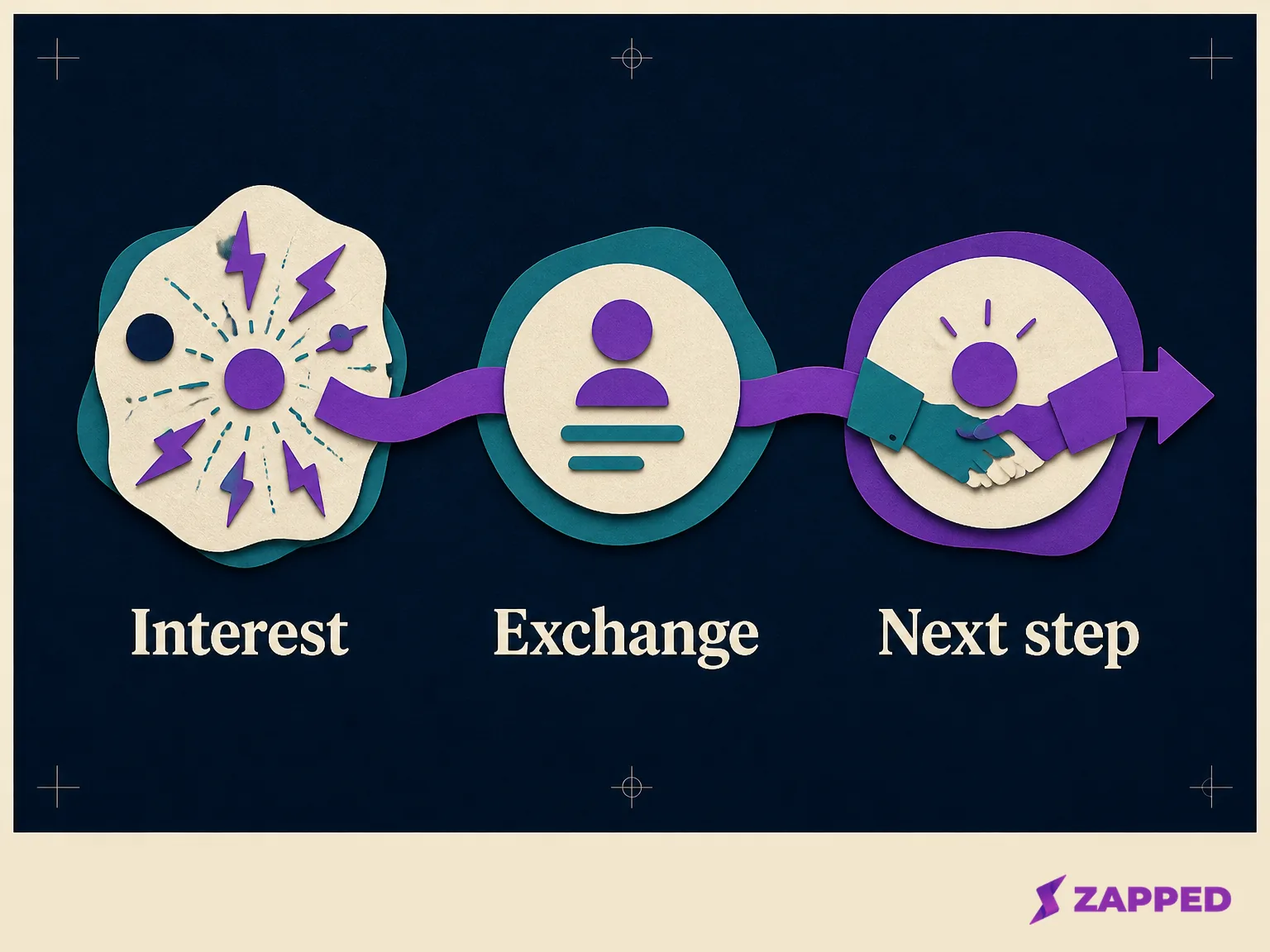
Lead capture is the identifiable exchange that turns interest into a contact you can responsibly act on. Someone gives contact information or another qualifying detail in response to a useful offer or next step, and the business stores it somewhere ready for action.
A page view, click, QR scan, or card visit can show interest. It isn't automatically a captured lead. Collecting contact information is the turning point, and what happens after collection still matters. Capture opens the conversation. It doesn't close the sale.
Activity is not a contact
Picture the dashboard after a busy event. Visits are up. A link has been clicked dozens of times. People scanned the QR code on a table card. The report looks lively, but the team still can't name one person to contact.
That's activity, not lead capture yet. The missing piece is an identifiable exchange. Someone might share an email address to receive a guide, a name and phone number during an event conversation, or a company and job title with a demo request. The channel can be a website, social media, email, an event, a webinar, or an in person interaction. The test stays the same: is there a person or qualifying detail, and is there a clear next step you can take with it?
The record also needs somewhere to go. Lead capture is the front door for collecting a prospect. A CRM or sales tool is where the longer pipeline work happens after the handoff, a distinction captured in monday.com's capture and pipeline distinction. A detail left in an inbox nobody monitors is technically collected, but it's a poor start to a useful conversation.
Choose the surface that fits the moment
There isn't one best capture surface. The right choice depends on what the person is ready to do and what you've promised in return.
A landing page with a clear offer and a short form suits someone deciding whether to take the next step. An embedded form can work beside an article or service explanation. A newsletter signup fits a reader who wants useful updates, while a trial or demo request fits someone closer to a buying decision. A popup can ask for a simple exchange at a relevant moment. Chat, a quiz, and an onsite feed can make sense when the person needs guidance before choosing what to share.
The same principle holds away from your website. Social media forms, paid ad forms, events, webinars, and conversations in person can all create a capture moment. WisePops' list of capture surfaces is useful because it treats timing, trigger, placement, and targeting as choices to test, not decoration to change at random.
The offer is part of the surface. A guide, discount, webinar, trial, or other useful resource gives the person a reason to exchange a detail. A demo form promises a conversation. A newsletter form promises future information. A quiz promises a more tailored result. If the offer is vague, the form has to work too hard.
Don't make every visitor fill out the same form. A short email signup may be the honest fit for a newsletter. It may be too thin for a sales request that needs routing. Match the surface to intent, then make the next action obvious.
Ask for the smallest detail that changes the next step
Start with the smallest useful exchange. Name and email are common starting points. Add a phone number, company, job title, or stated interest only when that detail changes qualification, routing, personalization, or what someone will do next.
Give every field a job. If company determines which sales person receives the record, ask for it. If job title changes whether the request goes to sales or support, ask for it. If a phone number will sit unused because nobody calls, leave it out. Popl's short form guidance is a better standard than trying to build a perfect profile on the first exchange.
The promised value has to earn the information. A person may trade an email address for a guide. Asking for a phone number, company, job title, and budget at the same time needs a stronger reason. More fields can add context, but they also add work before the person receives anything.
Ask one question before adding another: what will we do differently because we collected this detail? If the answer is nothing, the field is taking more than it gives.
Decide where the record goes before you collect it
The destination is part of the capture design, not a cleanup task for later. Before putting a form, chat flow, quiz, or event process in front of people, decide whether the record will land in a CRM, sales tool, monitored inbox, or another system with a named owner.
Lead capture software commonly combines forms, landing pages, and chatbots with a CRM handoff. It can also support segmentation, lead scoring, follow up email, tracking, integrations, and analytics. HubSpot describes these capture capabilities as part of a system that moves information beyond the initial form.
That doesn't mean you need a large system on day one. If a full CRM or automation workflow isn't ready, use a short email signup or contact action tied to a clear offer. Keep the destination monitored. Record the source and intended next step manually. Upgrade the system when the volume makes manual follow up unreliable.
The important part is the handoff. A stored email with no owner isn't a working process. A form that sends a request to a monitored place, with the source and promised response clear, gives someone a chance to keep the conversation moving.
A digital card can open the exchange, but the action does the capturing
Digital business cards sit near the boundary between sharing and lead capture. A card can make it easy for someone to save your details, but saving a contact isn't the same as giving you a contact record you can use.
Zapped is a practical example of the share side of that boundary. Its card supports link, QR code, and NFC sharing and opens in a normal browser, so the other person doesn't need to install an app or create an account just to view it. That removes a common piece of friction at a meeting, on a printed sign, or after a quick introduction.
We build Zapped, so the useful limit belongs in the same sentence as the capability. A public card can present contact details, links, media, payments, and other practical actions, as the first vCard guide shows. Count a lead only after the relevant person takes an identifiable action, such as submitting a contact request, joining an email list, booking a next step, or otherwise giving a detail that reaches a monitored destination.
The card can be the doorway. It isn't the whole capture system. If someone opens the card, saves your details, and leaves, you've got a view or an interaction. You don't have a qualified lead to follow up with.
Measure what happens after the exchange
Raw lead count is a starting number, not a verdict. Measure at least five things: volume, quality, speed of follow up, conversion, and cost per lead.
Volume tells you whether the surface is producing exchanges. Quality asks whether the people fit the conversation you're trying to have. Follow up speed shows whether the destination and owner are working. Conversion shows what happens after the record enters the process. Cost per lead tells you what the capture program costs relative to the contacts it creates.
The order matters. Ten low quality records that nobody reaches aren't automatically better than three people who fit the offer and receive a useful response. A smaller form can increase completed exchanges while giving the team less context. A longer form can add routing information while losing people before submission. Look at the entire path, not one flattering number.
Zapped's card statistics can provide the activity context around a share, including visits, visitors, interactions, devices, and referrers. Those measures help answer where attention came from and what people did on the card. They still sit before the identifiable exchange. Pair them with the action that creates a usable record, then measure what happens to that record.
The simple test
When you're unsure whether an interaction counts, walk through four questions:
- Did the person give contact information or another qualifying detail?
- Was there a clear and useful next step in exchange?
- Did the record reach a monitored destination with an owner?
- Can you measure what happened after the handoff?
If the first answer is no, you have an interest signal, not a captured lead. If the second is no, the request may feel like extraction instead of an exchange. If the third is no, the system is collecting details without a reliable path. If the fourth is no, you can count activity but can't learn which capture choices are worth repeating.
Lead capture is a clean handoff, not a fashionable tool. Match the surface to intent, ask only for details that change the next move, and decide where the record will go before you invite people to create it.
Use a full form, CRM, or automation workflow when the volume and routing needs justify it. Use a short signup or contact action when they don't. Use a digital card when the immediate job is making contact details easy to open and save, then add an identifiable action when you need a lead. A ready tool is still the wrong answer if nobody owns what comes next.