
Picture the week before an event. A team roster has grown, two colleagues have new roles, and the next enquiry should reach the sales system everyone already checks. It's easy for those jobs to become a pile of copying, chasing, and wondering what actually happened.
Zapped gives each handoff a place to land. Bring the roster in as private drafts. Let an assistant prepare supported profile changes for the owner to review. Send new leads to your own system, then check what it did with them. The routine work can move forward while the decisions that matter stay visible.
Get the team ready without publishing by accident
Start with the roster. Upload a CSV and inspect the rows before applying any of them. Zapped shows what is ready and what needs attention; you choose which rows become private drafts. A stable Person ID connects a returning colleague's updated details to the same profile. Nothing goes public just because the spreadsheet was uploaded. The CSV import guide has the file and matching details.
That gives the organizer room to fix a misspelled name or changed title before anyone shares the card. Starter and Professional include dashboard CSV import without an API key. An outside tool submitting an import needs Professional API or MCP access; custom accounts follow their assigned grants.
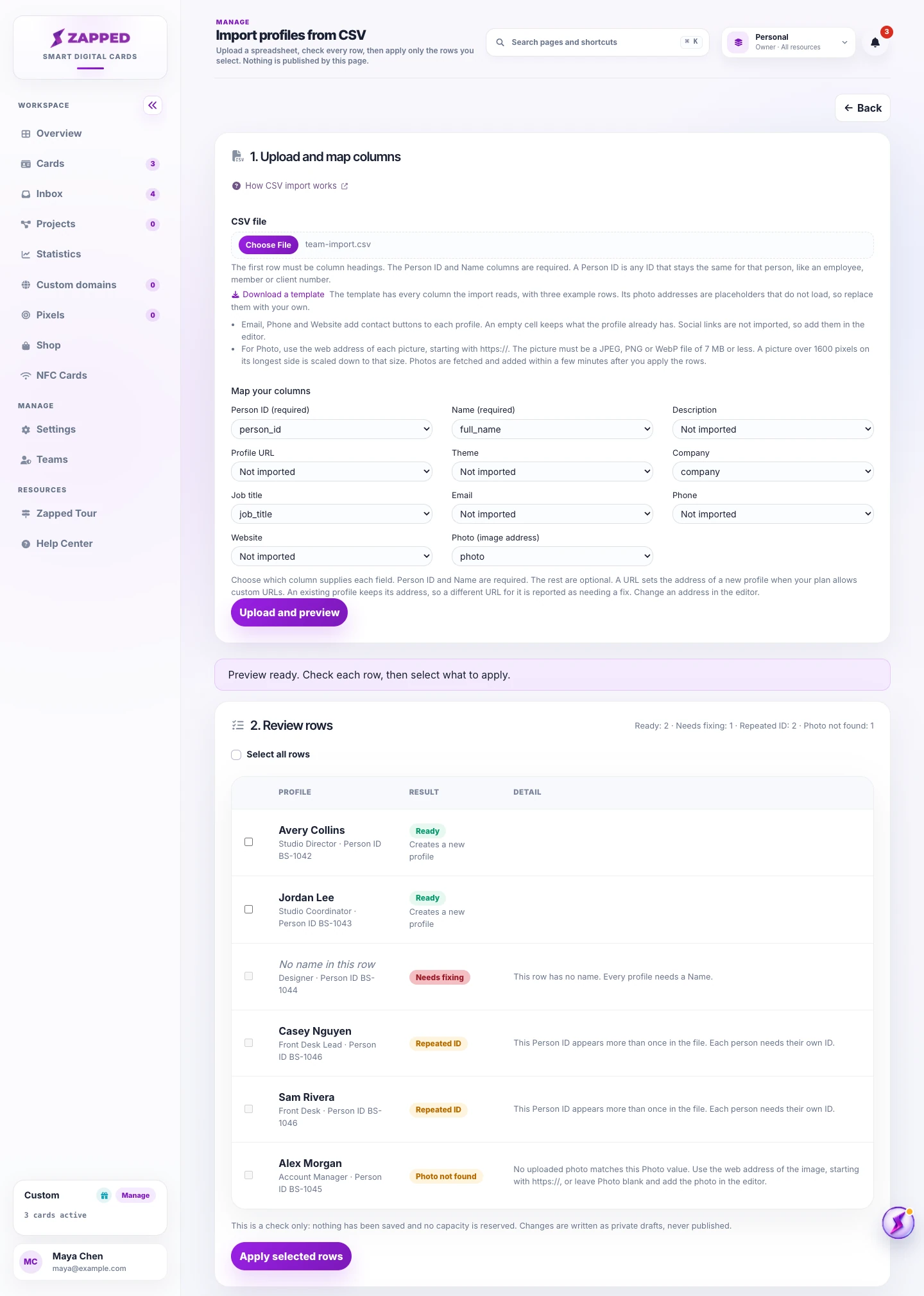
Source: Zapped Help demo, captured September 2026. Fictional demo data.
Then someone asks for another profile change. A connected assistant can make a first pass on supported fields in a private draft and request review through MCP. Instead of passing around a description of the edit, the owner opens the rendered draft and sees the version people would actually get. The MCP guide explains the connection; the review guide shows the decision screen.
The owner approves that exact revision. A later edit needs another review. If the integration is meant to publish an approved card, its key also needs the separate “Publish cards you approved” permission. Otherwise, the owner publishes from the profile editor. New profiles still start with an import; MCP does not create cards on its own.
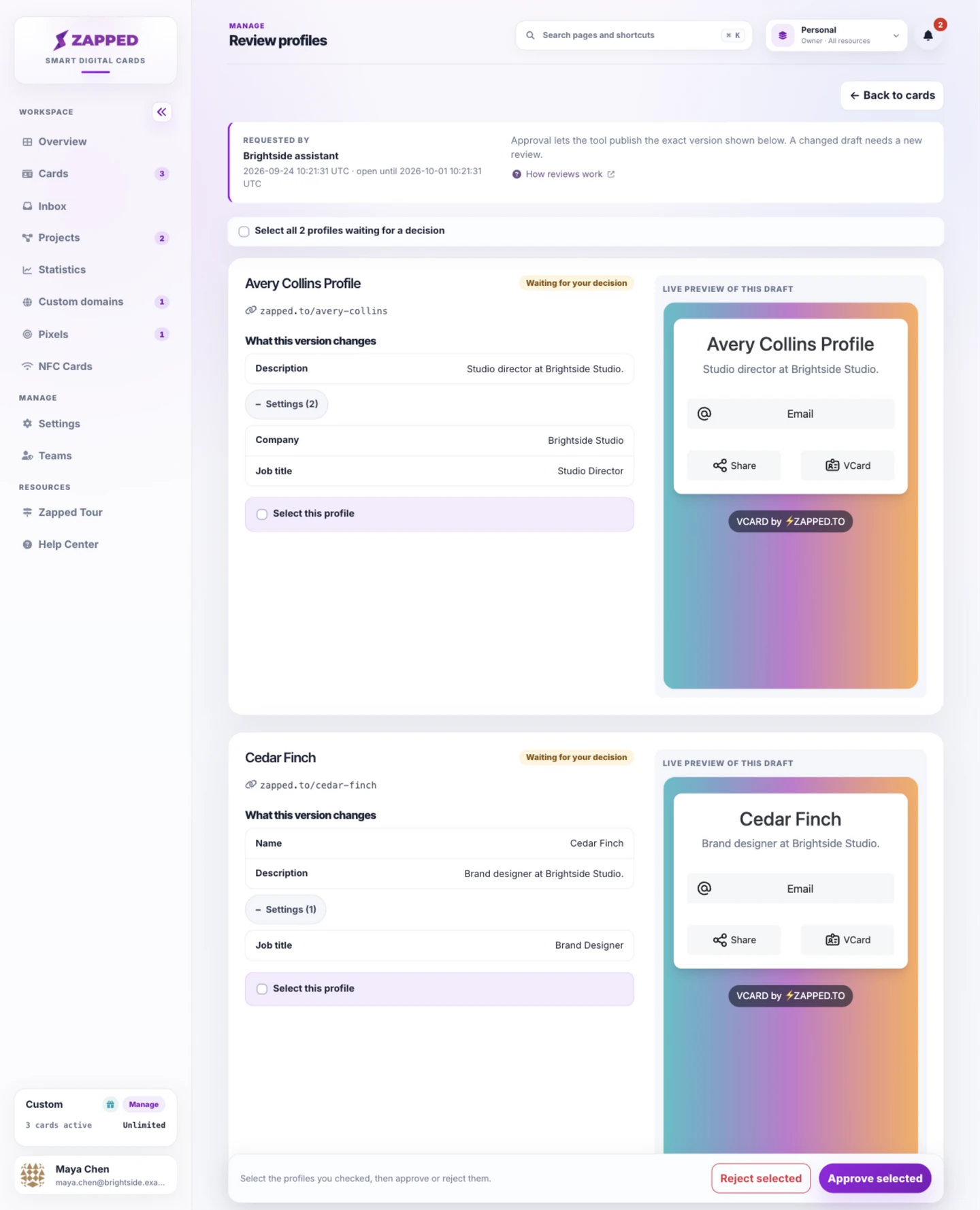
Source: Zapped Help demo, captured September 2026. Fictional Brightside demo data dated September 24, 2026. Its review window ended October 1, seven days later.
Give each connected tool only the access it needs
The assistant may need profile access. A separate internal tool may need the Developer API for projects or domains. Give each tool its own scoped integration key, with the permission areas its job calls for. Professional includes these integration features; custom accounts use their assigned grants. The account owner manages keys in the Personal workspace. The key guide covers setup and storage.
That distinction matters as a team adds tools. Managed profile permissions lead to private drafts and owner review. Separately granted account API permissions can change projects, pixels, domains, or teams directly, without that profile review. The managed profile API guide lays out the boundary before you connect a tool.
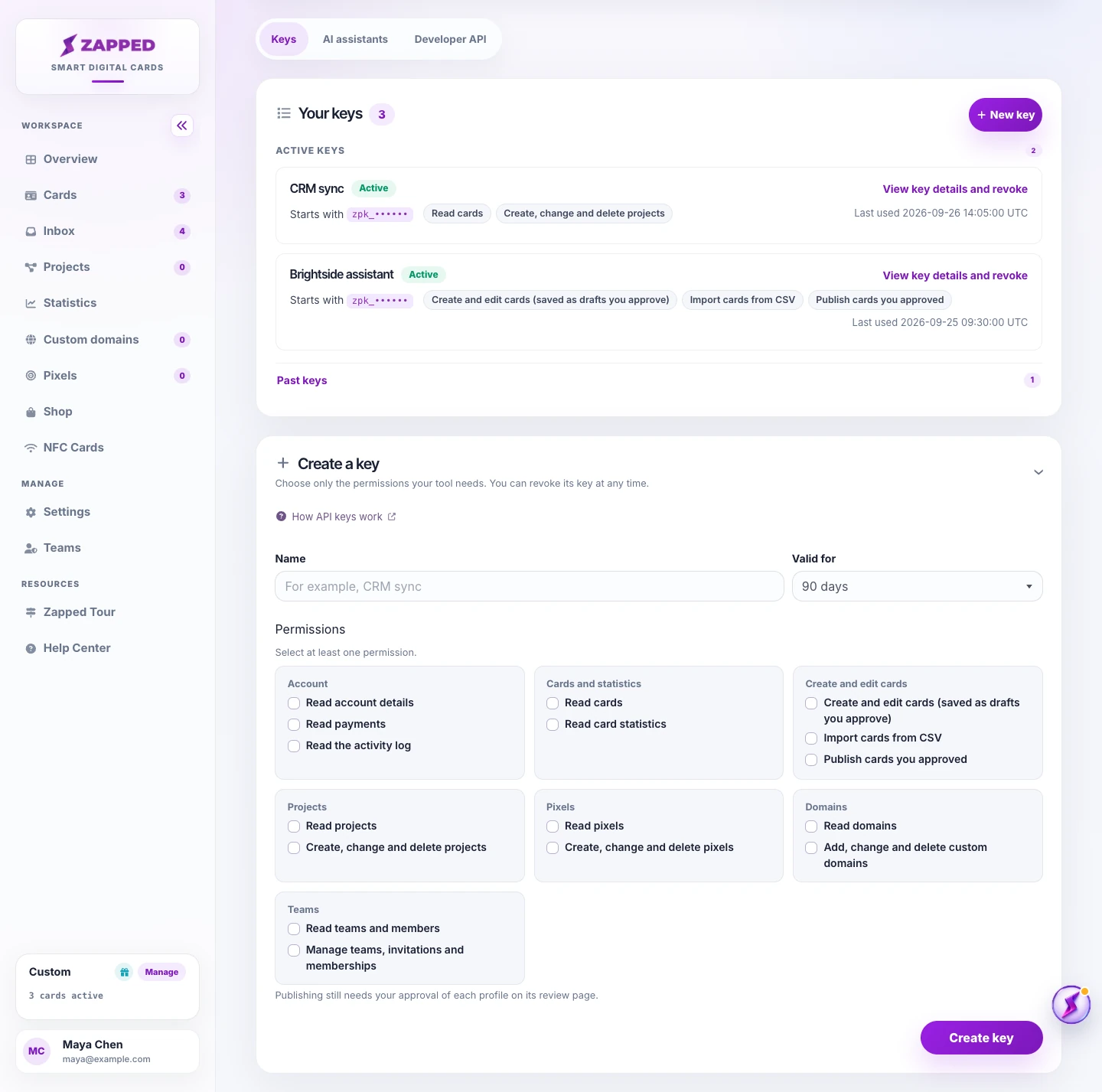
Source: Zapped Help demo, captured September 2026. Fictional demo data.
Keep the lead moving after the card is shared
Now someone submits an enquiry. On Professional, a signed lead webhook can send it to an HTTPS receiver your team chooses, so the handoff can meet the workflow already in place. Send a signed test first; it checks the receiver without creating a real lead. The webhook guide takes you through setup.
When a real lead arrives, Zapped's delivery history tells you whether the receiver answered. “Delivered” is the handoff, not proof that the CRM created a contact or a spreadsheet added a row. Check the receiving app's execution history for that second result. The Zapier guide shows an example, and the operation check guide helps reconcile a test or replay when its response is missing.
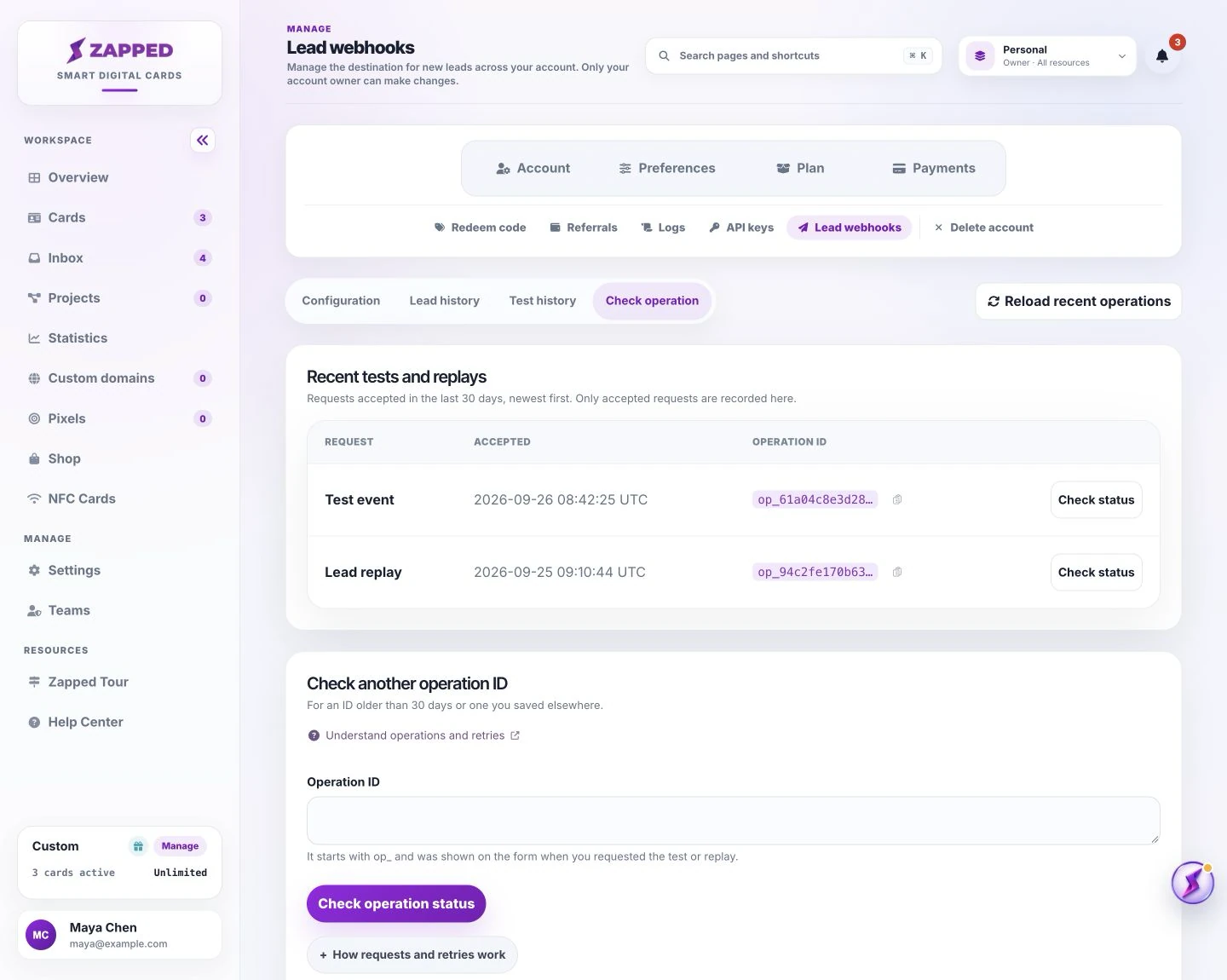
Source: Zapped Help demo, captured September 2026. Fictional demo data. The page lists accepted test and replay requests for follow up.
On event day, a new colleague can share the right card once it's published. The first enquiry can reach the system the sales team already uses. The organizer can see which roster rows became drafts, which assistant edit received owner approval, and whether the lead reached its destination. That's a calmer path from preparation to conversation. Start with one handoff: preview a roster, review one assistant draft, or send a signed lead test.