Team NFC business cards need more than a box of cards and a spreadsheet of names. Set up a controlled roster, a stable public destination, a visible QR fallback, scoped permissions, and a written replacement and offboarding path before you distribute the first batch.
The useful mental model is two linked registers. One tracks the physical tag and its custody. The other tracks the digital profile, URL, permissions, and lifecycle decision. The rollout is ready when those records agree and both NFC and QR reach the intended destination.
Keep a physical register and a profile register
The tag is the entry point. The profile is the identity that can change. Treating them as one object is how teams lose track of cards, URLs, access, and departed employees.
The physical tag register should include the internal asset ID, supplier or serial identifier when available, card format, department, custody owner, issue date, encoded URI, write date, lock state, and verification result. Give the tag an explicit state such as blank, encoded, verified, assigned, lost, replacement pending, locked, or retired.
The digital profile register should include the profile ID, employee, role, department, template, privacy choice, public URL, QR destination, primary action, profile state, owner, editors, approver, analytics viewers, and change ticket. Record the decision for replacement and departure as well.
Join the records with an internal asset ID and the current public URL. Do not use the employee's name as the only key. Names, roles, departments, and custody all change.
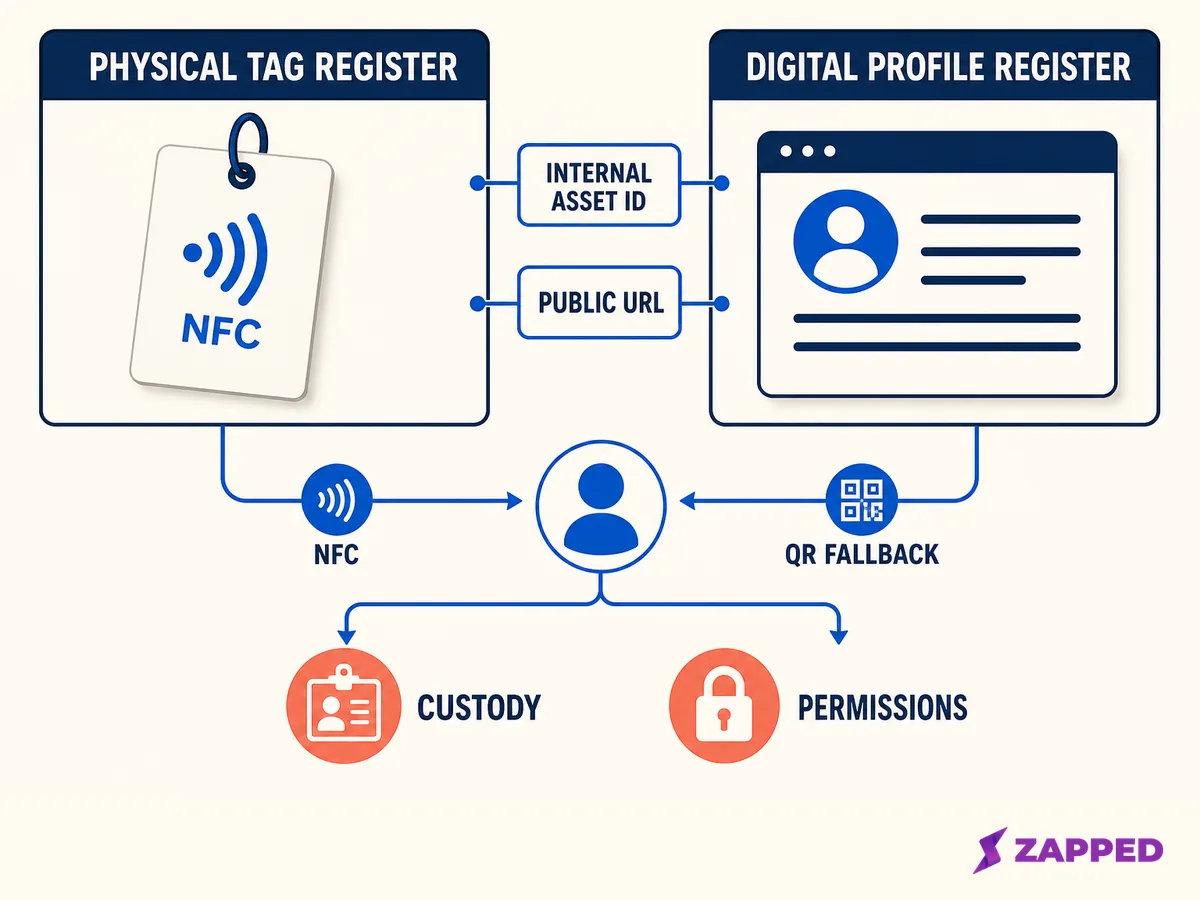
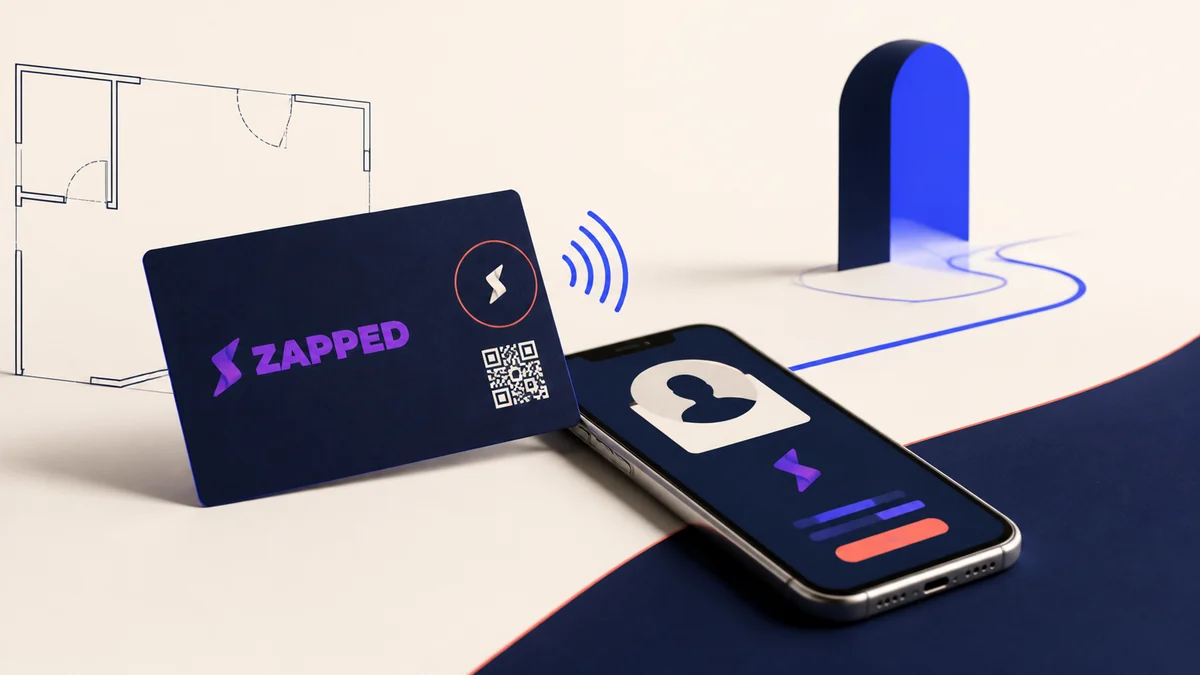
An original control plane for a team card program. It separates physical custody from profile permissions and shows NFC and QR as routes to the same live destination.
Copy this compact control sheet into the system your team already uses. It is an operating recommendation, not a universal vendor schema.
| Physical tag register | Digital profile register |
|---|---|
| Internal asset ID and serial, if available | Profile ID and employee |
| Card format, supplier, department, and custody owner | Role, department, template, and privacy choice |
| Encoded URI, write date, tag type, and lock state | Current public URL, QR URL, and primary action |
| State: blank, encoded, verified, locked, lost, replacement pending, or retired | State: draft, active, suspended, reassignment pending, or archived |
| Assigned holder and custody date | Owner, editors, approver, analytics viewers, and change ticket |
| Last NFC and QR verification result | Replacement, departure, contacts, analytics, and retention decision |
Provision from a roster, not from a box
Freeze the approved roster before writing tags. Give every person an asset ID, profile owner, role, department, template, and destination owner. A roster makes a repeated team task auditable instead of turning every new card into an improvised setup.
For each person, create or select the digital profile first. Decide which fields the company controls, which fields the employee can edit, which links are approved, and which privacy choices need approval. Then create the public destination and its QR code.
Write the public profile URL to the NFC tag, not an editor or dashboard address. The NFC programming guide covers the writing flow. Your team register should record the exact URL, write date, tag state, and verification result before the card becomes assigned.
Test NFC and QR against the same current destination. Confirm the browser profile, primary action, save contact path, and any team or campaign link that matters. Only then move the tag from verified to assigned.
Make templates and permissions deliberately boring
Company controlled fields might include the logo, colors, legal footer, default destination, and required action. Employee controlled fields might include name, title, phone, and headshot. The exact boundary is a policy choice, but it should be written before the team grows.
Define who may create, edit, approve, assign, replace, deactivate, export, and view analytics. Use least privilege as the default. Someone who updates one profile does not automatically need billing access, team membership control, or visibility into every card.
Current products expose different models. HiHello documents template editing modes, while Popl documents team and subteam roles with restrictions, templates, and insight scopes. Those are vendor examples, not category rules.
Zapped gives you shared workspaces and roles such as Admin, Editor, and Viewer with resource scopes. A Zapped public card can open from QR, link, or NFC in a normal browser, and the recipient can save the contact. That makes Zapped an example of the destination layer. Zapped isn't a physical inventory, procurement, serial tracking, or offboarding system for your team.
Keep tag state separate from URL state
An employee can change a title on the live profile without rewriting a tag when the tag still points to the same public URL. A different profile or destination may require a rewrite, and a locked tag may not permit it.
The tag and profile therefore need separate state fields. A tag can be encoded and verified while the profile is suspended. A profile can be active while a card is lost. A replacement can be provisioned while the old asset remains under investigation.
The guide to whether NFC cards can be rewritten covers the low level mechanics. NXP documents different user memory sizes and irreversible lock bits for the NTAG213, NTAG215, and NTAG216 family. Those chip facts do not prove that every branded card is writable, portable, or centrally reassignable.
Inspect the actual tag and ask the chosen supplier what state the finished card ships in. Do not infer its controls from the number printed on a product page.
Make QR a recovery route
QR gives the recipient a way forward when NFC is disabled, unfamiliar, unavailable, or blocked by the physical setup. It also gives the holder a way to explain the exchange without asking someone to guess where to tap.
Keep QR and NFC pointed at the same current public destination unless there is a documented campaign reason to separate them. Preserve the clear margin around the code, keep the tap point visible, and print a readable link when the handoff is important. The NFC business card troubleshooting guide is the right recovery path when a live card fails.
Record the test date and result for the batch. This does not prove that every phone behaves the same way. It tells the next person which route was checked, which destination was used, and who owns the repair when something changes.
Define replacement before a card is lost
Replacement is easier when the decision belongs to the register, not to memory. Use the physical and digital states together.
| Situation | Physical action | Digital action | Record |
|---|---|---|---|
| Role or title changes | Keep the card if the tag is sound | Update the live profile | Change date and approver |
| Card is lost | Mark the old asset lost | Suspend or redirect if risk requires it | Custody and incident record |
| Card is damaged | Retire the old asset after recovery attempt | Keep the profile only if the team still owns the URL | Old and new asset IDs |
| Employee changes department | Reassign custody or issue a new card | Apply the new template and permissions | Assignment and template history |
| New employee needs a card | Inspect and encode a new or recovered tag | Create or assign the correct profile | Provisioning ticket |
Do not promise that any vendor card can be reassigned. Some product pages describe assignment, deactivation, or replacement workflows, but those controls are product specific. Ask for a chosen platform test or written confirmation before making portability part of the team policy.
Offboard the person, profile, URL, and card separately
When someone leaves, remove or narrow their workspace access first. Then decide whether the public profile is suspended, redirected to a team page, or transferred to a named owner. The physical card needs its own decision: recover it, mark it lost, inspect it, or retire it.
Also decide what happens to captured contacts, analytics history, and audit records. A team can own the profile and still have a policy question about whether those records follow the employee, stay with the company, or are deleted.
If the card will be reused, inspect the current NDEF and lock state before writing. Do not silently hand a live card to the next person. Verify that the old NFC and QR routes now reach the intended destination after the profile or URL decision is complete.
For broader reuse and wear questions, see are NFC business cards reusable. The key team distinction is that physical reuse and profile reassignment are separate approvals.
Read analytics as defined events
Do not call every tap a lead. Define the event the chosen platform actually reports: view, visitor, interaction, NFC tap, QR visit, saved contact, form submission, or qualified lead.
Zapped statistics distinguish views, visitors, interactions, devices, and referrers when available. Use that vocabulary precisely, keep the time window consistent, and record campaign context before comparing cards or people.
A repeated view is not automatically a new person. A visit is not automatically a saved contact. A tap count is not a qualified lead unless the platform and the workflow define the event that way.
Roll out in waves and keep an audit trail
Before provisioning, name the program owner, backup owner, approver, asset ID pattern, profile owner, and replacement contact. Approve the template, privacy choices, QR treatment, destinations, and departure policy.
Run a small pilot across the roles and card formats the team will actually use. Test NFC and QR to the same destination on representative phones and finishes. Confirm the browser profile, save contact action, primary link, and analytics definitions.
At launch, change the state only when the physical and digital records agree. Give each holder a short sharing script and keep the QR or direct link visible. Store the last verification date and the person responsible for the next review.
During maintenance, reconcile physical custody against the register. Review titles, links, templates, destinations, lost cards, unassigned cards, and retired assets. For a company or event rollout, the digital business cards for teams guide and the corporate event NFC guide provide the broader context.
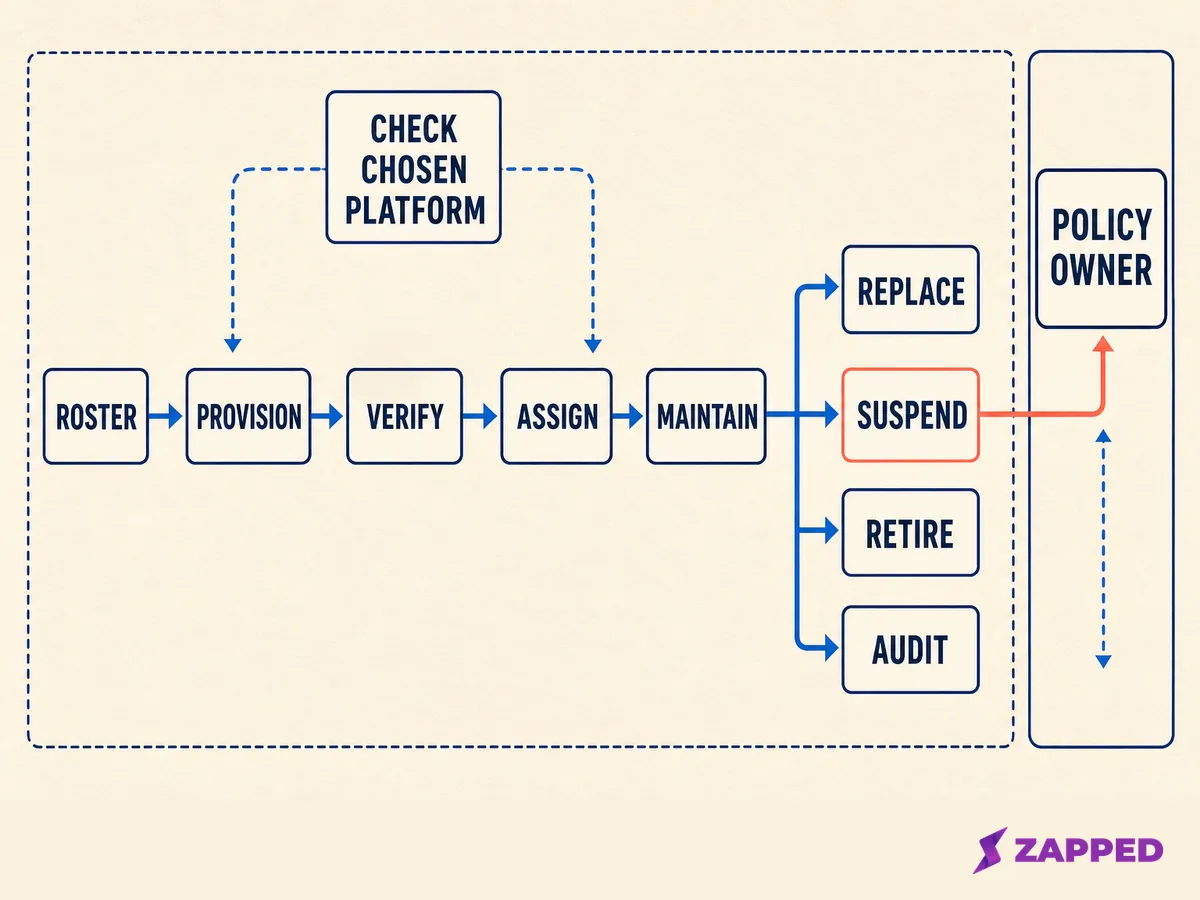
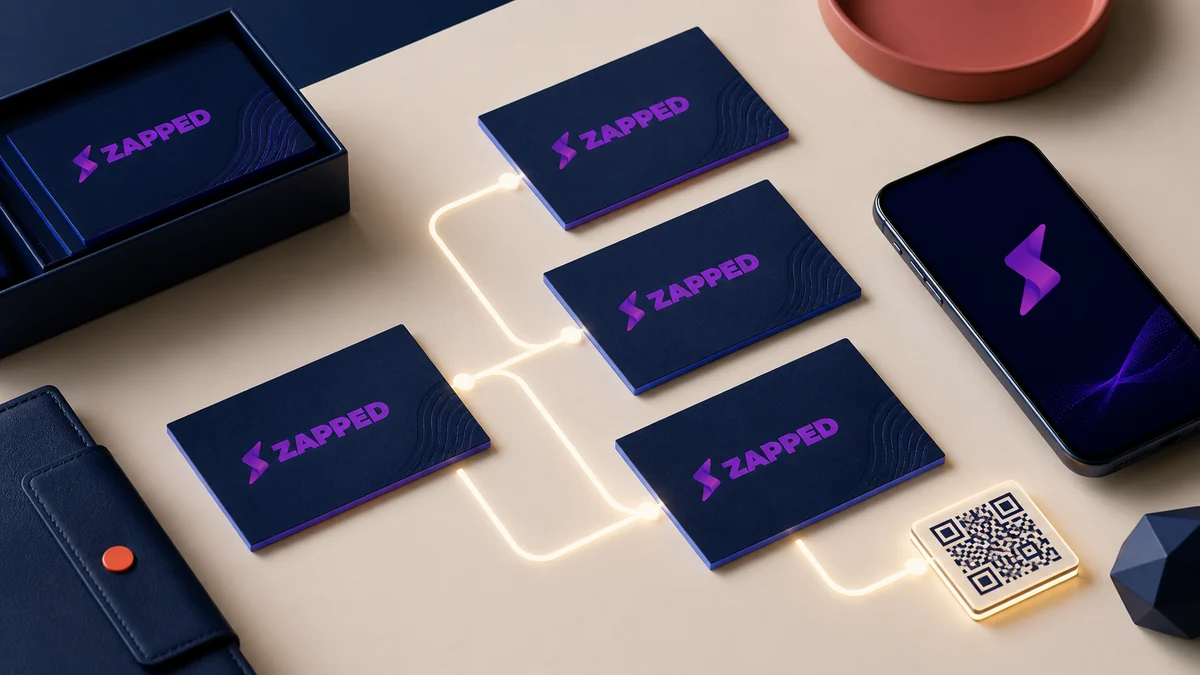
An original lifecycle map. Vendor specific actions belong in the chosen platform check, while custody, access, contacts, and analytics decisions belong to the policy owner.
Team NFC readiness checklist
Before writing cards
- Who owns the physical tag register?
- Who owns the profile and public URL?
- Which fields are locked, editable, or approval controlled?
- What is the QR fallback and where is its test recorded?
Before distribution
- Does the tag contain the public URL rather than an editor address?
- Do NFC and QR reach the same current destination?
- Can the recipient view the profile and save the contact in a browser?
- Do the employee, role, template, asset ID, and custody record match?
After a change or departure
- Is the old tag state recorded?
- Is the profile and URL state intentional?
- Are access, contacts, analytics, and audit records handled by policy?
- Has the old card been verified as retired, or has the replacement been verified as active?
Sources
- NFC Forum, NFC technology
- NFC Forum, URI Record Type Definition
- Android Developers, NFC basics
- Apple Developer, Adding Support for Background Tag Reading
- NXP, NTAG213, NTAG215, and NTAG216
- Zapped, How to program NFC business cards
- Zapped, Team roles and access scopes explained
- Zapped, How to view your vCard statistics
- HiHello, Creating a template
- Popl, Admin, subteam admin, and member roles