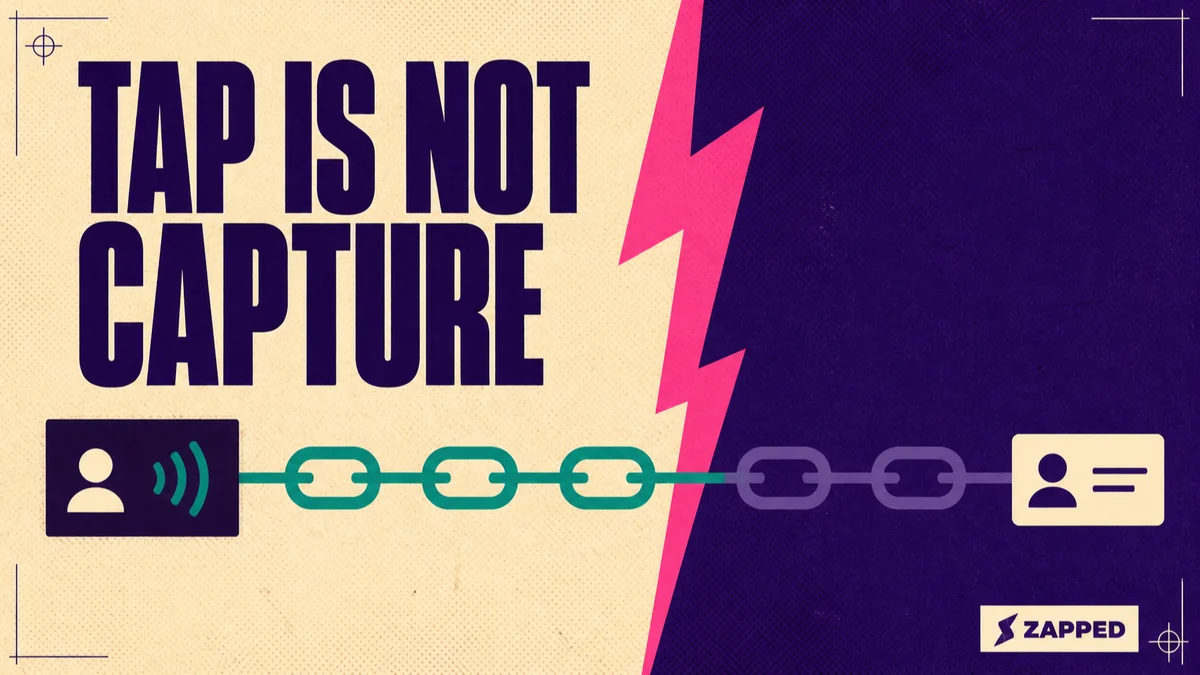
An NFC business card helps a freelancer when it opens one clear, maintained profile and keeps a QR code or direct link ready when a tap is inconvenient. The tap starts the handoff. The recipient may still need to respond to a prompt, decide whether to save your details, and you still need to record the conversation and follow up.
The card shortens the handoff. Your destination and follow up routine create the useful relationship.
Build one profile that can survive the next client conversation
Start with one identity, one role or positioning line, one or two relevant links, and one obvious next action. A client should understand what you do and choose the next step without sorting through a small website hidden inside a card.
Useful actions include email, phone, portfolio, website, or booking. Pick the action that fits the moment. A referral contact may need your portfolio, while a consultation prospect may need a booking link. The profile can hold both, but one should be visually primary.
Keep the solo case genuinely solo. One profile can serve the same identity across client meetings, referrals, events, email, and social bios. The NFC business card guide for small businesses covers destination and pilot questions for a larger operation. For one freelancer, the decision is whether you can maintain one useful public destination.
Create a separate card when different audiences, locations, brands, or campaigns need different details. That is a destination decision, not a reason to create a profile for every conversation. If you are managing staff access, permissions, or a rollout, that is the different problem covered by digital business cards for teams.
Put a stable public URL behind the tap
For this workflow, an NDEF formatted tag carries a URL in an NDEF message. The NFC Forum overview describes tags carrying an NDEF payload that can prompt an action based on the stored information. The NDEF specification defines the common data format, including the URI record used for a web destination.
For a freelancer, the useful mental model is simple: the tag carries a URL to a live profile. It does not contain the full relationship, the context of the conversation, or a promise that the recipient will save anything.
Write the public profile URL to the tag. Do not write a private editor or dashboard address. The Zapped programming guide covers that distinction, along with testing the written destination and keeping a QR fallback.
The stable URL is the part worth protecting. If the tag and QR code continue to point to the same public destination, later profile edits can appear when that destination opens. That is an operational consequence of keeping the destination fixed, not a claim that an already saved native contact updates itself.
If you need the tag to point to a different profile, the destination must be written again. That is why the freelancer's first setup should be a profile that can handle several conversations, not a page built around one temporary event.
The physical carrier and the hosted profile are separate buying decisions. Use the best NFC business cards guide for the broader purchase question. This page starts with the next decision, making the card useful in a real conversation.
Run the handoff with a fallback already visible
NFC works at close range. The NFC Forum's description supports bringing the phone near the tag, not a fixed reading distance for a finished card. The recipient's phone, operating system, screen state, NFC setting, and tag contents can all affect what happens next.
Apple's background tag reading documentation describes supported iPhone XS and later models as showing a notification followed by a recipient action. It also lists conditions that can interrupt the flow, including the first unlock after a restart, camera use, Wallet use, and airplane mode.
The Android NFC documentation describes NDEF parsing and URI dispatch, with behavior that depends on the device, operating system version, unlocked screen, NFC setting, and contents of the tag. That is enough to plan for variation. It is not a reason to promise one identical prompt on every Android phone.
Keep the recovery route visible. A QR code lets a person scan and open the same destination when NFC is unavailable or awkward. Apple documents scanning a QR code and opening its link, while Google's Pixel Camera guidance shows recognition followed by a tap to open. Camera support and prompts still vary by Android model.
The person may also need to choose a save action after the profile opens. Popl's support documentation shows explicit save steps on iPhone and Android. That is one provider's example, not a rule for every digital card, but it illustrates the important boundary: seeing a profile and saving a contact are separate actions.
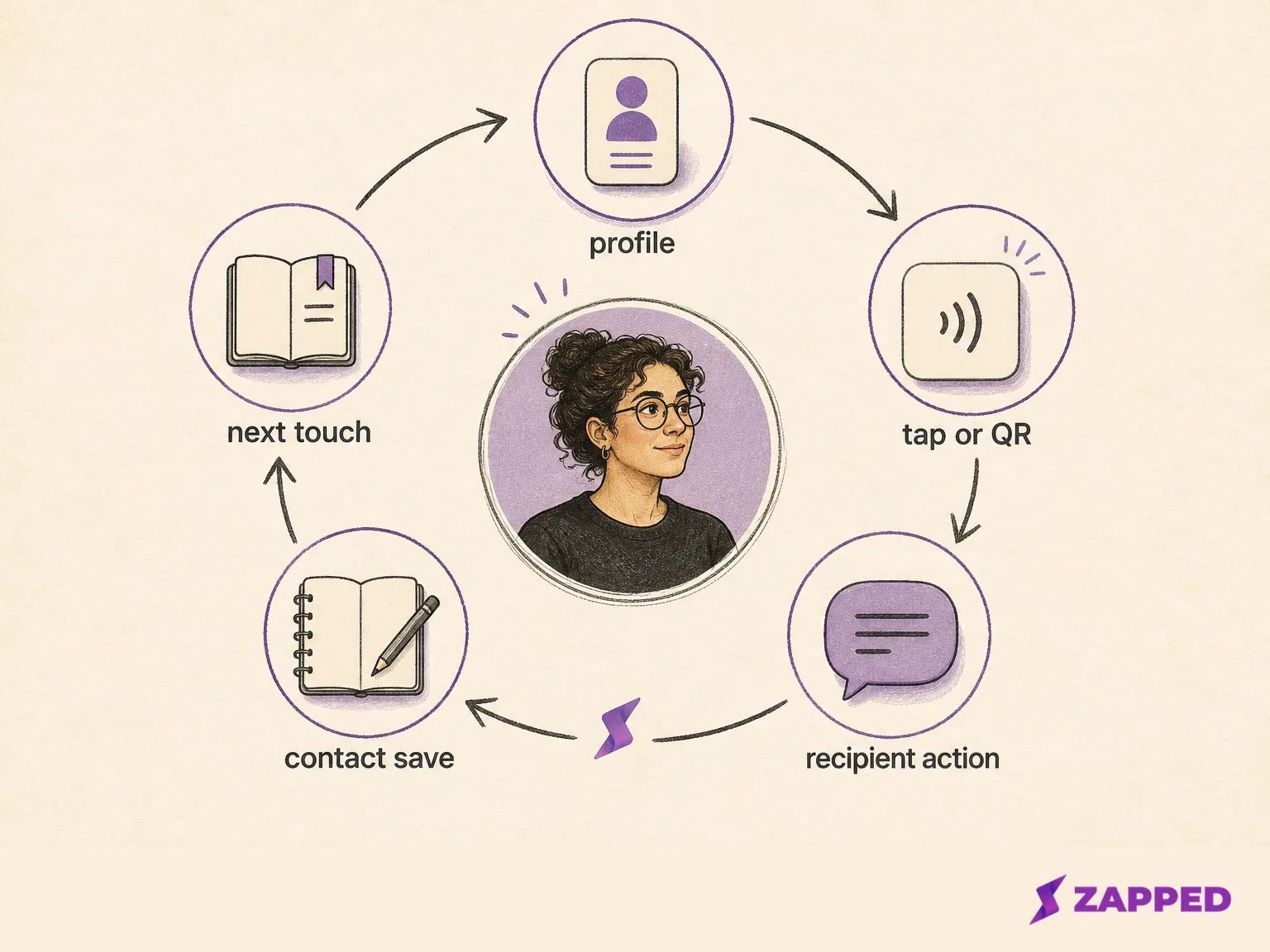
The handoff is easier to manage when you can say what happens next: tap or scan, open the profile, save if useful, then continue the conversation. For the larger channel choice, see NFC versus QR code business cards. For the physical card face, tap point, and readable fallback, use the NFC business card design guide.
Separate the tap from the work that makes it valuable
After a worthwhile conversation, record who the person is, where you met, what they asked for, what you promised, and the next useful touch. The American Physical Society's networking guidance recommends preserving that context and following up while the details are fresh.
That note can live in your normal notes, calendar, or customer system. The important part is ownership. The card is a contact handoff, not the place where the relationship remembers itself.
The professional networking literature makes the same distinction from another angle. A genuine conversation and a future relationship matter more than distributing a card into as many hands as possible. A tap can make the exchange shorter, but it cannot make the exchange relevant.
One 2017 trade show case study reported follow up with 20% to 30% of contacts in its studied setting. That figure describes trade show attendees, not NFC cards or freelancers. Its useful lesson is narrower: contact capture and follow up are separate steps, so your routine needs both.
The modern digital business card networking guide covers the broader before, during, and after sequence. For a freelancer, make the next touch part of the handoff before the conversation disappears into a busy afternoon.
Keep one live profile without confusing freshness with contact sync
Edit the live profile when your services, booking link, portfolio, or contact details change. Keep the public URL stable across the physical tag, QR code, email signature, social bio, and direct messages when the same identity is doing the sharing.
This is profile maintenance, not contact synchronization. Apple's NameDrop guide documents a separate exchange between devices and says the flow does not update an existing contact. A page that changes later does not rewrite a contact that someone already saved.
One destination also keeps your public identity consistent. If a person first meets you at an event and later arrives through your email signature, they should still reach the profile that matches your current role and next action. Split the destination only when the audience or purpose genuinely changes.
Where Zapped fits in the solo setup
Zapped works for this setup when you want one public card that can be shared by NFC, QR code, or link and opened in a normal browser without an app to install. Its card can hold contact details and practical actions such as email, phone, website, or booking links.
Zapped's NFC setup follows the same rule this setup needs: write the public card URL, test the written destination with another compatible phone, and keep a QR fallback visible. If the public destination stays the same, profile edits can be reflected there without changing the physical handoff path. The save action remains the recipient's choice.
Zapped focuses on the destination and fallback decision, not on replacing the freelancer's conversation note. For the setup step, see the Zapped NFC programming guide.
Know what each signal actually proves
The cleanest way to avoid overreading a tap is to separate the events that happen around it.
| Signal | It can show | It does not prove |
|---|---|---|
| Tag read or QR scan | A handoff path was invoked | The profile was read, saved, or acted on |
| Profile view | A destination opened | The visitor's identity, intent, or lead status |
| Contact save | The recipient chose a save action | A reply, booking, or future work |
| Conversation note | The freelancer preserved context | That the person will respond |
| CRM or calendar record | The follow up has an owner and next action | That the tag created or qualified the relationship |
An aggregate profile view can be a useful prompt to review the page or the context around a networking moment. It is not proof that a named person viewed it, saved it, or wants to work with you. Keep those conclusions tied to the human action you actually know occurred.
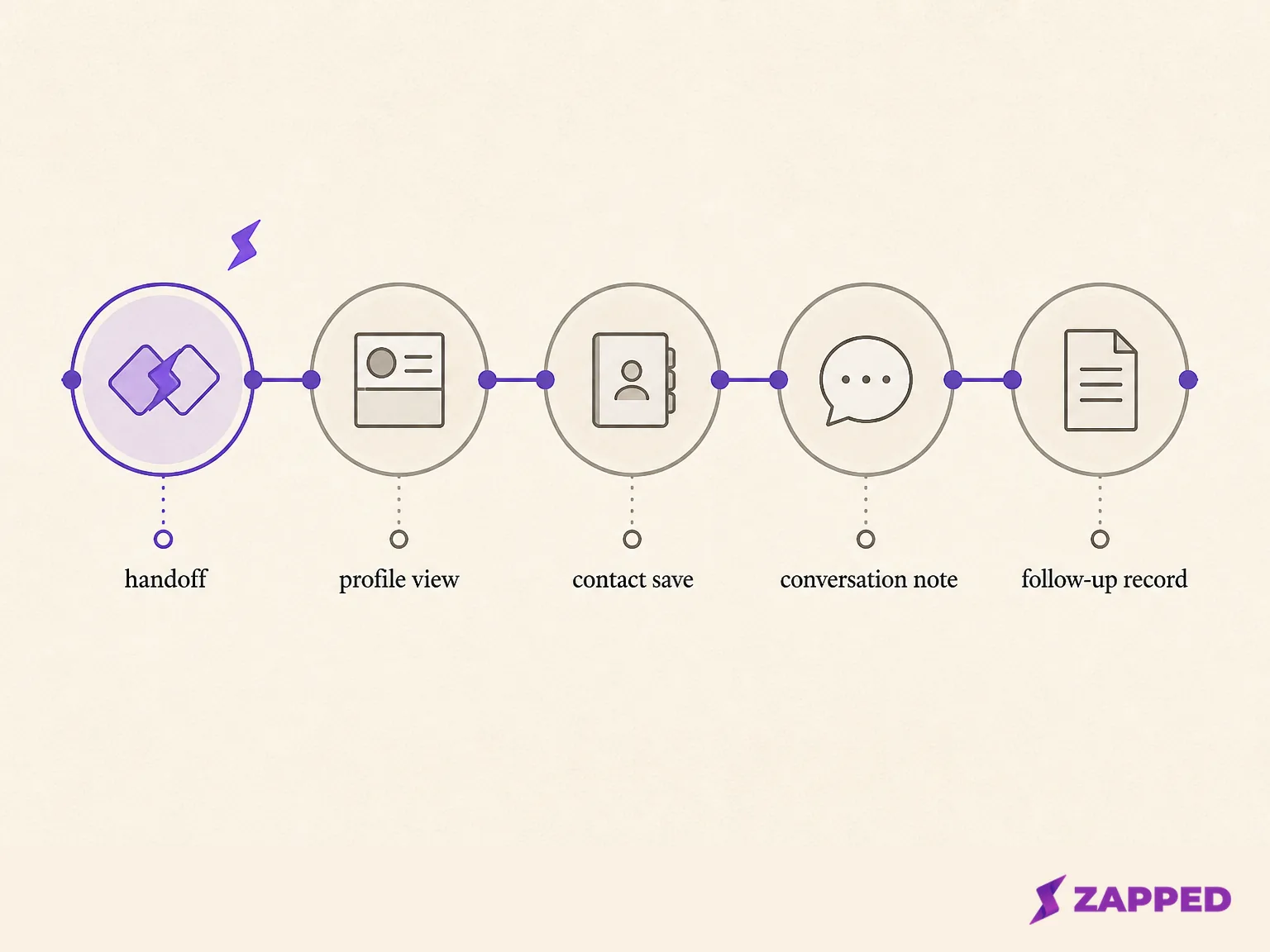
The NFC business card lead capture guide goes deeper on the boundary between a handoff and a lead record. For a solo freelancer, the practical rule is short: record the person and the next action yourself unless a separate system has clearly assigned that work.
Use these five solo handoff checks
Before you hand over the card, check these five fields:
-
Public destination: Does the URL open the profile the recipient should actually see?
-
Next action: Is there one obvious portfolio, email, phone, website, or booking action?
-
Fallback: Is the QR code or direct link easy to use if the tap fails or feels awkward?
-
Conversation context: Did you capture who, where, need, and promised resource?
-
Next touch: Is there a useful reason and date for continuing the conversation?
The first three belong to the handoff. The last two belong to your routine. Keeping them together is what turns a clever card into a repeatable freelancer tool.
The verdict for a solo freelancer
Use an NFC business card when one maintained profile and a close range handoff fit the way you meet people. Keep the QR or link fallback visible, expect the recipient to take an explicit action, and leave the conversation with a deliberate note and next touch.
Do not expect the tap to be the whole system. If you need automatic identity, a universal device experience, or a complete customer system, treat the card as one part of that setup and choose the other parts separately.
Sources
All pages checked in August 2026.
Standards and platform documentation
- NFC Forum, NFC technology overview
- NFC Forum, NDEF technical specification
- Android Developers, NFC basics
- Google Pixel Camera, scan QR codes
- Apple Developer, adding support for background tag reading
- Apple Support, scan a QR code with iPhone
- Apple Support, use NameDrop on iPhone
Product documentation and named examples
- Zapped, creating your first vCard
- Zapped, how to program NFC business cards
- Popl, how others save your information
Networking guidance and research