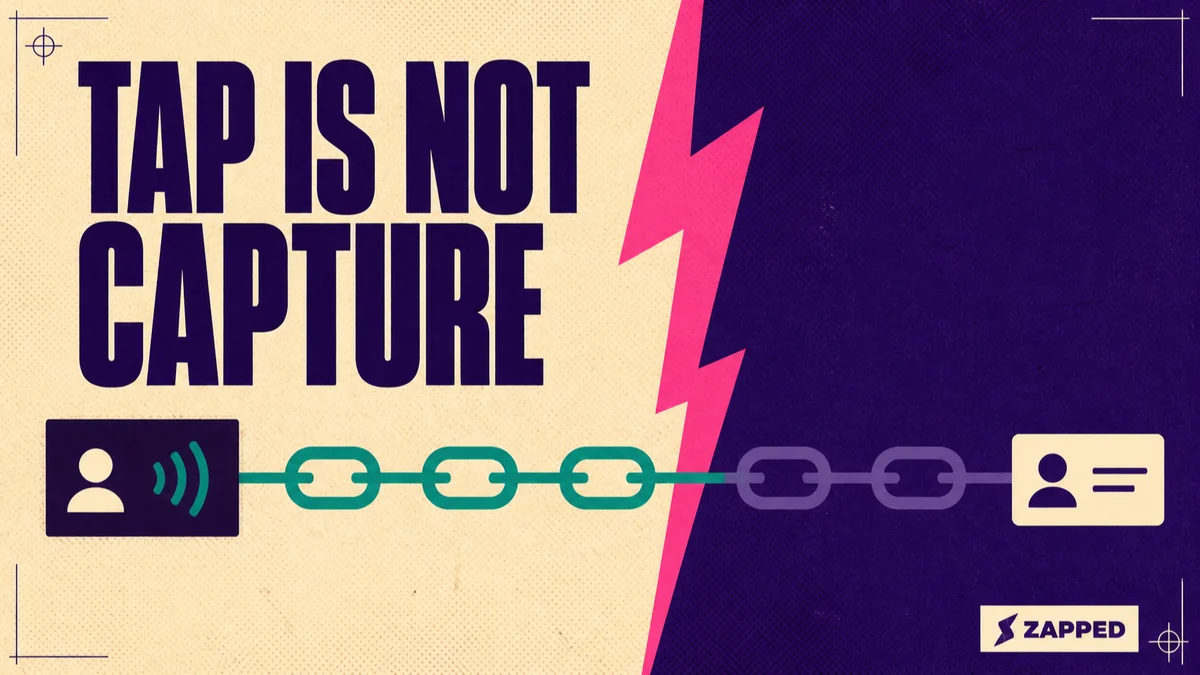
An NFC business card does not capture anything. It hands out a web address, and everything sold as NFC lead capture happens after that: on a page the card does not own, in a form you built, landing in a system the card cannot see.
The tap is not even a single action. Android Developers documentation states that from Android 17, a tag holding a web link surfaces an open link notification the person must act on before the link opens, and Apple's Core NFC documentation describes the same pause on iPhone.
The card is the cheapest link in the chain, and the only one you can buy your way through.
What the phone actually does when someone taps your card
What sits on the card is a record holding a web address. The NFC Forum publishes the NDEF specification for that data format and a separate specification for storing web addresses inside a record. Nothing in either describes the tag receiving anything back.
The mechanics of the tag itself are their own subject, and we cover them in what NFC business cards are.
On Android, the tag dispatch system parses the address, wraps it in an intent, and starts an activity. Two documented changes matter more than that plumbing.
From Android 16, a tag holding an http or https link triggers a plain view action rather than the older tag discovery path. From Android 17, scanning the same tag surfaces an open link notification and waits for the person to interact with it.
Apple describes the same shape on iPhone. Background tag reading displays a pop up notification each time the system reads a new tag, and the tag data reaches its destination only after the person taps that notification. A locked phone gets an unlock prompt first.
Put those together and the funnels vendor diagrams draw begin at the page view, which is the third stage in the chain. The two stages before it report to nothing at all.
If someone on your team says the cards used to just open, they are describing the Android 16 and Android 17 behavior, not a broken tag. A tap is a sharing act rather than a collecting one, which is worth holding onto when you weigh it against the other ways to share a digital business card.
The chain from tap to record, in eleven stages
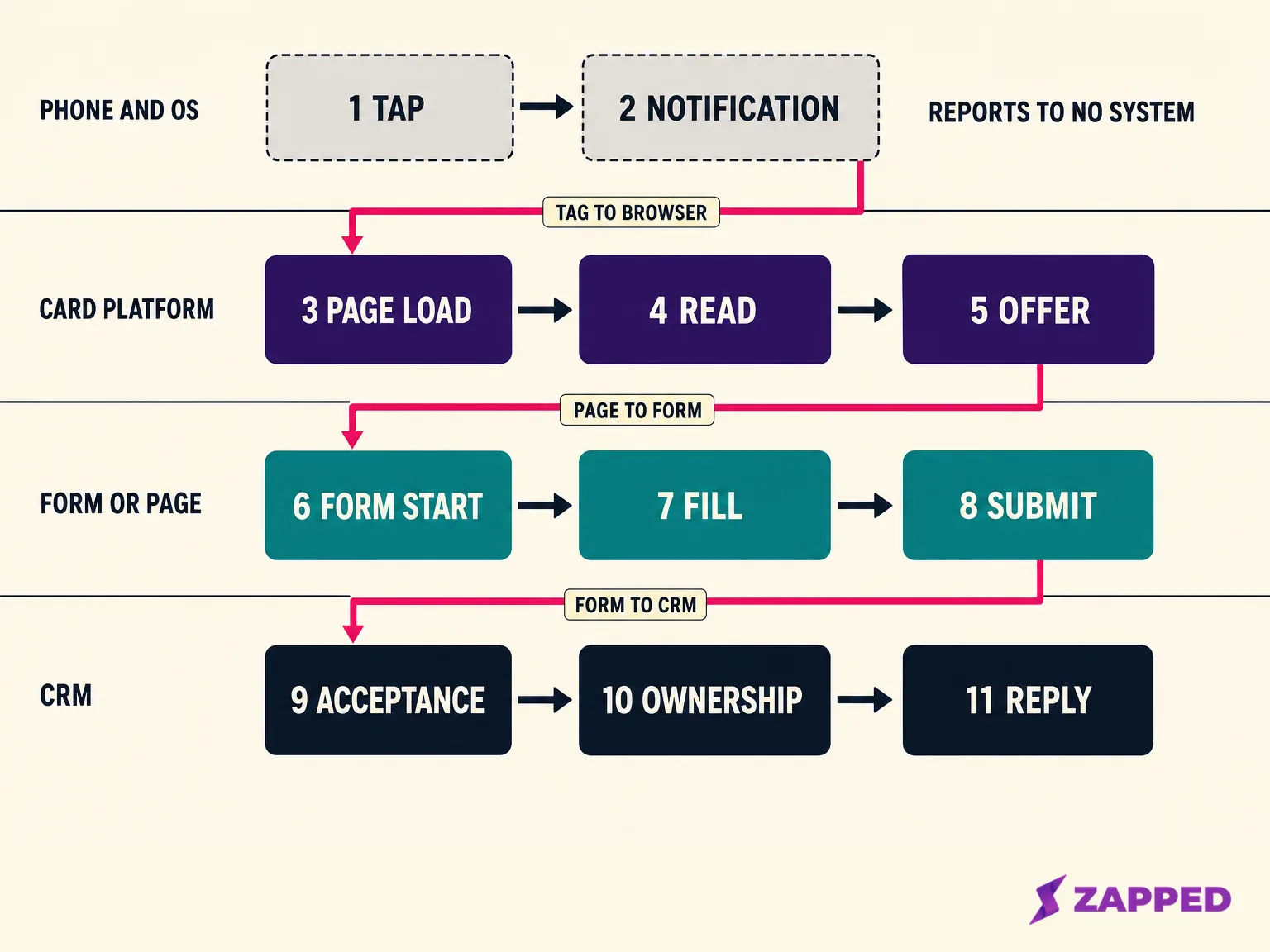
Three of those stages change what you should do. The rest are sequence.
Stage two is the operating system's decision, and it is the only stage no system you pay for is part of. The notification appears, the person acts or does not, and nothing anywhere records either outcome. Every dashboard in your stack starts counting afterwards.
Stage five is the offer. If the page that opens presents nothing to do next, the chain can end there with a satisfied visitor and no record. A card platform will still show the view, correctly, because the view happened.
Stage nine is acceptance, and it is the quiet one. A submission is not a record. The receiving system decides whether to keep it, and when it declines, nobody at your end gets told.
Three handoffs join the eleven. A web address crosses the first. A person crosses the second, without their session identity. A submission crosses the third, subject to whatever conditions the receiving system imposes. The moment the industry calls lead capture is the eighth stage, not the first.
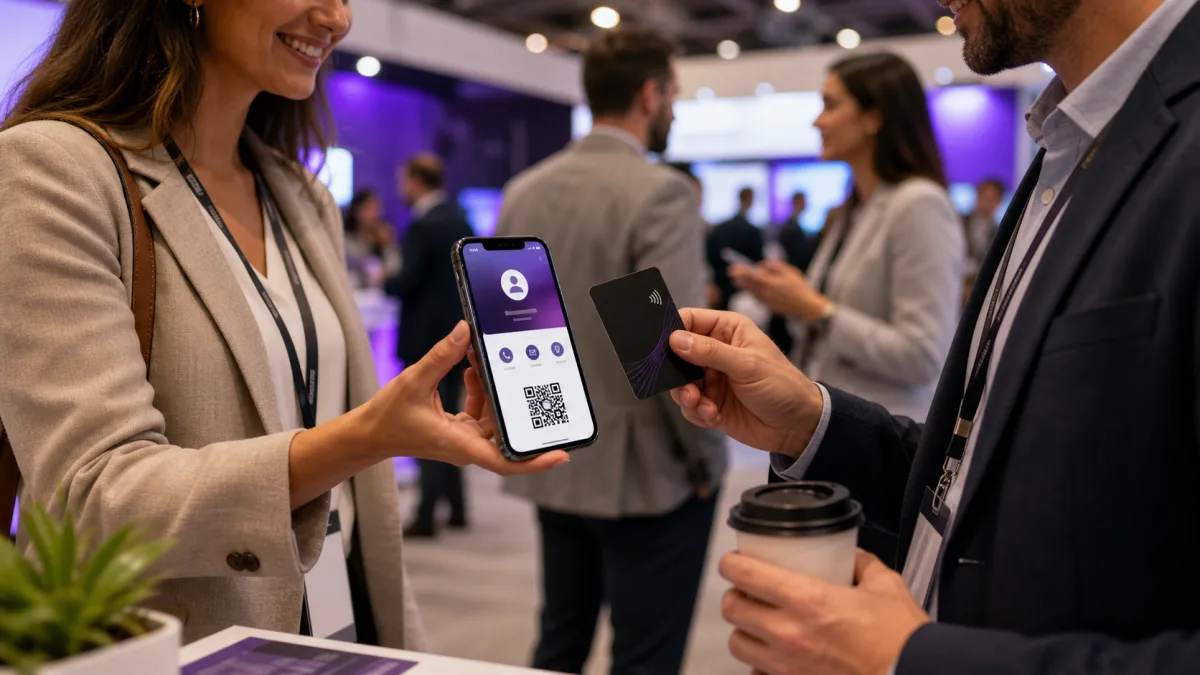
Setting this up for a specific show is its own job, and we cover the booth side of it in using NFC tag business cards at corporate events.
Who owns each link, and what each one can see
| Stages | Owner | Can see | Cannot see |
|---|---|---|---|
| 1 to 2, tap and the notification | The other person's phone and its operating system | Everything | Nothing is reported to any system you own |
| 3 to 5, page load, read, offer | The card platform | Page views and whatever its analytics record | Whether a form elsewhere was started or submitted |
| 6 to 8, form start to submit | The form or landing page | Starts, abandons, submissions, field behavior | Whether the person arrived by tap, QR, or a typed address |
| 9 to 11, acceptance, ownership, reply | The CRM | Records created, routing, reply activity | Everything before the submission |
The first boundary sits between the operating system and everything else. Stages one and two report to nothing, so when taps feel busy and page views look thin, no dashboard will ever show you who stopped at the notification.
The lever you do have is the destination: an https address, which is what iOS background reading supports, plus a visible QR fallback for phones that will not read the tag.
The second boundary is measured, not argued. Google's own documentation on cross domain measurement says that without it configured, one person visiting two different root domains on the same device is counted as two users and two sessions rather than one. Your card analytics and your form analytics can both be right and still describe the same person twice.
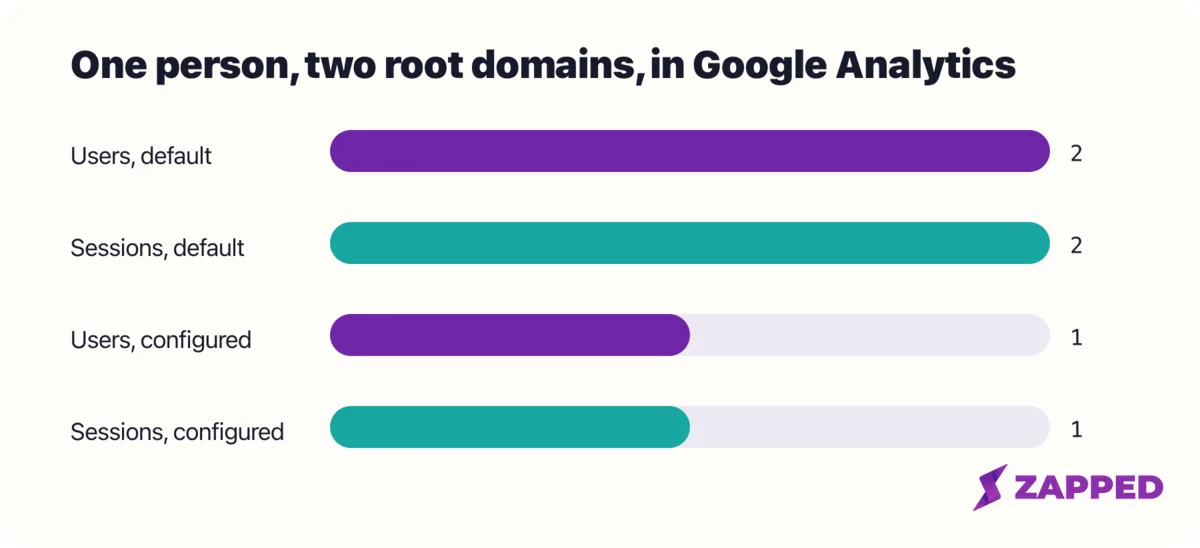
The fix is unglamorous. Give every capture path its own destination address, and the page view count and the form start count start describing the same population, which is what lets you compare them without pretending the two systems are joined.
Who owns the destination is a staffing question long before it is a technical one, which is where digital business cards for teams picks it up. The domain that destination lives on is a company decision rather than a personal one, and digital business cards for companies covers that side.
Five ways teams do this, and what each one really costs
Judge each pattern on three things: what it asks of the other person, where the chain can break, and the situation it actually suits. No pattern wins in general.
A landing page with a form
It asks a stranger to type on a phone, standing up, and every part of it is yours to build.
It can break at stage five if nothing on the page asks for anything, at stage seven if it asks for too much, and at stage nine if the receiving system rejects submissions from that domain. It suits an offer worth typing for.
A genuine exchange in both directions
iPhone has this natively. Apple's NameDrop guidance describes holding two displays a few centimeters apart, with each person choosing whether to share their own card and receive the other's, or only to receive, and the sharer selecting which fields to include.
It is the lowest effort pattern here because it is a gesture rather than typing. Two honest costs: it happens between two devices, so an NFC card does not trigger it, and Apple notes it only sends new contact information rather than updating an existing contact.
Those contacts land in a phone's address book, not a CRM, which is a different filing problem covered in organizing business cards digitally. Anything a card can do in both directions is a form in costume, and belongs in the first pattern.
A booking link
This asks for a decision about the person's future, not just an address. Google's help documentation says an appointment schedule booking page requires first name, last name, and email address, lets the organizer add more fields, and offers email verification to cut down spam bookings.
Higher ask, better qualified outcome. It suits the moment right after a real conversation, not a badge scanned in passing.
A form that belongs to your CRM
The reader experiences this the same way as a landing page. The difference is that the handoff moves inside the CRM's own machinery, so less falls between submission and record. You pay for that in setup, and in the vendor conditions below.
Tapping alongside the show's own system
At a trade show this sits next to something the organizer already runs. Lead retrieval is generally described as organizer provided, with the organizer holding the registration database and a badge scan returning the attendee's registration details.
The honest comparison: a scan returns registration details the organizer already holds, and asks the attendee for nothing. A tap returns whatever the person chooses to type about themselves, and asks them to type it. They complement each other, and the tap does not replace the exhibitor fee.
What the receiving system demands before a submission becomes a record
Salesforce's guidelines for capturing leads from a web form say the system supports generating up to 500 new leads a day and requires the Customize Application permission. Before any of it is useful, the org needs mapped lead fields, email validation rules, response templates, lead status values, and assignment rules with a default owner for leads matching no rule.
HubSpot's documentation on embedding a form on an external site states that the tracking code must be installed on that page to track analytics, and that the site domain has to be added to tracking settings. Submissions from domains that are not added are marked as spam.
That is the cleanest documented example in the chain of a capture that fails without telling anybody.
Zoho's guidance on setting up webforms describes a form location address that decides which domain's submissions count as valid, captcha or Google reCAPTCHA v2 as options, and two ways for a record to wait: a confirmation email the person must answer, or a manual approval queue before the record enters the module.
Your job here is not to pick a CRM. It is to know that a form which looks perfectly healthy on a phone can be discarding submissions in silence, and to check the receiving side before you blame the cards.
What regulators say you can do with what you collected
The question is scope, not permission. GDPR Article 6(1) lists several lawful bases for processing personal data, consent and legitimate interests among them.
Where consent is the basis, the ICO says it must be freely given, specific, informed and unambiguous, and given by a clear affirmative act. Silence, a box ticked in advance on someone's behalf, and inactivity are none of them consent.
Then the regulator's own worked example turns out to be about a business card. The ICO's guidance on valid consent describes someone dropping their card into a prize draw box: an affirmative act agreeing to their details being processed for the draw, and the ICO states that this consent does not extend to marketing or any other purpose.
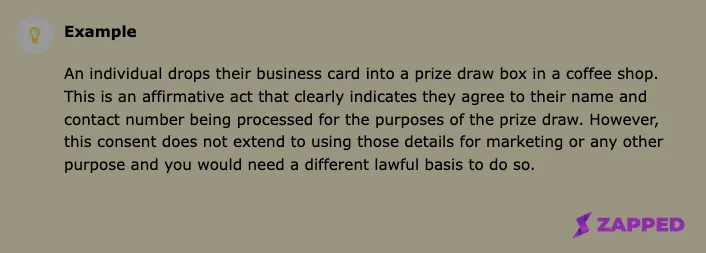
Source: Information Commissioner's Office, captured 2026-08-06.
A tap is weaker still. The person tapped to see your details, not to hand over their own.
The ICO also lists what makes consent invalid, including keeping no clear record that someone consented, a vague request, an organisation that was not specifically named, and no easy way to withdraw. Read against an event form that says only "sign up", that list is fairly pointed.
The tracking pixel on your destination page has its own rules. Under PECR, the ICO says you must tell people the cookies are there, explain what they do and why, and get consent through an unambiguous positive action that is more than continuing to use the site.
Only two purposes are exempt, carrying out a transmission and being strictly necessary for a service the person asked for. The ICO's cookies guidance says cookies that are helpful but inessential still require consent, even where the data is anonymous.
Emailing someone in the United States runs on a different logic. The FTC's CAN-SPAM compliance guide states the law makes no exception for business to business email.
The same guide sets out what a commercial message has to carry: accurate headers and subject lines, clear identification of the message as an ad, a valid physical postal address, a way to opt out that keeps working for at least 30 days after sending, and requests to opt out honored within 10 business days.
The FTC puts the penalty at up to $53,088 for each separate email in violation, the maximum its guide was edited in January 2024 to adjust for inflation. It also says that hiring another company to run your email marketing does not contract away your own responsibility to comply.
Canada reverses the direction. The CRTC's guidance on implied consent describes implied consent arising when a person discloses their address, for example by providing their business card at a tradeshow. For an address found published online, the same guidance attaches two conditions: nothing alongside the address refuses commercial messages, and the content is relevant to the recipient's business role.
Notice which way that points. It covers messaging someone who gave you a card, and a tap is the opposite motion. The CRTC adds that the sender carries the onus of proving consent, and that implied consent expires.
Before you plan the emails that go out after the show, read the regulators' own pages for the places your leads actually live.
How to tell whether any of it is working
| Measure | Where it comes from | Who can see it |
|---|---|---|
| Taps | Nowhere. No system observes the tap | Nobody |
| Notification opened or dismissed | Nowhere. The operating system does not report it | Nobody |
| Page views on the tap destination | Card platform analytics | The card platform |
| Views attributed to the tap specifically | Only if the tap address differs from the QR and link addresses | The card platform, by construction |
| Form starts and abandons | The form or page analytics | The form's owner |
| Submissions | The form, and the CRM if it accepted them | The form, then the CRM |
| Records created, routed, and replied to | The CRM | The CRM only |
The number everyone wants is submissions divided by taps. No independent measurement of it turns up in the searchable record. The figures that do surface trace back to digital card vendors' own marketing or to aggregator pages, which tells you what the category has decided to say and nothing about your booth.
So build the model instead. Two ratios are honestly computable: submissions per page view, which compares two numbers from systems that can both see the events in question, and records per submission, which compares what you sent with what was kept. The second is where a silent rejection shows up.
Both need the same thing underneath them, one distinct destination address per capture path. Without it the ratios describe different populations, and the arithmetic is decorative.
The third row of that table is where a card platform earns its place, so it is worth being concrete about ours. Zapped gives per card analytics, with how far back the history goes set by plan at 60, 185, or 365 days, and tracking pixels on paid plans so your own analytics can see the destination view too.
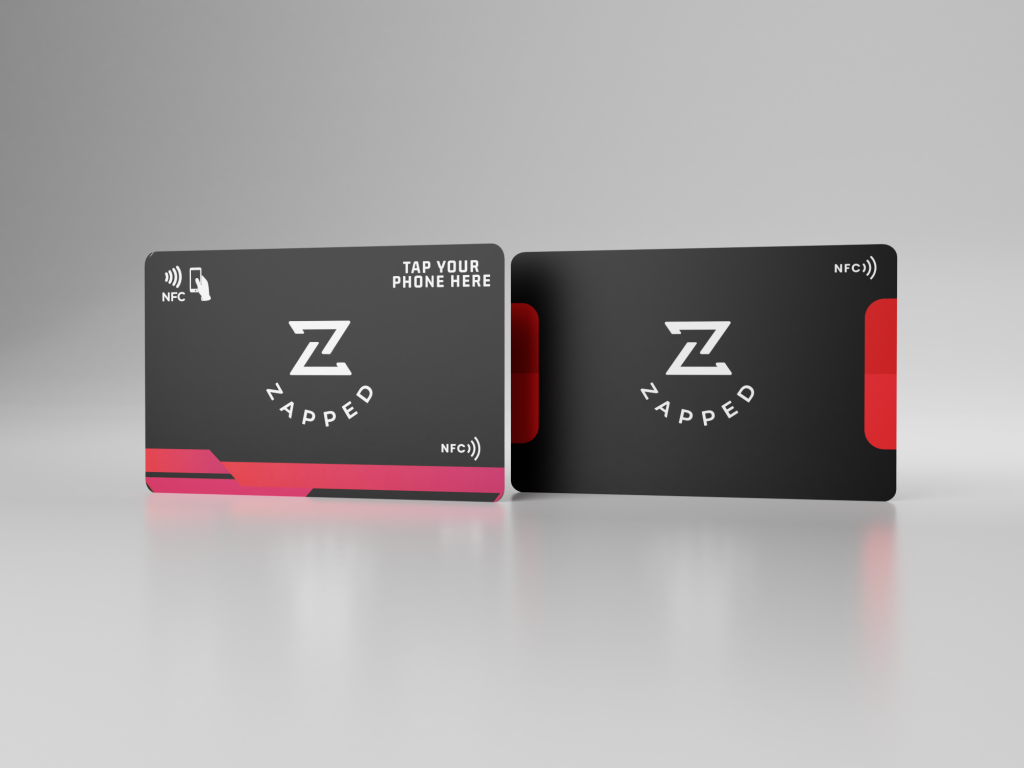
The card is a public web page that opens in any browser, with no app to install and no account to create. That is what makes the page view a real event rather than a download step.
The capture itself belongs to whatever page the tap opens, which you assemble and control. Our side of it is the card, the sharing, and the analytics on what the destination sees, and the chain past that point is yours to wire.
Then there is one more worth counting: records that received a human reply inside a stated window. It is the only one that tracks revenue, and the only one entirely inside your control.
Why taps fail, and the states where nothing happens at all
The tap does nothing. Apple puts the hardware floor at iPhone XS and later, and lists the conditions where background reading is unavailable even with the display on: the device has never been unlocked, a Core NFC session is already running, Apple Pay Wallet is in use, the camera is in use, or airplane mode is on.
The tap opens a notification instead of the page. Designed behavior on both platforms, not a fault, and it puts one more decision between the tag and the destination.
The tap opens the wrong thing, or nothing, because of the address. Apple documents that iOS background reading looks for a well known record of type "U", uses the first address record if the message holds several, and needs a universal link or a supported scheme. Custom schemes are not supported.
The form submits and the lead never appears. HubSpot marks submissions from unregistered domains as spam, Zoho may be holding the record for a confirmation email or manual approval, and Salesforce may have hit its daily cap. Each of those looks identical to the person who tapped, who saw a thank you page.
The page is heavy. Treat that as an ordinary web performance problem rather than an NFC one. The destination gets opened once, in a hall, on a shared network, with someone standing there waiting.
The form asks too much. Baymard Institute's research into ecommerce checkout, not event forms, found that complexity itself drives people to abandon and that shorter forms are the remedy. The direction travels; the figures stay where they were measured.
A QR code sitting beside the tag is worth the print space. We compare the two in NFC versus QR code business cards.
Spend accordingly. The card is the link you can buy, and the destination page and the receiving system are the links you have to build, which is where a tap either becomes a record or quietly does not.
Sources
All pages checked in August 2026.
Standards and platform documentation
- NFC Forum specifications index
- Android Developers, NFC basics
- Apple Developer, adding support for background tag reading
- Apple Support, use NameDrop on iPhone
CRM documentation
- Salesforce, guidelines for setting up lead capture from a web form
- HubSpot, style and embed forms on an external site
- Zoho CRM, setting up webforms
Regulators and official guidance
- GDPR Article 6, lawfulness of processing
- ICO, what is valid consent?
- ICO, cookies and similar technologies
- FTC, CAN-SPAM Act compliance guide for business
- CRTC, guidance on implied consent under CASL
Measurement, forms, and events