The best NFC business card app for Android is usually not the app that writes the tag. It is the profile that opens after the tap. Start with Zapped's browser based digital card when you want one editable profile that also works through a QR code or direct link. Use NFC Tools when you already own the destination and only need to write it to a tag.
That distinction matters because app stores put two jobs under one label. One tool hosts the profile people see. The other writes a URL or contact record to a blank NFC tag. Choose the profile first, then choose the cheapest reliable trigger.
The tap is not the whole business card
Android supports the NDEF standard. When an Android phone scans an NDEF tag, it parses the message to determine its URI or MIME type. The phone also needs NFC hardware for NFC functions, and an app can check whether NFC is available at runtime. Android's NFC documentation gives you the useful mental model: the tag carries a payload, and the phone decides what that payload means.
For a business card, that payload is usually a URL. The URL is the durable part. If your phone number changes, the hosted page can change while the tag keeps pointing to the same address. If the tag only contains a contact record, you have written a snapshot that gets stale.
Judge three layers separately:
- The profile, which holds your contact details, links, forms, or analytics.
- The NFC trigger, which opens that profile from a compatible tag.
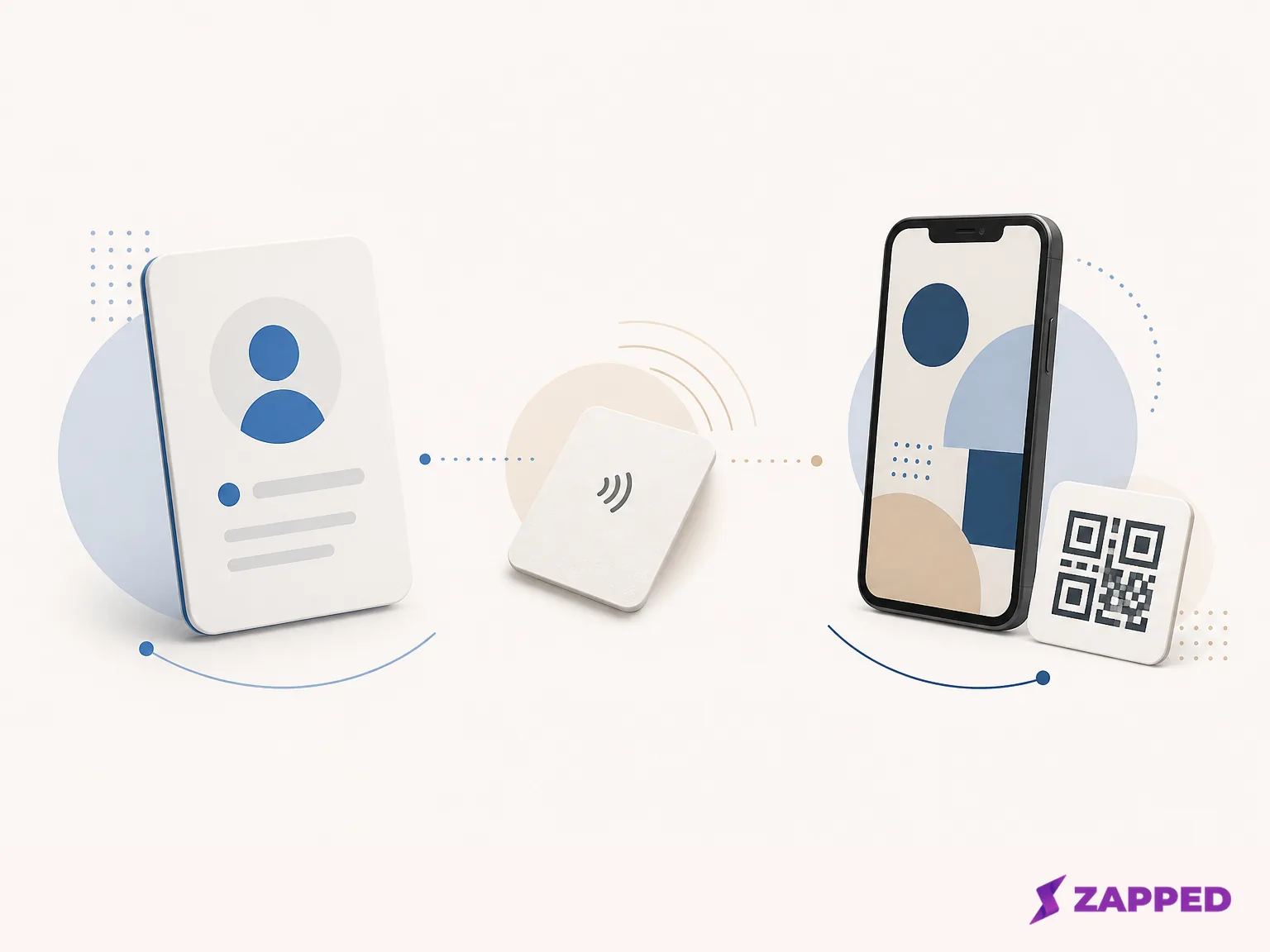
- The fallback, usually a QR code or direct link, for a phone, case, tag, or recipient that makes NFC inconvenient.
A polished physical card cannot rescue a profile that is hard to update. The useful system is the one that still gives the other person an easy next move when the tap does not.
Seven options, seven different jobs
1. Zapped, best for an editable profile that does not require an app
Zapped is the clearest fit when the priority is one live profile behind NFC, QR, and link sharing. The recipient opens the card in a normal browser, without installing an app or creating an account, and can save the contact from there. Edits keep the shared destination useful after the tag or QR code is already in circulation.
The boundary is important: at Zapped, we build the profile and sharing platform, not the Android utility that writes a blank tag. Create the profile first, copy its URL, then put that URL on a compatible tag with an NFC writer. Your profile stays portable if you later change the card, sticker, or vendor.
Zapped is the best starting point for a solo user who wants a browser first card and a fallback that does not depend on the recipient having the same app. It is also the option here with a clear path from one card to team workspaces, analytics history, and branded domains. If all you need is a writer for a profile you already own, it is more platform than you need.
2. HiHello, best for a documented in app write flow
HiHello makes sense when you want the profile and the write action managed together. Its documented Android path is short: open the card, open its menu, choose “Write to NFC,” and tap the tag to the phone. HiHello's Android walkthrough covers that write flow. HiHello says the tag is third party hardware, and the recipient does not need the HiHello app to receive the card. Android recipients may need to enable NFC in settings and tap the tag near the top of the phone. HiHello's NFC documentation covers the handoff clearly.
Its free Personal plan includes four digital business cards and five card or badge scans per month, along with QR and wallet sharing. Professional is listed at $8 per month or $72 per year. The free tier is generous for someone with several identities or profiles, but the scan limit becomes the decision once networking turns into a regular event habit. Check HiHello's pricing before paying.
Choose HiHello when the convenience of a documented write flow beats keeping the profile and tag completely independent. It is the easiest route here for a reader who wants clear Android instructions without assembling the stack from separate tools.
3. Blinq, best for contact capture and enrichment
Blinq is a better fit when the person you meet is not only a contact to save, but a lead to organize. Its free plan includes two digital business cards, unlimited sharing, unlimited contact creation, QR, email, SMS, and wallet sharing. That is plenty for a solo user who wants two profiles without paying.
Premium is $9.99 per month or $7.33 per month billed annually. It adds up to five cards, a universal contact scanner, an AI Notetaker, contact enrichment, branded QR, customization, and exports. Business is $6.99 per user per month or $4.99 per user per month billed annually, with team cards, provisioning, lead capture and enrichment, event attribution, CRM integrations, and analytics. Blinq's plan details show why its individual and business tiers solve different problems.
Pick Blinq when scanner, enrichment, exports, or event attribution will change what you do after the tap. Skip that layer when the whole job is a URL that opens a profile. A lead system is useful only if you will actually follow the leads.
4. Wave Connect, best free choice when contact capture is part of the brief
Wave Connect's Free plan is unusually relevant for a solo Android user who wants more than a static profile. It includes unlimited contacts, unlimited sharing, QR, email and SMS sharing, Google or Apple Wallet, a lead capture form, and advanced analytics. The free entry point is strong when the recipient should be able to leave details instead of only receiving yours.
Wave Connect Pro is $7 per month and adds CRM sync, branded profile controls, branded email signatures, and removal of Wave branding. Teams is $5 per user per month with a three seat minimum, adding admin controls, bulk edits, templates, locked content, a shared lead dashboard, and event lead tagging. Wave Connect's pricing page makes the upgrade logic straightforward: pay when branding, CRM, or team administration becomes part of the job.
The limitation is the NFC route. Wave states that the platform works on iOS and Android, but Wave's product pages emphasize browser setup, QR, and wallet sharing rather than a documented in app NFC write flow. Wave's team page supports that distinction. Treat Wave as a profile platform first, then use NFC Tools to write the profile URL if your tag needs programming.
5. Popl, best for high volume event follow up
Popl belongs in the shortlist when the tap is the beginning of a lead workflow. It documents QR, link, and tap sharing without requiring the recipient to install an app, plus lead capture forms, paper card scanning, notes, tags, exports, CRM workflows, and engagement analytics. Popl's team feature documentation says advanced campaign tagging, event badge scanning, and bulk list enrichment require its Event Lead Capture plan.
That makes Popl excessive for one editable profile and sensible for a booth team that needs context after the event. The pricing page currently asks buyers to request a demo and custom quote instead of displaying a self serve USD price for the relevant plans. Popl's current pricing cannot support an invented price ranking.
Choose Popl when qualifiers, notes, tags, or CRM follow up justify a managed event layer. If the recipient only needs your contact details, the extra machinery is solving a different problem.
6. Mobilo, best for a managed team rollout
Mobilo is the team oriented option in this group. Its current comparison lists Pro at $3 per month and Teams at $4 per month billed annually. The Teams positioning includes unlimited team members, unlimited taps and scans, field controls, full team analytics, and CRM integrations. Mobilo's pricing comparison is useful when provisioning and shared reporting matter more than a solo card's setup time.
The team terms are the reason to consider Mobilo. Do not choose it simply because the listed price is low. A managed rollout still has to earn its administration cost through team controls, analytics, or CRM use.
7. NFC Tools, best when you already have the profile
NFC Tools is the clean answer to a narrower question: how do I write my existing profile URL to a blank tag on Android? It can read, write, and program compatible tags with URLs, contact information, phone numbers, and social profiles. The Google Play listing observed for it showed 4.5 stars from 58.8K reviews and 10M+ downloads. NFC Tools on Google Play is a tag utility, not a hosted business card platform, a distinction also discussed in this NFC comparison.
NFC Tools is free, and NFC Tools Pro, $3.99 USD is the listed upgrade. That is the right cost shape when your profile already lives somewhere else and you want to keep the tag replaceable. It will not provide the profile, lead capture, or analytics that a hosted platform owns.
Use Zapped, HiHello, Blinq, Wave, Popl, or Mobilo when you need the page behind the tap. Use NFC Tools when the page already exists and the unfinished job is writing its address.
Comparison table: start with the layer you need
| Option | Profile or writer and NFC route | Free entry | Representative paid term, checked August 2026 | Contact, analytics, or team capability | Best fit |
|---|---|---|---|---|---|
| Zapped | Hosted profile with QR, link, and NFC sharing | $0, one card, five blocks, one project | Starter $14 per month; Professional $49 per month in the monthly view | Analytics history is 60, 185, or 365 days by plan; paid plans add workspaces, seats, and branded domains | One editable profile with a strong fallback path |
| HiHello | Hosted profile with a documented Android “Write to NFC” flow | $0 Personal, four cards, five scans per month | Professional $8 per month or $72 per year | QR and wallet sharing; higher plans are for more customization and limits | Profile plus a clear in app write path |
| Blinq | Hosted profile with QR and sharing tools | $0, two cards, unlimited sharing and contact creation | Premium $9.99 per month or $7.33 billed annually; Business $6.99 per user per month or $4.99 billed annually | Scanner, enrichment, exports, lead capture, event attribution, CRM, and analytics | Leads and contact context |
| Wave Connect | Hosted profile; a separate NFC writer if needed | $0, unlimited contacts and sharing, lead form, advanced analytics | Pro $7 per month; Teams $5 per user per month, three seat minimum | CRM sync, shared lead dashboard, templates, bulk edits, and event lead tagging on paid plans | A free card that can capture the other person's details |
| Popl | QR, link, and tap sharing | No comparable public team price | Relevant plans use a custom quote | Forms, notes, tags, exports, CRM workflows, event capture, and enrichment | High volume events and managed follow up |
| Mobilo | Team oriented digital card and tap sharing | No free entry stated in the cited comparison | Pro $3 per month; Teams $4 per month billed annually | Unlimited team members, taps, scans, field controls, team analytics, and CRM integrations | Managed team provisioning |
| NFC Tools | Android writer for a URL, contact record, phone number, or social profile | Free tag writing | Pro, $3.99 USD | No hosted profile, lead system, or profile analytics | A profile you already own and a blank tag |
The table's dividing line is simple. A hosted profile gives the tap somewhere useful to land. A writer gives an existing destination a physical trigger. They are complementary tools, not competing versions of the same app.
The free path that usually works
Start with the smallest system that keeps the destination editable.
If you do not have a profile yet, create one on a hosted platform. Zapped Free costs $0 per month with no credit card, one digital business card, five content blocks, one active project, and QR, link, and NFC sharing. That covers a basic profile and its fallback. HiHello Personal gives you four cards but limits you to five card or badge scans per month. Blinq Free gives you two cards and unlimited sharing. Wave Free gives unlimited contacts and sharing plus a lead form and advanced analytics.
Those are not interchangeable free plans. Choose Zapped when one editable page and multiple sharing surfaces are the priority. Choose HiHello when four cards and a documented write flow matter. Choose Blinq when you need contact creation around a small set of cards. Choose Wave when the free lead form and analytics are more valuable than a narrowly focused profile.
If you already have a profile URL, do not buy a full card platform merely to program a tag. NFC Tools Free is enough for the write job. Its Pro upgrade is listed at $3.99 USD, but the hosted profile remains a separate decision.
Settle the destination before you write the tag
The setup is simple once the profile decision is made:
- Create or select the live profile first. Use the page you want a stranger to open, not a temporary editor URL or a contact record you will never update.
- Copy the profile URL as the NFC payload. Android's NDEF model is the bridge between the tag and the profile.
- Write that URL with HiHello's documented “Write to NFC” flow if you want the profile and tag action together. Use NFC Tools if you want the profile to stay independent of the writer.
- Keep the same profile available as a QR code and direct link. If NFC is unavailable, disabled, blocked by a phone or case, or awkward for the recipient, the conversation should not stop at the hardware.
- Before an event, open the URL directly and try the QR fallback. The point is to verify the destination, not to admire the tag.
For the full mechanics of putting a URL on an Android tag, use this Android NFC tag guide. The important choice happens before the write step: decide which profile should survive after the tap.
Tags, memory, and the metal question
A generic or replaceable tag is usually the more portable choice when the profile matters more than the vendor's physical card. You can keep the live destination and change the trigger later. That is especially useful if you are still deciding between a card, sticker, stand, or another tag format.
Tag capacity is a practical constraint when you write more than a short URL. The NTAG213, NTAG215, and NTAG216 variants provide 144, 504, and 888 bytes of user memory respectively, according to NXP's tag data sheet. A URL keeps the payload small and the profile editable. A large contact record uses more of the tag's fixed space and can be harder to replace cleanly.
Treat metal and durability claims as things to check, not as tested facts. A current NFC buyer guide warns that metal can interfere with NFC unless the design accounts for antenna placement, and recommends a visible QR fallback. The right question is not whether a card looks premium. It is whether the antenna, phone, case, and fallback still give the other person an easy next move.
The verdict
Buy the profile platform first if you want a live card that can change after you share it. Zapped is the clearest fit for an editable browser first profile with NFC, QR, and direct link sharing. HiHello is the best documented choice when you want an in app Android write path.
Blinq, Wave, and Popl earn their subscriptions when contact capture, enrichment, analytics, or event follow up changes the work. Mobilo is for team controls and shared reporting. NFC Tools is the better buy when the destination already exists and the only unfinished job is writing its URL to a compatible tag.
Keep a QR code or direct link visible either way. NFC is a useful trigger, not the profile itself. The best Android setup is the one that leaves the other person somewhere useful when the tap does not.