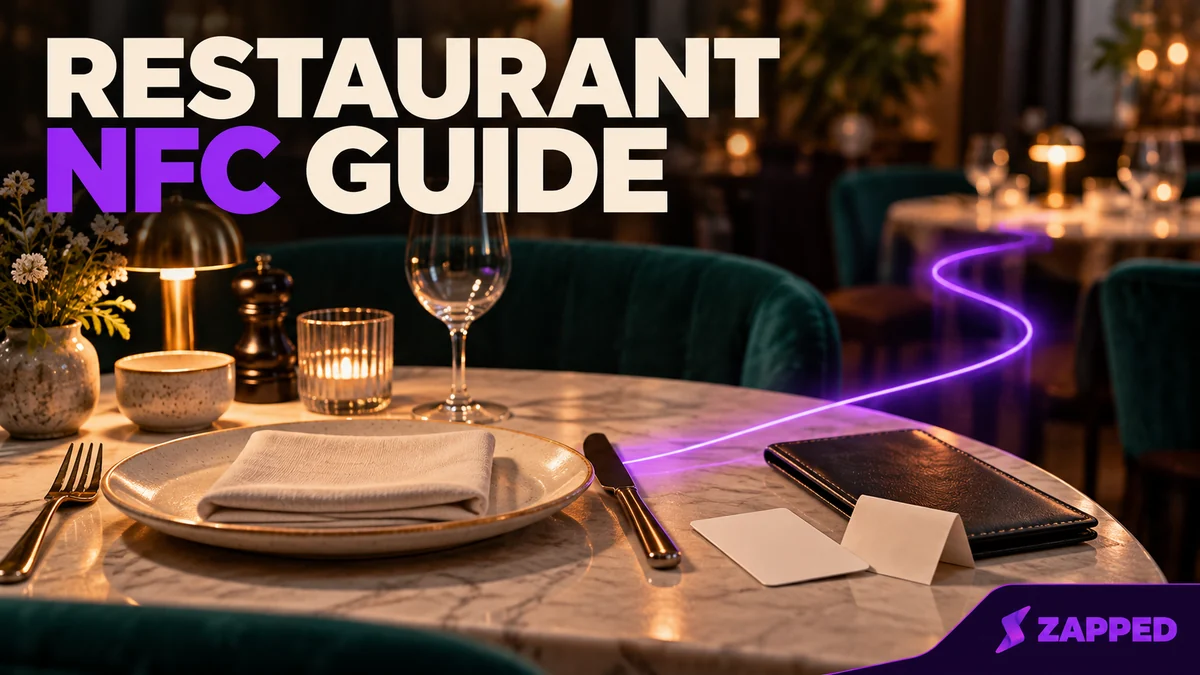
A server drops the check at table twelve, and a small card sits next to the pen. Whether that card helps you or quietly gets you in trouble has little to do with the chip inside it. It depends on one question: does every guest get the same easy, optional way to reach your Google review page, with nothing attached?
If yes, an NFC card is a perfectly good way to hand over the link. If the card only shows up for guests your staff think are happy, or sends unhappy ones somewhere private, you've built the thing Google's policy is written to stop.
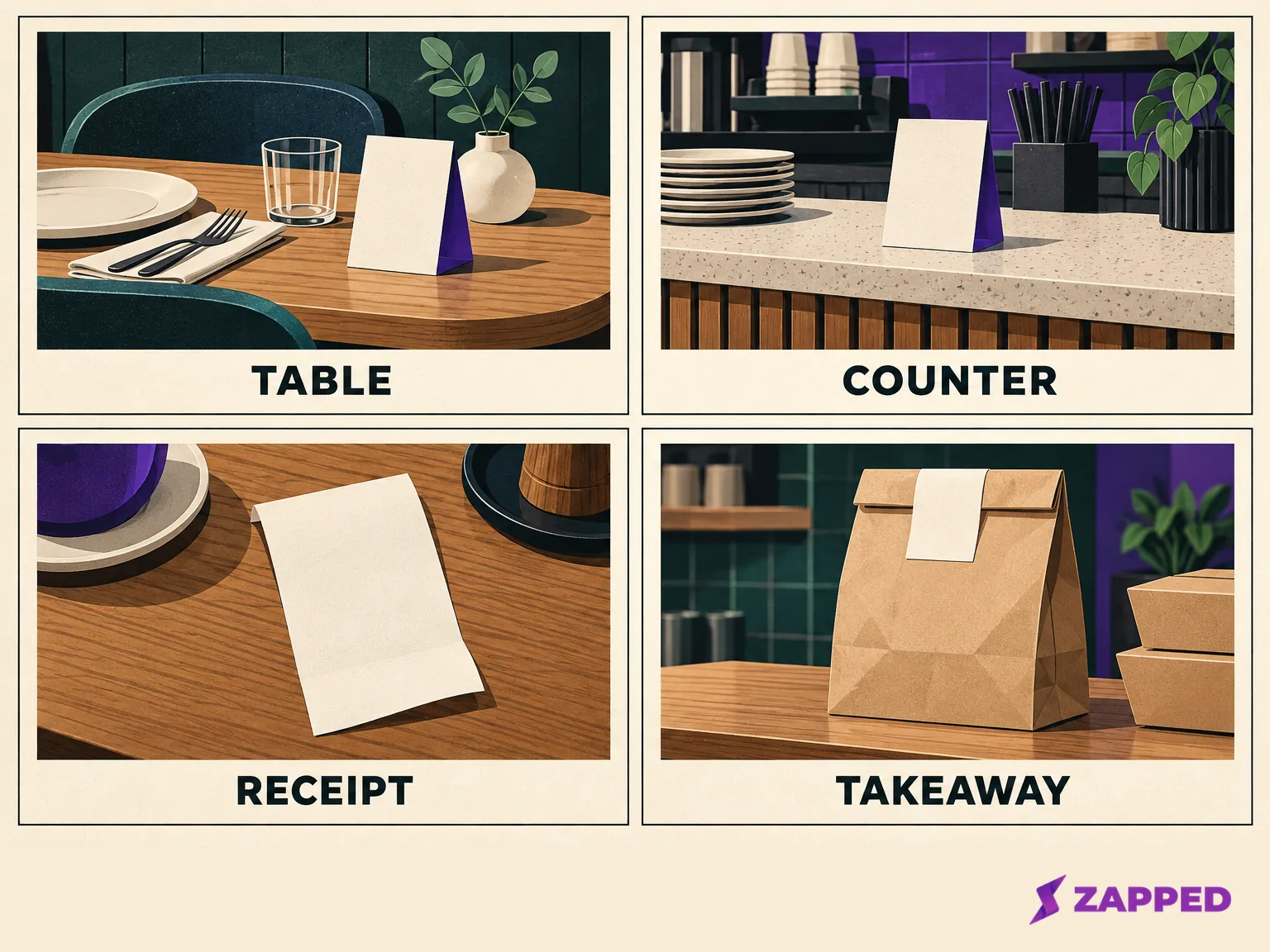
A workable starting point: a table stand or check presenter for sit-down service, a counter or pickup stand for quick service, and a receipt line or takeaway handout for off-premises guests. These are workflow fits, not conversion rankings, and each keeps the same direct link and a visible QR fallback.
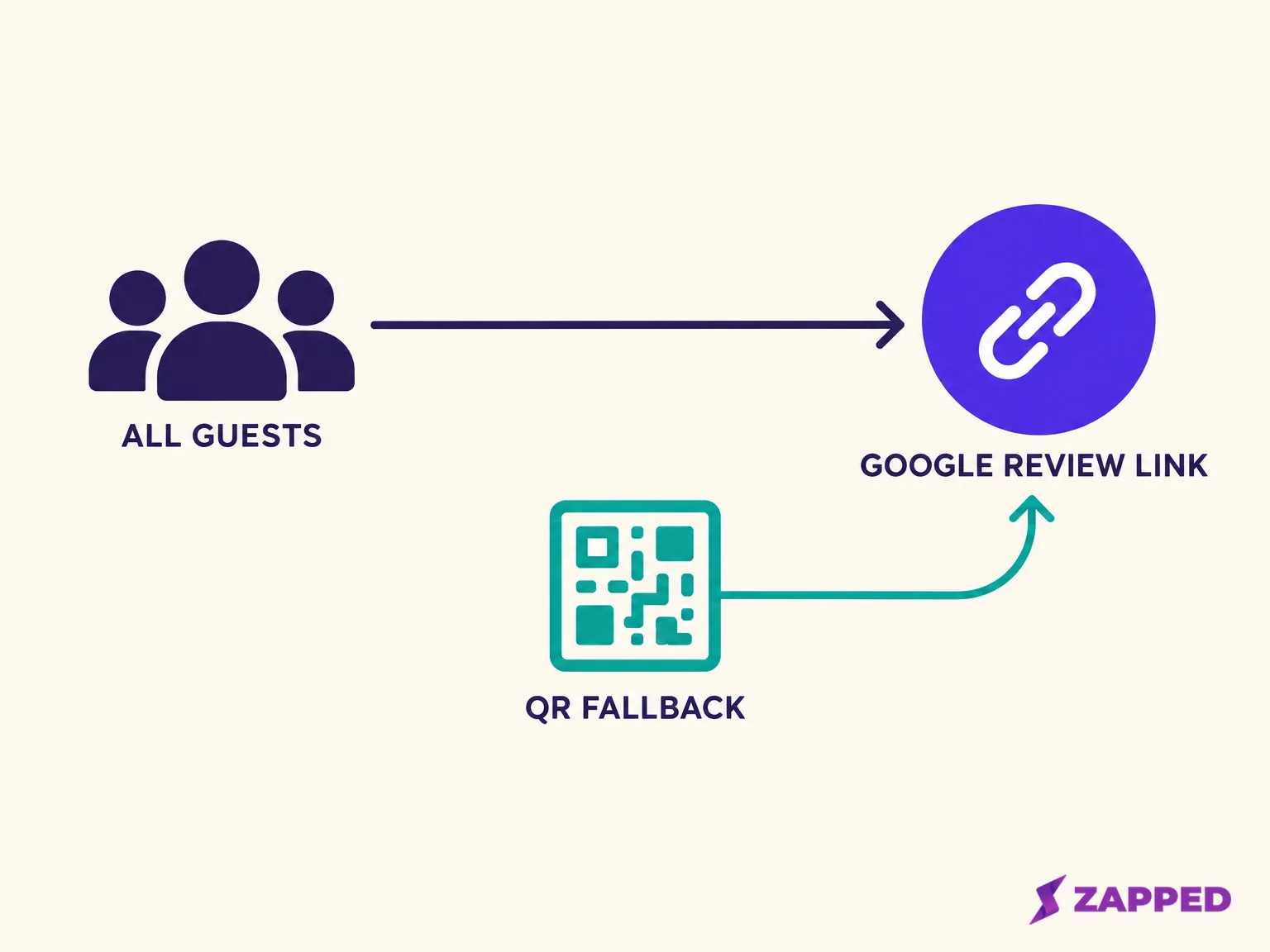
Give every guest the same direct Google link
Google says reviews must reflect genuine experiences and bans incentives in exchange for them. It also prohibits selectively asking for positive reviews, discouraging negative ones, pressuring people to review while they're still on the premises, and asking for particular wording. A generalized invitation is fine as long as it doesn't try to move the rating or the content.
The FTC lands in the same neighborhood. Its guidance says a review incentive can't be tied to sentiment, expressly or implicitly, and that asking only customers you believe are happy may violate the FTC Act. Its staff also note the consumer-review rule doesn't itself ban incentives when no particular sentiment is required. That's not a green light for Google, whose own policy bans them outright, so skip rewards entirely. No free dessert, no discount on the next visit, no entry into a drawing.
So the working version is simple. One link, the same for everyone, no prize, no quota, no wording suggestions. Google's own help recommends sharing the link on receipts and printed in-store QR codes, and that's the model to copy: the link is available, and the guest decides.
Notice what that rules out in practice. A manager who tells the closing server to "get five reviews tonight" has created a quota. A tent card that says "Loved your meal? Tell Google!" has pre-selected the happy guests. A host who hands the card only to the regular who just complimented the chef is screening by mood. None of these needs bad intent to cross the line, so settle the rule before the cards arrive.
Pick the spot where guests already receive information
Nobody can honestly tell you a check presenter beats a counter stand for review volume. No independent evidence ranks these locations, so treat them as service choices, not performance bets. The better question is where a guest naturally picks something up and has a quiet moment to look at it.
A table stand suits a sit-down room where guests linger, but it means a card sitting beside the salt all night, so it has to survive wipe-downs and spills. It also puts the option in front of everyone seated, which is the most even-handed placement there is. The check presenter reaches people at the moment they're settling up, without anyone being asked to act on the spot. A counter stand fits quick service, where guests wait and glance around. A pickup shelf or handoff spot suits guests collecting an order. A receipt line or a small card in the takeaway bag reaches people already out the door, where "later" is the natural timing anyway.
Two questions narrow the choice fast. First, can a guest ignore it without any awkwardness? A card that lies on the table passes that test; a card a server holds out and waits on does not. Second, does it reach every guest or only some? A stand at the host station reaches the people who walk past it, and not the ones who order at the bar. If your service has a few different flows, such as dine-in, bar and takeaway, pick one placement per flow and give each the same link.
If you're still designing the card itself, our guide to restaurant business card ideas covers layout and content. Here the only requirement is that the card points straight at your Google review page.
Say the same neutral thing to everyone, or say nothing
Staff will be asked what the card is. Give them one line and let them use it for every table, naming whatever carries the link where you work:
"If you'd like to share an honest review later, the link is on the card. There's no need to do anything now."
Swap "card" for "receipt" or "bag insert" to match your placement. The line never mentions stars, never asks for a tap at the table, and leaves the guest free to ignore it, which keeps you on the right side of Google's rule against pressure on the premises. If a server mentions the card at all, this is the sentence, the same at table four and table forty.
What staff shouldn't do is read the room and decide who gets the card. One seller's product page for its review card recommends using it when an employee senses a customer is happy and satisfied. That is selective soliciting with a friendly face on it. If a vendor's training material says something similar, don't pass it along to your servers.
Seller copy can also oversell the outcome. Let'sConnect's restaurant page, for example, claims a tap can lead to a five-star review in under 30 seconds. A card can make the link easier to reach. It can't promise a rating, and a restaurant that plans around a promised star count is already steering. Treat a pitch like that as a reason to read the rest of the vendor's claims more slowly.
Why a rating gate is the wrong kind of friction
Some products add a step between the tap and Google. TapTag's review software describes a rating-based flow where the guest's rating selection changes the next step.
It's tempting because it feels like good customer service: unhappy guests get a human, happy guests get the public page. The trouble is the sorting. TapTag says it encourages positive selections to share publicly and asks negative selections to contact the business before sharing publicly. Google prohibits merchants from selectively soliciting positive reviews, and putting the public review request behind a rating is exactly that.
You can still offer a private feedback address if you want one. Just give it to everybody alongside the Google link, not instead of it, and never route by rating. A line on the receipt such as "Questions or concerns? Email us at this address" sits beside the review link without choosing between guests. The difference is that nobody is told which door fits their mood. Every guest sees the same two options.
When you shop, ask one blunt question: does the tag open Google directly, or does it open a vendor page first? Then ask whether the destination can be changed later and whether anything the guest selects changes where they land. The answer you want is a direct link to your own review page, the same for every guest.
For the listed TapTag card, the seller describes a direct Google destination with dynamic tap and QR routes. That is the seller's description, not an independent test, and it is separate from the Review Filtration flow above, which routes by rating. Confirm on the exact card you buy.
If you also keep a separate digital contact card for a manager or owner, Zapped's Link block can send visitors to an existing address, so your Google review URL can be one destination on that card. The restaurant's own stand shouldn't go through it; point that straight at Google.
What a tap really does on an iPhone and an Android
An NFC tag is a small chip holding data, usually a web address stored as an NDEF record. The phone reads that data and decides what to do with it, as NFC Forum explains, and in the basic flow that can include a dialog asking the guest to confirm the URL before it opens. So a tap isn't a guaranteed one-step jump to your page.
On iPhone, Apple says iPhone XS and later support background tag reading. When one reads a tag, the system shows a notification the guest has to tap before the data goes anywhere. If the phone is locked, Apple notes the user is prompted to unlock the phone first. Phones older than the XS, and phones in states where background reading isn't available, won't behave this way, so don't promise guests a single effortless tap.
On Android, tag-reading conditions are simple: devices usually look for tags while the screen is unlocked, unless NFC is switched off in Settings. Android's system can parse a standard HTTPS address stored in a tag, so a plain review link works as a tag target.
Put together: some guests will tap and land on your page, some will tap and see a prompt, and some may see nothing when NFC is off or their phone does not read tags while locked, while others may be asked to unlock the phone or tap a notification. None of those guests should be asked to troubleshoot at the table, and nobody on staff should be pulled into helping. That's why every NFC card needs a visible fallback printed on it, a QR code, and the same link on the receipt. The fallback is what lets the card stay optional.
It also changes how you think about a failed tap. If a guest taps, nothing seems to happen and they shrug and put the phone away, the system worked as designed, because the invitation was never a demand. Google says not to require or pressure guests to rate or write a review while on the premises. Keep the QR and receipt route visible, and make clear that using either is optional.
One practical detail on the QR route: Google says the review QR code can currently be generated only in a computer browser, not on mobile, so generate it at a desk before printing. Our QR code walkthrough has the full steps.
What cards, stands and paper cost, and what keeps costing
These are seller listings dated October 16, 2026, not quotes, and they'll move. Treat the table as a way to see the shape of the choice, not as a price list to budget from.
| Offer | Listed price (USD) | What to know |
|---|---|---|
| TapTag PVC review card, selected configuration | $19.95 each (regular $24.95) | Seller says NTAG213 chip, rated for roughly 100,000 taps |
| TapTag NFC review card collection page | From $14.95 | Separate collection listing, not the configuration above |
| TapTag stainless-steel review card | $39.95 | One-time basic offer with seven-day page-view analytics |
| TapTag paper handout pack | $74.95 for 500 | QR only, no NFC |
| UPrinting NFC cards, configured order | $244.21 for 100 (about $2.44 each) | 30 pt PVC, matte laminate, URL encoding options |
The UPrinting figure is a different kind of purchase altogether: a configured order of 100 printed cards with URL encoding options, priced as one total.
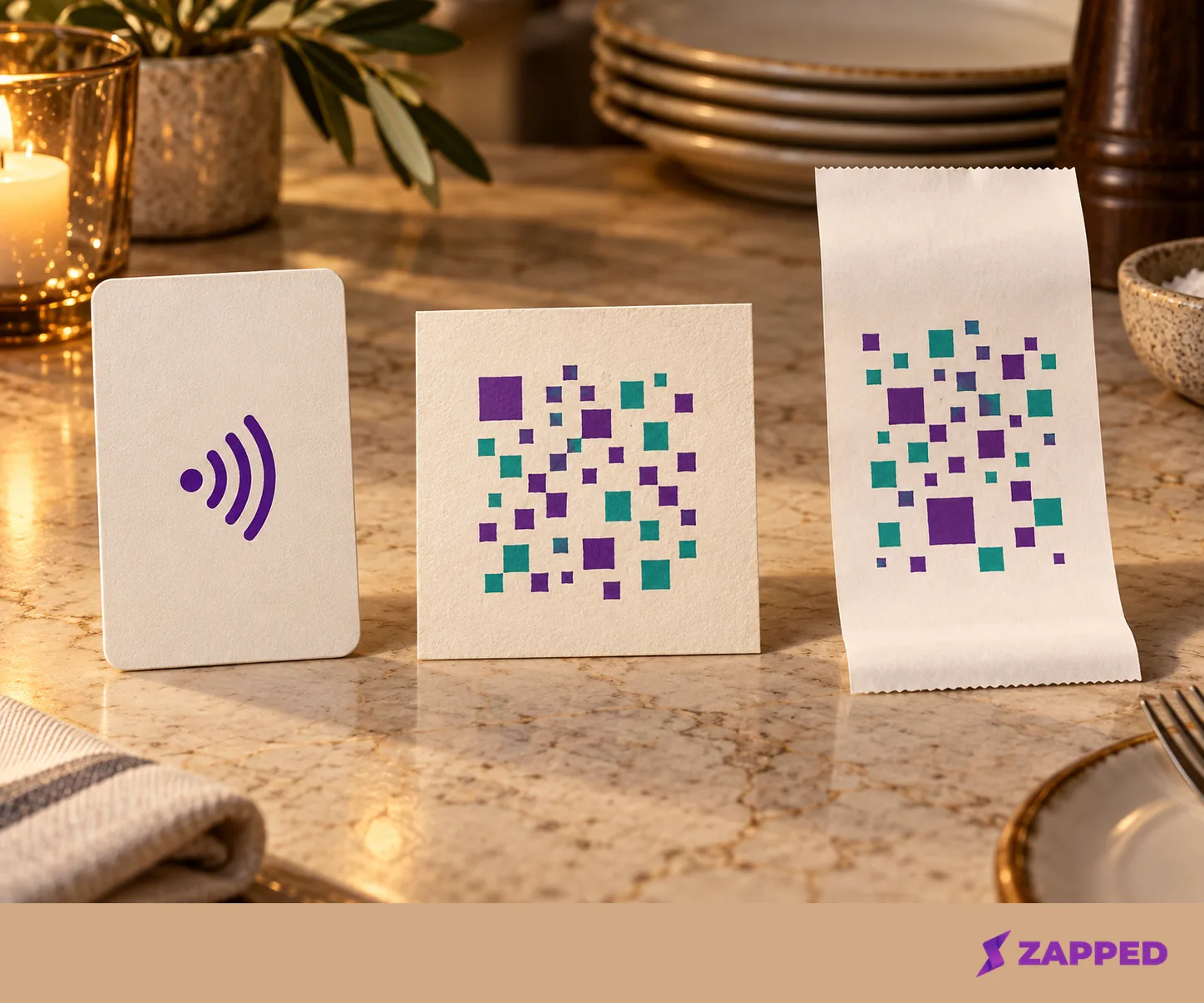
For takeaway bags or any handout you expect to lose, the paper pack is the better fit. At the listed price it works out to well under a dollar a card, it never needs a tap, and a takeaway bag doesn't care that it's disposable. A card or stand suits a fixed spot, if its durability and cleaning guidance (covered below) suit that use. A receipt line is a route Google itself recommends, and it's the simplest one to keep in place for every guest no matter what else you buy.
Here is how that plays out in three kinds of restaurant. A sit-down room might put the NFC card in the check presenter, with the receipt carrying the same link, so the card never lives on a wet table. A counter-service shop could keep one stand by the register and print the link on every receipt, since guests there already glance at both. A mostly-takeaway kitchen has little use for a durable card at all, and a paper insert in the bag, plus the receipt line, covers everyone who leaves with food. In all three, the receipt is the constant, and the card is the extra.
The software is where costs hide. TapTag says its basic review software is free and included with its tags, and on the same page, listed on October 16, 2026, it showed Review+ for three locations at $19 per month or $190 per year. That annual figure is the full yearly charge, not a monthly equivalent. Its multi-location tier was listed at $50 per location per year starting at four locations. Buyer reviews on the stainless card page include a complaint about subscription confusion, so read exactly which features sit behind the paid tier before you order. A one-time card with a free basic dashboard and a card that quietly expects a monthly plan can look identical in a product photo.
One more number to keep in its place: TapTag describes its analytics as tap or page-view activity, and the basic dashboard on its one-time cards covers seven days of page views. A tap, a scan and a page view are all traffic. None of them is a review posted to Google, because plenty of people open a link and close it again.
So don't judge the card by a dashboard count, and don't tell staff the card "produced" anything. Never set a target for taps either, since a target for taps turns into pressure to hand the card to the right guests. If you want to know whether reviews are coming in, your Google Business Profile is the place to look, not the card vendor's dashboard.
Generic NFC card roundups answer a different question
Search for NFC cards and most of what comes up is built for people exchanging contact details, not for restaurants. Seller roundups such as Wave Connect's best-of page, which compares six card solutions and is written by the company's founder, and Mobilo's comparison of 13 options are useful for vocabulary on materials, QR fallbacks, apps and subscriptions. They are written by companies that sell cards, so read them as a menu of questions to ask, not as independent rankings.
They don't settle which card suits a dining room or whether it will lead to more reviews. Restaurant decisions turn on where the card sits, what a guest sees when the tap fails, and whether the destination is a clean Google link. A card that is perfect for swapping contact details at a conference can still be the wrong object for a table of four finishing dessert.
Ask about cleaning and cancellation before you pay
A card on a restaurant table gets wiped down. The TapTag review card pages and the UPrinting NFC card page, checked on October 16, 2026, don't state what cleaners or sanitizers the card tolerates. That silence isn't proof a card can't be cleaned, and a material name like PVC or stainless steel isn't proof it can. Ask the supplier which cleaning products and methods they support for your exact model, get the answer in writing, and keep the reply with your purchase records. If the answer is vague, make the table-top version a disposable paper item and keep the NFC card where wipe-downs don't reach, such as the counter or check presenter.
Ask about durability the same way. One buyer review on the stainless card page reports a bent card and a support concern, which is a single review and not a verdict, but it's a fair prompt to ask what the replacement policy is before you order a set for forty tables.
Ask about the end of the relationship too. TapTag says paid services continue through the current payment period, but its cancellation information doesn't say what happens to an existing Review+ profile or its destinations afterward. If your card points at a vendor page, that gap matters, because we can't tell you what a printed card does after a plan ends. A direct Google link may reduce that dependence, but the evidence we have doesn't say, so confirm it for the exact card. Before you buy anything with a subscription, ask three things in writing: which features stop when you cancel, whether the tap and QR destinations keep resolving afterward, and whether you can change that destination yourself.
Test both routes on real phones before the first service
Do this once, with the card in the exact spot guests will find it. This is your own acceptance check, and it's worth doing again whenever you change cards, suppliers or the Google link.
- Open the link on a computer and confirm it lands on your restaurant's Google review page, not a vendor page or a similar business.
- Take an iPhone with NFC support and tap the card with the screen unlocked, then again with it locked. Note whether a notification appears and whether it opens the right page.
- Take an Android phone with NFC on and the screen unlocked, and tap again. Then switch NFC off and confirm the QR code still works.
- Scan the QR code on each phone and check that it opens the same destination as the tap.
- Confirm the receipt line or printed handout carries the same link.
Write down which phones you used and what each one did, including the unlock prompt. If a phone lacks NFC support, or NFC reading is unavailable in its current state, a tap may do nothing. Check the model and settings, and leave the QR and receipt routes available.
When both routes land on the same page and a locked or unsupported phone still has a printed way in, the card is ready for service.