HiHello is a digital business card platform for people who need more than a profile link. It combines card creation with QR, link, email, text, Wallet, NFC, signatures, analytics, contact exchange, and team administration through its documented sharing routes.
The useful buying question is what happens after someone receives your card. HiHello can open a card in a browser without the app, as its recipient documentation explains, but viewing the sender's details, saving the sender, and exchanging the recipient's details are separate outcomes. That distinction makes HiHello a strong fit for professional presence and managed sharing, with a few flow and pricing details worth checking first.
Hi Hello digital business card: what buyers need to know
HiHello is best understood as a professional presence platform built around digital cards. Its current product page describes cards alongside email signatures, virtual backgrounds, contact management, analytics, lead capture, integrations, and company administration. That is a broader job than replacing a paper card with one landing page.
For a solo professional, the appeal is a card that can be edited after it has been shared, then reached through several owner side channels. For an event team, the important question is whether the chosen exchange path captures the other person's details. For a company, the decision shifts toward templates, permissions, analytics, and account ownership.
If you are still comparing formats such as profiles, QR cards, NFC tags, and Wallet passes, start with digital business card formats. HiHello makes more sense once you know which delivery and contact job the card must handle.
What HiHello includes beyond a profile link
HiHello documents card creation on a phone and computer. The computer workflow runs through Cards, Edit, Information, preview, and Save, with a Headline limit of 280 characters and a Note field for longer text.
A card can include contact details, social links, images, videos, PDFs, badges, custom colors, and multiple designs, according to HiHello's product documentation. Some media, branding, and content limits depend on the subscription, file rules, or company settings. The web, iOS, and Android surfaces give the product reach beyond one device, while the final card link remains hosted on the hihello.com domain.
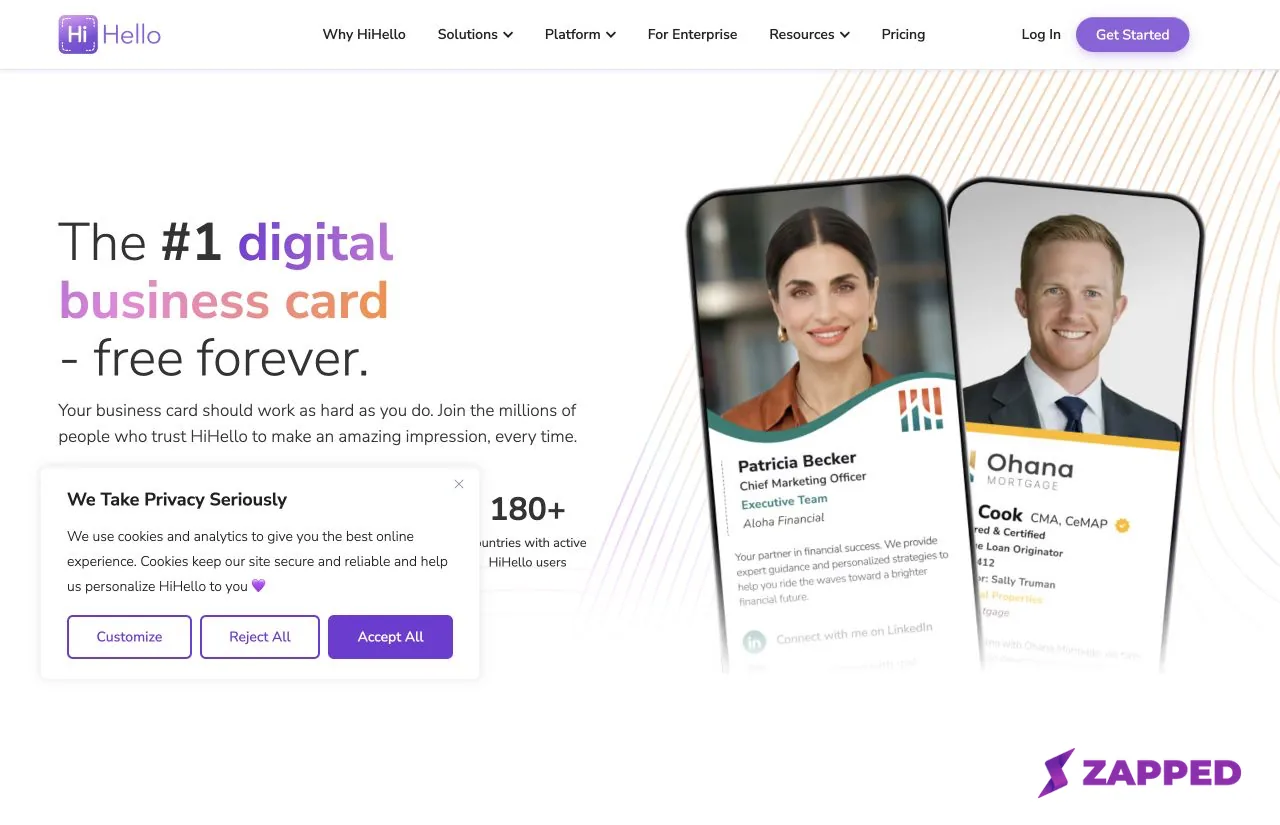 Source: HiHello, captured 2026-08-05, https://www.hihello.com/features/digital-business-cards. The page shows the product's current public positioning; pricing and plan limits are checked separately against the pricing page.
That hosted link is a practical tradeoff. HiHello's Help Center says card links remain on the hihello.com domain, rather than a domain you control. Paid plans add more branding control, and HiHello lists custom colors, logo QR codes, badges, videos, and PDFs among its subscription features.
Current pricing and plan boundaries
HiHello pricing needs two rows of context: the web page and the Apple purchase channel. The web figures use the annual billing view, which displays a monthly equivalent and a yearly total; the dated Sources list records when both were checked.
| Web annual billing view | Current detail |
|---|---|
| Personal | Free forever, four cards, and five card or badge scans each month |
| Professional | $6 per month equivalent, $72 billed yearly for one user, 16 cards, and 20 scans each month |
| Business | $5 per user each month, $60 per user each year, five to 100 users, unlimited cards and scans |
| Enterprise | Custom pricing for 101 or more users |
The U.S. Apple App Store listing shows a separate set of in app purchase prices on the same day the web page was checked: Professional Monthly at $9, Professional + Cards Monthly at $14, Professional Annual at $84, and Professional + Cards Annual at $131.99.
Treat those as separate purchase channels. The checked sources show different figures, but they do not establish why. A reader comparing the web page with the App Store should keep the billing view, region, and purchase route attached to each number instead of turning them into one universal price.
The current 16 card Professional limit also has a legacy account wrinkle. Mike McCormick's August 3, 2024 Google Play review says he moved from free to Professional expecting unlimited cards, then encountered a 16 card limit after product changes. That is his plan change report, not evidence that every legacy account had the same terms.
Personal is enough for a light individual presence, but five monthly scans can become a real boundary at conferences or during active networking. Professional raises the card and scan limits, then adds contact enrichment, analytics, and broader customization. Business changes the ownership question with unlimited cards and scans, team features, templates, single sign on, and directory sync, as the current plan page documents.
For the rollout questions behind those team features, see digital business cards for teams. The broader team guide can help with ownership and offboarding, while this page keeps the focus on HiHello's current packaging.
How the share to save path works
HiHello's sharing flow is easier to understand when it is split into four steps: deliver the card, open it, save the sender, and capture the recipient. QR and direct links handle delivery. A recipient without the app can open the card in a browser, while a recipient with the app may be routed toward it.
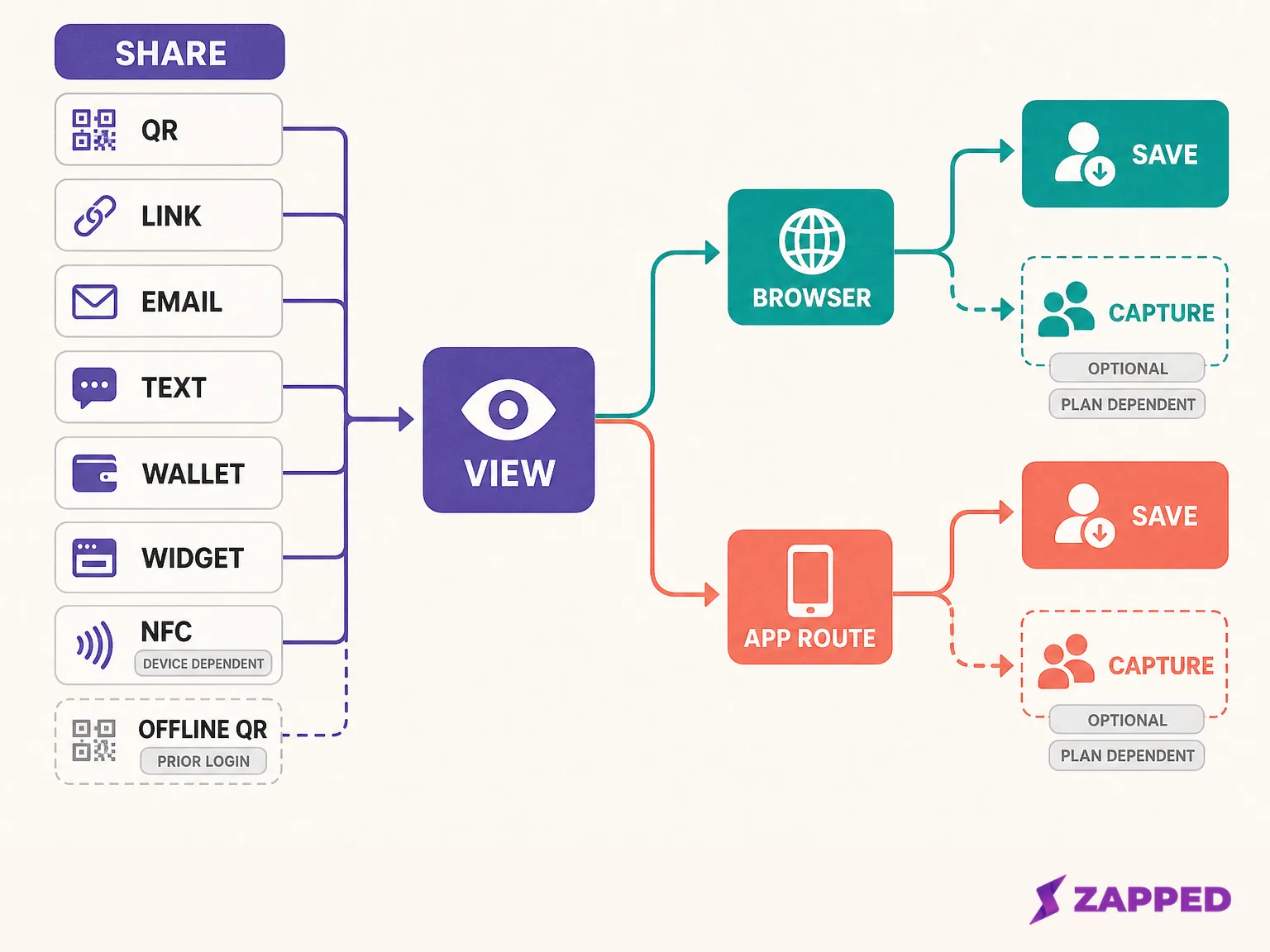 HiHello's documented share to save paths separate the delivery channel from the recipient outcome. QR and links can open a browser without the app, while reciprocal contact capture depends on the chosen flow and paid plan settings.
The QR guide makes an important distinction: scanning a QR code does not automatically capture the scanner's information. HiHello recommends email or text when the sender wants automatic capture, while paid Professional, Business, and Enterprise accounts can customize collection, consent, save options, exchange order, calls to action, and the Get the App prompt through its contact exchange settings.
That means a card opening successfully is not the same as a lead entering your records. Apple's current iPhone documentation and Google's Camera guidance explain how phones scan QR codes, but those platform instructions do not guarantee a particular HiHello app handoff or contact save result. The useful product decision happens after the scan.
Individual reports put that distinction in practical terms. A Verified Environmental Services reviewer on G2 said a free card prompt interrupted an exchange and sometimes prevented contact capture. Liz DiFiore's Google Play review said it was unclear that the scanner was being asked to send their own information.
Chef_Butters' App Store review described confusion between HiHello's Connect action and saving to the phone address book. That 2022 account may not describe today's interface. These are individual reports, not a current failure rate.
For the general channel choice, see ways to share a digital business card. HiHello adds its own plan and recipient rules, but the underlying question stays the same: which route gives the other person the shortest path to the outcome you need?
Choose the channel for the situation
QR works well for a printed card, event screen, flyer, website, or presentation. HiHello says every card has a QR code that can be downloaded and printed. Before putting one on a permanent asset, read the guide to a digital business card QR code for the general testing and print decisions that sit outside HiHello.
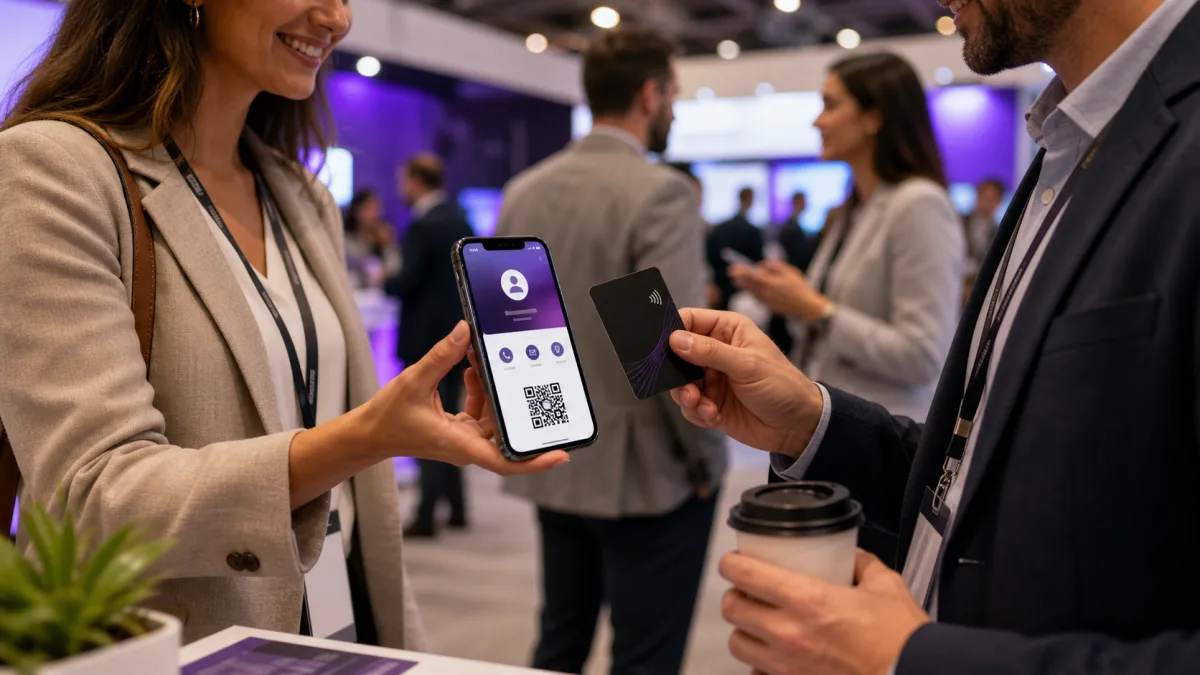
A direct link fits email, messaging, social posts, and a conversation where scanning is awkward. Email and text deserve more attention when reciprocal contact capture matters, because HiHello documents those routes as the options for automatic capture. WhatsApp, iMessage, AirDrop, and signatures extend the same handoff into the places people already work, as its sharing documentation lists.
Wallet, widgets, Apple Watch, and virtual backgrounds are owner side access and presence tools, not interchangeable recipient outcomes. For iPhone owners, digital business card in iPhone Wallet explains the general Wallet mechanics. HiHello also lists Google Wallet in its sharing routes, with availability depending on the relevant device and plan.
Offline sharing is a limited fallback. HiHello's offline sharing guide says it requires a prior login and creates a reduced QR fallback containing a name, company, title, phone, email, and card link. Editing, login, duplication, transfer, paper card scanning, recipient testing, and in app email actions remain unavailable offline.
NFC adds a tag and device requirement. HiHello's NFC guide documents writing from the mobile app to an NTAG215 tag or higher, with no computer writing path. The recipient needs an NFC capable phone, and some Android phones require NFC to be enabled. The NFC Forum explains the general NDEF and URI format, but it does not establish HiHello tap range or success rate.
Who HiHello fits best
HiHello fits an individual who wants a maintained card, several ways to share it, and a professional presence layer around the card. Personal is a sensible starting point when four cards and five monthly scans are enough. Professional becomes easier to justify when 16 cards, 20 monthly scans, analytics, contact enrichment, signatures, backgrounds, and broader customization solve a real workflow, based on the current pricing and plan details.
It can also fit event and networking work, provided the team defines the desired exchange before choosing the route. QR is useful for fast viewing, but it does not by itself collect the visitor's details. Email or text may better match a lead capture goal, while the paid exchange controls can shape the prompt, consent, and save sequence.
Business is the more relevant tier for a small or growing group. HiHello documents templates, team signatures, team backgrounds, unlimited cards and scans, analytics, single sign on, and directory sync for the Business surface. The setup material also describes administrators creating cards, inviting people, applying permissions, and having each person claim a card with individual credentials.
Named G2 reports add useful texture to that team decision. Gianpaolo T. described an initial setup of 30 minutes to one hour, Andrew N. described easy setup with Outlook signatures and contact records, and Tracy L. described an easy setup and widget.
Troy H. valued conference sharing while asking for more layout choices. These are individual G2 reports, with some reviews marked incentivized, so they support reported experiences rather than a universal ease finding.
Enterprise is custom for the 101 or more user band. HiHello lists organization level controls, SAML and SCIM, verified badges, security features, and a dedicated account manager on that tier. Those are vendor documented capabilities, so a buyer should confirm the exact package and requirements before treating the list as an implementation promise.
A separate Brandon Fuller Trustpilot report describes an HTML signature export problem across Apple Mail, Gmail, and Outlook on Mac and Windows, with a workaround that removed hyperlinks. It is one account report, not a team wide reliability finding, but it is relevant if signatures are part of the rollout.
Use digital card app features that matter as a category checklist when the choice expands beyond HiHello. The most useful criteria here are recipient clarity, update ownership, contact capture, analytics, and the controls needed when a person leaves the team.
For an evaluation focused on security, continue with the most secure digital business card checklist to examine those controls and the destination behind the card.
Bottom line for HiHello buyers
HiHello is a good fit when a digital card needs to support a wider professional presence, several delivery routes, contact exchange, analytics, and team administration. It is less compelling when the entire requirement is a simple profile link with a QR code and a direct save action.
The verdict is to choose HiHello for a solo professional who values its broader presence tools, or for a team that will use its templates, controls, and analytics. Choose with care for event capture, because the best route depends on whether the goal is browser viewing, saving the sender, or collecting the recipient's details.
If the reader's priority is a browser based card that recipients can open from a QR code, link, or NFC tap without an app or account, Zapped versus HiHello is the next comparison to read.
Sources checked in August 2026
- HiHello pricing, web annual billing view and current plan limits.
- HiHello digital business cards, product scope and public presentation.
- HiHello sharing, available sharing routes.
- HiHello QR guide, QR behavior and capture distinction.
- HiHello contact exchange settings, paid flow controls.
- HiHello offline sharing and HiHello NFC sharing, checked workflow limits.
- U.S. Apple App Store listing, separate purchase prices.
- G2 reviews and Trustpilot reviews, attributed user experiences checked in August 2026.
- Apple QR guidance, Google Camera QR guidance, and NFC Forum specifications, platform and standards context.