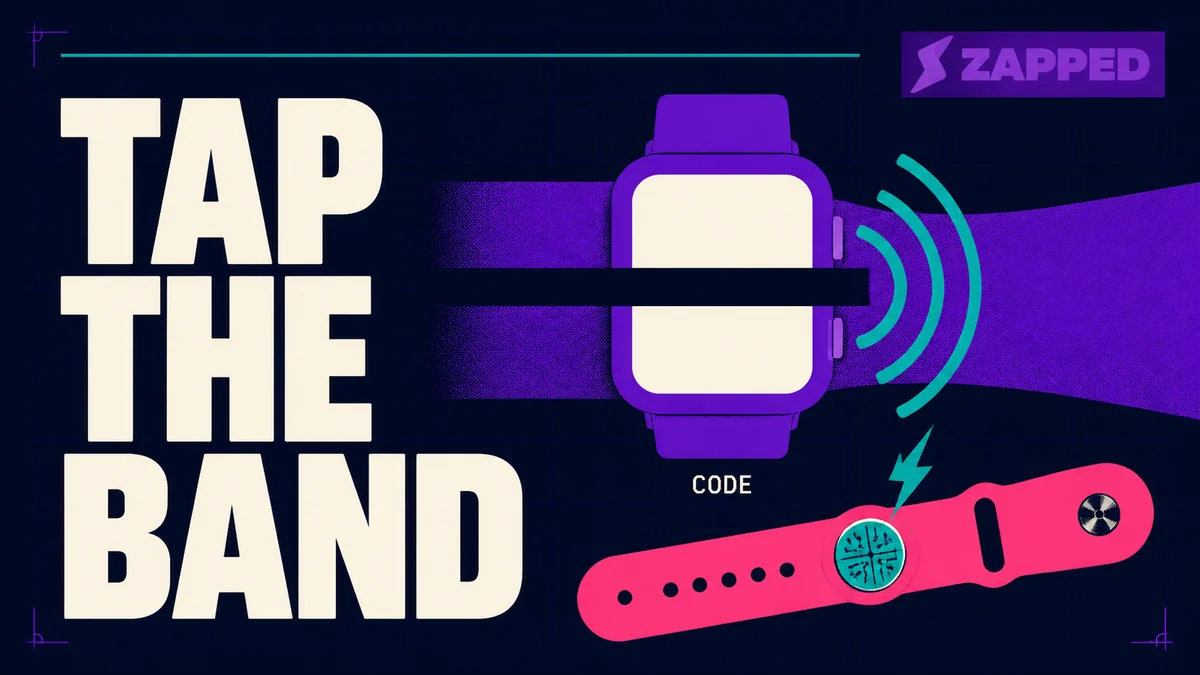
Yes, in two ways. Your Apple Watch can run NameDrop with another Apple device, and it can put a code on its screen for someone else's camera to read. What it cannot do is tap.
The tap you are picturing is in the watch band, not the watch.
That is a platform decision rather than a setup problem. Core NFC, the framework apps use to read and write NFC tags, is not available in the watchOS SDK, which is why no card app on your wrist reaches that radio at all.
What Apple itself ships for contact sharing is the wider question. This one is about the wrist.
NameDrop needs iOS 17.1 and watchOS 10.1 or later on both devices, plus an Apple Watch SE 2nd generation, a Series 7 or later, or an Ultra. Everything else ends at a code. A Wallet pass shows one, and so do the watch apps from HiHello and Blinq.
Three routes, and what each one asks of the other person
Sharing from a phone gives you a long menu. Sharing a digital business card from your wrist narrows it to three, and which one you use is decided by the other person rather than by your watch.
| Route | What the other person needs | Who it reaches | What it costs | What breaks it |
|---|---|---|---|---|
| NameDrop | An iPhone or Apple Watch, nothing installed | Apple devices only | Nothing | Older models, older versions, and anyone who already has your contact |
| A Wallet pass code | Any phone with a camera | Almost anyone | Free, or whatever the pass provider charges | A pass supplying only Code128, or a pass that never syncs across |
| A card app on the watch | Any phone with a camera | Almost anyone | The app's own plan | Installing and pairing the watch app before you need it |
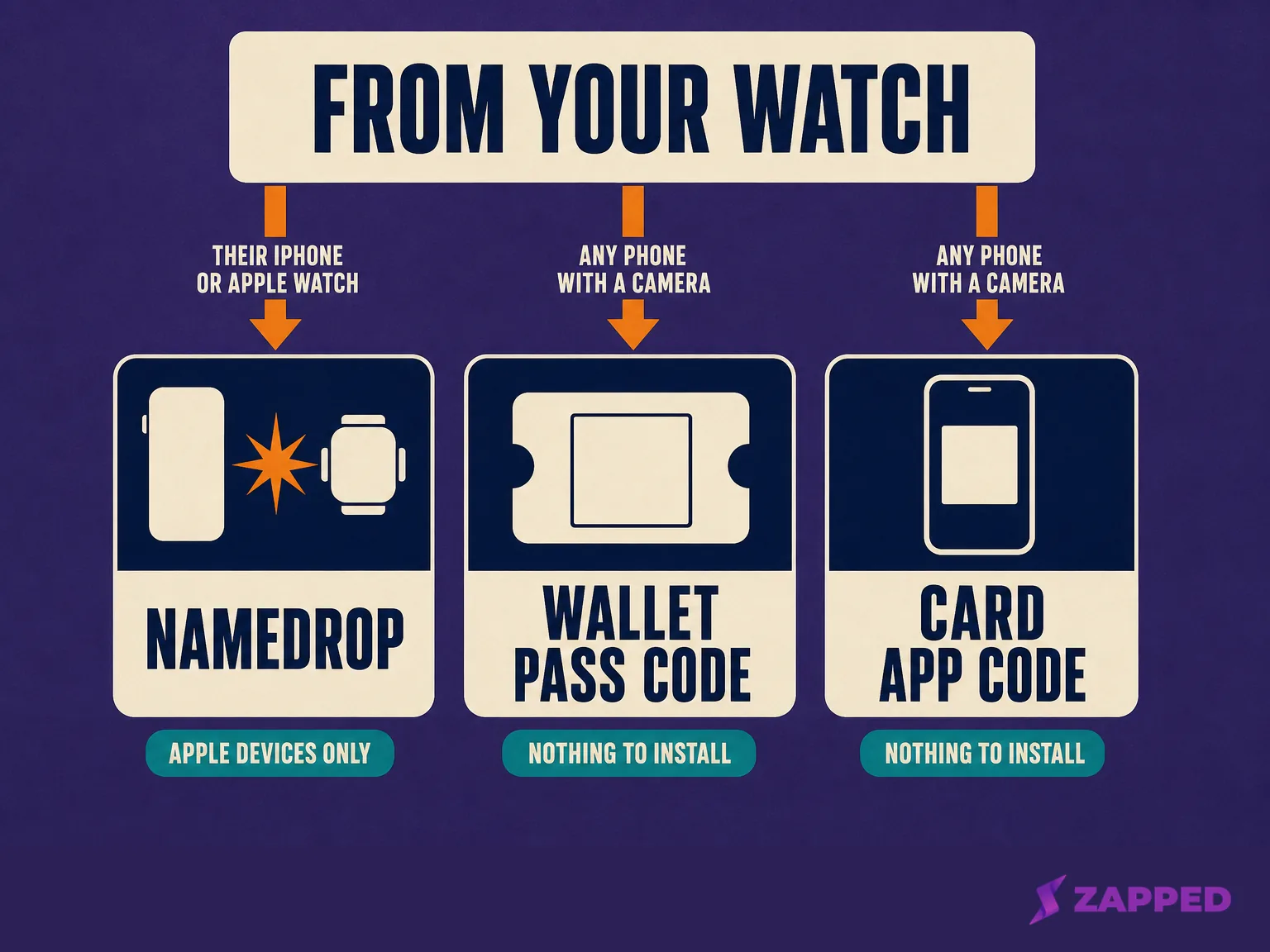
Two of those three are the same route wearing different clothes. Both finish at a code on a small screen, and both hand the work to the other person's camera. Only NameDrop moves data without one, and it only moves it between Apple devices.
The NFC on your wrist is walled off
A developer put the question to Apple outright on its own forums: can a watchOS app reach Core NFC? An Apple Frameworks Engineer replied that Core NFC is not available in the watchOS SDK. For every card app you might install, that is the end of it.
There is a second door, and it is also shut. Apple's NFC and Secure Element Platform is the route that lets an app present a credential over NFC, the way a corporate badge or a car key does. Its supported device is iPhone XS or later. Apple Watch appears nowhere in that statement.
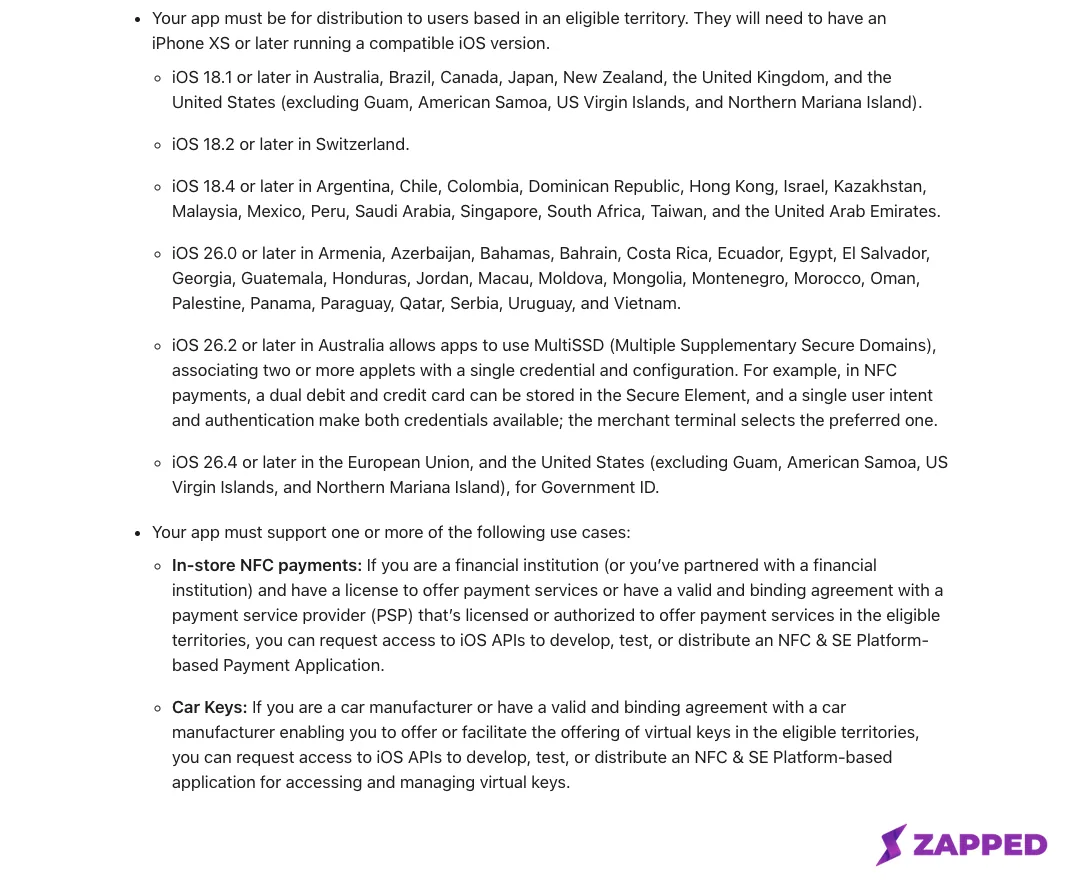
Source: Apple, NFC and Secure Element Platform, captured in August 2026.
Apple does permit ten kinds of credential on that platform: payments in stores, car keys, fares on closed transit systems, corporate badges, home keys, hotel keys, student IDs, merchant loyalty and rewards, event tickets, and government ID. A business card has never been on the list.
What an Apple Watch can and cannot do as a digital business card
Three facts, in one place. There is NFC hardware on your wrist that cannot present a card. There is a screen that shows a code but no camera to read one, since no current Apple Watch lists a camera in its specifications and Apple documents no way to scan a code on the Watch.
And there is a Wallet pass whose back side the Watch hides, which matters more than it sounds.
An iPhone is a different argument entirely. It has Core NFC, so it can at least read and write tags, which is why using an iPhone as an NFC business card is a real question with a real workflow attached. The Watch has none of that.
The tap is real, and it is in the strap
The product that actually taps is a watch band. Contact Co. sells a Smart Silicone Watch Band for Apple Watch, listed at $59.99 on its US storefront, in Apple Watch sizes 38mm through 45mm and Ultra, with a passive NFC chip embedded in the strap.
It needs no battery and no pairing, because it is an NFC business card shaped like a watch band. Someone taps their phone against your wrist and their browser opens your profile. That product exists because the watch it wraps cannot do the job.
NameDrop hands over a snapshot, not a card
The steps will not save you if the hardware will not. Apple's Watch guide puts the floor at iOS 17.1 and watchOS 10.1 on both devices, and the models at Apple Watch SE 2nd generation, Series 7 and later, and Ultra. A Series 6 is out.
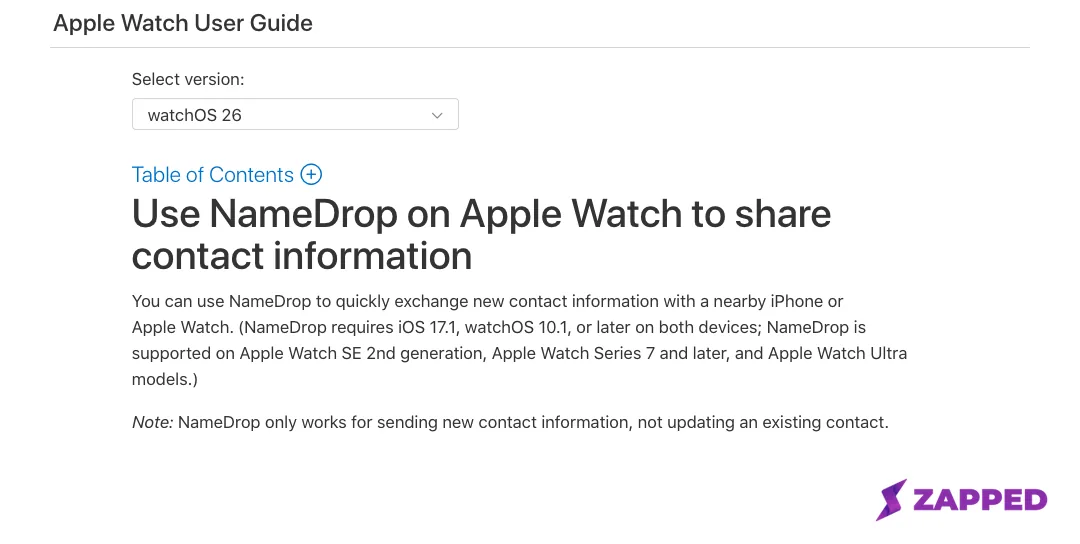
Source: Apple Watch User Guide, Use NameDrop to share contact information, captured in August 2026.
To send to someone's iPhone, hold your watch display a few centimeters from the top of their iPhone, and keep the two together until NameDrop appears on both screens.
Watch to watch runs through Contacts instead: open it, tap your picture in the top right corner, tap Share, then bring the watches close. Either way you can swap cards or only receive theirs.
Apple states that NameDrop only works for sending new contact information, not updating an existing contact. Everyone you NameDropped last year is still holding last year's job title.
Apple describes the targets as a nearby iPhone or Apple Watch, and documents steps for nothing else. In a room where half the phones run Android, that is half the room. What happens to your details on the recipient's iPhone afterwards is worth knowing too, because it decides whether they can find you again.
A Wallet pass on your wrist loses its back
This route works. Passes sync across from Wallet on your iPhone, and Apple says a pass sent to you by email or in a message can be added directly on the Watch. When the pass carries a code, Apple's instruction is simply to present the code to the reader.
Getting a pass in the first place is its own Wallet question. What changes on the wrist is what Apple takes away.
Apple's Wallet developer guide states that on Apple Watch the strip image and the thumbnail image are not displayed, and that the user cannot access the back side of the pass. The back is where PassKit puts long fields and link rows.
So a contact pass on your wrist collapses to a logo, a few front fields, and the code. Everything else you thought you were carrying is on the phone in your pocket.
The barcode format that silently disappears
If you or your provider build the pass, one format choice can empty it. Apple's guide states that watchOS does not support Code128, and that when Code128 is the only barcode supplied, no barcode is displayed at all. QR, PDF417 and Aztec survive. A pass built for a retail scanner shows you a blank rectangle.
Apple warns on the same Watch page that not all passes are supported by Apple Wallet, and that sharing is not available for every pass. A contact pass rides in the PassKit generic style, the one Apple offers for anything that does not fit a more specific one. It is not a format Apple built for business cards.
When a pass simply never appears, one card company's help center points at the Mirror my iPhone setting under Wallet and Apple Pay in the Watch app, alongside an active Bluetooth pairing, current versions of both systems, and the same Apple ID on each. That is one vendor's troubleshooting, not Apple's, and it is still the first thing to check.
What HiHello and Blinq actually put on your watch
Both ship a watch app. The App Store's own record of supported devices lists Apple Watch for HiHello and for Blinq, so if you are choosing between the two on that basis, there is nothing to choose.
What lands on the wrist is a code. HiHello's own instructions describe the Watch app as showing your card's QR code, and say anyone can scan it to view your card even without the app installed. Blinq's Apple Watch page describes a watch face complication that brings up the code, and claims no NFC route for the wrist.
The most telling page belongs to a company that sells NFC hardware. Tapni's Apple Watch instructions tell you to open Wallet on the Watch, choose the pass holding your card, and show the code to the other person.
The scan nobody has measured
So the real question was never whether the code appears. It is whether it scans across a handshake, and that is where the public record runs out.
Start with the surface. Apple lists 977 square millimeters of display area on the 42mm Series 11 and the 44mm SE 3, 1220 on the 46mm Series 11, and 1245 on the 49mm Ultra 3. A code occupies a fraction of that, inside a bezel, at whatever brightness the display happens to be holding.
DENSO WAVE, which invented the QR code, recommends printing symbols as large as the available area allows, and says each scanner has its own readable module size limit. That is print guidance about dots and scanner resolution. It is also the closest thing to a published standard anyone has on the subject.
One named account exists. Jon Sully wrote in August 2021 that he kept a code in his watch Dock, reachable with one press of the side button, and ran it that way for months after going Apple Watch only. He liked the ergonomics. He recorded no distance, no failure rate, and no comparison against the same code on a phone.
Nobody has published a test of whether a code on a watch screen scans across a handshake.
Four things would decide it: the code's module density, the screen's brightness, how long the display stays awake after you raise your wrist, and the camera pointed at it. Any distance quoted without those four is decoration.
So run the check yourself, and run it the week before rather than at the table. Show the code to a colleague's phone from the distance you will actually be standing, across a desk or an arm's length apart.
Ten seconds tells you whether the wrist is your primary route or your backup. The choice between a code and a tap is one the Watch has already made for you.
Picking a route for the meeting you actually have
If you are both on Apple devices and you only need to hand the details over once, NameDrop is faster than anything else on your wrist. For everyone else it is a code, and a code is only as good as what it opens.
A Zapped card is a public web page, so whoever scans the code from your wrist lands in their browser with nothing to install and no account to create, and can save your contact from there. Setting the card up happens in the browser.
Because the card stays live, the code you showed last month still points at your current details. That is precisely the gap NameDrop leaves: a snapshot is accurate only on the day it is sent.
Sharing by QR code, link or NFC tap sits on every plan including Free.
What goes on your wrist, then, is your card's code, from a Wallet pass or whichever card app you already carry. The band is there if you want the tap badly enough to buy a strap for it.
And the Watch stays the most convenient screen you own for showing a code, which is a smaller claim than the vendor pages make, and a true one.
Sources
Every page below was read on August 6, 2026.
- Apple, NFC and Secure Element Platform
- Apple Developer Forums, thread 750747, Core NFC watchOS
- Apple Watch User Guide, Use NameDrop to share contact information
- Apple Watch User Guide, Add and use passes in Wallet on Apple Watch
- Apple, Wallet Developer Guide, pass design and creation
- Apple Watch comparison, display areas and specifications
- App Store listing, HiHello: Digital Business Card
- App Store listing, Blinq: Digital Business Card
- HiHello, how to share your business card with an Apple Watch
- Blinq, digital business cards on Apple Watch
- Tapni, how to use Apple Watch
- BusinessCards.io help center, Wallet pass not showing up on Apple Watch
- Jon Sully, using an Apple Watch as a business card
- Contact Co., Smart Silicone Watch Band
- DENSO WAVE, QR code module size guidance