The iPhone NFC path depends on the model and the tag payload, not on one documented consumer switch for every iPhone. Newer supported models use background reading, while the NFC Forum documents a Control Center reader path for a narrower group of older models.
If an NFC business card stays silent, choose the correct reading mode first. Then check the phone's unlock state and the kind of record stored on the tag. Use the complete guide to scanning an NFC business card on iPhone for the physical scan steps.
Quick answer
On iPhone XS and later, supported NFC tags can be read in the background without starting an app reader. The phone presents a notification for you to tap. Apple documents that model boundary in its Core NFC guide to background tag reading.
For iPhone 7, 7 Plus, 8, 8 Plus, and X, the NFC Forum's cross platform guidance describes adding NFC Tag Reader to Control Center and starting that reader before inspecting a tag.
Apple also documents the app based route through an NFCNDEFReaderSession that checks whether tag reading is available.
So the missing control is not a universal diagnosis. It may simply mean that the model expects background reading instead of a reader button.
Which iPhone NFC path applies to your model
Start with the model, before searching Settings for NFC.
| Model or situation | Reading path | What to expect |
|---|---|---|
| iPhone XS and later | Background tag reading | A supported tag can produce a notification without starting an app reader. |
| iPhone 7, 7 Plus, 8, 8 Plus, and X | NFC Tag Reader in Control Center | Add the reader control, then start reader mode before inspecting the tag. |
| App based inspection | An NFC reader session | Use an app when the system path does not expose the record or when the payload needs inspection. |
| Managed device | Organization policy | Ask the device administrator about an NFC restriction if ordinary checks fail. |
Apple documents background tag reading for iPhone XS and later. The NFC Forum's older model list is technical guidance, not a complete current matrix for every iPhone generation or iOS build. The model and mode map below keeps that distinction visible without pretending to be an iOS screen.
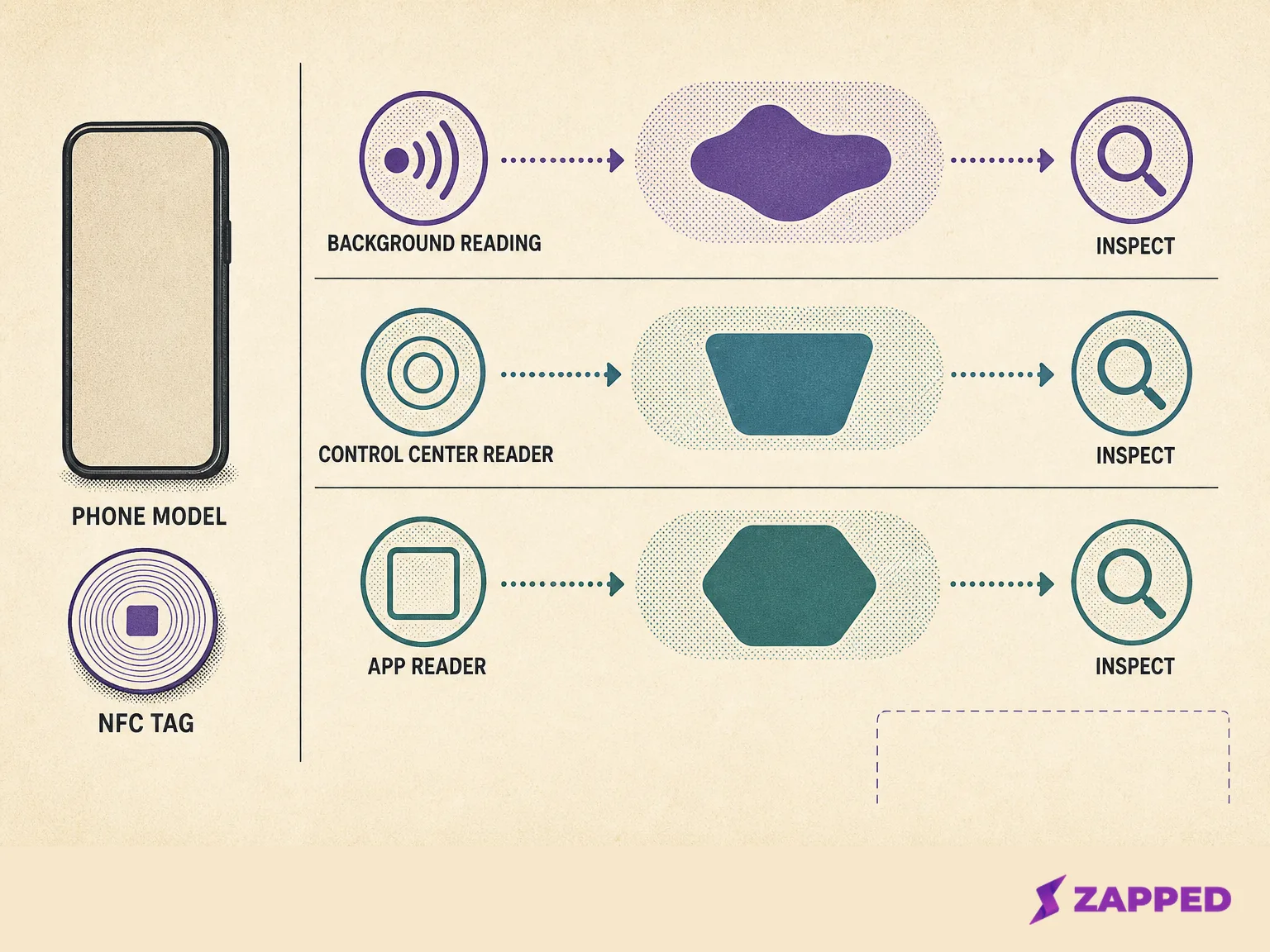
Conceptual map of the model based NFC reading paths.
If the question is whether the iPhone itself can act as the card that another phone taps, that is a different job. See whether an iPhone can be used as an NFC business card for the phone to phone and physical tag distinction.
Why the NFC reader control may be missing
On iPhone XS and later, Apple describes background reading without requiring the user to start a Control Center reader. The missing button alone should therefore not be treated as proof that NFC is disabled. That is an inference from Apple's documented background path, not a promise about every iOS interface.
Background reading also has documented unavailable states. Apple's background tag reading documentation lists the phone not having been unlocked after startup, Apple Pay or Wallet, Camera, another Core NFC reader session, and Airplane Mode. Apple's NFC Human Interface Guidelines add the case of a phone locked after a restart.
Before changing the card, clear those phone states. The background tag reading documentation identifies Wallet or Apple Pay as a blocker. Use the iPhone Wallet guide for the separate Wallet workflow.
For a work phone, the cause can be administrative. Apple's Platform Deployment documentation lists an “Allow Near field communications” restriction that can prevent use of built in NFC hardware on compatible managed devices. That is an administrator question, not a reason to hunt for a consumer toggle.
The tag payload still matters
Apple's documented background reading path looks for an NDEF URI record with the well known URI type. When a tag contains more than one URI, Apple says the first URI is used. HTTP and HTTPS website addresses fit that documented path, while custom URL schemes are not supported by Apple's background reading path.
That makes a public HTTPS profile URL the practical business card format for background reading. A raw vCard MIME record is a different payload.
NFCore's guide to reading an NFC tag with an iPhone recommends explicit reader inspection when a banner is silent. Its NFC business card guide reports that raw vCard records may require an app. Treat that as qualified technical guidance, not a universal result across iOS versions.
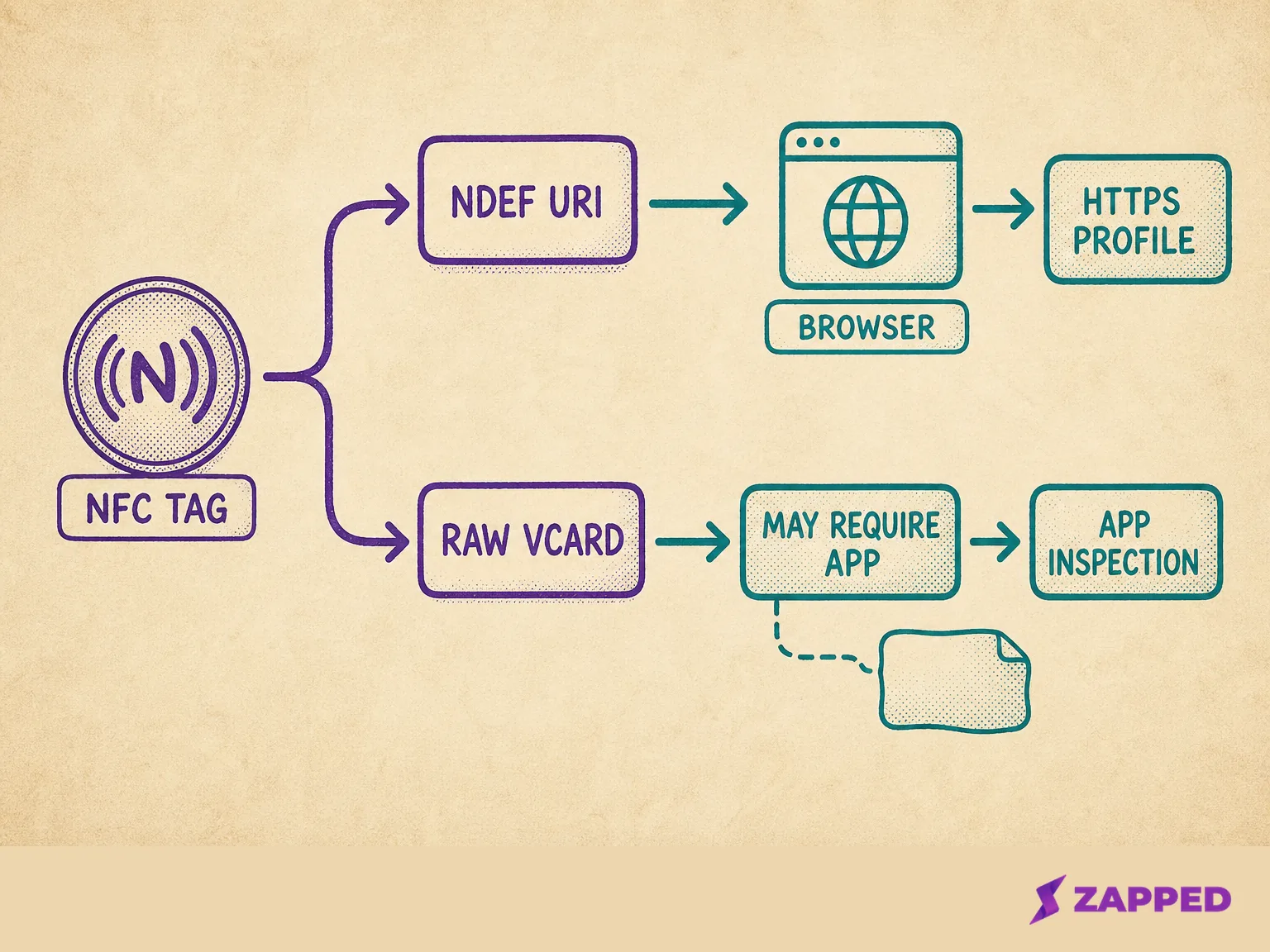
Conceptual payload paths for a web profile and a raw contact record.
If the tag owner needs to change a stale or incorrect record, use the guide to programming an NFC tag with iPhone.
If the tag points to a public profile, Zapped is one example of a digital business card shared by NFC tap, QR code, or link and opened in a normal browser without an app or account. The Zapped guide to programming NFC business cards is the implementation handoff for the tag owner.
A short check before you replace the card
Use this order when the reader path is unclear:
-
Identify the iPhone model. Choose background reading for iPhone XS and later, the documented Control Center path for the listed older models, or an app reader for explicit inspection.
-
Unlock the phone after startup or a restart. Close Wallet or Apple Pay, Camera, and any active reader session. Turn off Airplane Mode.
-
Check whether the tag carries an NDEF HTTPS URI and whether the first URI is current. A raw vCard may need an app, according to NFCore's qualified business card guidance.
-
If the phone is managed by an organization, ask the administrator whether NFC is restricted.
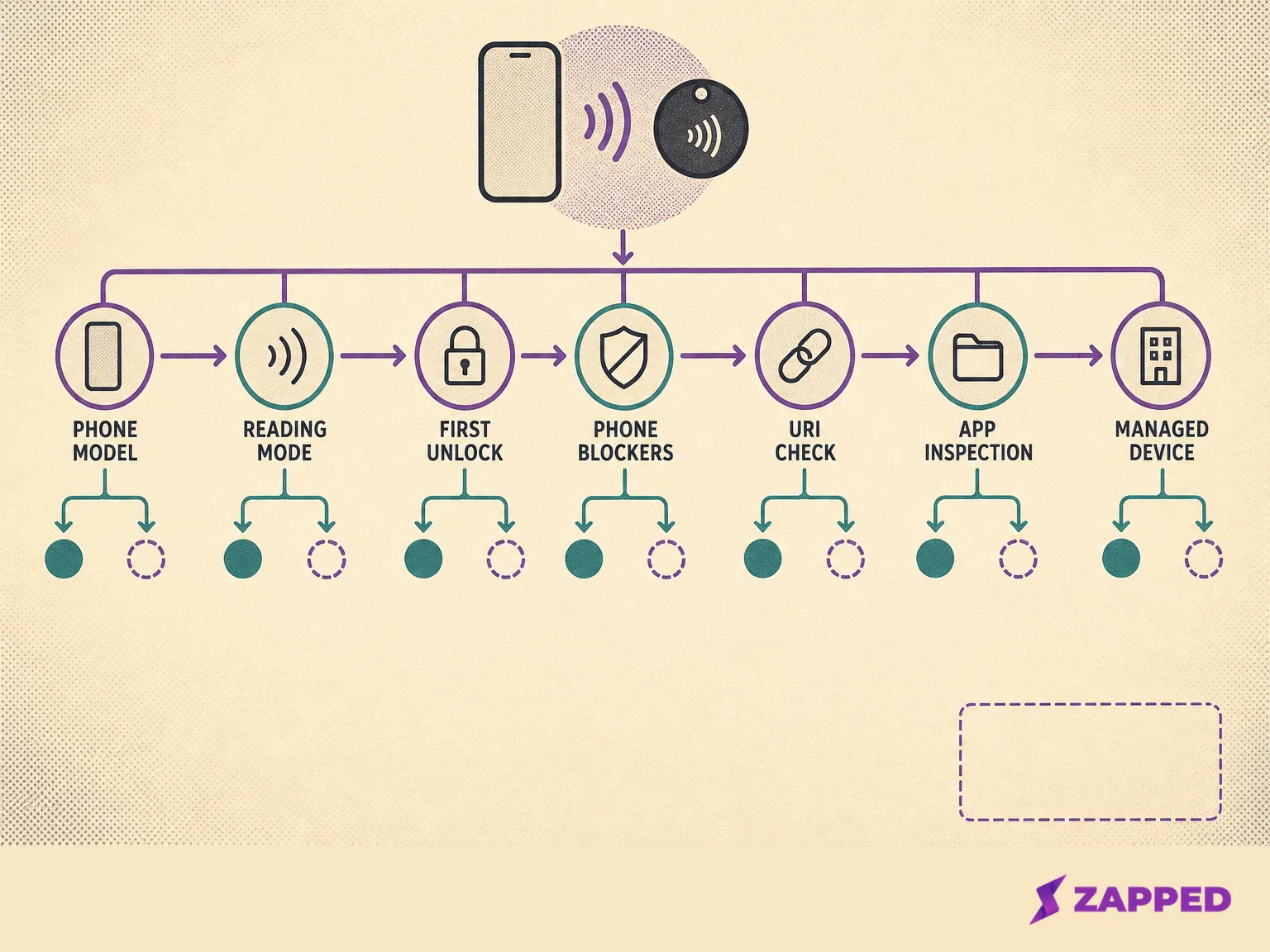
Conceptual troubleshooting order from phone state to payload inspection.
For antenna positioning, the complete recipient procedure, and broad “nothing happened” troubleshooting, use the parent iPhone scan guide. If the tag is detected but its destination does not load, see what to check when an NFC business card link does not open.
Sources
Checked in August 2026. These are the reviewed sources behind the platform and payload guidance.
- Apple, Adding Support for Background Tag Reading, for model support, notifications, blockers, URI records, first URI behavior, and supported schemes.
- Apple, Building an NFC Tag Reader App, for the app reader session and availability check.
- Apple, NFC Human Interface Guidelines, for the restart lock condition and background versus in app reading guidance.
- Apple Platform Deployment, device management restrictions, for the managed device NFC restriction.
- NFC Forum, Cross platform NFC Tag UX, for the documented older model reader path.
- NFCore, How to Read an NFC Tag with Your iPhone, for qualified troubleshooting guidance about silent banners and explicit reader inspection.
- NFCore, How to Build a Digital Business Card on an NFC Tag, for the qualified URL and raw vCard distinction.