Picture a storefront poster with a small NFC mark in one corner and a QR code beside it. A passerby holds a phone near the mark, and now the real question for your campaign begins: what happens next? Nothing gets pushed at them. A tag can carry an NDEF record that points a compatible phone to a website, but the person chooses to tap, and the phone handles the link according to its software, with some versions asking the person to confirm. NFC advertising is a voluntary handoff, and the campaign wins or loses on how well that handoff is designed.
That framing changes what you decide. You are not picking a gadget. You are matching a physical spot to one useful next step, telling people honestly what the tap does, giving everyone else a way in, and making sure the tag and the page behind it deserve trust.
Which next step fits which spot
Start with where the ad lives, then pick the single thing a person standing there would plausibly want. The table below is a set of planning ideas, not a ranking. Nobody has published a dependable lift figure for any format, so treat each row as a reasonable starting hypothesis.
| Where the tag sits | A sensible next step |
|---|---|
| Poster or outdoor panel | An event page, an offer, or a video, as JCDecaux suggests for outdoor NFC |
| Shelf or storefront window | Current product details or an offer, an idea one tag vendor recommends |
| Packaging | A recipe, instructions, or post-purchase content |
| Direct mail | A short video or a response page, as USPS has pitched |
| Event sign | A schedule, a map, or registration |
Real examples are worth reading with their limits in mind. In 2019, Kraft Heinz put a tamper-resistant NFC tag to show recipes and unlock a game or prize after opening, though the report gave no results. A 2012 JCDecaux and Kinetic pilot in Reading logged more than 3,000 scans over four weeks, and the report put voucher redemption at 18% for one campaign. That is one pilot from more than a decade ago, so it shows what that pilot reported, not a benchmark for yours. Likewise, Clear Channel's 2011 plan to add NFC to 300 Singapore sites was an announcement, not a result.
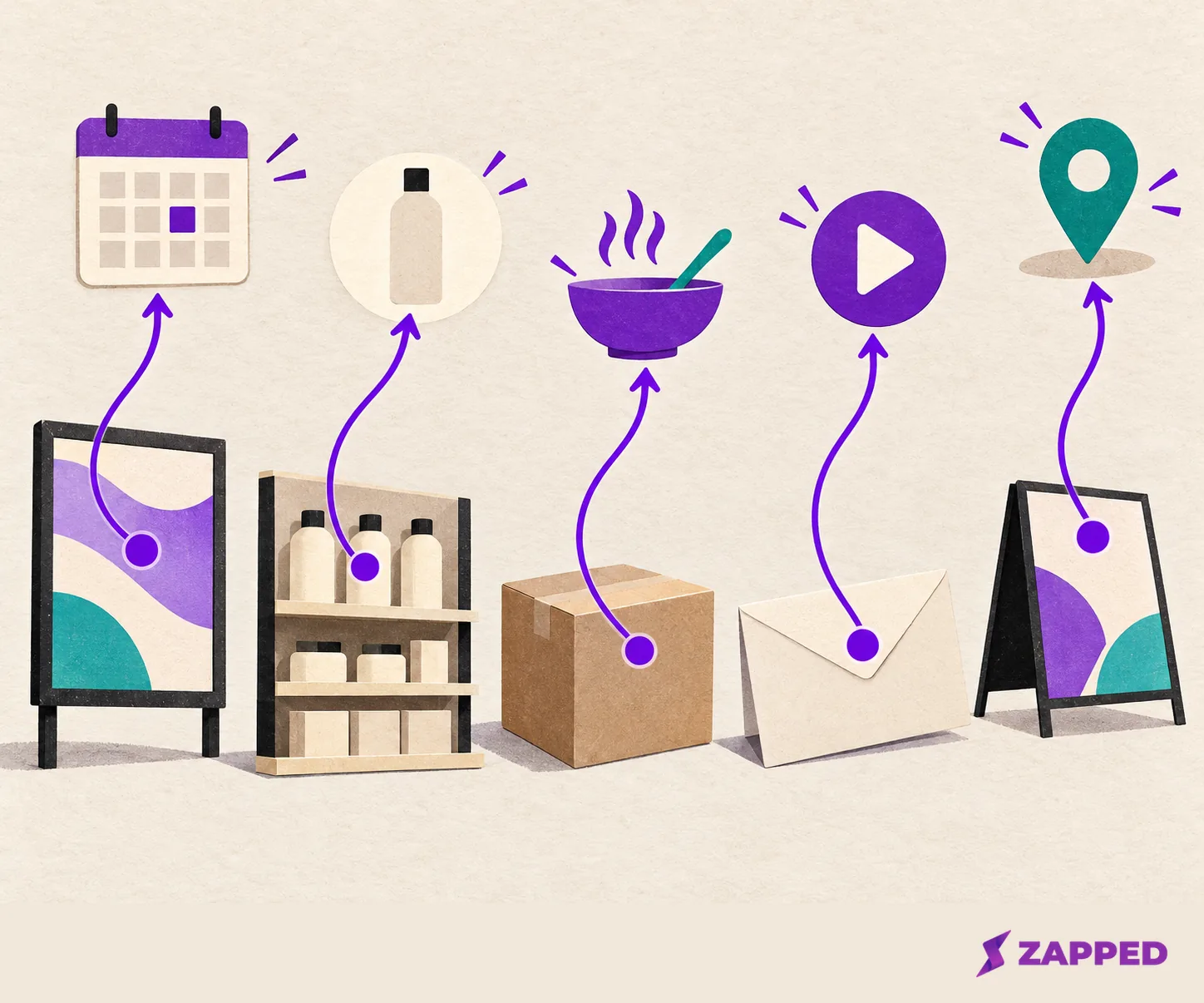
One rule keeps the table honest: pick one destination per tag. If you cannot say in a sentence what the person gets, you are not ready to print.
If your sign is for Wi-Fi rather than a campaign, our guide to NFC Wi-Fi tags covers that narrower job.
Tell people where to tap and what they get
The tag is invisible, so the printed cue does all the persuading. NFC Forum's retail guidance says to show where to tap. Its own test is blunt: ask what the call to action is, why someone should tap, and what benefit they get. "Tap here for Saturday's tasting menu" passes. A bare wave symbol does not.
Then protect the promise with the landing page. The same guidance says to make the destination work well on a phone and keep the journey quick, with little scrolling or typing. A tap that lands on a desktop layout with a long form wastes the goodwill you just earned.
Do not promise that the page will simply open. The phone decides how to present it, and that varies.
- iPhone: On an iPhone XS or later, background tag reading shows a notification that the person taps to continue, and a locked phone asks to be unlocked first. Apple also lists moments when background reading is unavailable even with the screen on, such as when the camera or Apple Pay Wallet is in use, Airplane mode is on, or the phone has never been unlocked.
- Android: The behavior depends on version. Android 16 sends a scanned web link to the link handler, while Android 17 shows an "open link" notification that needs an explicit tap. Phones usually look for tags only while the screen is unlocked, and not at all if NFC is switched off.
So when a person says nothing happened, possible causes include a locked screen, a camera or wallet in use, or NFC turned off. On Android, Google's help says to open Settings, search for NFC, and toggle it on, though the steps differ by device.
Put a plain fallback next to the tag
Some people will not tap. Their phone may not support it, NFC may be off, or they would rather scan. Print a QR code or a short URL beside the NFC cue and say what it opens. One vendor recommends pairing the two for compatibility across devices. That is advice, not a platform rule, and it is cheap insurance.
Keep both routes pointing at the same place. If the tap goes to the offer and the QR goes to the homepage, you have built two campaigns and measured neither. And if you cannot explain the benefit or confirm the destination, skip NFC for now and print the visible link alone until the tap is ready.
Short range is not a security guarantee
It is tempting to assume a tag is safe because you have to be close to it. NFC Forum calls short range only an initial degree of protection and lists other measures separately: locking tags against overwriting, and digital signatures for authenticity and integrity. A public poster is exactly where someone could stick a different tag over yours. Research from Carnegie Mellon on smart posters discussed spoofing and cloning risks and prototyped logging and revocation, though it does not tell us how often such attacks happen today.
Each control covers a different slice, so know what you are buying:
- Locking. On supported tag products, a lock can stop the tag from being overwritten, but it does not secure the website and does not prove who placed the tag.
- Passwords. On NXP's NTAG213, 215, and 216, password protection is off by default, and the documented password is 32 bits, so check what your chosen tag ships with.
- Signed records. NFC Forum's Signature record type can carry authenticity information, but it does not define a full certificate and revocation system, so someone still has to build the verification.
- Dynamic authentication. NXP's NTAG 424 DNA supports AES-128 and Secure Unique NFC messaging, but it only helps if you configure it and run a compatible check on your side.
In practice, that means doing the unglamorous things as well. Look at the tag before the campaign goes live and again on a schedule. Open the stored link and confirm it lands where the printed promise says. Choose locking or authentication only where your product and your checking process support it. One managed example, an elevator-screen network, fixes its NFC devices to the screen and lets only authorized staff. That is one provider's setup, not a universal guarantee, but it shows the habit: someone owns the destination and the hardware.
Disclosures and tracking depend on the claim and the country
A tap does not switch off advertising rules. In the U.S., the FTC says claims should be truthful and substantiated, and that any qualifying information needed to avoid deception should be clear, conspicuous, and close. So if the poster says "free," the condition belongs next to the word, not in tiny type on the landing page.
Tracking has its own rules. Under UK guidance, the ICO says storage and access technologies used for online advertising need consent, including for tracking and profiling, and that a consent request should explain who gets the data, why, and how people can control it. That speaks to online advertising technologies in the UK, not to a physical tag everywhere. Either way, never present the tap itself as permission for later tracking or messages. If your landing page sets cookies or collects details, handle that on the page, and check your own market's rules.
When the next step is a contact card
Sometimes the ad's goal is simply to let someone save a person. A poster or mailer that says "Meet your field rep" can point to that rep's digital business card. If you are new to how those work, what NFC business cards are covers the basics.
With Zapped, you choose between two journeys. By default a tap opens the card page, which carries the card's links and its lead form. You can instead set an NFC card or a Flexible QR code to save the contact right away, which skips the card page, its links, and its lead form. Use the page if capturing a lead matters, and the direct save if the goal is only to get the contact into a phone.
The direct save has conditions. It works for NFC cards and Flexible QR codes that open a card, the card must show its Save contact button, and the card must have no password. Otherwise the card page opens instead. Main QR codes always open the card page, and anything that opens a website opens the website.
Do not promise one identical experience. On an iPhone, Safari shows a contact card to add to Contacts. On Android, the phone downloads a vCard, and the person opens it from the download notification. If nothing seems to happen on Android, point people to that notification or the Downloads app. Zapped is only the card destination here, and the poster, tag, and fallback are still yours to get right.
Before you print, run a short rehearsal. Tap the finished sign on an iPhone and an Android phone, scan the fallback, and confirm all routes end at the same promised place.