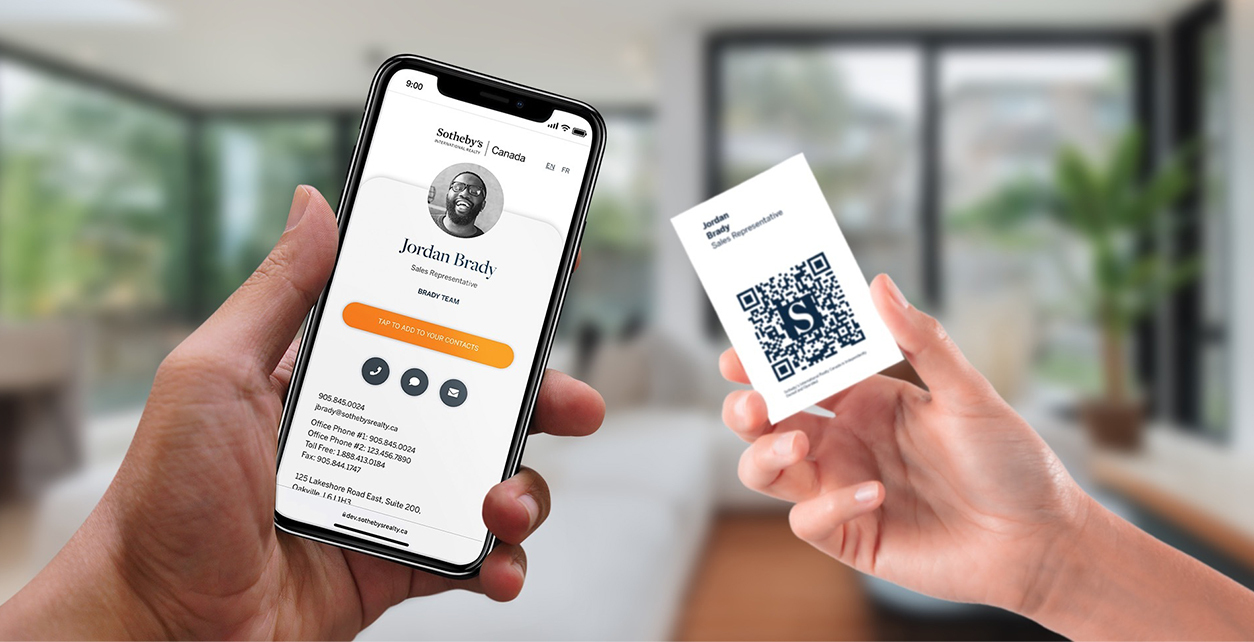
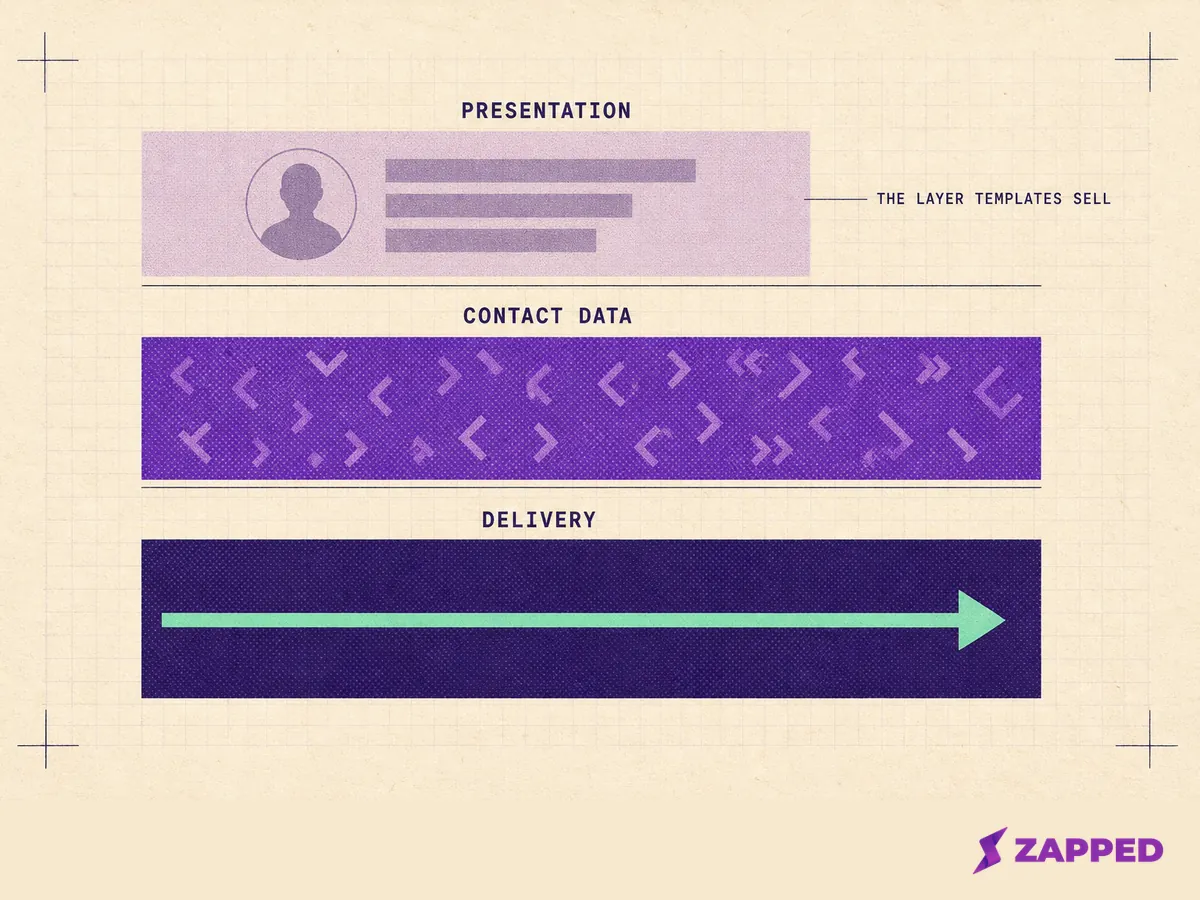
The three layers a digital business card HTML template has to get right
A digital business card in HTML is three layers: the page a person sees, the data a machine reads, and the response your server sends when someone taps save to contacts. A template can only ship the first one.
The layer you can buy is the layer that matters least.
That sounds harsh until you look at what the other two do. The middle layer is the contact vocabulary a parser reads off your markup, and the h-card specification is explicit about which class names belong there. The bottom layer is a file plus the response headers that carry it.
Neither one ships in a theme.
What follows is a specification, not a gallery: eight blocks of code in build order, plus the requirement tables. Assemble them into a page, or hold them up against the template you already bought. There is no zip file and no demo site at the end of it.
If what you actually want is the general job rather than the code, start at how to make a digital business card and come back when you have decided to own the page.
What the page itself has to contain
Layer one is plain HTML, and two things go wrong on almost every card built by hand. The first is <address>. MDN defines it as the element for contact information about a person or an organization, not as a postal address element. It applies to its nearest <article> or <body> ancestor, and it cannot be nested inside another one.
The second is the phone number. RFC 3966 says all phone numbers must use the global form unless they cannot be represented that way, composed with the country code and the national number per E.123 and E.164.
A tel: link in local form is not globally unique, which is exactly the wrong property for a number someone scans in another country.
<!doctype html>
<html lang="en">
<head>
  <meta charset="utf-8">
  <meta name="viewport" content="width=device-width, initial-scale=1">
  <title>Rowan Vale, Field Operations Lead</title>
</head>
<body>
  <article class="card">
    <img src="/img/rowan-480.jpg"
         srcset="/img/rowan-480.jpg 480w, /img/rowan-960.jpg 960w"
         sizes="(max-width: 480px) 100vw, 480px"
         width="480" height="480"
         alt="Rowan Vale, standing against a plain grey wall">
    <h1>Rowan Vale</h1>
    <p>Field Operations Lead, Halcyon Analytics</p>
    <address>
      <a href="mailto:[email protected]">[email protected]</a>
      <a href="tel:+12025550100">+1 202 555 0100</a>
      <a href="https://halcyon.example">halcyon.example</a>
      <a href="https://social.example/rowanvale" aria-label="Rowan Vale on social">
        <svg aria-hidden="true" width="24" height="24"><!-- icon path --></svg>
      </a>
    </address>
  </article>
</body>
</html>
That skeleton carries the whole of layer one: a lang attribute so the page's language is programmatically determinable, one <h1> holding the name, an <address> scoped to the <article> around it, contact methods as real links, an accessible name on the icon that has no text, and alt, width, height, srcset and sizes on the portrait.
Take away the accessible name and a screen reader announces a link with no purpose. Take away the width and height and the layout jumps when the photo lands.
A printable business card template in Google Docs solves a different problem. A sheet of card stock has no server behind it and nothing to save.
The two contact vocabularies, and why the spec says ship both
Two microformats vocabularies exist for contact data, and markup that carries only one of them looks current either way. Classic hCard puts its names on class="vcard". The microformats2 update puts them on h-card. Choosing between the two is the mistake.
The h-card page calls itself the microformats2 update to hCard and defines h-card as the root class name. The hCard 1.0 page points readers to h-card as the latest version, and it carries no deprecation notice and no migration guidance at all.
Then the specification adds the instruction that settles it: for backward compatibility you should also mark up a top level h-card as a classic hCard.
Both class names, on the same root element. That is a template audit you can run in about thirty seconds, on one attribute.
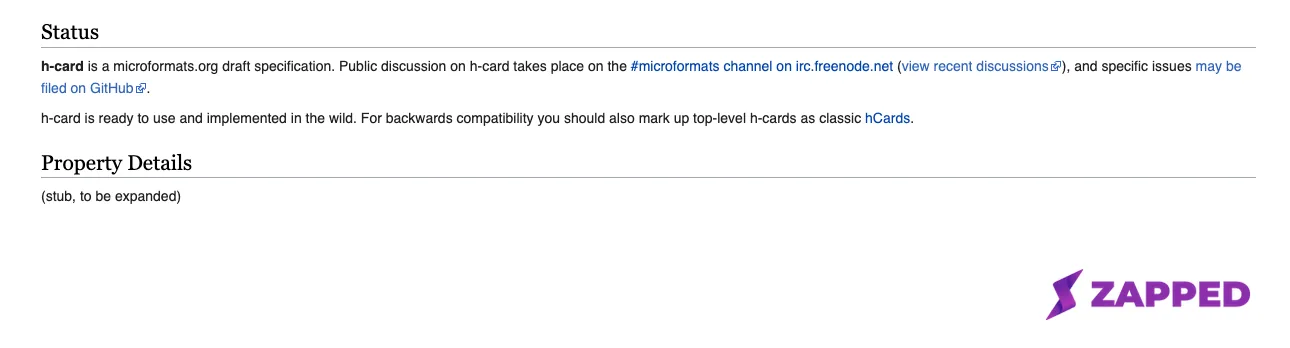 Source: microformats.org h-card specification, captured 2026-08-06.
<article class="card h-card vcard">
  <img class="u-photo photo" src="/img/rowan-480.jpg" alt="Rowan Vale">
  <h1 class="p-name fn">Rowan Vale</h1>
  <p>
    <span class="p-job-title title">Field Operations Lead</span>,
    <span class="p-org org">Halcyon Analytics</span>
  </p>
  <address>
    <a class="u-email email" href="mailto:[email protected]">[email protected]</a>
    <a class="p-tel tel" href="tel:+12025550100">+1 202 555 0100</a>
    <a class="u-url url" href="https://halcyon.example">halcyon.example</a>
  </address>
</article>
Only the class attributes changed. The specification defines roughly thirty eight properties, and the fifteen a contact card usually needs are p-name, p-given-name, p-family-name, p-honorific-prefix, p-honorific-suffix, p-nickname, u-email, u-url, u-photo, p-tel, p-org, p-job-title, p-adr, p-note and dt-bday.
Each one goes on an element that already holds that data. For anything past that list, a company logo, a second role, a messaging handle, the specification has a name for it too, and u-logo, p-role and u-impp are all real.
So look the name up rather than inventing one. A class the specification does not define is a class no parser reads, and dropping the legacy names leaves older parsers looking at an unmarked page.
Structured data, and the result it will not get you
JSON-LD belongs on the page, and it will not win you a rich snippet. Google's structured data gallery enumerates the feature types it documents, and a generic schema.org Person page is not among them.
The closest documented feature is Profile page, and its eligibility sentence is specific: the primary focus of the page must be a single person or organization affiliated with the overall website.
Read that against a standalone card on its own domain and the wrapper does not apply. If your card genuinely is an About Me page or a team member page on the company site you work for, wrapping the Person in a ProfilePage with mainEntity set to it is the documented route.
On a personal card at its own address, the Person block is still worth shipping. It is there for the parsers and assistants that read it, not for a search result.
<script type="application/ld+json">
{
  "@context": "https://schema.org",
  "@type": "Person",
  "name": "Rowan Vale",
  "givenName": "Rowan",
  "familyName": "Vale",
  "jobTitle": "Field Operations Lead",
  "worksFor": { "@type": "Organization", "name": "Halcyon Analytics" },
  "telephone": "+12025550100",
  "email": "[email protected]",
  "url": "https://rowanvale.example/",
  "image": "https://rowanvale.example/img/rowan-960.jpg",
  "sameAs": ["https://social.example/rowanvale"],
  "contactPoint": {
    "@type": "ContactPoint",
    "contactType": "sales",
    "telephone": "+12025550101",
    "email": "[email protected]"
  }
}
</script>
Schema.org puts Person directly under Thing and gives it the properties above, with contactPoint expecting a ContactPoint.
That nested block is worth adding only when a person really has channels with different purposes, which is what contactType exists to distinguish. One address for everything needs no contactPoint at all.
Making the save to contacts link actually save a contact
This is the layer that decides whether your card works, and most of it is a server response rather than markup. Build it in three pieces: the file, the response, then the link.
The file itself
RFC 6350 requires that a vCard object include the VERSION and FN properties, inside BEGIN:VCARD and END:VCARD. The structured N property is a recommendation rather than a requirement in 4.0, a real change from 3.0 practice. Include it anyway. N is what splits a name into its parts for an importer.
Two formatting rules cause most of the breakage. Lines are delimited by CRLF, so a file saved with Unix line endings is not conforming even where a parser tolerates it. Content lines should be folded to a maximum of 75 octets excluding the line break, continued by a CRLF followed immediately by a single space or horizontal tab.
BEGIN:VCARD
VERSION:3.0
FN:Rowan Vale
N:Vale;Rowan;;;
ORG:Halcyon Analytics
TITLE:Field Operations Lead
TEL;TYPE=CELL:+12025550100
EMAIL;TYPE=INTERNET:[email protected]
URL:https://rowanvale.example/
PHOTO;VALUE=URI:https://rowanvale.example/img/rowan-960.jpg
NOTE:Met at the Halcyon field operations meetup. Follow up about the r
 egional rollout schedule before the quarter closes.
END:VCARD
The NOTE shows the fold. The break falls in the middle of a word and the next line begins with one space, which the parser removes along with the CRLF when it unfolds.
That is also the argument for the PHOTO form above. The property takes a single URI, and an inline data: URI carrying base64 image data is legal, but it is thousands of octets that all have to be folded correctly by hand. An external URI is one line.
The version number on line two is the one judgement call in the file. That one gets its own section.
What the server has to send
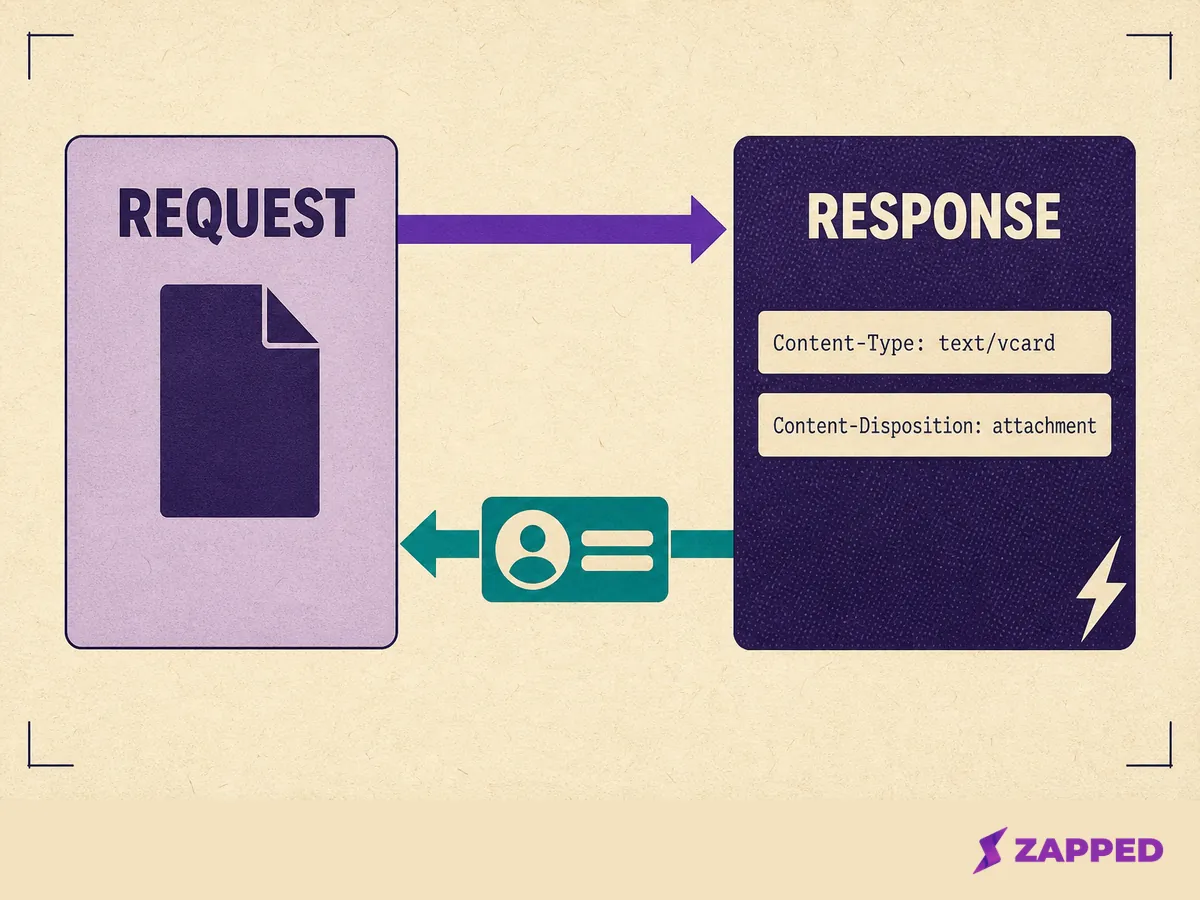
text/vcard is the registered media type for vCard data, registered by RFC 6350, with .vcf and .vcard as the registered extensions. The older text/directory and text/x-vcard types are deprecated in favour of it.
RFC 6266 supplies the disposition: attachment indicates the recipient should prompt the user to save the response locally rather than process it normally, while inline implies default processing.
Content-Type: text/vcard; charset=utf-8
Content-Disposition: attachment; filename="rowan-vale.vcf"; filename*=UTF-8''rowan-vale.vcf
Both filename parameters are there deliberately. RFC 6266 recommends sending the plain filename as a fallback and filename* for names outside ASCII, with recipients preferring filename* where they understand it. Get the media type wrong and the browser treats your contact card as a text file, which is the wall of text people see and blame on their phone.
The link, and how to check it
The markup is one line. Three things about it are not obvious.
<a href="/rowan-vale.vcf" download="rowan-vale.vcf">Save to contacts</a>That link has to be same origin. MDN is unambiguous: download only works for same origin URLs, or the blob: and data: schemes. A .vcf parked on someone else's file host is not a download, it is a navigation.
Two more details save you a debugging session. A filename in the Content-Disposition header takes priority over the one in the download attribute, so the saved file may not carry the name you set in the HTML.
Support for the attribute on iOS also came late. WebKit bug 167341 asked for it in 2017 and is marked resolved and fixed, with the patch landing in January 2019.
Check what your own host actually serves before you print anything.
curl -sI https://rowanvale.example/rowan-vale.vcf | grep -i '^content-'That prints every content header the server sent, so read the two that matter. If the content type and the disposition match the header block above, layer three is done. Anything else, and you have found the defect before a stranger did.
You could skip the file entirely and encode the contact data straight into the code instead. That tradeoff is the subject of static vCard QR codes, and the build steps are in how to generate a vCard QR code.
Which vCard version to put in the file
RFC 6350 defines vCard 4.0, obsoletes the RFCs behind 3.0, and is the current standard. That settles what is correct. It does not settle what to emit.
Android's own platform vCard library declares constants for 2.1, 3.0 and 4.0, sets its default export type to the 2.1 generic profile, and annotates the 4.0 path with a note that vCard 4.0 is not published yet.
That is a library's own export default, not a measurement of what any contacts app will import.
Read together, those two facts argue for emitting 3.0 in a file meant to be saved by whatever phone the other person happens to be holding. Call it a judgement from the evidence rather than a rule. RFC 6350 is still the standard your file is measured against.
What the link looks like when someone shares it
Your card gets pasted into a message before it gets opened.
The Open Graph protocol defines four required basic properties, og:title, og:type, og:image and og:url, and describes og:url as the canonical URL used as the object's permanent identifier. Set it to the address you will still own in three years.
<meta property="og:title" content="Rowan Vale, Field Operations Lead">
<meta property="og:type" content="profile">
<meta property="og:url" content="https://rowanvale.example/">
<meta property="og:image" content="https://rowanvale.example/img/preview.jpg">
<meta property="og:image:width" content="1200">
<meta property="og:image:height" content="630">
<meta property="og:image:alt" content="Rowan Vale beside the words Field Operations Lead">
<meta property="profile:first_name" content="Rowan">
<meta property="profile:last_name" content="Vale">
The structured image properties are documented alongside the basic four, and og:image:alt is described as a description of what is in the image, which makes it an accessibility property as much as a preview one.
The profile object type carries first name, last name, username and gender fields, and a personal card is the one page where that type is literally accurate.
Omit the image properties and the preview renders at whatever size the receiving app guesses.
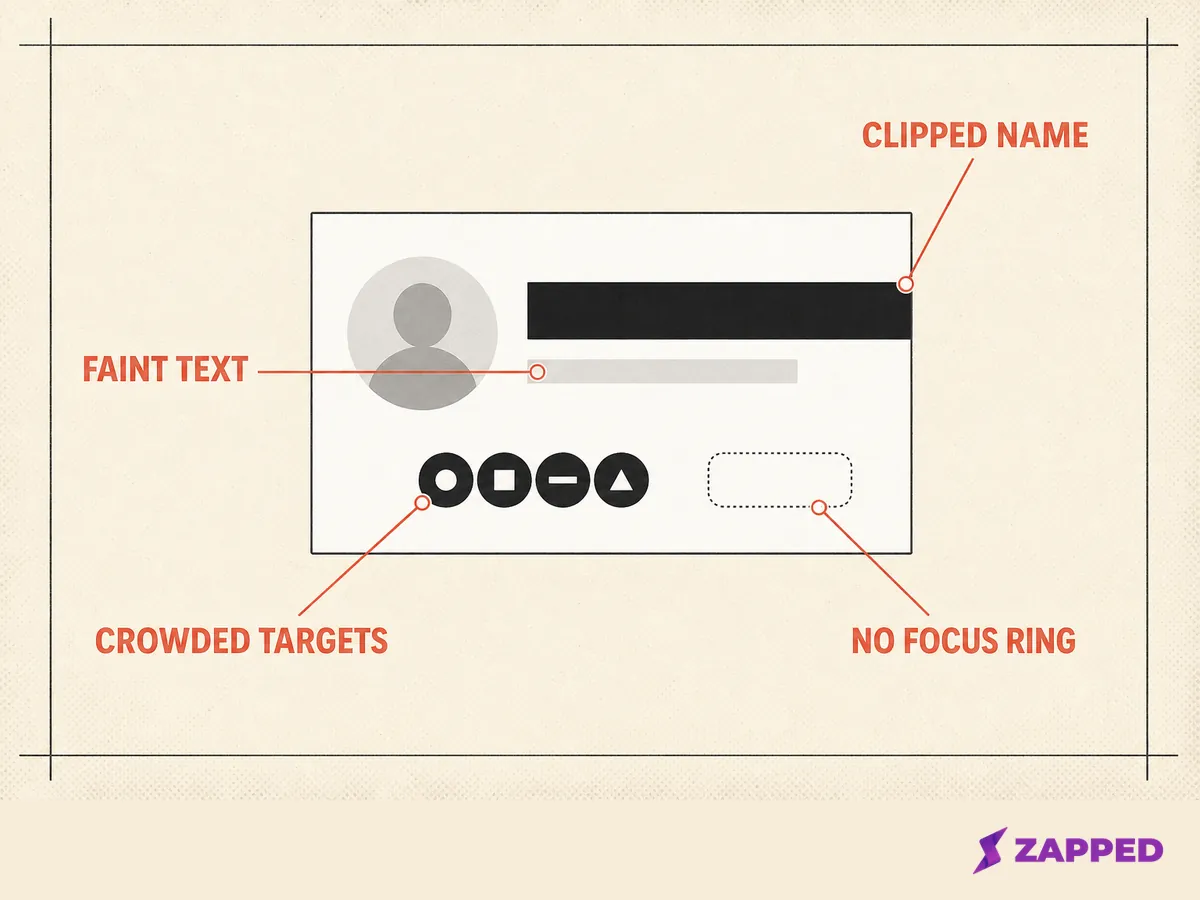
Eleven accessibility checks a contact card actually fails
Run these against the page you have. Each one is paired with the failure a contact card specifically produces, and level is its own column because three sit at A and the rest at AA.
| Check | The failure it catches on a contact card | Level |
|---|---|---|
| Text contrast of at least 4.5:1, or 3:1 at 18pt and at 14pt bold (SC 1.4.3) | A light grey job title on a white card, or white text over a photographic header | AA |
| Contrast of at least 3:1 for interface components and meaningful graphics (SC 1.4.11) | A hairline save button outline, or social glyphs that carry meaning at low contrast | AA |
| Pointer targets at least 24 by 24 CSS pixels, or meeting one of the five exceptions (SC 2.5.8) | A tight row of social icons, the single most common failure on a card | AA |
| A visible keyboard focus indicator (SC 2.4.7) | A blanket outline reset in the stylesheet with nothing put back | AA |
| Focused components not entirely hidden by author content (SC 2.4.11) | A save to contacts bar pinned to the bottom of the viewport | AA |
| Reflow at 320 CSS pixels wide, or 256 tall, with no scrolling in two directions (SC 1.4.10) | A fixed width card container, or a long email address forcing sideways scroll | AA |
| Text resizable to 200 percent without loss (SC 1.4.4) | A layout built entirely in pixels with fixed container heights | AA |
| No loss when the reader's text spacing overrides apply (SC 1.4.12) | A fixed height name plate that clips the job title | AA |
| Structure and relationships programmatically determinable (SC 1.3.1) | A stack of styled divs with no heading, no list, and no <address> |
A |
| A text alternative for every non text element (SC 1.1.1) | A portrait whose alt is empty or a filename, or a QR image with nothing at all |
A |
| The page's default language declared (SC 3.1.1) | A missing lang attribute on <html> |
A |
One more is worth building in even though nobody requires it. Focus Appearance asks for a focus indicator at least 2 CSS pixels thick with a 3:1 contrast ratio between the focused and unfocused states of the same pixels, and it sits at Level AAA. Treat it as a good default for a card, never as an obligation.
Making it load on a conference network
Someone who met you ninety seconds ago is opening this on cellular, once. That is the whole performance brief.
Largest Contentful Paint reports the render time of the largest image, text block or video visible in the viewport, and 2.5 seconds or less at the 75th percentile of loads is the good threshold. On a one screen card the portrait is almost certainly that element.
That is why it should never carry loading="lazy". Deferring it delays the exact pixel the metric measures.
Setting width and height lets the browser work out the aspect ratio before the image arrives and reserve the space, which reduces or prevents the layout shift. If you use srcset with w descriptors you also need sizes, because it defaults to 100vw and a phone then fetches an image sized for a full width viewport.
One thing costs you time before a single byte of markup is parsed. LCP includes redirect time and other delays ahead of the first byte, so a printed QR code pointing at a digital business card through a shortener that redirects twice is spending your budget in the worst possible place. Point the code at the final URL.
Where to host it, and the one dimension that decides it
Four routes can serve a static page on a custom domain over HTTPS: GitHub Pages, Netlify, Cloudflare Pages, and a plain shared host. They are judged here on the same four things: whether you can set the response headers for the .vcf, how custom domains and HTTPS behave, what limits the provider publishes, and what usage restrictions it states.
Header control leads the table because layer three fails without it. That single dimension is also why the shared host is not the naive choice it looks like.
| Route | Can you set the .vcf response headers? |
Custom domain and HTTPS | Published limits | Stated restriction |
|---|---|---|---|---|
| Plain shared host | Most likely yes, and most likely with a wrong default. Check what your control panel serves for .vcf before you print the QR |
Varies by host | Varies by host | No single documentation source, so read your own |
| GitHub Pages | Not on the hosted service. The limits, HTTPS and about pages describe no way to set response headers, and GitHub's own staff answer requests for header support by saying the feature is unsupported. The header override GitHub does document belongs to Enterprise Server, set by an administrator on an instance you run yourself | Certificates come automatically from Let's Encrypt on a custom domain, and the full domain must be under 64 characters | 1 GB per site, a soft 100 GB of bandwidth a month, a soft 10 builds an hour, and a 10 minute deploy timeout | GitHub's terms say Pages is not intended or allowed as free hosting to run an online business, an online store, or commercial software as a service |
| Netlify | Yes. Netlify documents a plain text _headers file in the publish directory, or a [[headers]] table in the Netlify configuration file |
A certificate is provisioned automatically with Let's Encrypt when you add a custom domain and renewed automatically, and new sites are secured immediately at the generated address | Not captured here | Documents a CAA record pinning issuance to its own certificate account |
| Cloudflare Pages | Yes. Cloudflare documents a plain text _headers file in the build output directory that overrides, removes, or adds response headers, up to 100 rules |
An apex domain must be a Cloudflare zone on the same account with nameservers pointed at Cloudflare; a subdomain needs only a CNAME record | Free allows 20,000 files per site, a 25 MiB maximum asset, 500 builds a month with one at a time, and 100 custom domains per project | The limits page publishes no bandwidth figure |
That column does decide it, and it decides it against the route most people reach for first. Netlify and Cloudflare Pages each document a plain text _headers file, so layer three is a file in your build output on either one.
The hosted GitHub Pages service publishes nothing of the kind, and GitHub says plainly that it does not support the feature. That makes it the one route a card built around a .vcf download should not take.
The two that qualify end up closer together than expected, so pick between them on limits and restrictions rather than on headers. On a shared host, check the Content-Type your own deploy returns before you print anything.
What it costs to keep running
The specification above is finite. The maintenance is not, and it is the part nobody costs before launch day.
Every edit is a deploy. A changed phone number means editing the markup, regenerating the .vcf, and pushing, and there is no path to doing that from a phone in a hallway.
The markup and the vCard file are two copies of the same data in two formats. When they drift, nothing warns you.
Then there is measurement. A static page reports nothing at all, so any analytics means adding a script, and that script is a real decision about privacy, weight, and the load time you just optimized.
A QR destination cannot move once the ink is dry, either, and each provider's limits and restrictions become yours to track permanently.
Zapped takes the other side of that trade. The card stays live after it is shared, so a printed QR code and every link you have already handed out keep working once you edit the card's details.
Per card analytics come with the product rather than with a script you bolt on.
The Free plan is one card with five content blocks, sixty days of analytics history, and a badge on the card that a Professional plan removes. If you are still weighing the two routes, how electronic business cards work covers the hosted side of the category.
All of this assumes static hosting. A card built inside a content management system fails in different places.
Hand build it for one reason: you want the response headers under your own control. That reason is enough on its own. Everything above layer three you could have bought.
What remains is sharing a digital business card so that the page you just built actually gets opened.
Sources
Standards, platform documentation, and provider pages, all checked in August 2026.
- h-card, microformats
- hCard 1.0, microformats
- RFC 6350, vCard Format Specification
- RFC 6266, Content-Disposition in HTTP
- RFC 3966, the tel URI scheme
- IANA media type registration for text/vcard
- MDN, the anchor element
- MDN, the address element
- MDN, the img element
- WebKit bug 167341, download attribute support on iOS
- AOSP VCardConfig source
- schema.org Person
- schema.org ContactPoint
- Google search structured data gallery
- Google Profile page structured data
- The Open Graph protocol
- WCAG 2.2
- Understanding SC 2.5.8, Target Size Minimum
- web.dev, Largest Contentful Paint
- GitHub Pages limits
- Securing a GitHub Pages site with HTTPS
- GitHub community discussion on HTTP headers for Pages
- Netlify HTTPS and SSL
- Netlify custom headers
- Cloudflare Pages headers
- Cloudflare Pages custom domains
- Cloudflare Pages limits