The right NFC business card features are not the ones printed on the package. Require an editable destination, QR fallback, browser viewing without an app, a clear save contact action, visible tag writeability and lock state, portability, useful analytics, team controls, replacement and offboarding, and a physical design that supports both tap and scan.
Treat the card as one carrier inside a larger exchange system. The NFC tag has a job, and the profile or URL behind it has another. A polished card can still be a poor choice if the destination cannot change, the recipient cannot save, or your team cannot replace a profile cleanly.
Start with the whole exchange
Use the same ten dimensions for every setup. Evaluate the carrier and destination separately, then mark each feature must have, verify, or nice to have according to the consequence of failure. A missing must have is a reason to reject the setup, even if the card looks excellent.
The table turns each feature into a buyer question and a consequence. Mark each row according to what would make the exchange fail, not according to how many features appear on a product page.
In this guide, best means the feature set that preserves a working exchange and a credible exit path for the buyer's actual context. It does not mean the card with the longest feature list or a universal product winner.
Best NFC business card features scorecard
Use this table before comparing brands. A setup should pass the must have rows, verify the conditional rows, and reject any unresolved requirement that would break the exchange or the exit path.
| Dimension | Threshold | Question to ask or test | Consequence of no |
|---|---|---|---|
| Editable destination | Must have | Can the profile change without rewriting the tag? | Reject if ordinary updates require new hardware. |
| QR parity and fallback | Must have | Does QR open the same current destination as NFC? | Reject if the fallback can become stale. |
| Browser and no app flow | Must have | Can a recipient view the page without an app or account? | Verify on the phones your audience uses. |
| Save contact action | Must have | Is a vCard or save contact action obvious after the page opens? | Reject if recipients must copy details manually. |
| Tag writeability and lock | Verify | Is the tag state documented before and after activation? | Reject an unknown state when self programming matters. |
| Portability | Must have | Who controls the URL, and can replacement hardware use it? | Reject if the exit path is unclear. |
| Analytics fit | Nice to have | Do route data and history answer a real decision? | Skip the cost if the reporting does not help the job. |
| Team controls | Must have for teams | Can roles, templates, assignment, and permissions be managed? | Reject an unmanaged rollout. |
| Replacement and offboarding | Must have for teams | What survives when a person or vendor relationship changes? | Reject if ownership and recovery are undefined. |
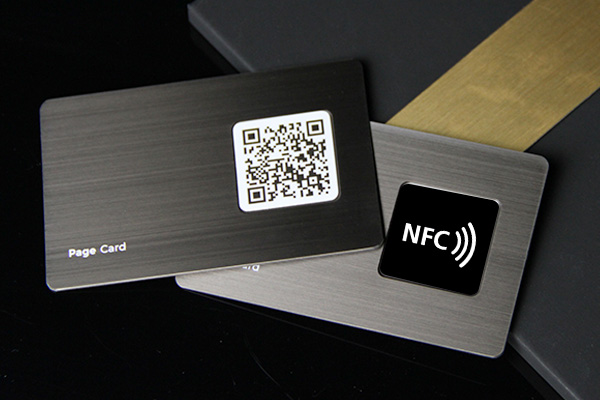
| Physical design | Must have | Are tap guidance, QR contrast, clear space, and material limits understood? | Reject a card with no readable recovery route. |
The rows are thresholds, not a vendor ranking. A product with more visible features can still fail if one must have remains unresolved.
Separate the NFC carrier from the destination
NFC business cards usually combine a physical carrier with a destination. NFC Forum describes tags as contactless memory cards that host an NDEF payload. Its URI format makes a web address a practical payload, but the tag itself does not provide a hosted profile, contact saving, analytics, team administration, or an exit path.
The destination is where the exchange becomes useful. It may show current contact details, offer a save contact action, receive a QR visit, record analytics, and give an administrator a way to manage identity. Rewriting a tag and editing an online profile are different operations, so the buyer should check both.
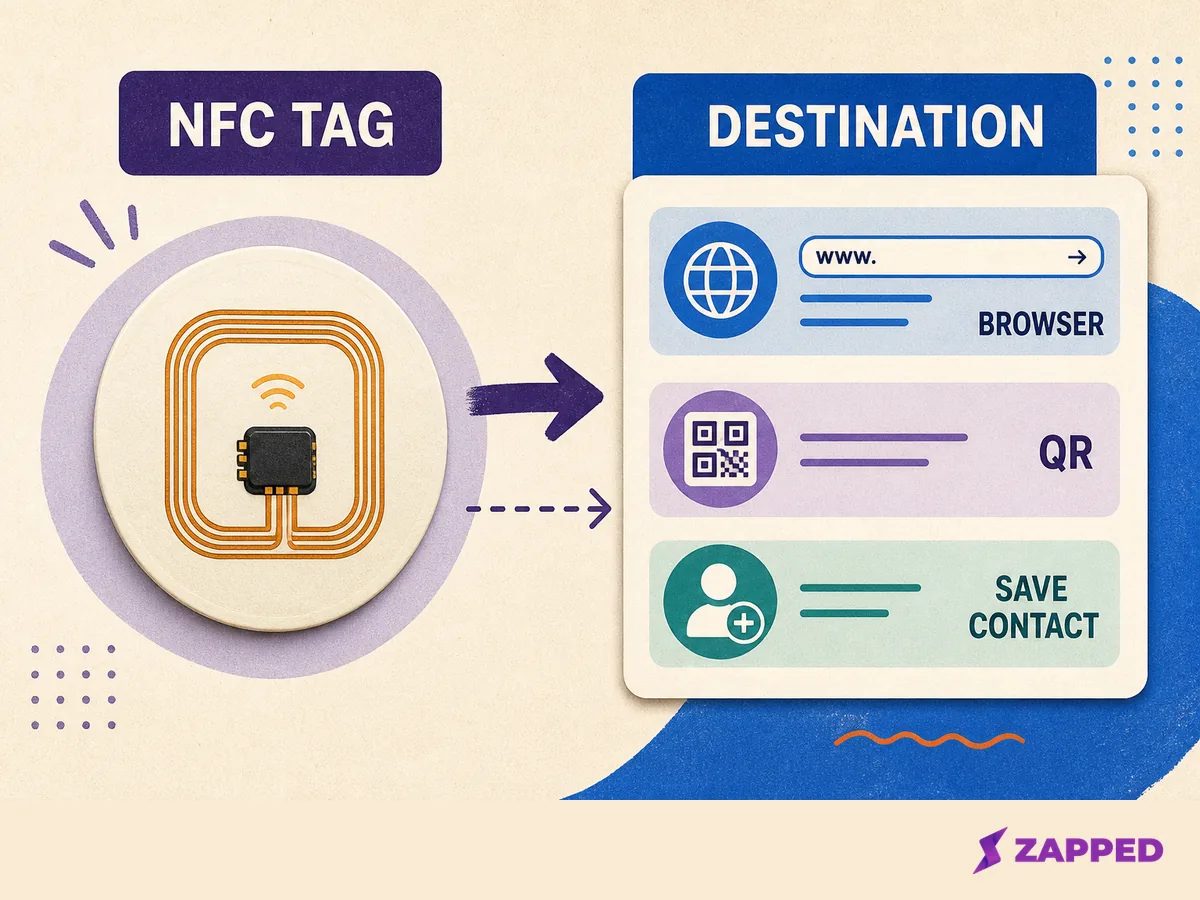
Conceptual diagram based on NFC Forum, Apple, Android, and the destination layer described in this guide.
Apple documents NDEF reading and writable tag support through Core NFC. Apple also documents background tag reading on iPhone XS and later, subject to conditions such as device state and other system features. Android documents NDEF parsing and URI identification, while usual tag discovery depends on the screen being unlocked and NFC being enabled.
That is why a browser path and a QR recovery route belong in the buying criteria. A vendor statement about no app access is a product claim, not a universal promise about every phone, case, setting, or implementation.
For the deeper carrier tradeoff, see NFC versus QR code business cards. This guide uses QR as recovery, not as a winner in a second carrier comparison.
Score the immediate handoff
Editable destination: must have
Require a maintained web destination when a title, phone number, link, or service may change. The physical card can keep pointing to the same URL while the profile changes behind it. That is different from rewriting the tag, and it avoids treating a printed or encoded detail as permanent.
Ask: Can I change the profile without touching the tag or printing a new card? Then ask whether the NFC route and QR route resolve to the same current destination.
QR recovery: must have
Use a printed or otherwise available QR fallback when device or setting uncertainty matters. It should open the same current destination as NFC, not a second profile that can quietly become stale. A readable short URL is useful when the exchange is high stakes or the card has room for one.
Blinq warns that thick cases or cases with metal plates built into the case can interfere with NFC, and recommends QR as a backup in that situation. Treat that as vendor guidance, not a failure rate for every card. The physical section below covers contrast and clear space.
If a tap fails after purchase, NFC business card not working is the place for recovery steps. Here, the buying question is simpler: does the card give the recipient a second route before the conversation moves on?
Browser viewing without an app: must have
For a broad audience, require a recipient flow that opens in a browser without an app or account. Mobilo states that its Custom Classic card supports tap or QR sharing without an app and includes an editable profile. Blinq says its NFC card opens a browser profile without requiring the recipient to install anything.
Those are vendor claims about their own products. Apple and Android document the platform conditions around reading NFC data, not the complete landing page experience. Ask which device states matter, then test the actual destination on the phones your audience uses.
Save contact: must have
The profile should make saving the contact obvious after it opens. A page that only displays links leaves the recipient to copy details manually, which is exactly the friction a digital card is supposed to remove.
Blinq documents a vCard save action. An independent review of nine NFC business cards purchased at retail over 90 days also tracked profile flexibility, wallet support, vCard support, renewal economics, and support responsiveness. Its sample is useful for shaping buyer questions, not for a universal category score.
Check writeability, lock state, and portability
Tag type and memory: verify
If you plan to write the tag yourself, confirm the tag family, available NDEF memory, and writing method. NXP lists 144 bytes of user memory for NTAG213, 504 for NTAG215, and 888 for NTAG216. More memory is not automatically better for a URL, so use the capacity as a compatibility check rather than a ranking.
NXP also lists 10 years of data retention and 100,000 write cycles for this family under the datasheet conditions. Those figures describe the chip under stated conditions. They do not rate the card body, printed finish, antenna placement, or the service life of a hosted destination.
Lock state: must have to understand
Ask whether the tag is writable, password protected, or permanently locked when it ships and after activation. NXP documents static lock bits as irreversible once set. A tag that was writable on day one is not necessarily rewritable after a lock operation.
For the detailed mechanics, read can NFC cards be rewritten. The buyer decision here is whether the seller clearly documents the state you are receiving and the state you can reach later.
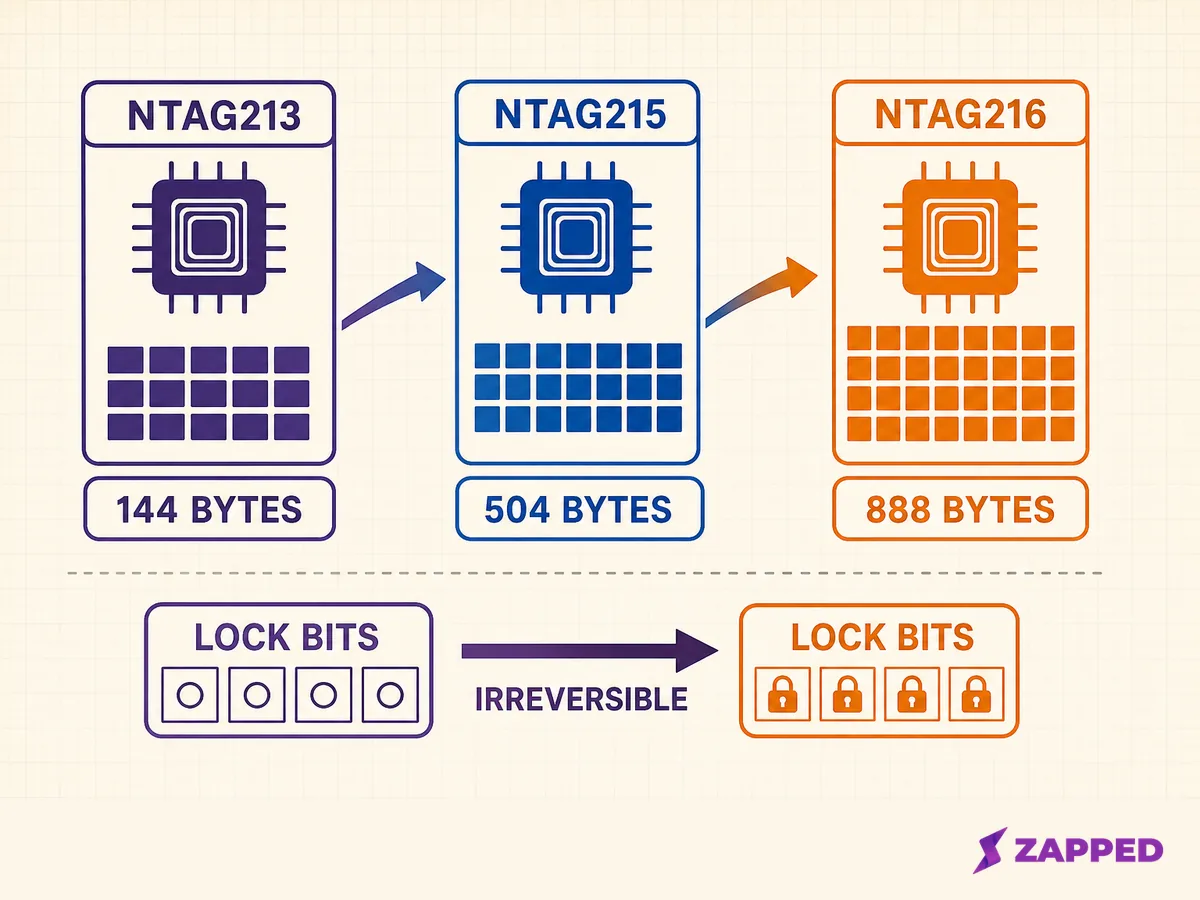
Source: NXP, NTAG213, NTAG215, and NTAG216 datasheet, checked 2026-08-06.
Destination portability: must have for use over the long term
Ask who controls the URL, whether the destination can move, and whether a replacement tag can point to the same profile. Hardware replacement and profile editing are separate questions. A hosted profile can be editable while the URL remains controlled by a vendor, and a rewritable tag can still point to a destination you cannot take elsewhere.
Do not accept a vague promise that a card is reusable. Ask what survives if the vendor changes its product, your role changes, or the account ends. For the longer lifecycle question, see are NFC business cards reusable.
Make analytics answer a decision
Analytics are useful when they answer a decision you already need to make. Ask whether the system counts profile views, NFC taps, QR visits, saved contacts, leads, or events by route. Then ask how long history remains and whether the data can distinguish a route without overstating what a tap proves.
Keep carrier activity and destination analytics separate. NFC and QR do not automatically create a useful reporting layer. A dashboard is worth the plan cost only when its history and attribution support the buyer's actual job.
Treat team controls as part of the feature set
An individual can tolerate a manual edit. A team needs approved fields, templates, assignment, permissions, replacement, and offboarding. Ask who can edit a profile, who can assign it, who can deactivate it, and what happens to the former employee's physical card, URL, profile, captured contacts, and analytics.
Blinq documents admin editing, templates, bulk upload, and team card assignment in its business workflow. That proves the feature class exists in one vendor's system. It does not prove that every vendor handles ownership or offboarding the same way.
For broader app capabilities, see digital card app features that matter most. This article keeps the focus on NFC exchange behavior, tag state, physical recovery, and the lifecycle around the card.
Choose physical design for recovery
The card should make the tap area discoverable without making the design noisy. Keep QR contrast, clear space, and readable scan instructions intact. Ask whether antenna placement suits the intended material, phone cases, and card orientation.
Separate chip specifications from card body claims. The chip specification does not tell you which material wins, how water resistant a card is, how durable its finish will be, or how far it will read. Verify those points for the exact design you are considering.
The physical card is also the replacement object. A finish that looks good at checkout matters less if the QR is hard to scan, the tap guidance is unclear, or the replacement process leaves the destination uncertain.
Apply the scorecard to your situation
Individual or founder
Must have an editable destination, browser viewing, a clear save contact action, QR fallback, and a visible tag state. Verify portability, analytics need, physical finish, and the replacement path before ordering more than one.
Small team
Must have consistent profile structure, assignment, edit permissions, QR fallback, and a replacement path. Verify analytics history, exports, plan minimums, and offboarding terms. For team rollout context, see digital business cards for teams.
Managed rollout
Must have role controls, templates, provisioning, ownership, replacement, offboarding, and documented data handling. Verify the contract, integrations, retention, and failure recovery. Do not turn a vendor feature list into a lifecycle guarantee without checking the actual terms.
The destination system is as important as the card
At Zapped, we illustrate the destination layer rather than making a hardware recommendation. Zapped gives you a public web vCard shared by QR code, link, or NFC tap, opened in a normal browser without a recipient app or account, with contact saving available, plus analytics history that depends on the plan and team workspaces with seats and roles. These are destination examples, not a hardware recommendation or a universal platform promise.
Final checklist before purchase
Ask before checkout
- What exact URL does NFC open?
- Does QR open the same current destination?
- Can a recipient view and save without an app or account?
- Is the profile editable without rewriting or reprinting?
- Is the tag writable, password protected, or permanently locked?
Test before rollout
- Does the flow work on the phones and cases your audience uses?
- Is the save contact action obvious after the page opens?
- Can the team assign, edit, replace, and deactivate profiles with the intended roles?
- What analytics exist, how long are they retained, and what plan is required?
- Does the physical design preserve QR contrast, clear space, and tap guidance?
Record for replacement or exit
- Who controls the destination URL?
- What happens to the card, URL, profile, contacts, and analytics if the plan or vendor relationship ends?
- Can replacement hardware point to the same current profile?
- Which tag state, password, and lock settings were delivered?
If you are ready to compare named products, fees, and vendor terms, use best NFC business cards. Start with this scorecard, then reject any setup that leaves a must have unresolved.
Sources
- NFC Forum, NFC Technology, and NDEF Technical Specification, checked 2026-08-06.
- Apple Core NFC and background tag reading, checked 2026-08-06.
- Android NFC basics, checked 2026-08-06.
- NXP NTAG213, NTAG215, and NTAG216 datasheet, checked 2026-08-06.
- Mobilo Custom Classic card, checked 2026-08-06.
- Blinq NFC business cards, checked 2026-08-06.
- Blinq business team cards, checked 2026-08-06.
- Tefeli, “I Tested 9 UK NFC Business Cards for 90 Days”, checked 2026-08-06.
- Zapped, our product facts verified 2026-08-04.