You may have found vCardGo SaaS through an old result or mirror and wondered whether the $29 price buys a ready-to-use digital card service. It doesn't. The current WorkDo listing reached through the old vCardGo name is a self-hosted Laravel application.
That makes this a platform decision, not just a card-builder purchase. You're taking on a PHP application with a database, storage, a domain, access controls, backups, updates, and a security review. For one personal card, that's a lot of machinery. For a branded service you plan to sell, it may be the control you actually want.
The name changed, but the operating model did not
The current WorkDo listing is titled “vCard SaaS, Digital Business Card Builder, Bio Links Builder.” Its metadata identifies Laravel and PHP 8.x, and the listing showed a last update of July 6, 2026 when checked. That's the product behind the vCardGo SaaS name a buyer may still encounter.
The feature list makes the $29 price look like the whole story. The platform includes digital cards, bio links, QR sharing, NFC cards, custom domains, contacts, appointments, analytics, workspaces, staff roles, and AI content generation. The listing also describes more than 40 industry templates, drag and drop editing, live preview, media sections, appointment booking, QR codes, and vCard export.
Those aren't just profile-page features. They're the ingredients of a small platform business. The question is whether you want to own the system that makes every card work.
Check the server before you check out
The current hosting requirements are a real pre-purchase gate. You need Apache or Nginx, PHP 8.3 or higher, Node.js 20.x or higher, MySQL 8.0 or higher, Composer, and terminal access. A shared hosting panel that only promises “PHP support” isn't enough evidence.
Ask the host for the actual versions. Confirm that you can run Composer and terminal commands, configure the web server, connect the database, store uploaded media, manage the domain, and repeat the deployment when an update arrives. If you can't answer those questions now, the license price is premature.
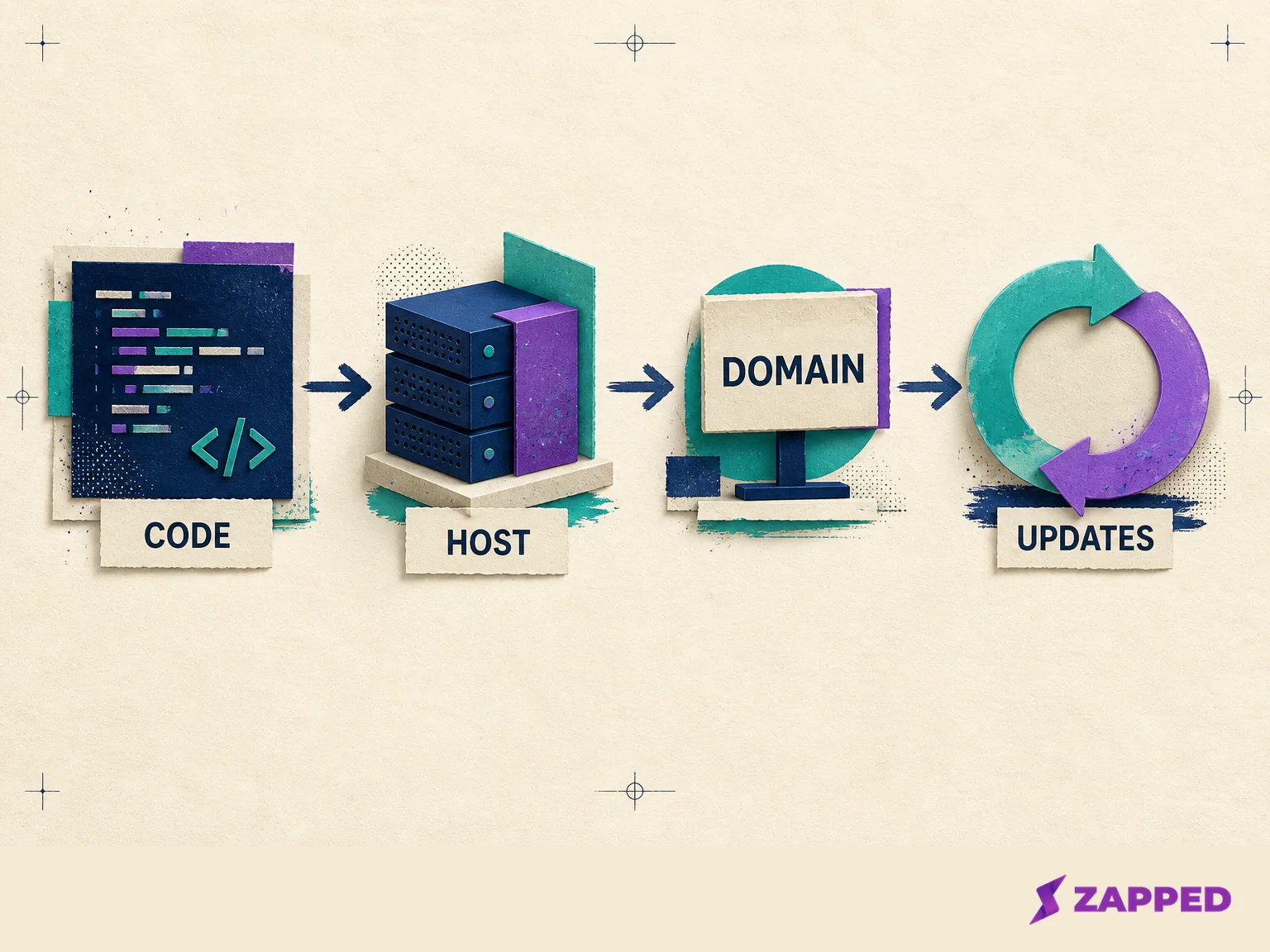
The attractive purchase becomes an operating job here. Self-hosting gives you control, but control includes the parts nobody puts in the thumbnail: backups that restore, secrets that stay private, roles that match the business, and a tested route from one version to the next.
The $29 license is not the paid SaaS license
License choice should follow your revenue model, not your optimism about what you might build later. The regular CodeCanyon license is listed at $29 for one end product where end users aren't charged. That fits an internal team card system or a free service with no charge to its users.
The extended license is listed at $299 for one end product where end users can be charged. If customers will pay you for access to cards, plans, or subscriptions, that's the documented path to examine before you build the business around the script. The difference is $270, which is cheaper than discovering after launch that your model doesn't match the license.
WorkDo also markets the platform as full source code with a one-time payment, no recurring vendor fee, white label controls, lifetime free updates, six months of VIP support, and step-by-step documentation. Treat those points as the vendor's commercial promise. They don't erase the work your deployment still requires.
The license doesn't turn hosting, monitoring, backups, or security into somebody else's job. It answers whether your end product can charge its users under the documented license terms.
If the server won't meet the requirements, you don't want to test updates and backups, or you can't justify the extended license for a paid service, stop before downloading a mirror or nulled copy. Use the official licensed route only when the operating model fits.
Feature breadth is useful when you have a reason to operate it
The product's range is credible for a team or small platform operator. The user manual describes a dashboard with businesses, contacts, appointments, views, monthly growth, a live card URL, and storage usage. Its analytics cover visitors, page views, session duration, bounce rate, contacts, devices, browsers, geography, traffic sources, and popular pages. Contact records include filters, statuses, notes, contact details, and the ability to reply by email.
That combination could replace several small tools for a business that wants cards, leads, appointments, and reporting in one place. It also creates a more serious data and access problem than a lone profile page. Someone has to decide who can see contacts, who can manage appointments, who can edit a customer's card, how long records remain available, and what happens when a staff member leaves.
The listing describes role-based access levels, custom domains, local storage, Amazon S3 or Wasabi storage, and the ability to use reCAPTCHA v2 or v3, cookie consent, and SSL on custom domains. Those are useful building blocks. They aren't a finished security program.
If you only need one card that opens from a QR code, link, or tap, this breadth is overhead. If you need a branded service with customer accounts, appointments, analytics, and staff roles, it's the reason to consider the product. The same feature list can be an advantage or a maintenance bill.
Security evidence stops at the vendor's description
The official listing checked in August 2026 did not link an independent penetration test, third-party security audit, vulnerability disclosure record, or uptime guarantee. That's a statement about the evidence available on the checked listing, not a claim that the application is insecure.
For a low-stakes internal card directory, vendor-described controls may be a reasonable starting point. For a paid platform storing business identities, contacts, appointments, and analytics, ask for more before you promise reliability to customers. Review the application and its dependencies, test role boundaries, confirm how uploaded files are protected, check deployment secrets and logs, and decide how quickly you can patch a vulnerable package.
The buyer owns that review. A marketplace badge can't do it for you.
Updates and support still need a budget
The CodeCanyon purchase panel includes future updates and six months of WorkDo support. The support terms cover technical questions, reported bugs, and included third-party assets, but exclude customization and installation. The support page says response time may be up to one business day.
That's useful during setup, especially if the application is new to your team. It isn't the same as an operations team maintaining your production service. You still need a safe place to test updates, a backup you've actually restored, a record of local changes, and someone who can investigate when an update collides with your hosting environment.
The marketplace signal is encouraging but not clean. When checked, the item's reviews showed a 4.79 star rating from 68 reviews and 1,517 sales. Visible buyers praised ease of updates, support, and value. Other visible reviews described remaining admin control gaps, an unresolved product issue, and bug fixes that could take weeks or months even while the team continued fixing issues.
That mixed picture isn't a reason to panic. It is a reason to price waiting. If your customers expect a fix on your schedule, vendor support is only one part of the plan.
When a hosted card is the better answer
The alternative isn't “script versus nothing.” It's owning the platform versus using a card service. Zapped cards open in a normal browser from a QR code, NFC tap, or link, so the recipient can save contact details without installing an app. That solves the simple sharing job without asking you to operate the application that serves the card.
Zapped's monthly pricing, checked in August 2026, has Free at $0, Starter at $14 per month, Professional at $49 per month, and Large rollout at a custom quote. Free gives you one card and five content blocks. Starter gives you 15 cards and ten blocks per card. Professional gives you 100 cards with unlimited blocks. QR, link, and NFC sharing are listed on all three.
| If you need | vCardGo SaaS | Zapped monthly plans |
|---|---|---|
| Upfront model | $29 regular license for a no charge end user product, or $299 extended license when end users can be charged | Free, $14 Starter, $49 Professional, or a custom large rollout quote |
| Hosting work | You provide the compatible server, database, storage, domain, deployment, backups, and updates | Card creation and sharing happen through the hosted service |
| Sharing | Listed sharing features include QR codes, NFC cards, links, and vCard export | QR, link, and NFC sharing are listed on every monthly plan |
| Analytics | The manual documents visitors, page views, sessions, bounce rate, contacts, devices, geography, sources, and popular pages | History is 60 days on Free, 185 days on Starter, and 365 days on Professional |
| Teams and brand control | Listed team controls include workspaces, staff roles, custom domains, and white label controls | Paid plans add workspaces, member seats, roles, and branded domains |
The prices aren't a simple apples-to-apples comparison. The script's license can be cheaper over time if you already have the team and infrastructure to run it. The hosted plan can be cheaper in practice if it replaces the person, tooling, and downtime risk required to keep a self-hosted application healthy.
Make the call with the work in view
Pick vCardGo SaaS when source control, a branded platform, customer accounts, appointments, analytics, workspaces, and deployment authority are worth the operating burden. Buy the license that matches the revenue model, confirm every server requirement, and budget for backups, access control, security review, and update testing before calling the project cheap.
Pick a hosted card service when the outcome is a card people can open, save, scan, or tap, and your team would rather use the cards than maintain the software. Zapped gives you browser access, QR, link, and NFC sharing, analytics history, branded domains on Professional, and team workspaces with seats and roles on paid plans. Starter lists two workspaces with five members per workspace, while Professional lists five workspaces with ten members per workspace. The Free plan is a useful way to begin with one card and five blocks, and it carries Zapped branding; removing that badge is a Professional feature. (team roles and access)
We build Zapped, so weigh that comparison accordingly. If operating the platform is part of the business, vCardGo's control may earn its keep. If the card is simply a tool your team needs to use, hosted delivery leaves you with the sharing workflow instead of the maintenance bill.