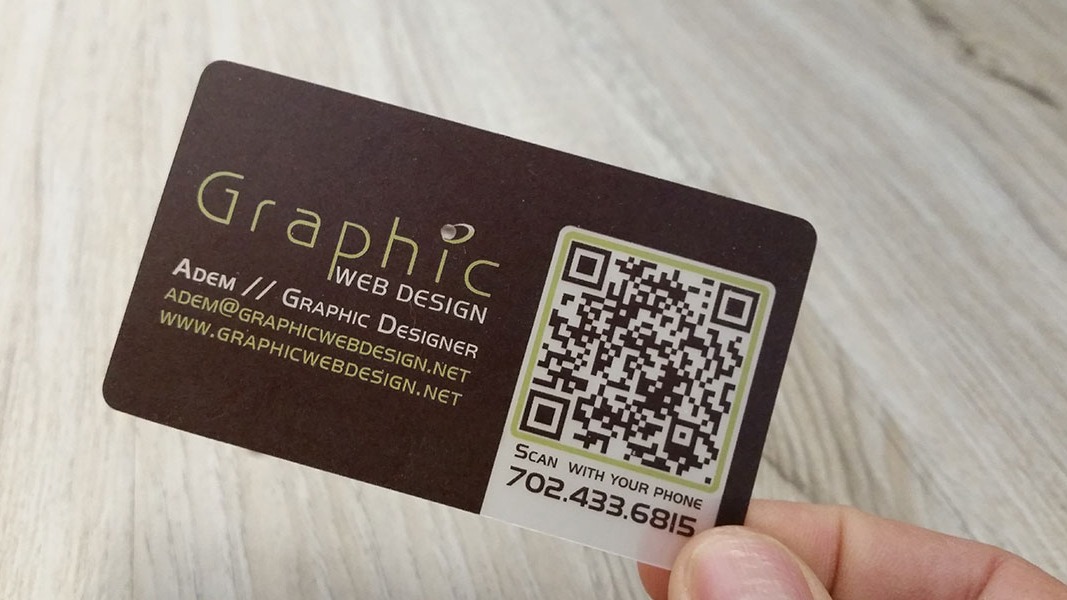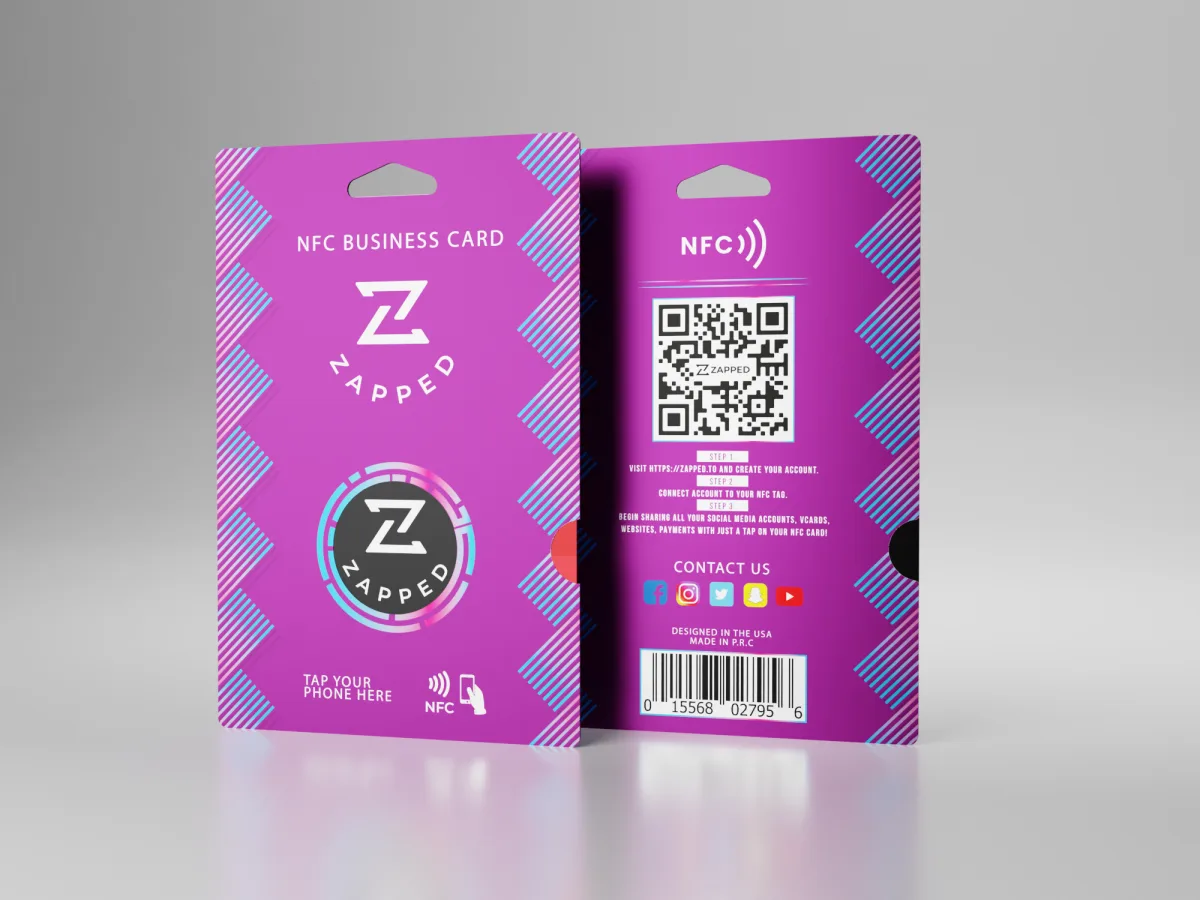
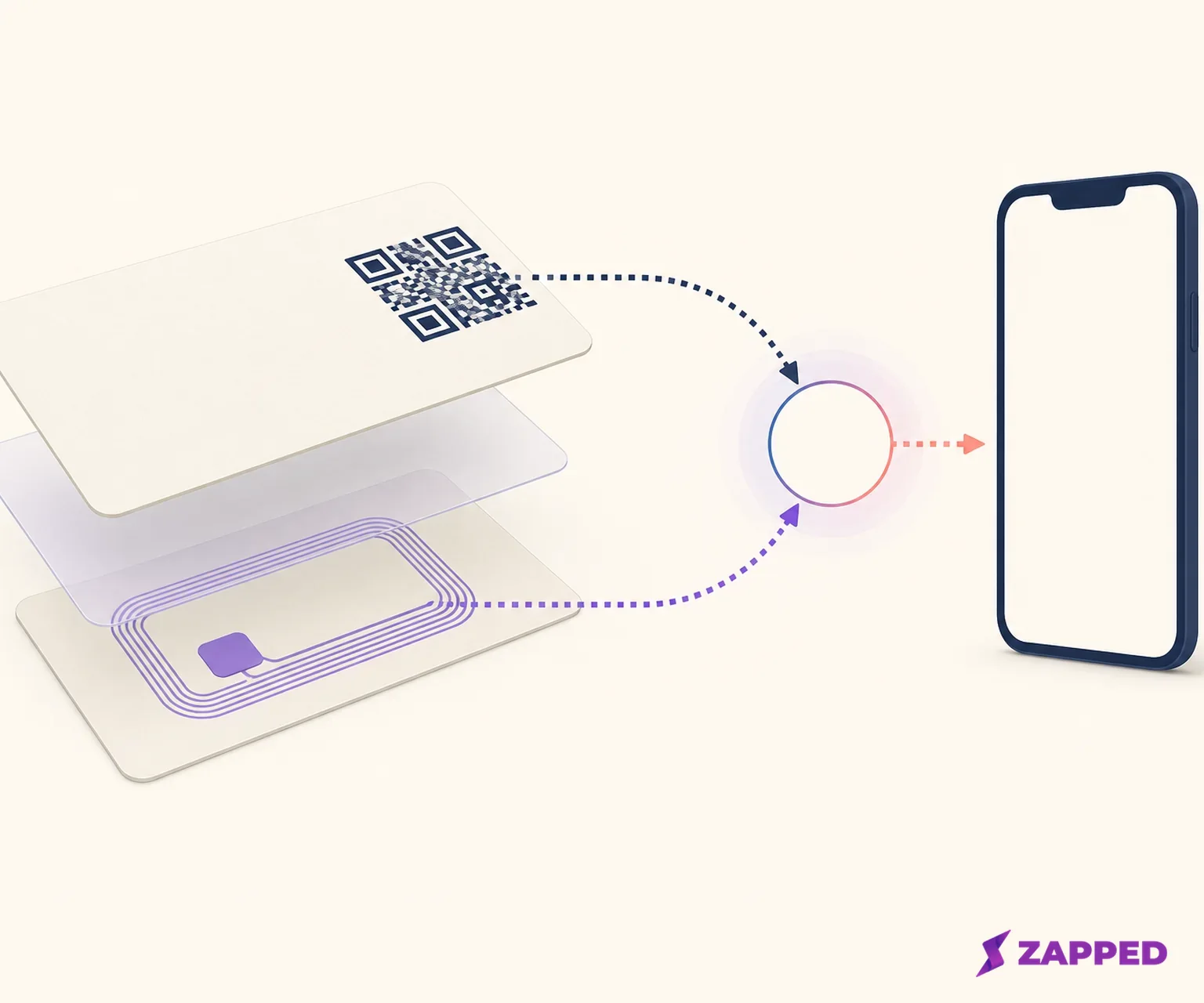
Make one card work for both habits: write one short public HTTPS destination to an NFC tag, then print a QR code that reaches that same destination. Before you order the full run, test the finished card on an iPhone and an Android phone. A detection sound only proves that a tag or symbol was noticed. It doesn't prove that the right page opened.
The clever part isn't putting two technologies on one rectangle. It's giving both routes one destination, then giving that destination an owner after the printer is done.
Start with the destination, not the artwork
Decide where the public destination should lead before you design the card. Use one short HTTPS URI for the NFC NDEF record and the printed QR code. It could be a fixed page, an editable digital profile, or a dynamic redirect. The useful question is simple: will the destination need to change after the cards are printed?
A static QR keeps its information fixed. A dynamic QR uses an updatable destination, so the printed symbol can stay in place when the linked content changes, as the QR Code Generator explains. The same logic applies to the NFC payload. If your phone number, job title, or landing page will change, put an editable destination behind both routes instead of writing an aging detail inside the tag.
Here's the failure that looks most expensive after the fact: the card is polished, but the tap and scan point to different places. Open the exact public HTTPS URI in a browser first. Use that same URI in the NDEF record and the QR source. Save it in the production notes beside the name of the person who can edit it. If a vendor doesn't explain what happens to routing after a subscription ends, treat that silence as a decision, not a footnote.
For a simple fixed contact page, a static QR and a direct NFC URI are easy to own. For a profile that will change, an editable service can make the print run safer, but only if its terms fit the life of the card. The cheapest card isn't the one with the lowest invoice. It's the one you can still repair after the event.
If you're still deciding whether both routes earn their space, our guide to NFC versus QR code business cards covers that choice.
Write a small payload to a suitable tag
For a single URI, choose the smallest NFC tag that comfortably holds the record. NXP lists the Type 2 NTAG213, NTAG215, and NTAG216 with 144, 504, and 888 bytes of user memory respectively. They're all in the NTAG21x family, with 13.56 MHz operation and a listed write area. These memory figures are the buying distinction that matters. A short URI will normally leave the NTAG213 plenty of room. A longer record or future payload may justify the NTAG215 or NTAG216.
Write a URI as an NDEF record. Android's NFC documentation recommends NDEF where possible and describes URI records as a standard way for a phone to find a web destination. Android devices generally look for tags while the screen is unlocked and NFC is enabled, so include that state in your proof instead of calling the tag broken after one failed tap. Apple's Core NFC documentation supports reading NDEF data from NFC tag types 1 through 5. Apple's NFC guidance also notes that background reading is unavailable in some states, including when the camera, Wallet or Apple Pay, or Airplane Mode is in use.
The writing sequence is easy. The confirmation is the part people skip. Write the URI, read the tag back, inspect the stored destination, and open it over cellular data. Repeat that check after the tag is embedded in the finished card. A phone noticing the tag is only step one. The pass condition is the intended public page.
For the general app by app writing sequence, use the programming guide. The production decision here is narrower: write one public URI, read it back, and prove the physical card still presents it.
Give the QR code room to work
A QR code needs empty space around itself. DENSO WAVE specifies a four module quiet zone on every side and recommends four printer dots per module, while making the symbol as large as the available area allows. Keep that quiet zone free of logos, borders, text, and card decoration. The QR isn't ready because it looks crisp on a laptop.
For a practical size floor, the QR Code Generator recommends 0.8 by 0.8 inches for dynamic codes and 1.2 by 1.2 inches for static codes, as its QR size guidance explains. That's a starting point, not permission to squeeze a code into the smallest corner. A payload can need a higher QR version, and a higher correction level increases the symbol size, so choose the physical size with the payload and print surface in mind.
QR Code has four error correction levels. DENSO WAVE identifies Level M's correction rate as 15 percent, while Q or H can suit dirtier environments. Higher correction also increases the symbol size, so choose it with the print surface and handling in mind. A card carried loose in a wallet deserves a more deliberate proof than a clean display card kept behind glass.
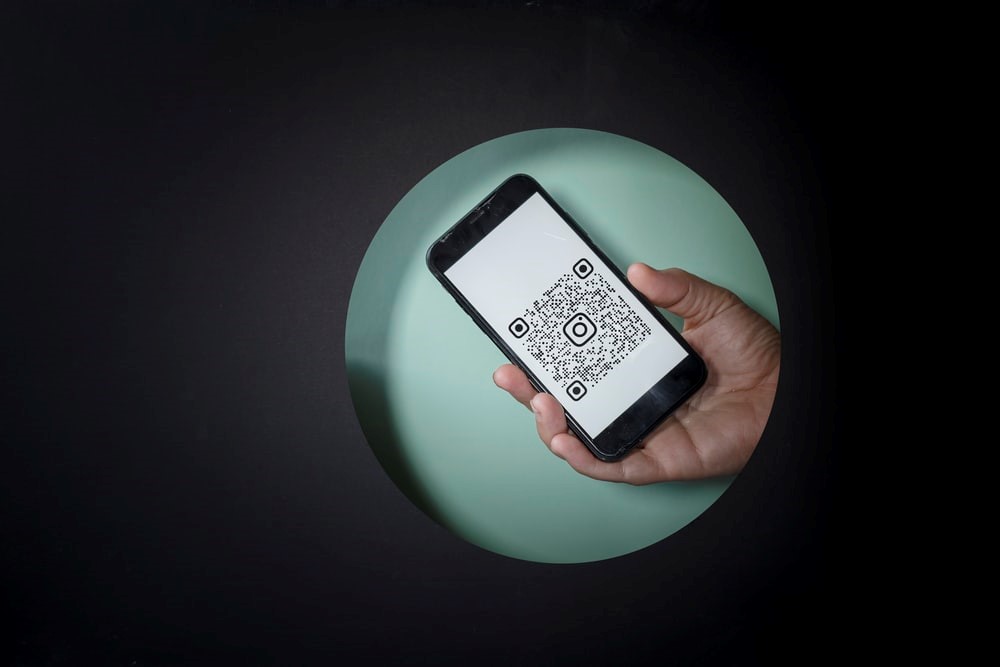
Use strong contrast and export the code without softening it through a low quality image workflow. Keep the destination short so the symbol doesn't become needlessly dense. Print a physical proof at final size, place it on the actual card stock, and scan that proof with the phone camera. If the proof needs to be reprinted, replace the code and test again. Don't let the full quantity become the test fixture.
Choose the card material around the antenna
Paper is the uncomplicated route. MOO's QR Code Business Cards page lists one QR code and 50 cards from $23.00, with Original, Cotton, Super, and Luxe paper stocks. Its checked stock listing puts Original stock at $23.00 for 50 at 16 point, Super at 18 point and $33.00 for 50, and Luxe at 32 point and $43.00 for 50 when checked in August 2026.
Plastic and wood can make sense when the card needs a different feel or more physical durability. TapTag's checked Tap Classic Card listing gives the hybrid route a concrete baseline: $11.95 sale, $15.95 regular, with a free digital profile and a QR code on every card. TapTag says its tap and QR destinations can be changed from a dashboard, with seven day page view analytics for free, unlimited taps and scans, and no subscription for the base product.
Metal needs a separate antenna decision. A metal surface can interfere with the tag, so an on metal NFC sticker uses a ferrite layer to shield the chip and antenna, and is thicker than a standard sticker, according to GoToTags' metal tag guidance. If the card has metal, use a ferrite backed tag or a tested nonmetal window. Don't assume a tag that worked on a desk will work after it is laminated to metal.
Place the QR on an uncluttered area with its full quiet zone. Make the tap area visible with a small cue, but don't put the antenna against an untested material. The recipient should understand both actions without the card turning into a diagram.
Compare the service bill with the card bill
The physical card and the public destination solve different problems. A one purchase card can still depend on a recurring profile or redirect service. Compare those bills separately before you price the run.
| Option | Checked price and included behavior | The decision it fits |
|---|---|---|
| Static QR tool | Unlimited static QR codes at $0. The checked Flex plan shows $5 per month or $60 per year when billed yearly. | A fixed destination, or a team willing to update the card by replacing the destination itself. |
| TapTag Tap Classic Card | $11.95 sale, $15.95 regular, free digital profile, QR on every card, changeable tap and QR destinations, seven day free analytics, and no base subscription. | Physical hardware with editable routing and short term visibility. |
| Blinq Free | Free tier at $0 with two digital business cards, unlimited sharing, and QR sharing. | A small digital setup where the card and QR route are enough. |
| Blinq paid plans | Premium at $9.99 per month for individuals. Business at $6.99 per month per user for teams, with lead capture, event campaigns, CRM integrations, admin management, and team analytics. | A team that needs operational features around the profile. Blinq's pricing page doesn't say what happens to paid QR routing after a subscription ends. |
| Zapped Free | $0 with no credit card, one digital card, five content blocks, and QR, link, and NFC sharing. The card opens in a normal browser, and a Zapped badge appears on Free cards. | One profile with a small amount of content and no recipient app requirement. |
| Zapped Starter or Professional | $14 per month for Starter, $49 per month for Professional, and custom pricing for rollouts of 100 or more cards. QR, link, and NFC sharing are on all three plans. Analytics history is 60, 185, and 365 days respectively. | More cards, longer analytics history, or team and brand controls. |
The dated figures above are monthly prices where a monthly view was supplied, except where a row explicitly says yearly billing. Zapped is our product, so weigh it accordingly. Zapped is a digital card and destination layer. It isn't a card manufacturer or a substitute for a device proof. Its useful advantage here is that the public card can be edited after sharing while the printed QR and shared links keep working. Recipients open it in a normal browser without installing an app or creating an account, as our Zapped public card description shows.
The Free tier is real, but bounded: one card, five content blocks, 60 days of analytics history, and the Zapped badge. That may be exactly enough for a solo card. If a team needs more cards, more history, or no Zapped badge, the plan change belongs in the budget rather than arriving as a surprise after printing.
For the broader question of what belongs on the public profile, see what NFC business cards are. The profile service matters because it controls what the recipient sees after the tap or scan, not because it makes the printed object cleverer.
Put the two routes through the same proof
Test the final physical card, not a screen version and not an unmounted sticker. Use a recent iPhone camera and NFC path, an Android camera and NFC path, cellular data, and a second reader when possible. ZillionDesigns' practical guidance is to test the finished QR and NFC card on multiple real devices and check that links, media, and calls to action work. Its finished card test is the right bar.
The proof should answer four separate questions:
- Does the iPhone camera scan the QR and open the intended public destination?
- Does the iPhone NFC path read the tag under supported conditions and open that same destination?
- Does the Android camera scan the QR and open the same destination over cellular data?
- Does the Android NFC path read the tag with the screen unlocked and NFC enabled, then open the same destination?
Try a second reader when you can. If the card has metal, test the exact placement and orientation you'll ship. Record the device, route, result, and destination that opened. The pass condition isn't a notification, a beep, or a camera outline. It's the same intended public page from both entry points.
If the NFC route fails, first read the tag back and inspect the URI. If it's wrong, rewrite the tag and repeat the finished card proof. If the tag can't be rewritten and the design permits access, replace only the tag while leaving the QR route live. If the QR route fails, regenerate a high contrast code with a full quiet zone, print a new physical proof, and scan that proof before reprinting the quantity.
Name the person who repairs the card
The maintenance owner needs four things in writing: access to the public profile or redirect, the exact destination URI, the NFC rewrite procedure, and the acceptance test for a replacement QR or card. They should also know which changes require a new print run. Editing a live profile can repair the destination without touching the card. Changing the QR itself can't.
Keep the QR and NFC routes pointed at one destination after every profile change. Open the page from both a tap and a scan when the destination changes. If a dynamic service's post lapse behavior isn't documented, use an editable public profile or a self controlled short URL only after confirming that it continues to resolve. A service that's convenient before the print run isn't automatically safe after a plan change.
For Zapped, the maintenance example is simple: edit the live card when the profile details change, then repeat the QR and NFC proof. The printed QR and shared links can keep working after edits, while the Free plan still limits the card to one profile and five blocks. For the tag side at a product level, see Zapped's public sharing description. It doesn't remove the need to test the physical card.
The build worth ordering
Choose one short public HTTPS destination. Write it as an NDEF URI to a suitable Type 2 tag. Print a QR code with four module widths of quiet zone and enough physical area for the payload. Then choose paper, plastic, wood, or a metal build around the antenna rather than around appearance alone.
Order the full quantity only after the final proof opens the same public page from an iPhone tap, iPhone scan, Android tap, and Android scan. Put the destination owner and repair steps beside the production file. If the service terms are unclear, use a destination you control and prove that it keeps resolving before print.
Buy this hybrid card when two different recipient habits are part of the brief and one editable destination will save you from reprinting every small profile change. Skip the dynamic service when you can't verify its plan change behavior. Skip the metal build when nobody will test the antenna in its final material. The card earns its place when both routes stay boringly consistent after the printer is finished.