Someone has just tapped your card. The best digital business card is the one that carries that new connection to the next useful action. Choose Popl or Mobilo when lead capture, enrichment, and event follow-up drive the buying decision; choose Blinq, HiHello, or Wave for a published team price with CRM sync; choose Uniqode for enterprise QR deployment; and choose Zapped when the job is a polished card, team workspace, and analytics without native CRM automation.
The comparison starts after the tap. A good-looking profile is only the first handoff. What matters is whether the new connection becomes a clean record, with the right fields, owner, tag, and next action attached.

The handoff is the product
Picture the end of a busy event. A rep has a phone full of names, a few notes, and several people who said, “send me something.” If those names stay in the phone, the card did its job beautifully, and the sales process still failed.
Judge each platform by five moments: how the contact is captured, which fields are mapped, whether duplicates are caught, what enrichment or notes are added, and how the next follow-up starts. KADO's comparison follows that same path from setup and sharing through contact capture, contact management, follow-up, and integrations. That's a more useful frame than comparing templates alone. KADO traces the full contact path.
That frame changes the shortlist:
- Popl is the strongest fit when the lead needs qualification before CRM sync. It documents custom mappings and logic by subteam, duplicate detection, smart tagging, and enrichment, with team analytics and role-based restrictions around the workflow.
- Mobilo suits teams that want a named CRM destination and a webhook-based handoff. Its native integration list includes Salesforce, HubSpot, DealCloud, Zoho, Pipedrive, Monday, Slack, Microsoft Outlook, Microsoft 365, Microsoft Dynamics, MailChimp, Calendly, Airtable, and Google Sheets.
- Blinq makes the most sense when the card, contact scanner, AI notes, enrichment, and CRM connection need to live in one polished team workflow.
- HiHello and Wave are practical published price options for teams that want lead capture, CRM sync, templates, and analytics without starting with a custom quote.
- Uniqode is aimed at enterprise QR and campaign work, where required fields, attribution, lifecycle controls, and automated follow-up matter as much as the profile.
- Zapped is the lighter route when you need QR, link, and NFC sharing, team workspaces, and analytics. Zapped's center of gravity is card creation, sharing, capture, and analytics, not deep CRM follow-up automation.
The obvious answer is often wrong here. A platform with the longest integration list can be wasteful if the team only needs a shareable card and basic analytics. A beautiful card can be the wrong purchase if nobody owns the contact after the meeting.
The shortlist, with the price attached
The prices below were checked between August 4 and August 18, 2026, with Zapped's pricing captured on August 4 and the other listed prices checked on August 18. They're not interchangeable: some are per user, some are per employee, some are monthly plans, and some are the starting point for a quote conversation.
| Platform | Published entry point | CRM and capture path | Team and analytics signal | Hardware or caveat |
|---|---|---|---|---|
| Popl | Team pricing is custom quote | Custom mappings, duplicate detection, tags, qualification, enrichment | Unlimited users, events, and leads on the team plan; subteams and team analytics | No numeric team price is published |
| Mobilo | Pro $0; Teams $4 per employee monthly billed annually | Native CRM destinations, custom forms, webhook fields, and 6,000 plus apps through Zapier | Team management and brand control on Teams | Team card costs and CRM add-ons are separate |
| Blinq | Free $0; Premium $9.99 monthly; Business $6.99 per user monthly | Lead capture, CRM integrations, contact scanner, AI notes, and enrichment | Templates, provisioning, user management, attribution, and team analytics | Public Business pricing does not say what happens after subscription end |
| HiHello | Free; Business $5 per user monthly for 5 to 100 users | Lead capture, enrichment, CRM integrations, and directory sync | Team analytics, templates, SSO; Enterprise adds SAML and SCIM | Enterprise is custom for 101 or more users |
| Uniqode | Free first card; Team from $6 per user monthly | HubSpot and Salesforce sync, automated follow-ups, required fields | Campaign and engagement analytics, templates, and card lifecycle controls | Business Plus is custom-priced |
| Wave | Free $0; Pro $7 monthly; Teams $5 per user monthly with 3 seat minimum | CRM sync, event lead capture, auto tagging, and shared lead dashboard | Admin control, bulk edits, locked content, and templates | Event lead capture is priced by annual lead volume on Enterprise |
| Zapped | Free $0; Starter $14 monthly; Professional $49 monthly | Card sharing, capture, and analytics rather than deep CRM automation | Workspaces, member seats, roles, and 60, 185, or 365 days of analytics history | Free is 1 card and 5 blocks; Professional removes the Zapped badge |
The table gives you the shape of the decision. Now find the point where your process actually breaks.
Best for CRM-led lead capture: Popl
Popl is the best starting point when the card is really the front door to a qualification process. Its team plan uses a custom quote, but the published terms say unlimited users, events, and leads, with no seat restrictions, usage restrictions, or extra fees for CRM integrations or custom qualifiers. That matters to an event-heavy team that would rather budget around workflow than count seats.
The useful part is the logic before the record lands. Popl documents custom CRM mappings by subteam, duplicate detection, smart tagging, lead qualification, and enrichment before CRM sync. Its enterprise offering adds card templates, subteam groups, role-based restrictions, HR integrations, SSO, lead capture, and team analytics. Popl's mapping and qualification details are documented in the enterprise offering.
Pick Popl when different teams need different capture rules or when a qualified lead is more valuable than a fast contact save. Skip it when a quote-only buying process is itself a rollout risk. Ask for the exact fields, duplicate rules, enrichment behavior, and export path in the proposal, not in a hopeful assumption about what “CRM integration” means.
Best for a native CRM and webhook handoff: Mobilo
Mobilo is a strong fit when you already know where the lead should go. Its native integration list covers Salesforce, HubSpot, DealCloud, Zoho, Pipedrive, Monday, Slack, Microsoft Outlook, Microsoft 365, Microsoft Dynamics, MailChimp, Calendly, Airtable, and Google Sheets. Its webhook captures standard lead fields before creating or updating CRM records, giving the team a concrete handoff to verify. Mobilo's native integrations FAQ documents those destinations and webhook behavior.
The pricing has more moving parts than the first number suggests. Mobilo lists Pro at $0 per month with unlimited taps, leads, contacts, and cards, analytics, custom lead capture forms, and connections to more than 6,000 apps through Zapier. Teams is $4 per employee per month billed annually, and CRM integration and automation is a separate $10 per employee per year team add-on. Lead enrichment is another $10 per employee per year team add-on. Mobilo lists the team plan.
Hardware is separate too. The team hardware table lists a custom classic card at $10, wood at $20, and metal at $50, each as a one-time cost. Mobilo lists those card costs separately from the software and add-ons.
Mobilo earns the call when the integration destination and event capture are clear. It's less attractive when the team compares only the $4 figure and discovers later that the CRM and enrichment layers change the bill.
Best published team price: Blinq, HiHello, or Wave
These three sit in the useful middle of the shortlist. You can see a team figure before booking a call, but the differences show up once you ask what the team actually needs.
Blinq has a $0 Free plan with two digital business cards, unlimited sharing, unlimited contact creation, QR, widget, email and SMS sharing, wallet support, an email signature, and virtual backgrounds. Premium is listed at $9.99 per month billed monthly and adds up to five cards, a contact scanner, AI Notetaker, AI contact enrichment, export, and custom design. Business is $6.99 per user per month billed monthly, with team cards, controlled signatures, templates, automated provisioning, lead capture, attribution, CRM integrations, and user management.
Its CRM story is unusually specific. Blinq says the team workflow connects with Salesforce, HubSpot, Dynamics, and more than 6,000 apps through Zapier. It also says AI Notetaker can send a transcript, summary, and next steps to the CRM contact. Blinq's CRM note handoff is described in its business workflow.
Blinq is the choice for a small team that wants a polished profile and a more thoughtful note layer. There's one silence worth treating as a buying question. The public Business pricing page doesn't say what happens to cards or CRM records when the subscription ends, checked in August 2026. Get that answer before importing a team.
HiHello Business is listed at $5 per user per month for 5 to 100 users, or $60 per user per year. It includes team cards, lead capture, enrichment, team analytics, templates, CRM integrations, SSO, and directory sync. HiHello says anyone can use it free, while Professional is for individuals and Business is intended for teams with five or more people. Enterprise is custom for organizations with 101 or more users and adds organization analytics, SAML, SCIM, department templates, security controls, a dedicated account manager, and implementation support. HiHello publishes its team threshold.
HiHello is the cleanest match when directory sync and identity controls matter as much as the card. The five user starting point matters. A four person team should not quietly price itself as a five person team and call that a comparison.
Wave keeps the same transparent shape. Free is $0, Pro is $7 per month with CRM sync, and Teams is $5 per user per month with a three seat minimum. Teams adds admin control, bulk edits, templates, locked content, a shared lead dashboard, and automatic tagging for event leads. Enterprise is custom, with volume pricing, SSO, SCIM, assisted onboarding, and event lead capture priced by annual lead volume. Wave separates its event lead layer.
Wave is a practical pick when the team wants shared administration and event reporting at a visible price. The three seat minimum is the detail that decides whether the headline price is useful to you.
Best for enterprise QR and campaign control: Uniqode
Uniqode is the better fit when the digital card is one part of a larger QR deployment. It starts with a free first card, lists Team from $6 per user per month, and offers a custom-priced Business Plus plan. The platform names HubSpot and Salesforce integrations, real-time contact sync, automated follow-ups, and analytics for scans, views, clicks, location, Google Analytics, Meta Pixel, and Google Ads.
The operational controls are the reason to look at it. Uniqode documents team templates and required fields, plus QR, link, wallet, badge, and paper card lead capture. Admins can update, reassign, or deactivate cards when someone leaves. Uniqode describes card reassignment and deactivation.
Pick Uniqode when attribution and lifecycle ownership are part of the requirement. If the team only needs one profile, a QR code, and a basic analytics view, the enterprise shape may be more system than the habit requires.
Best lighter route for card sharing and analytics: Zapped
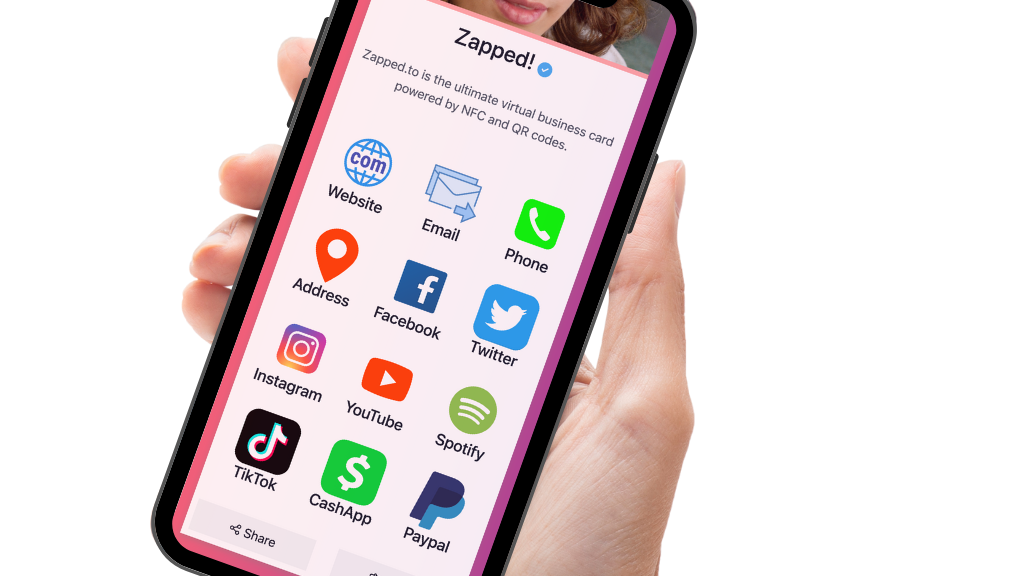
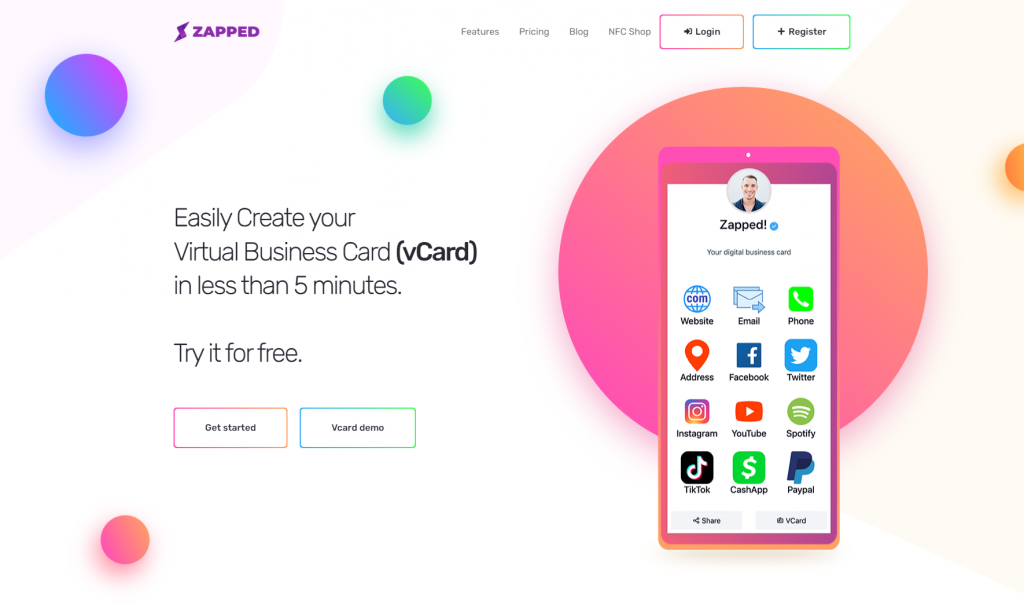
Zapped belongs in this comparison when the buying question is card sharing, workspace control, and analytics rather than native CRM automation. Its card opens from a QR code, NFC tap, or link in a normal browser, so the recipient can save the details without installing an app. That removes a common point of friction at the exact moment the relationship starts. See how that works in Zapped's browser card handoff.
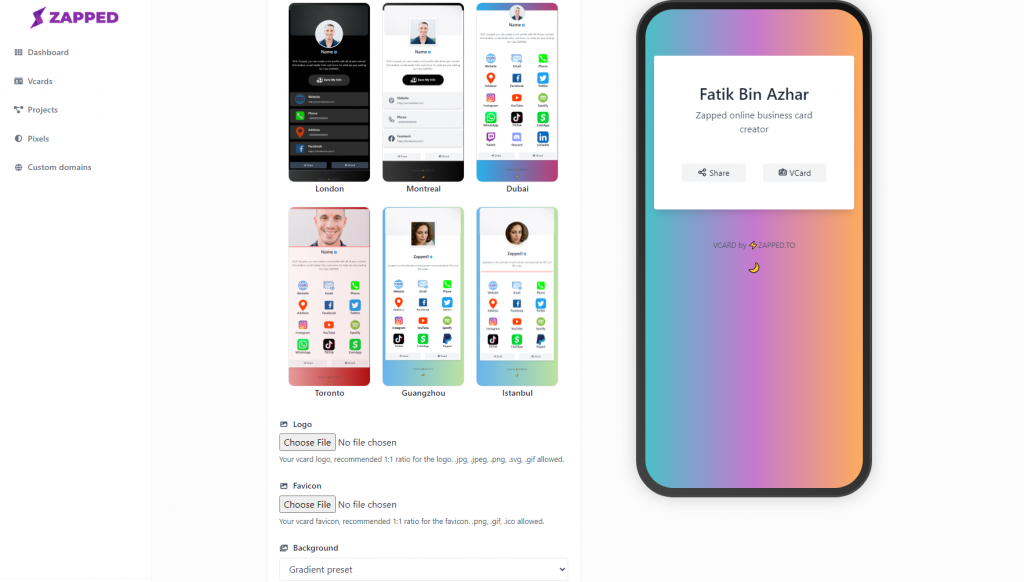
The monthly pricing checked in August 2026 is Free at $0, Starter at $14 per month, and Professional at $49 per month. Free gives you one card, five blocks, QR, link, and NFC sharing, plus 60 days of analytics history. Starter raises that to 15 cards, two workspaces, and 185 days. Professional gives 100 cards, five workspaces, ten members per workspace, 365 days of history, branded domains, API access, and no Zapped badge. Our Zapped pricing section has the monthly plan figures.
That's a useful product boundary, not a flaw to hide. Zapped is a lighter route for a polished public card, campaigns, workspaces, and analytics. Zapped isn't built for cases where the core requirement is automated CRM qualification, enrichment, or follow-up. The Free plan also remains one card with five blocks, and the Zapped badge stays until Professional.
What the cheapest plan leaves out
The lowest number is not the rollout cost. Put the software price beside the capture method, the team minimum, the add-ons, and the card itself.
Mobilo's $0 Pro plan can be a sensible starting point, but a team may add $10 per employee per year for CRM integration and automation, another $10 per employee per year for enrichment, and a one-time card cost of $10, $20, or $50 depending on material. Wave's $5 team price starts at three seats. HiHello's $5 Business price starts at five users. Popl starts with a quote, which can be good value at volume and hard to compare at the buying desk.
Hardware should stay in its own column. Linq lists a plastic card at $14.99 and a metal card at $39.99, says an active Linq One subscription is required to activate and use the card, and describes the cards as scratch and water resistant. Linq explains its subscription requirement. A physical card may improve the share moment, but it doesn't prove anything about CRM mapping.

For a real comparison, write down the first-year total for the smallest useful pilot. Include seats, card purchases, CRM or enrichment add-ons, event lead volume, and the cost of moving off the platform if the workflow fails. That number will tell you more than a list of features.
The controls that matter after someone leaves
The uncomfortable test is not the first share. It's the team member who changes role, leaves, or hands an account to someone else.
Before rollout, ask every vendor the same four questions: Can an admin deactivate the old card? Can the card be reassigned without breaking the QR or link? Who owns the captured CRM records and notes? What can the team export if the subscription lapses?
Uniqode gives a clear public answer for the first two. Admins can update, reassign, or deactivate cards when someone leaves. Blinq's public Business pricing page doesn't state what happens to cards or CRM records after the plan ends. That silence is not a reason to invent a failure, but it's a reason to put the question in writing.
The broader team question deserves its own pass, especially if approved templates, member roles, workspace ownership, or deactivation rules will decide the rollout. See our team card rollout guide before you commit to a shared workspace model.

Run the smallest useful pilot
Don't roll out 100 cards to discover that the CRM receives a name but not the event, owner, or note. Start with one card, one capture form, one CRM field mapping, one follow-up rule, and one export or reassignment check.
The pilot should answer concrete questions:
- Can a recipient open and save the card without installing an app?
- Does the captured contact land in the intended CRM record or create a duplicate?
- Do the right tags, owner, notes, and next steps arrive with it?
- Can a team admin edit, reassign, and deactivate the card?
- Can the team see enough analytics history to judge the event or campaign?
- Can someone export or recover the useful data if the plan changes?
For the technical shape of that handoff, read our NFC to CRM guide. The tap is only the opening move. The browser page, capture form, field mapping, and follow-up rule are what turn it into a process.
The verdict
Popl earns the call when qualification, custom mapping, enrichment, and subteam logic are the center of the workflow. Mobilo is the better bet when you already know the CRM destination and want a broad native integration list or webhook handoff, provided you price the add-ons and hardware with the plan. Blinq, HiHello, and Wave make more sense when a team wants visible pricing and practical administration. Uniqode is built for QR campaigns, attribution, required fields, and card lifecycle controls.
Zapped is the clean choice when the real need is a polished card that opens in any browser, with QR, link, NFC, team workspaces, and analytics. Zapped's Free, Starter, and Professional plans are easy to price. Its lighter CRM position is clear, too.
If the contact never becomes a usable record, the tap was only a nice entrance. If the sales workflow is already covered and the team only needs a card people will actually share, a heavy lead platform is money spent solving the wrong problem.