You have a name, an email address, or a saved contact from a conversation. Now the blank compose window is asking you to sound natural, specific, and worth answering. That is hard because a cold introduction, a warm follow up, and a thank you do not ask the recipient for the same kind of attention.
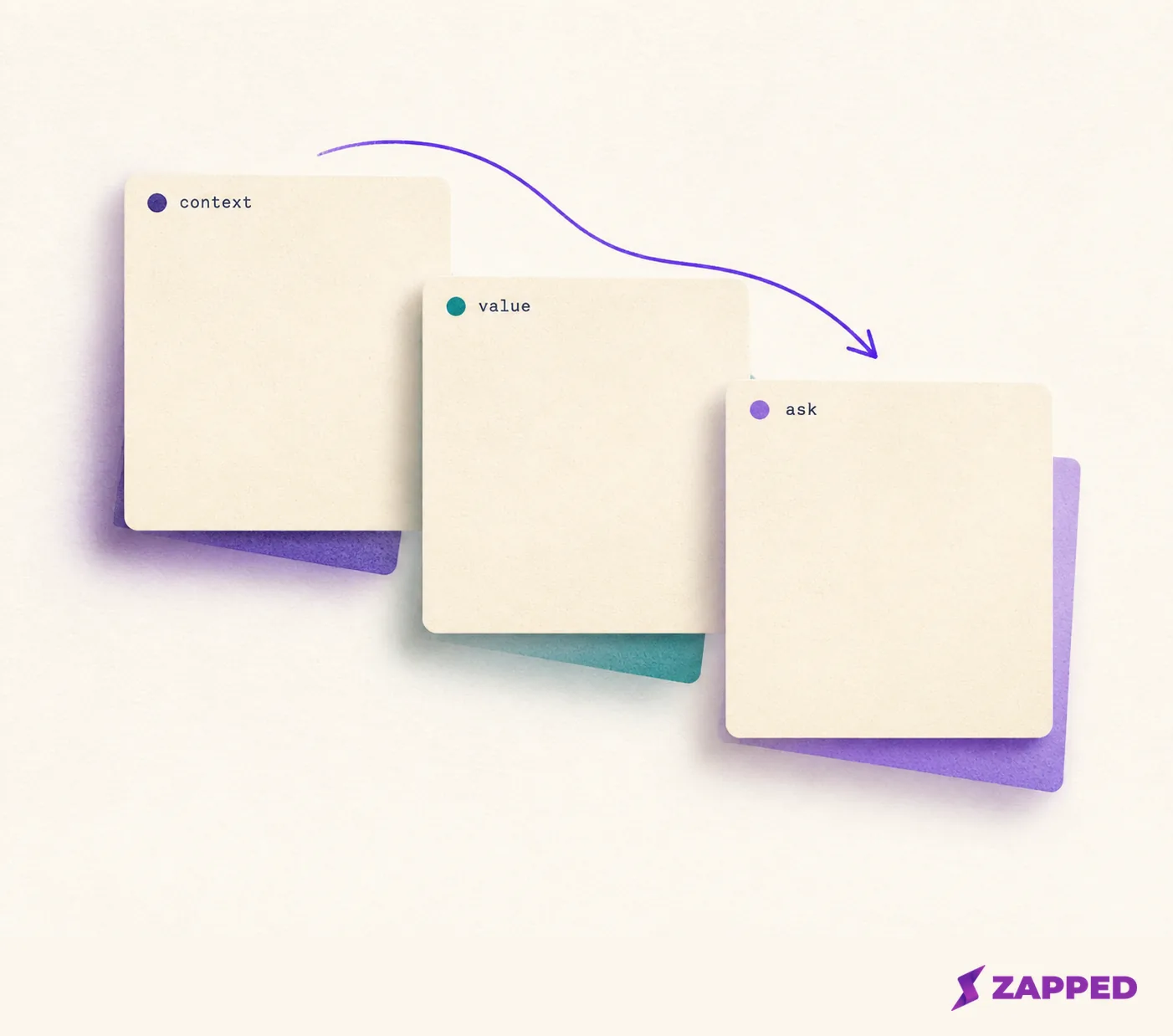
Choose the template by the relationship state, not the recipient's job title. A cold introduction needs context. A warm follow up needs one accurate detail. An informational interview needs one time ask. A thank you needs a specific takeaway. A no response nudge needs a stopping point in the original thread.
Before sending, replace the brackets with one real detail and one easy next step. The useful networking email is the one that lets the recipient answer, “Why are you writing to me, and what would you like me to do next?”
The relationship state decides the message
Template libraries separate messages by situations such as a new connection, a stranger, a recent application, or an introduction between two contacts. Those situation based template groups are more useful than a universal script because they tell you what context and ask belong in the message.
| Situation | Give the recipient | Make this ask |
|---|---|---|
| Cold introduction | How you found them and why their work matters | A brief conversation about one topic |
| Recent conversation | Where you met and one detail discussed | One useful next exchange |
| Informational interview | What you are exploring and why their experience helps | 15 to 20 minutes |
| Thank you | The idea, lead, or referral you took away | Appreciation and your next action |
| No response | A reminder with the earlier context | A low pressure reply, or permission to close the loop |
The table is the decision. The template is only the starting material.
Cold introduction
The recipient needs to place you quickly: who you are, how you found them, why their work is relevant, and what small conversation you want. Forbes's 15 minute example supports that constraint, not a promise of a reply.
Subject: Question about [specific topic]
Hi [Name],
I’m [your role or current focus]. I found your work through [specific source, project, talk, or person], and your experience with [skill or project] is relevant because [one honest reason].
I’m trying to understand [one named question]. Would you be open to a 15 minute conversation during [two reasonable windows]? I’d be glad to work around your schedule.
Thank you,
[Your name]
[Your email and one useful contact detail]
The honest reason does the work here. A generic compliment gives the recipient no way to tell why this message reached them.
Warm follow up
After a brief meeting, name where you met, what you discussed, and why continuing makes sense. The Muse's networking templates use those details and a relevant resource.
Subject: Good meeting you at [event or place]
Hi [Name],
It was good meeting you at [event or setting] on [day]. I enjoyed our conversation about [specific topic], especially your point about [detail you remember].
You mentioned [resource, project, or next step]. I [read it, looked into it, or took the next action], and [one useful result]. Would you be open to [one next step] during [time window]?
Thanks again,
[Your name]
If you cannot remember enough to write this honestly, do not manufacture a detail. Say where you met, name the broad topic, and ask one low pressure question. An accurate, modest follow up is stronger than a vivid memory you do not actually have.
Informational interview
This message needs one clear question and one contained time request. State what you are exploring, connect it to the recipient's experience, and offer a short window. The University of Chicago's structure identifies the sender, connection, goal, and 15 to 20 minute request.
Subject: Could I ask about [role, field, or experience]?
Hi [Name],
I’m [your role, school, or current focus], and I’m learning more about [field or work]. I came across your work through [specific source], and your experience with [project or transition] is close to what I’m trying to understand.
Would you be willing to speak for 15 to 20 minutes about [one named question]? I’m available [two windows], but I’m happy to work around your schedule.
Thank you for considering it,
[Your name]
[Your email]
Do not add a job referral, portfolio review, and introductions to other people. One question is answerable. A list of favors turns a short conversation into an assignment.
Thank you
A thank you becomes useful when it names what the other person gave you and what you will do with it. The University of Chicago's examples support recalling conversation details, acknowledging a referral, and explaining the next action. Its sample networking emails show why the detail is the thank you. Harvard's examples support a clear request, appreciation for the recipient's schedule, and an identifiable signature. Its sample thank you notes support those points.
Subject: Thank you for [specific conversation or introduction]
Hi [Name],
Thank you for speaking with me about [topic] on [day]. Your point about [takeaway] changed how I’m approaching [project, search, or decision]. I’m going to [next action] this week.
I also appreciate [the introduction, lead, resource, or suggestion]. If I can return the favor by [specific useful action], please let me know.
Best,
[Your name]
[Your email and one useful contact detail]
The next action keeps the note from becoming ceremonial. It gives the recipient a reason to believe their time moved something forward.
No response
Reply in the original thread. Keep the nudge short, ask the same small question, and stop after a bounded sequence. A community member's no response workflow illustrates that approach, without making its timing or count a rule.
Subject: Re: [original subject]
Hi [Name],
Just following up on my note about [specific topic]. If a 15 minute conversation is useful, I’m available [one or two windows]. If now is not a good time, no worries.
Best,
[Your name]
After the sequence, close the loop. Do not restart with longer explanations or new subject lines. Wait for a genuine reason to reconnect, such as useful information or a real update. See the broader follow up guide for ongoing contact.
Personalize without writing a biography
Personalization has a simple test: use one detail that explains why this person, one detail that proves the message is not generic, and one easy next step. Choose a source, project, talk, referral, conversation detail, accomplishment, or useful result. Indeed's advice on unique details gives the test: if the paragraph could go unchanged to ten people, revise it.
You do not need to summarize your entire background. The recipient needs enough context to place you and enough specificity to answer the ask. Remove every extra request that does not help with that next step.
Keep the contact handoff separate
Zapped can hold contact details, links, a profile image, and next actions on a public vCard. Its setup path includes email, phone, website, or booking blocks, plus a phone preview. See the Zapped vCard setup guide for that handoff.
A card can be shared by QR code, NFC tap, or link, and its public page can expose a vCard download when enabled. Zapped offers browser saving paths, described on our public site, but Zapped doesn't list sending networking emails or scheduling reminders as features. Use the saved details to verify the contact, then send and track the relationship in your own mail and calendar.
If the card needs a correction, update it before sharing widely. A Zapped public card can be updated without changing its link, and previewing it on a phone is recommended. Preview the card on your phone, then confirm any available vCard download. The card preserves the handoff. Your email still has to carry the relationship.
Make the last check
Before sending, confirm four things:
- The subject gives enough context.
- The opening contains one real connection.
- The body makes one ask.
- The signature gives your name and contact method.
Then choose the relationship state, add one real detail, make one request, and use a bounded nudge when there is no reply. Your email and calendar carry the relationship.