You should send a short, personal email when you have a real reason to stay in touch, usually within 24 to 48 hours. Name where you met, recall one detail from the conversation, explain why you’re writing, and make one small next step easy to accept or decline.
The hard part isn’t finding a clever line. It’s deciding what this conversation honestly supports. A generic “great meeting you” message makes the other person do the work of remembering you. A large request makes a friendly introduction feel like a trap. Start with the intention, then build the email around the shared moment.
First decide whether there’s a reason to write
Not every new contact needs an email. Send one when you can name the reason in plain language: you want to thank them for a useful thought, share something relevant, ask for advice, offer an introduction, explore collaboration, or simply keep the connection warm. A brief thank-you is enough when that’s the truth.
If you can’t remember a genuine detail or explain what you hope the message will do, wait. Don’t invent a personal connection from a name on a badge, and don’t turn a thin conversation into a broad pitch. Leaving someone alone is more respectful than making them decode an artificial reason for contact.
Before you open the draft, try to finish this sentence: “I’m writing because…” If you reach for “I thought it would be good to connect,” you may not have a reason to send anything yet.
Let the timing match the conversation
The default is 24 to 48 hours. Send sooner when the interest was active or the person gave you a clear opening. Give yourself a day or two after a casual exchange, especially if you’re simply trying to stay in touch. The goal is to preserve the context while it’s still recognizable, not to behave as if every introduction is an emergency.
Indeed’s timing advice is to follow up within 24 hours, with the event or place in the subject line and a specific reminder in the opening. Hunter allows a 24 to 48 hour window and makes the useful distinction that the email should deepen the relationship rather than disguise a sales pitch. That’s the balance to aim for: prompt enough to be memorable, light enough to fit the moment.
If the conversation ended with an explicit question, an offered introduction, or a request to send something, move quickly while that promise is easy to find in both inboxes. If it was a pleasant ten-minute exchange at a crowded event, a thoughtful message tomorrow is better than a rushed note sent before you’ve decided what you mean.
For the broader question of what to do after meeting someone professionally, see how to follow up after networking. This email is one moment in that larger habit, not a substitute for it.
Make the opening prove the meeting happened
The subject should help the recipient place you without making them guess. Use your name and the event or place where you met, then add a shared interest when it’s natural, following Indeed’s subject and opening guidance. “Great meeting you” isn’t wrong, but it’s doing almost no work.
In the first paragraph, identify yourself, name the event, and recall one concrete detail. It might be the question they raised about hiring, the book they recommended, or the problem you discovered you both work on. Keep the detail accurate and small. You’re helping their memory, not writing a witness statement.
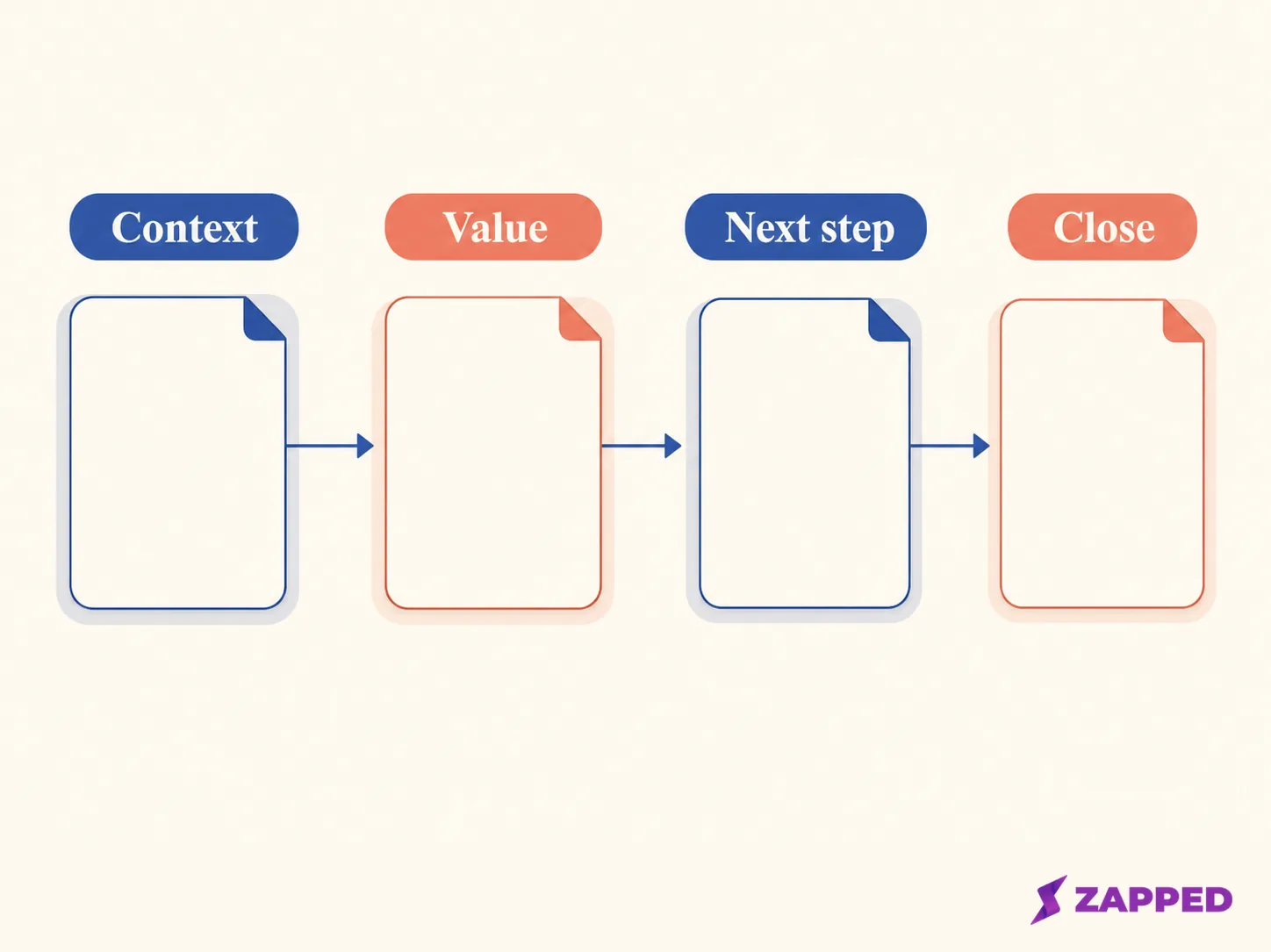
The body can follow four moves:
- Context: Say where you met and mention the specific thread you shared.
- Value: Thank them, send the resource you promised, offer a useful introduction, or explain what their advice clarified.
- Next step: Ask for the smallest action that matches the relationship.
- Close: Make it easy to respond, and end with a respectful sign off.
That structure keeps the message personal without making personalization performative. One real detail beats a paragraph of praise.
Choose the ask the conversation can carry
A thank-you can end with “I enjoyed the conversation and hope we cross paths again.” It doesn’t need a hidden request attached. If you promised a resource, send it and say why it connects to what they told you. A useful introduction should name both people and explain the reason for making it.
An informational conversation needs a little more precision. The Harvard networking email guidance recommends making a clear request for time and advice, with the size of the ask matched to the relationship. Say what you want to learn, respect the person’s time, and offer two possible times rather than asking vaguely to connect.
Here’s the pattern in one worked message:
Subject: The hiring question from the Toronto Product Meetup
Hi [Name],
It was good meeting you at the Toronto Product Meetup on Tuesday. I kept thinking about your point that small teams need a clearer handoff between research and support.
I’m working through that problem on my own team, and your example gave me a useful angle. If you’re open to it, I’d value 20 minutes to hear how you decide what belongs in the handoff. I can do Tuesday at 10 a.m. or Thursday at 2 p.m., and I’m happy to work around you if neither fits.
Thanks again for the conversation, [Your name]
The specifics in that message are placeholders for the details you actually remember. Keep the topic, time request, and proposed times only when they’re honest. If the conversation supports a thank-you but not a meeting, stop after the thanks. A small ask isn’t timid. It’s calibrated.
Decide whether contact saving would help
Sometimes the useful next step isn’t another paragraph in the email. It’s making sure the person can save your details without hunting through an old inbox. Zapped shares a digital card by link, QR code, or NFC tap, and the card opens in a normal browser so a contact can save the details without installing an app.
Use that as an optional convenience after the personal message, not as a replacement for it. “Here’s the card with my contact details in case it’s useful” can reduce friction when you have a reason to stay in touch. It can’t supply the missing reason, and it isn’t proof that the recipient read your email or wants a relationship.
Read it aloud before you send it
Keep the message in clear paragraphs. Use a respectful close. Then read it aloud, as Indeed advises, and listen for the sentence that sounds larger than the relationship supports. That sentence is usually the ask.
Check four things in the final pass:
- The subject lets the recipient place you.
- The opening includes the event and one true detail.
- The message has one purpose, not a thank-you, pitch, referral request, and meeting demand stacked together.
- The close gives the recipient room to decline without managing your feelings.
Don’t keep polishing a message whose basic intention is unclear. Editing can’t turn a borrowed reason into a real one.
If there’s no reply, make one useful attempt
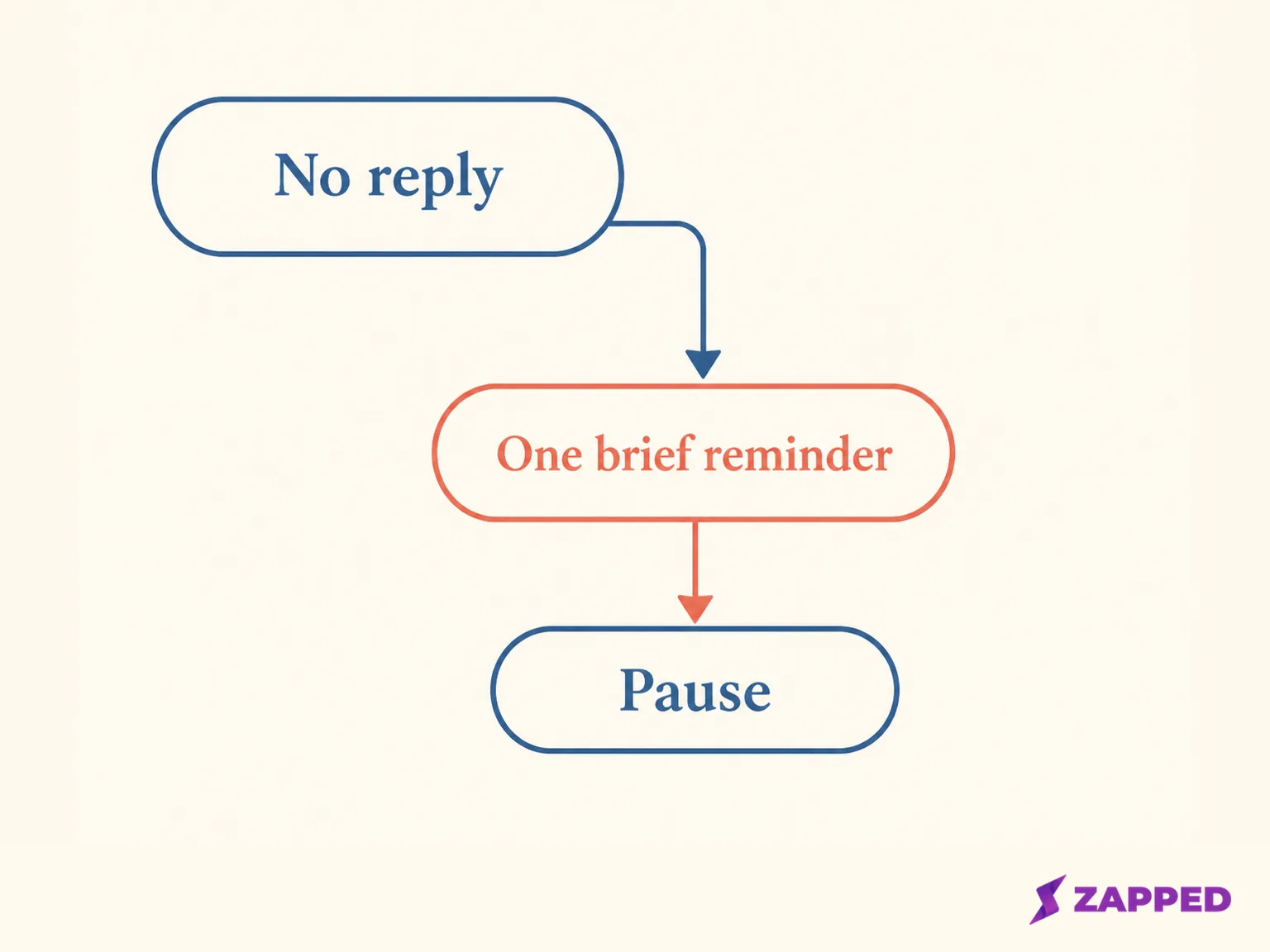
Silence isn’t an invitation to increase the pressure. Wait, then send one short reminder that names the original context and offers a specific, easy-to-decline next step. Hunter recommends no more than two follow-ups before waiting for a natural reason to reconnect. That’s a ceiling, not a quota.
Your reminder might be as simple as:
Hi [Name],
Just circling back on the note about [specific topic] from [event]. If a short conversation would be useful, I can do [time] or [time]. No worries if now isn’t a good time.
Best, [Your name]
If there’s still no reply, stop. Don’t send a sequence that grows more elaborate each time. Reconnect later when you have a natural reason, such as a resource that directly answers the earlier conversation, an introduction that genuinely helps, or a relevant event. Until then, let the unanswered message remain unanswered.
Use measurement to improve the next conversation, not to chase this one
If you want to learn which networking moments create engagement, Zapped’s dashboard can show views, saves, clicks, scans, sources, and follow-up paths for a shared card. Zapped’s digital card and analytics can help you see what happens after someone receives your details, but it’s a contact and measurement layer, not an email sender or a CRM sequence.
That distinction matters. A view isn’t a reply. A scan isn’t permission to follow up again. Use the signal to notice which events, introductions, or resources create useful movement, then let the relationship itself decide what happens next.
The rule to keep
Before sending, choose the honest purpose, the detail that will jog their memory, and the one next step you’re willing to make easy. If those three pieces fit together, send the note while the conversation is still fresh.
If you can’t name the detail or the reason, send a thank-you only if it’s true, or leave the contact alone. If the first email gets no answer, allow one brief reminder and at most one more total follow-up, then wait for a natural reason to reconnect. The best networking email isn’t the cleverest one. It’s the one that leaves the other person with a clear, proportionate choice.