Your Instagram handle can work well on a business card, but it has to be readable, recognizable, and easy to type. A tiny icon by itself is usually not enough.
Quick answer
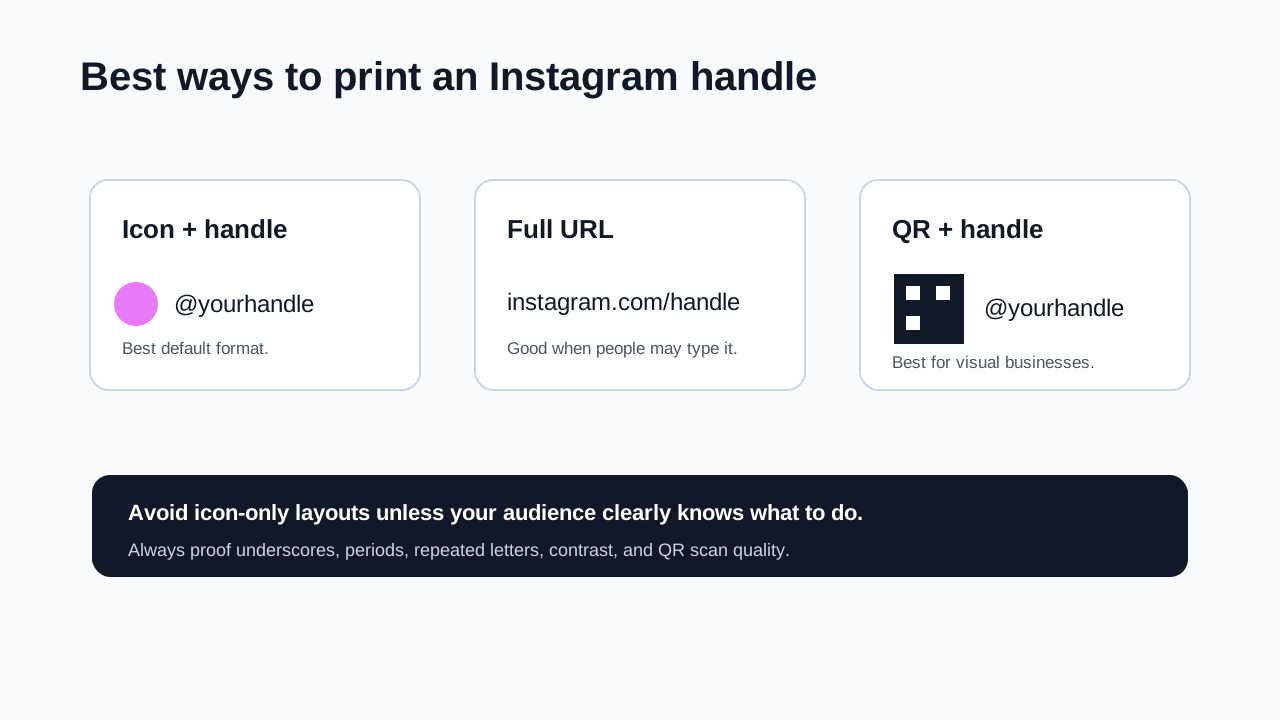
Write your Instagram handle as @yourhandle near your other contact details. If the handle is long, hard to spell, or central to your business, add a QR code or profile URL as a backup. For most cards, the best format is the Instagram icon plus @yourhandle, with a QR code only when Instagram is a main action.
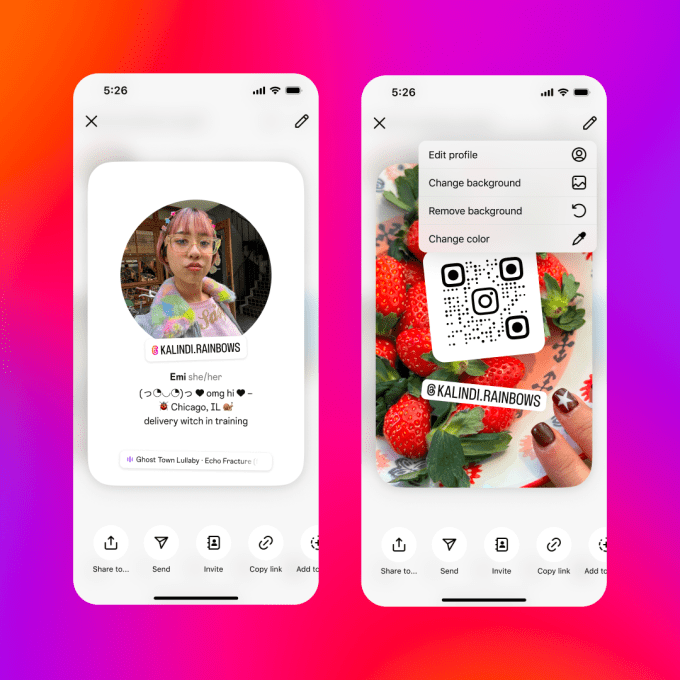
Visual reference: Instagram profile card screenshot credited to Instagram in TechCrunch's profile card coverage.
Best Instagram formats for a business card
| Format | Example | Best for |
|---|---|---|
| Handle only | @zappedto |
Clean cards where people know Instagram |
| Icon plus handle | Instagram icon + @zappedto |
Most business cards |
| Profile URL | instagram.com/zappedto |
Audiences who may type the link manually |
| QR plus handle | QR code + @zappedto |
Creators, salons, restaurants, retail, portfolios |
| Digital profile QR | One QR that includes Instagram and contact actions | Cards that need more than social follow-up |
Do not use only the Instagram logo unless your card has almost no other text and your audience will immediately understand the action.
How to write the handle
- Confirm the exact Instagram username in your profile.
- Write it with the
@symbol, for example@yourhandle. - Keep the spelling and capitalization simple.
- Place it with your website, phone, email, or QR code.
- Print a test card or PDF proof.
- Ask someone to type the handle from the proof.
- Fix any spacing, contrast, or readability issues before printing.
Use the same handle everywhere if possible. If your business card, storefront, packaging, and email signature all show the same handle, people are less likely to search the wrong account.
Where to place it
Good placements:
- On the back of the card near other social links.
- Under the website if Instagram is secondary.
- Beside a QR code if Instagram is the main portfolio.
- In a short contact row with phone, email, and website.
Avoid placing the handle over photos, patterns, shiny foil, or low contrast backgrounds. Handles with underscores, periods, or repeated letters need extra spacing and proofing.
When to add a QR code
Add a QR code when:
- Instagram is your main portfolio.
- Your handle is long or easy to mistype.
- You sell visual services such as hair, nails, photography, design, food, fashion, art, or events.
- You want people to follow you immediately after scanning.
- The card will be used at booths, counters, or packaging where people have time to scan.
Keep the handle next to the QR code so people know what it opens.
When a digital profile is better
An Instagram QR code sends people to one social profile. A digital profile is better when the card also needs:
- Save contact.
- Book a call.
- Call or text.
- View services or menu.
- Read reviews.
- Open multiple social profiles.
- Visit a shop or portfolio.
In that case, put one Zapped QR code on the card and include Instagram inside the profile.
Print checklist
- Use
@yourhandleinstead of justyourhandle. - Keep the handle large enough to read without zooming.
- Check every underscore, period, and repeated letter.
- Use high contrast text.
- Leave quiet space around QR codes.
- Test QR scans from the printed proof.
- Confirm the Instagram profile is public if you want new visitors to view it.
FAQs
Should I include the @ symbol?
Yes. The @ symbol tells people it is a social handle, not a website, email, or slogan.
Should I write Instagram or just use the icon?
Use the Instagram icon plus the handle if space allows. If your audience is less social-media fluent, write Instagram: @yourhandle.
Should I use a QR code instead?
Use a QR code when Instagram is a primary action or the handle is hard to type. Keep the handle beside it as a backup.
What if my Instagram handle is different from my business name?
Use the handle exactly as Instagram shows it, then consider adding your profile URL or QR code so people do not find the wrong account.
Sources
- Instagram Help, edit and share your profile card for profile sharing and QR-style profile card context.
- Instagram Help, scan a QR code to find someone's profile for Instagram QR scanning guidance.
- TechCrunch, Instagram's latest feature is a digital business card for your profile for the profile card screenshot credited to Instagram.
- Zapped digital business card features for combining Instagram, contact details, booking links, and QR sharing in one profile.