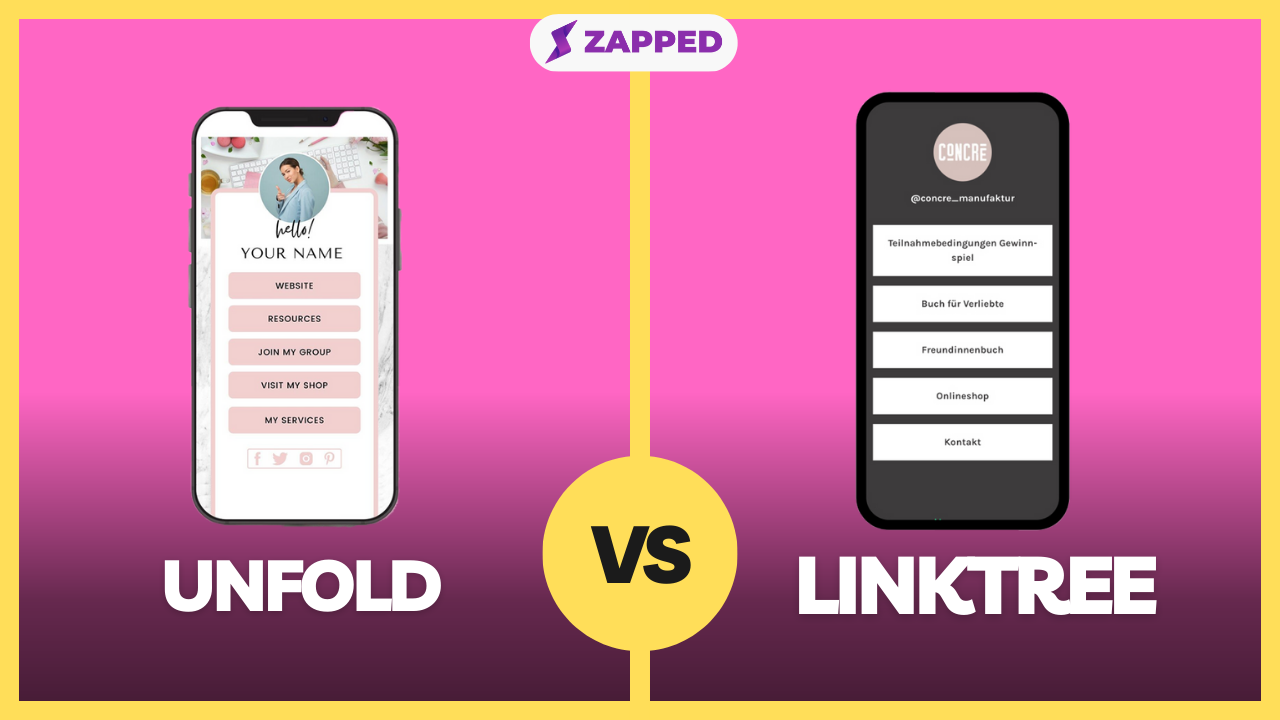
Unfold Bio Sites and Linktree can both send social visitors to more than one destination, but they solve different versions of the problem. The right choice depends on whether you are building a creator storefront, a simple campaign hub, a social commerce path, or a professional contact profile.
Quick answer
Unfold Bio Sites is better if you like the Squarespace and Unfold ecosystem and want a polished profile page. Linktree is better if you want a standalone link-in-bio tool with clear plan tiers, integrations, QR sharing, and very familiar visitor behavior.
For professional networking, QR codes, NFC taps, and save-contact workflows, a digital business card like Zapped can be a better fit than either tool because the profile is built around contact exchange instead of only link routing.
Key takeaways
- Start with the job of the page, not the brand name of the tool.
- Check current pricing and plan limits before moving an important bio link.
- A link-in-bio page is strongest when visitors need choices.
- A digital business card is stronger when visitors need to save contact details or follow up.
- Keep the final page simple enough that a mobile visitor knows what to tap first.
Unfold Bio Sites vs Linktree at a glance
As of this July 2026 refresh, the public pages for these tools show different strengths. Use this table as a buyer guide, then verify the exact plan limit before you migrate an active profile.
| Category | Unfold Bio Sites | Linktree |
|---|---|---|
| Main job | Design-led Bio Site tied to Squarespace and Unfold | Standalone link-in-bio page |
| Best fit | Best for design-led bio site tied to squarespace and unfold use case | Best for standalone link-in-bio page use case |
| Setup effort | Usually quick, deeper customization takes more review | Usually quick, deeper customization takes more review |
| Analytics | Confirm current plan limits before switching | Confirm current plan limits before switching |
| Weak fit | Contact saving, employee cards, or team vCard management | Contact saving, employee cards, or team vCard management |
When Unfold Bio Sites is better
Unfold Bio Sites is the better choice when its core workflow matches the traffic you already have.
- You already use Unfold or Squarespace.
- You want a clean brand page tied to a design ecosystem.
- You prefer a more website-like profile.
- You want a bio page that supports a broader brand presence.
A good sign is that the first tap after your social profile feels obvious. If visitors have to interpret a crowded page, the tool may be doing too many jobs at once.
When Linktree is better
Linktree is the better choice when its page structure, ecosystem, and visitor familiarity line up with your goal.
- You want the easiest generic link hub.
- You need integrations and QR sharing.
- You change links often for campaigns.
- You want a tool built primarily around bio link traffic.
This is especially important for paid traffic, creator campaigns, and social bios where people decide in seconds whether the next tap is worth it.
What to check before switching
Before replacing an existing bio link, review the live page and write down what currently matters:
| Check | Why it matters |
|---|---|
| Top destination | The first button should match the visitor's intent |
| Analytics | You need enough data to know what people actually tap |
| Custom branding | The page should feel connected to your brand or profile |
| Mobile layout | Most bio traffic arrives from a phone |
| Contact capture | Link clicks are not the same as saved contacts or leads |
| Redirect plan | Old profile links, QR codes, and posts may still send traffic |
If you are switching from an older tool, keep the old page live until the new page, profile links, QR codes, and campaign links have all been checked.
When Zapped belongs in the comparison
Use Zapped when the priority is a clean, editable business profile that works across QR, NFC, direct links, email signatures, and team sharing. The tools in this comparison can fit specific hardware or premium card preferences, but Zapped keeps the focus on the contact handoff and the page the recipient actually uses.
That makes it worth comparing when saved contacts, booking links, brand consistency, and simple profile updates matter more than buying into one vendor ecosystem.
Decision checklist
Choose the tool that gives the visitor the cleanest next action:
- Use a creator storefront when the visitor is ready to buy or subscribe.
- Use a simple bio page when the visitor needs to choose among content, social, and campaign links.
- Use a short link or QR redirect when the visitor should go to one destination.
- Use a digital business card when the visitor should save contact details or become a lead.
- Use a full website or ecommerce store when products, checkout, SEO, and operations matter.
FAQs
Is Unfold Bio Sites better than Linktree?
It depends on the workflow. Unfold Bio Sites is better when its specific page style and feature set match your traffic. Linktree is better when you need its ecosystem, visitor familiarity, or current platform depth.
Can I use both tools at the same time?
Yes. Many teams use one profile hub for social traffic and separate pages for campaigns, contact exchange, or ecommerce. The risk is confusing visitors, so each URL should have a clear job.
Is a link-in-bio tool the same as a digital business card?
No. A link-in-bio tool organizes destinations from a social profile. A digital business card focuses on sharing and saving contact details through QR codes, NFC taps, links, and vCard style profiles.
Should I move my old bio link right away?
Not without checking traffic sources, old QR codes, social profiles, and campaign links. Build the new page, test it on mobile, then update the most important placements first.