Prepare the next conversation before you join. Choose who or what you want to reach, write a short introduction and two questions, test your setup, and decide which contact path you will share. During the event, participate selectively. Then follow up within 24 to 48 hours with one detail that proves you were paying attention and one small next step.
The polished camera setup is only the opening move. A useful connection is the one that gives both people an easy reason to continue.
Ten minutes before the room opens
Choose video when it works, and keep telephone in reserve when video is unavailable or the connection is unreliable. Northwestern's guidance covers the unglamorous details that decide whether a conversation gets anywhere: check the time zone, position the camera, reduce background noise, use headphones when helpful, and join about 10 minutes early.
That early arrival is useful time. Check the internet connection, camera, and microphone in a quiet space. If the video starts misbehaving, agree on the telephone fallback before the other person is staring at a frozen face. Verify the time zone again before rescheduling. A simple plan keeps a technical problem from becoming an awkward disappearance.
For video, look at the camera when you speak and let the other person see that you are listening. A professional appearance and visible listening cues can help the exchange feel engaged, but nobody needs a broadcast studio. Remove distractions so the conversation has room to happen.
Give the event a job
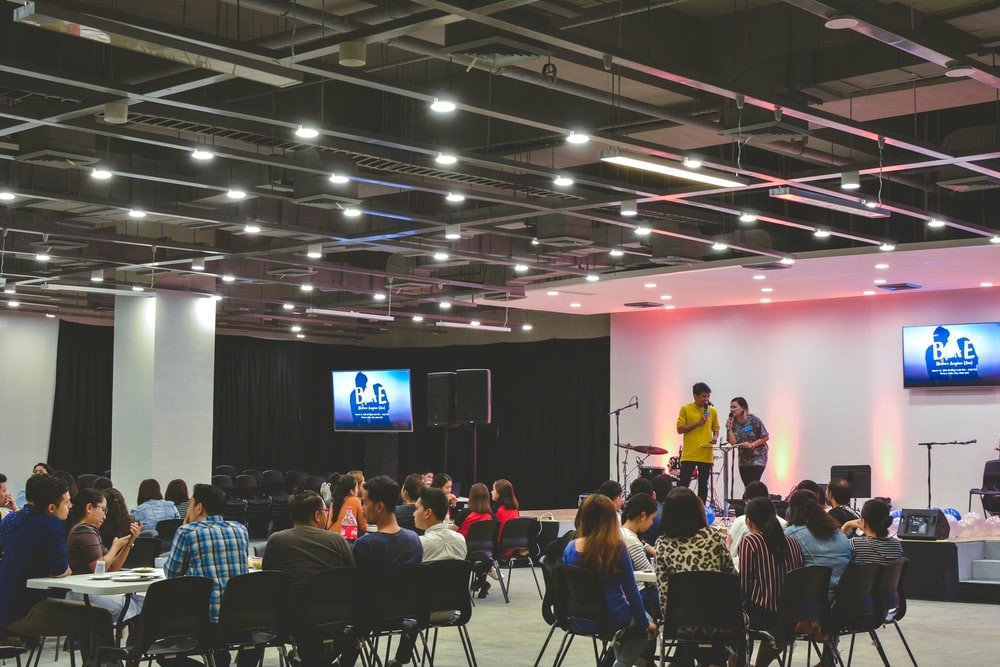
Do not enter a virtual networking event hoping the right person will somehow find you. Review the agenda and attendee list first. Pick the sessions that match your reason for attending, then choose the people you would genuinely like to meet.
Your reason can be practical: learn how a team handles a problem, understand a role you are considering, or find someone who can explain a part of the industry you do not yet know. Research the people or speakers you hope to meet and decide the purpose of the conversation before the event, as Creative Access recommends in its virtual networking guide.
Then prepare a conversational 30 second introduction. Say who you are, what you have done, what interests you, and why you are there. Add two questions that fit the purpose. If you want to understand a role, ask what the work looks like in practice. If you want to learn about a company, ask what problem the team is trying to solve. A relevant question is more memorable than a miniature autobiography.
The point is not to sound rehearsed. It is to avoid spending your first useful opening explaining why you showed up.
If this is your first time building the habit, our guide to networking tips gives the broader pattern behind the event: find someone, initiate, prepare, engage, follow up, and keep the connection alive.
Participate where you can be useful
Large online rooms reward motion, not perfection. A prepared introduction, a relevant question, and thoughtful use of chat give you several ways to enter without trying to be everywhere. If the main room is crowded, a breakout may give you a better opening. If a speaker leaves a question unanswered, use the chat to ask it clearly instead of pasting a generic introduction.
You do not need to collect the most names. Choose one or two online spaces where the people you want to meet already spend time, then participate consistently enough to become recognizable. The CFA Institute's advice on networking online is useful here: add value, personalize the outreach, and resist the immediate pitch.
That last part matters. A virtual event is not a license to turn every chat box into a sales funnel. Answer a question, share a useful resource when it genuinely fits, or connect two people who should know each other. Then let the conversation become more specific before you ask for anything.
Sometimes the event itself is the wrong format. If the crowd is too noisy or the structure does not support your goal, move to a smaller breakout, an online community, a virtual coffee chat, or a focused conversation with one person. Smaller virtual formats can give the exchange enough space to become a real conversation.
Share one clear way to continue
When the conversation earns a next step, make the handoff easy. Choose one contact path before the event so you are not searching through five profiles while the other person waits. A plain profile link works. So does a digital card, provided the other person can open it without doing homework.
Zapped lets you share a digital vCard by QR code, NFC tap, or link. The card opens in a normal browser, so the recipient can save your details without installing an app. That makes it a useful handoff after a virtual conversation, especially when you want to move from a chat window to a contact the other person can keep.
Keep the handoff governed by the conversation. Share the details that help with the next action, not every link you have ever collected. If you have no card tool ready, send a plain profile or connection link with one sentence of context. Do not delay a good message while you build a perfect page.
Start with the simplest path the other person can use immediately. Add a digital card when repeated events make the handoff worth making more deliberate.
Follow up while the moment is still clear
The follow up should help the other person remember the exchange without making them reconstruct it. Remind them where you met, name one real detail, and make one small request. You might refer to the question they raised in a breakout, the project they described, or the point you both made about a problem in the field.
The University of Oregon recommends reconnecting with the people you met, reminding them where you met, and making a deeper conversation easy to consider. A personalized next step is stronger than a generic connection request, and a small ask is easier to answer than a demand for a meeting, referral, or introduction all at once.
Northwestern's practical window is 24 to 48 hours. That is soon enough for the shared moment to remain recognizable and long enough for you to write something personal. A message to speakers, peers, or companies can clarify an unanswered question or request a specific piece of information.
It recalls the place, proves you listened, and gives the other person a modest way to respond. That is enough. The follow up does not need a grand theory of your career.
Let repeated events earn a little structure
If you attend one virtual event, a note and a plain link are enough. If you attend the same kinds of events repeatedly, a card level activity view can help you review which handoff moments deserve another look. Zapped gives you per card analytics, with analytics history varying by plan.
Treat that information as a review aid, not a relationship score. Activity can tell you that a card was opened or used; it cannot prove that the conversation mattered or that someone wants to hear from you again. The human part is still the specific note you send after the event.
Prepare a reason. Make one good contribution. Offer one clear way to continue, then follow up with the detail that proves the exchange happened. If video fails, use telephone when the other person agrees. If the large room is wrong for the goal, choose a smaller one. If the card is not ready, send the link you have. The connection does not need more polish. It needs a next step someone can actually take.